101 Dalmatians Dream: Surround Yourself with Adorable Spotted Puppies
Transform Your Photo into a Magical Dalmatian Puppy Paradise
Free to try - Sign up in seconds
About This Trend
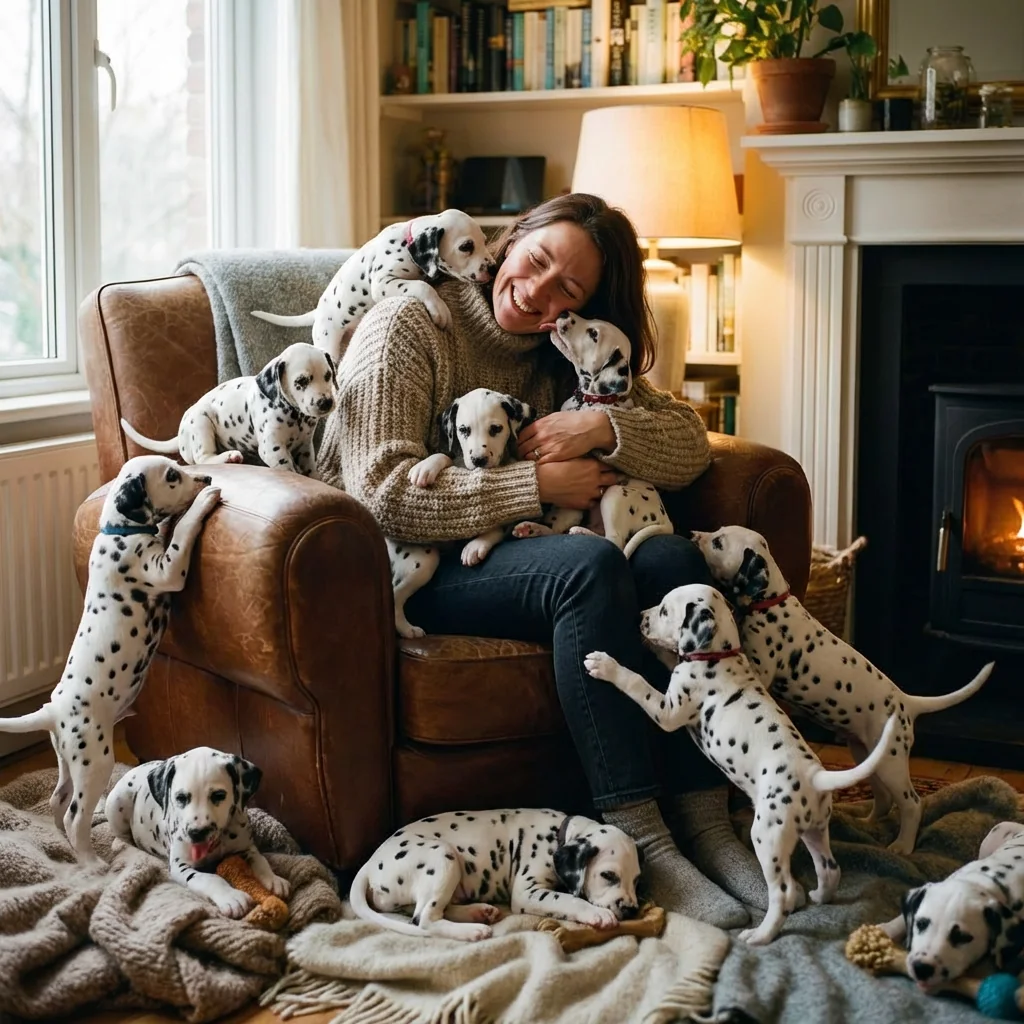
Step into the heartwarming world of 101 Dalmatians with our revolutionary AI photo transformation tool. This unique effect places you in the center of an enchanting scene surrounded by dozens of adorable, photorealistic Dalmatian puppies. Each puppy is rendered with stunning detail, featuring accurate spotted coats, floppy ears, and playful expressions that bring the scene to life. Whether you're a dog lover, Disney fan, or simply want to create a memorable photo, this AI effect transforms your ordinary image into an extraordinary moment of pure joy.
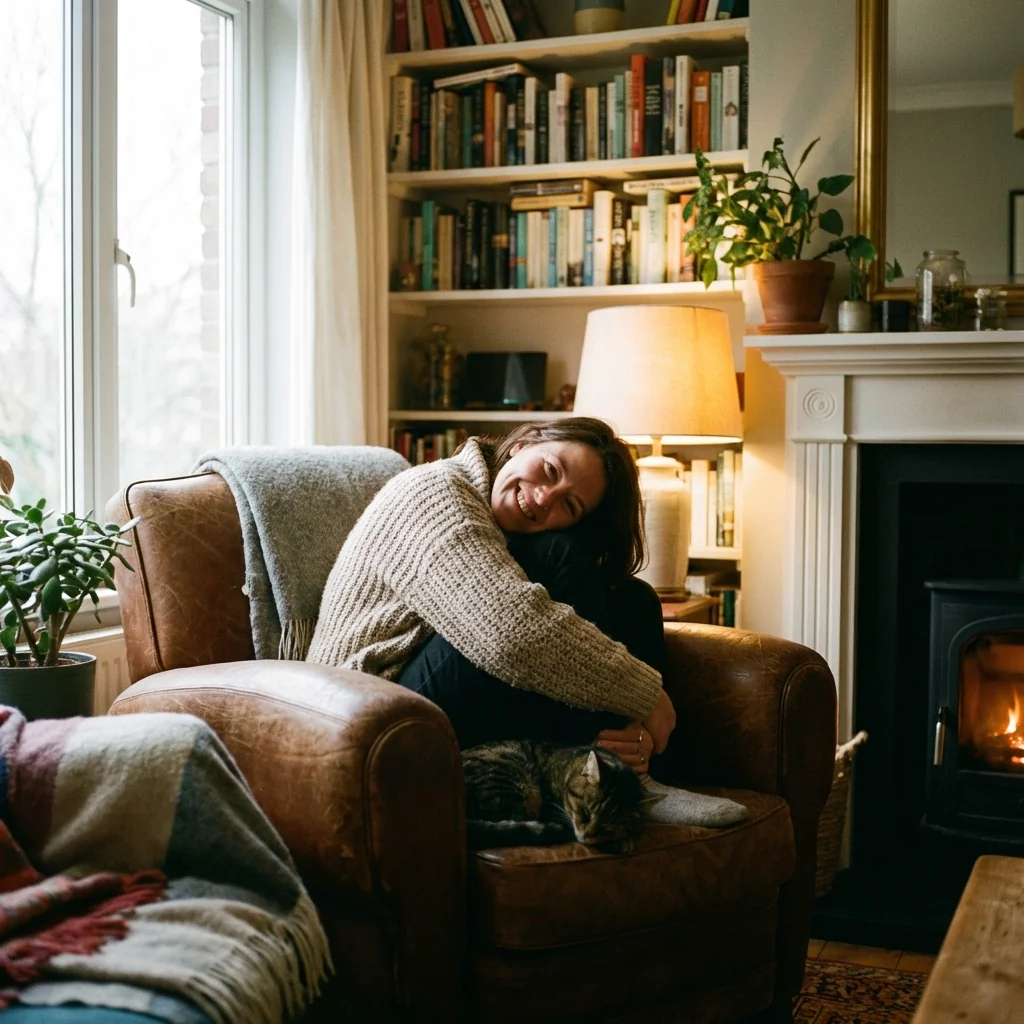
Our advanced AI technology ensures that every aspect of the transformation is perfect. Your likeness, pose, and outfit remain exactly as they are in your original photo, while the AI seamlessly integrates you into a cozy living room setting filled with playful puppies. Some puppies cuddle in your lap, others play at your feet, and a few might be tugging playfully at your clothing. The warm lighting from a fireplace in the background creates a cinematic atmosphere, while soft blankets and cozy furnishings complete the homey scene. Each Dalmatian puppy is positioned naturally, with various poses including sleeping, playing, tail-wagging, and giving affectionate licks.
The photorealistic rendering quality sets this effect apart from simple filters or overlays. Every puppy features meticulously detailed fur textures, expressive eyes that sparkle with life, and natural shadows that blend seamlessly with the lighting. The 8k resolution ensures your final image is crisp, detailed, and perfect for sharing on social media, printing, or keeping as a cherished memory. Whether you want to surprise friends, create unique profile pictures, or simply fulfill your dream of being surrounded by puppies, this AI transformation delivers professional-quality results in seconds. The joyful, wholesome atmosphere captured in each image makes it perfect for gifts, social media posts, or personal keepsakes.
Ready to create your own?
Try this trend for free. No credit card required, just sign up and start creating.
How It Works
Upload your photo - Choose a clear image where you're facing the camera for best results
AI processes your image - Our advanced algorithm analyzes your photo and generates the Dalmatian puppy scene
Review your transformation - See yourself surrounded by dozens of photorealistic spotted puppies in a cozy setting
Download and share - Save your 8k resolution image and share it on social media or print it
Features
- Photorealistic Dalmatian puppies with accurate spotted coats and floppy ears
- Natural interaction between subject and dozens of playful puppies
- Cozy living room setting with warm fireplace lighting
- 8k resolution output for crystal-clear image quality
- Preserves exact likeness, pose, and outfit from original photo
- Various puppy poses: sleeping, playing, tail-wagging, cuddling
- Cinematic warm lighting with professional shadows and depth
- Fine fur detail rendering for maximum realism
- 1:1 aspect ratio perfect for social media profiles
- Instant AI transformation in seconds
Use Cases
- Create unique social media profile pictures with adorable puppies
- Design personalized gifts for dog lovers and Dalmatian fans
- Generate fun family photos with heartwarming puppy scenes
- Produce creative content for pet-related blogs and websites
- Make memorable birthday cards and celebration images
- Create viral-worthy content for Instagram and TikTok
- Design custom merchandise with your puppy-filled photo
Pro Tips for Better Results
Use a clear front-facing portrait
Dalmatian puppies need to be added around your face — the AI tracks your features best when you're looking directly at the camera with even lighting. Side profiles or low-light shots produce inconsistent results. Nano Banana Pro Edit handles edge-case angles better than most alternatives but a clean front shot still wins.
Pick photos with simple backgrounds
Cluttered backgrounds compete with the puppies for visual attention. Solid colors, plain walls, or shallow-depth-of-field portraits give the AI more room to place 6-12 puppies naturally. Try the same prompt on Qwen Image 2 Pro Edit if you want different puppy positioning styles.
Specify the puppy count if you want control
By default the AI decides how many puppies to add (usually 5-15 depending on photo composition). If you want a specific count, include it in your prompt: 'surround me with exactly 8 dalmatian puppies'. Fewer puppies often look cleaner; many look more chaotic but also more whimsical.
Avoid pets already in the photo
If you already have a dog or cat in the original photo, the AI may merge or replace them with dalmatians. Crop them out first or use a different photo. FLUX 2 Dev Edit is more conservative about preserving existing animals if that matters.
Generate 3-4 variations
Puppy placement varies between runs — generate 3-4 versions and pick the one with the best composition. Each generation costs only a few credits, so iterating is cheap. Save the seed of your favorite for consistent re-generations.
Pair with text overlay for shareable cards
These results work great as birthday cards, anniversary posts, or pet-lover gifts. After generating, drop the image into a design tool with simple text overlay. The result feels both AI-generated and personal — exactly the social-media sweet spot.
Frequently Asked Questions
Other Models You Could Use
Ready to Try 101 Dalmatians Dream: Surround Yourself with Adorable Spotted Puppies?
Transform your images with AI in seconds. No design skills required.
Get Started FreeJoin thousands of creators using JAI Portal