Scale Model Workspace
Create Realistic Car Model Scenes
Free to try - Sign up in seconds
About This Trend
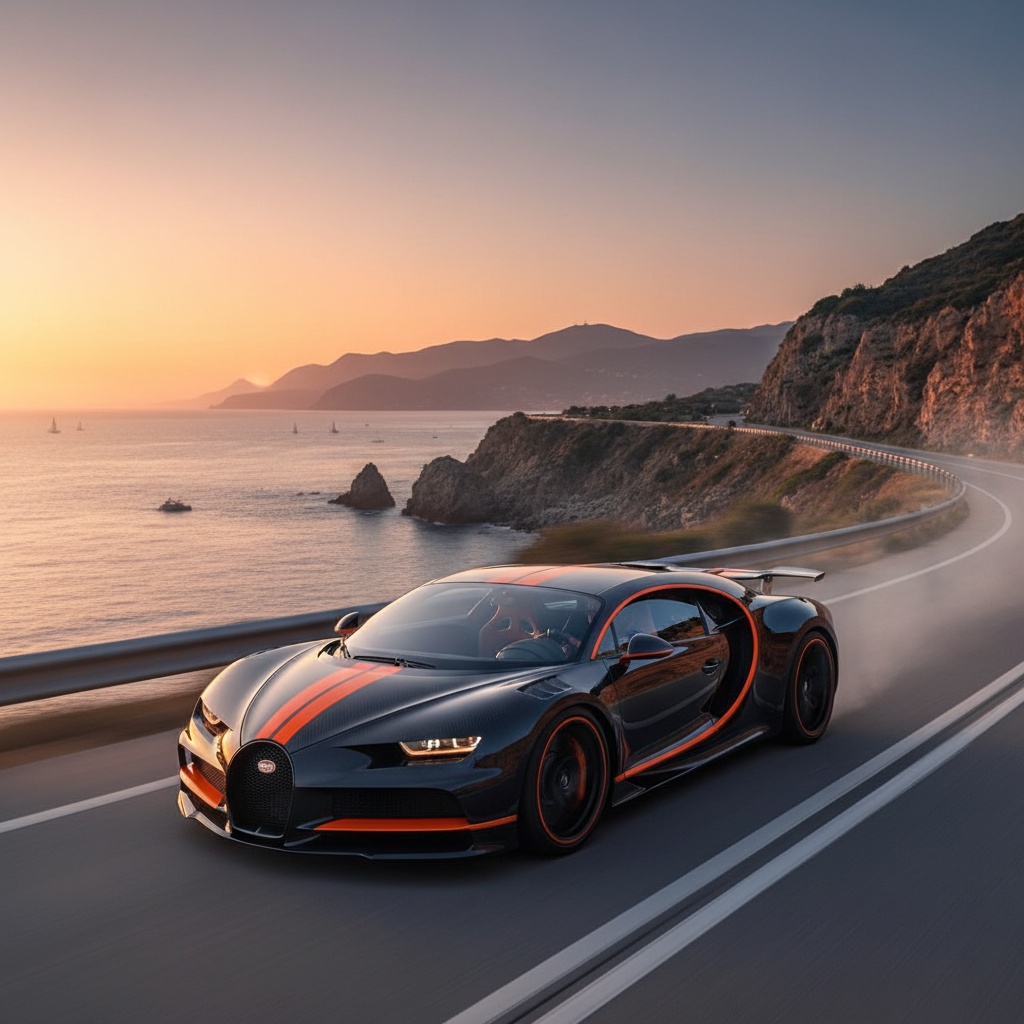
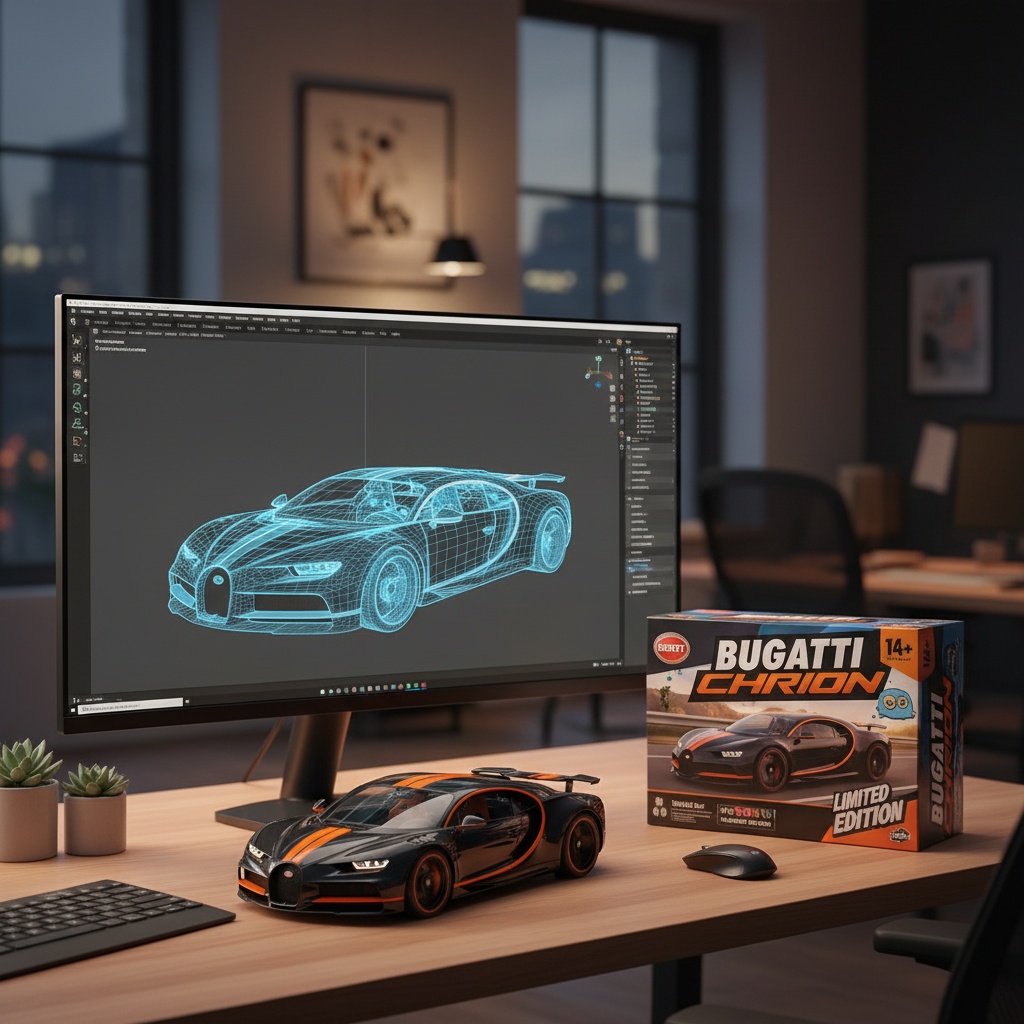
The Scale Model Workspace trend leverages AI to transform photographs of real vehicles into captivating scenes featuring miniature scale models in professional designer workspaces.
Your car photo is reimagined as a high-quality scale model sitting on a designer's desk, complete with a computer monitor displaying the 3D modeling process and professionally designed product packaging.
Perfect for automotive photographers wanting creative content, car clubs creating merchandise concepts, or designers visualizing potential scale model products.
Ready to create your own?
Try this trend for free. No credit card required, just sign up and start creating.
How It Works
Upload a clear photo of your car
AI transforms it into a scale model scene
Computer monitor and packaging are auto-generated
Download your professional workspace artwork
Features
- Transform real car photos into scale model representations
- Automatic 3D software interface generation
- Professional product packaging design creation
- Studio-quality lighting and shadows
- Works with any vehicle type
Use Cases
- Automotive enthusiasts creating unique content
- Car clubs visualizing merchandise
- Diecast collectors creating visualizations
- Marketing materials for automotive businesses
- Creative car photography
Pro Tips for Better Results
Use Clean Side Profile Shots
The GPT-Image 1.5 Edit model works best with side profile or 3/4 angle photos where the vehicle's shape is clearly visible. Avoid extreme angles or heavily cropped images. A clean background helps the AI focus on the vehicle details rather than complex scenery. If your original photo has a busy background, consider using JAI Portal Spicy Image Editor to clean it up first before applying the scale model transformation.
Lighting Matters for Realism
Upload photos taken in even, natural daylight for the most realistic scale model results. Harsh shadows or extreme backlighting can confuse the AI and produce less convincing miniature representations. The model automatically generates studio-quality lighting in the final workspace scene, but starting with well-lit source material gives the AI better detail to work with. Indoor photos with good overhead lighting also work well, especially for vehicles photographed at car shows or in garages.
High Resolution Yields Better Details
While the GPT-Image 1.5 Edit model handles various resolutions, higher quality input photos produce sharper scale model details and more convincing packaging graphics. Aim for at least 1024px on the shortest side. The AI generates intricate elements like computer screen displays and product box designs, so giving it more pixel data to analyze results in crisper text, logos, and surface textures on the miniature model representation.
Try Different Vehicle Types
Don't limit yourself to cars—this trend works surprisingly well with motorcycles, trucks, boats, and even aircraft. Each vehicle type gets its own appropriate scale model treatment with matching packaging style. Classic cars often produce nostalgic Hot Wheels-style results, while modern supercars get sleek contemporary packaging. Experiment with different vehicle eras and styles to see how the AI adapts the workspace aesthetic. Vintage vehicles often generate retro-styled computer interfaces and packaging designs.
Consider Alternative Edit Models for Variations
If you want more control over the workspace environment or packaging style, try OpenAI GPT Image 2 Edit or FLUX 2 Dev Edit with custom prompts. These models let you specify details like "vintage 1990s diecast packaging" or "futuristic holographic display" for different aesthetic variations. The default Scale Model Workspace trend gives you instant results, but alternative edit models offer more creative flexibility if you're willing to experiment with prompt engineering.
Batch Process for Car Collections
If you're creating content for an entire car collection or club event, photograph all vehicles with consistent lighting and angles. This creates visual cohesion when you transform multiple photos into scale model scenes. The AI will generate unique packaging and workspace details for each vehicle while maintaining a professional series aesthetic. This approach works great for creating social media content series, merchandise mockups, or collectible-style trading cards for car club members.
Frequently Asked Questions
Other Models You Could Use
Ready to Try Scale Model Workspace?
Transform your images with AI in seconds. No design skills required.
Get Started FreeJoin thousands of creators using JAI Portal