Minecraft World with Real Subject
Place Yourself in a Blocky Minecraft Environment
Free to try - Sign up in seconds
About This Trend
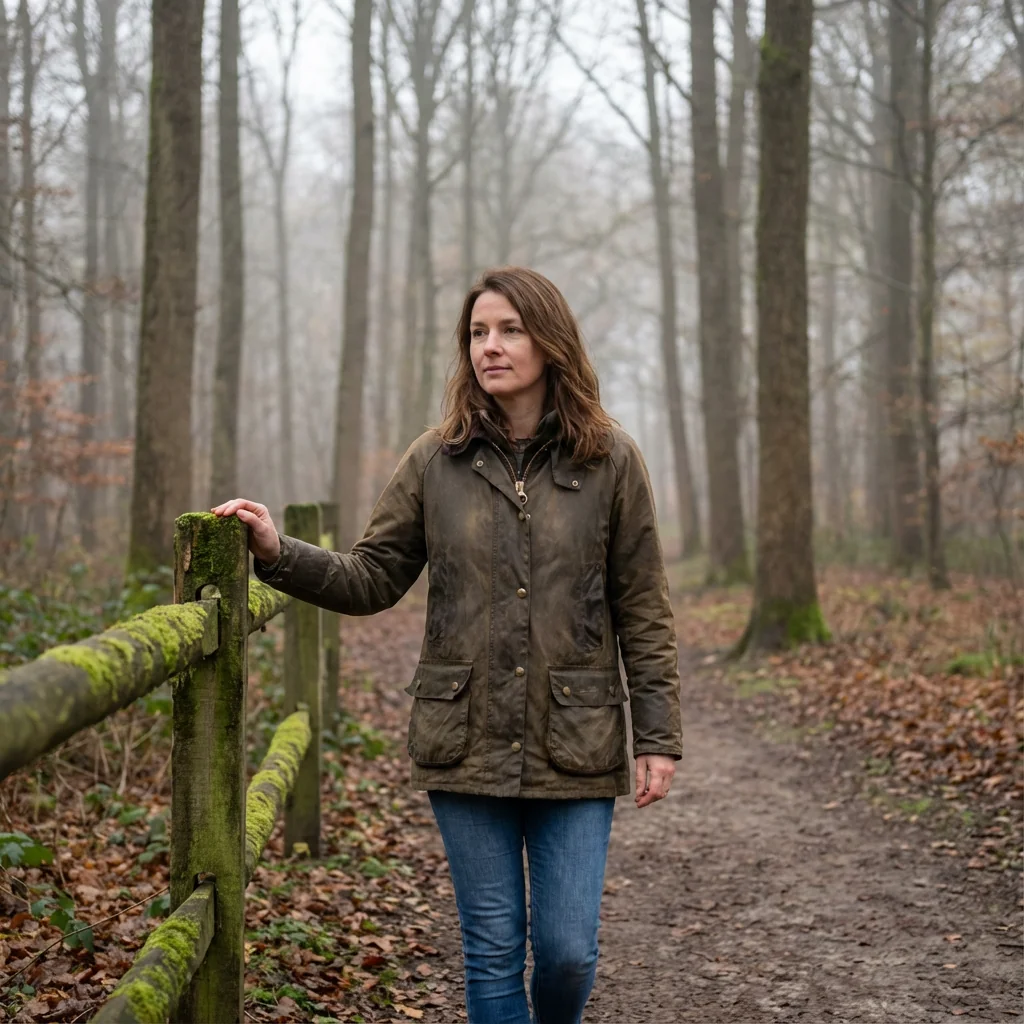
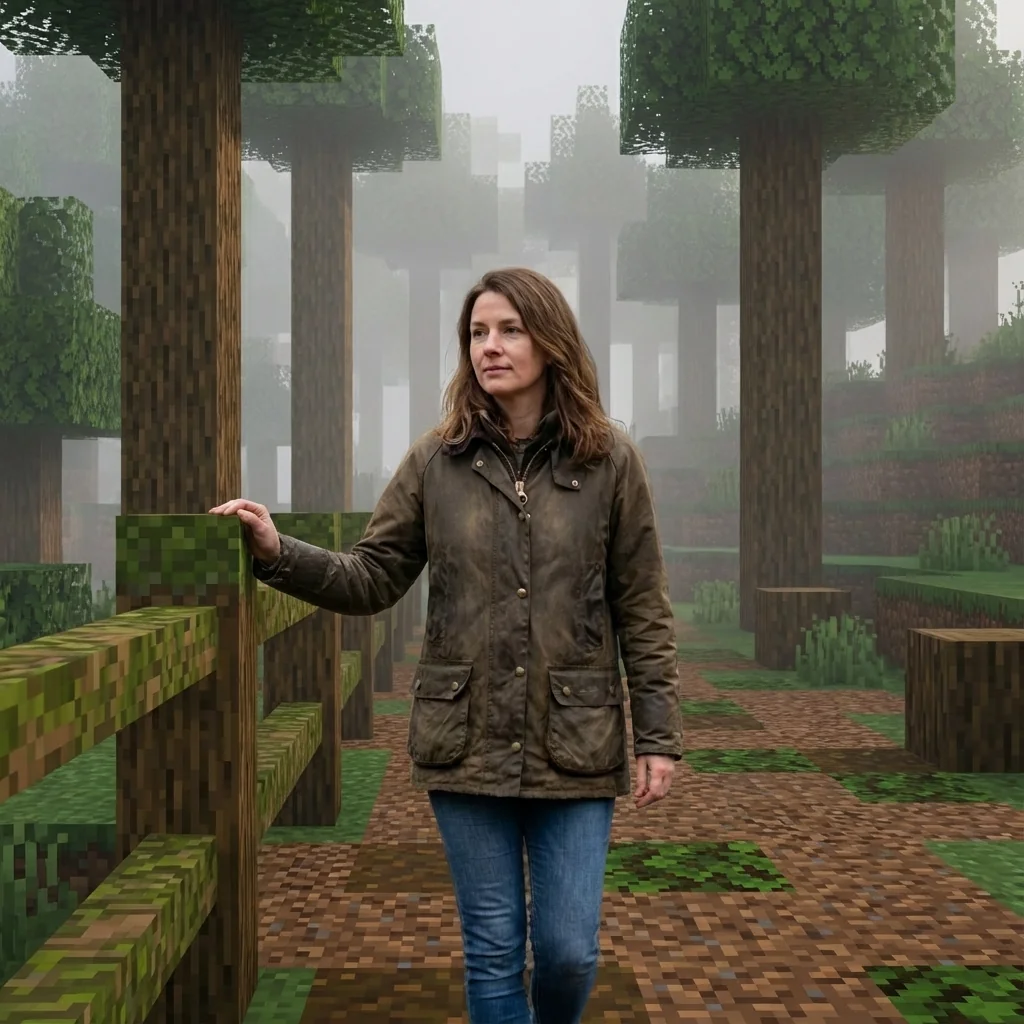
The Minecraft World with Real Subject trend creates a unique mixed-media aesthetic by placing your photorealistic self inside a fully blocky Minecraft environment. This AI effect preserves your natural human appearance while converting the entire background into authentic voxel blocks.
Powered by Nano Banana Pro Edit, this transformation analyzes your photo's background structure and reconstructs it using Minecraft cubic blocks, pixel art textures, and blocky fog layers. Any objects you're touching or nearby pets are converted into Minecraft block models or mobs, while you remain completely photorealistic without any pixelation.
Perfect for Minecraft content creators who want to appear inside the game world, gaming thumbnails, and creative crossover content. The cinematic screenshot quality maintains your exact camera angle and framing while delivering authentic Minecraft environmental aesthetics.
Ready to create your own?
Try this trend for free. No credit card required, just sign up and start creating.
How It Works
Upload a photo with clear background
AI keeps you photorealistic
Background analyzed and converted to voxel blocks
Objects and pets become Minecraft elements
Download your mixed-media Minecraft scene
Features
- Keep yourself completely photorealistic
- Background converted to Minecraft voxel blocks
- Objects you touch become Minecraft blocks
- Pets transformed into Minecraft mobs
- Trees and terrain as cubic pixel art
- Blocky volumetric fog atmosphere
- Maintains original camera angle
- Minecraft daylight with block shadows
- High-quality cinematic screenshot look
Use Cases
- Minecraft YouTube thumbnails
- Gaming content creator visuals
- Crossover reality/game content
- Minecraft server promotional images
- Creative gaming social media posts
- Minecraft streamer branding
- Mixed-media gaming art
Pro Tips for Better Results
Use Photos with Clear Depth Separation
The AI needs to distinguish you from the background to preserve your photorealistic appearance while converting surroundings to blocks. Stand at least 3-4 feet away from walls or objects. Outdoor photos with natural depth of field work exceptionally well. Avoid busy backgrounds where you blend into the scene—clean separation ensures the Nano Banana Pro Edit model accurately identifies what stays realistic versus what becomes voxelized.
Position Objects Strategically for Block Conversion
Anything you're physically touching transforms into Minecraft blocks or items. Hold props like books, phones, or tools to see them reimagined as blocky game objects. Place pets nearby (not touching you) to convert them into mobs while you remain human. This creates compelling mixed-media contrast. For purely background edits without object transformation, try FLUX 2 Dev Edit with custom prompts for more granular control.
Optimize Lighting for Realistic Minecraft Shadows
The model generates Minecraft-style block shadows and volumetric fog, but your lighting should match typical Minecraft daylight conditions. Soft, diffused outdoor lighting or bright indoor setups work best. Harsh side lighting or backlighting can confuse the subject-background separation. Well-lit photos help the AI maintain your photorealistic skin tones and textures while accurately rendering cubic block shadows in the converted environment.
Frame Your Shot Like a Game Screenshot
The output maintains your original camera angle, so compose your photo as if it's already a Minecraft screenshot. Slightly lower angles (waist to eye level) create authentic gaming perspectives. Avoid extreme close-ups or tilted angles. Landscape orientation works better than portrait for that widescreen gaming aesthetic. The Nano Banana Pro Edit model preserves your framing while adding the blocky environment around you.
Include Environmental Elements Worth Voxelizing
Trees, furniture, buildings, and terrain features convert beautifully into Minecraft blocks. Boring blank walls produce less interesting results. Choose locations with architectural details, natural landscapes, or recognizable objects that will look compelling as voxel art. Parks, urban streets, and rooms with furniture provide rich material for the block conversion algorithm to work with, creating more authentic Minecraft world aesthetics.
Consider Your Clothing and Skin Visibility
Since you remain photorealistic, your outfit and visible skin create contrast against the blocky background. Solid-colored clothing reads clearly against voxel textures. Avoid wearing Minecraft-themed shirts or pixelated patterns that might confuse the mixed-media aesthetic. For full-body transformations into game characters instead, explore FLUX 2 Face to Full Portrait with custom Minecraft character prompts.
Frequently Asked Questions
Other Models You Could Use
Ready to Try Minecraft World with Real Subject?
Transform your images with AI in seconds. No design skills required.
Get Started FreeJoin thousands of creators using JAI Portal