Professional Logo Design
Create Professional Logos in Minutes with AI
Generate unique brand identities with AI. No design skills needed. Pay only for what you create. Start with 10 free credits.
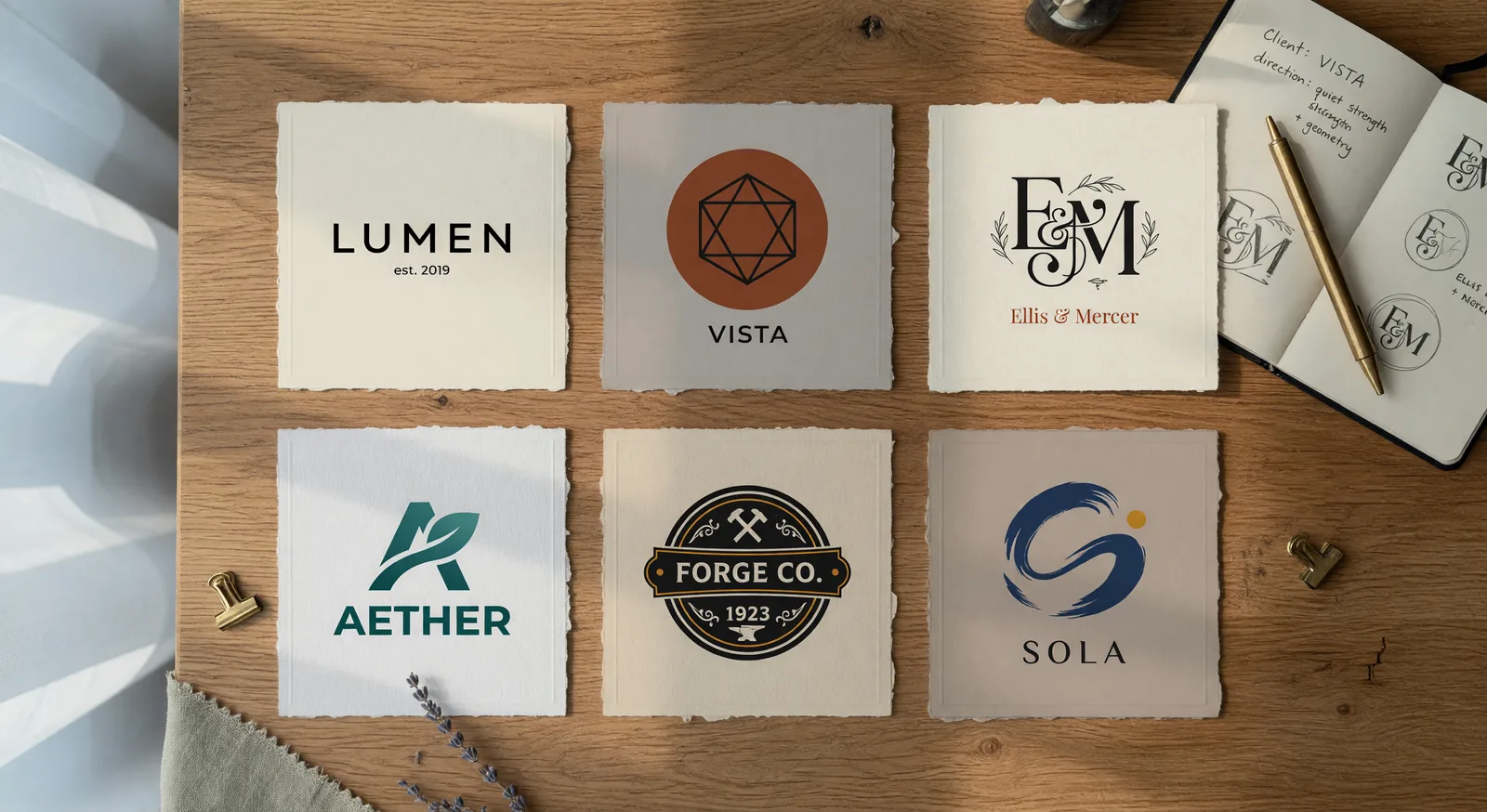
Examples
See AI Logo Generator in Action
Click any thumbnail to preview the output. Click "Try It Now" to open the generator pre-filled with the same setup.
Image Examples
AI Logo Generator
Technology
"A minimalist geometric logo featuring an abstract brain made of interconnected nodes and circuits, rendered in a gradient from electric blue to purple, with clean vector lines and a modern tech aesthetic perfect for an AI startup."
Try It Now →

Character Design
"Design a playful mascot logo of a friendly robot artist holding a digital paintbrush, composed of simple rounded shapes in vibrant coral and teal colors, with a whimsical expression that conveys creativity and innovation."
Try It Now →

Luxury
"Create an elegant monogram logo combining the letters A and I in an interlocking Art Deco style, using bold black lines with gold accent details, evoking sophistication and premium design services."
Try It Now →

Abstract
"A dynamic abstract logo showing fluid brush strokes morphing into digital pixels, transitioning from warm orange to cool cyan, capturing the fusion of traditional art and artificial intelligence in a single flowing motion."
Try It Now →

Corporate
"Illustrate a badge-style logo with a shield shape containing a stylized neural network pattern, using a professional navy blue and silver color scheme with crisp vector edges suitable for corporate branding."
Try It Now →

Retro
"Design a retro-futuristic logo featuring a neon-outlined robot head in profile with geometric facets, rendered in vibrant magenta and cyan against transparency, channeling 1980s synthwave aesthetics for a bold brand identity."
Try It Now →

Nature
"A nature-inspired organic logo showing a tree where the branches form circuit pathways, illustrated in earthy green tones with smooth vector curves that blend environmental consciousness with technological advancement."
Try It Now →

Minimalist
"Craft a minimalist lettermark logo using negative space to reveal a hidden light bulb within bold sans-serif typography, executed in a single striking color like deep indigo to represent ideas and innovation."
Try It Now →

Sports
"An energetic sports-style logo depicting a lightning bolt merged with a digital cursor arrow, rendered in electric yellow and black with sharp angular vectors that convey speed and precision in AI-powered design."
Try It Now →

Mystical
"Design a celestial-themed logo with a stylized star constellation pattern that subtly forms the shape of a creative mind, using gradient purples and silvers with delicate connecting lines for a mystical yet modern appearance."
Try It Now →

3D Design
"A bold isometric logo showing a three-dimensional cube transforming into scattered creative elements like paint drops and vector shapes, using a vibrant triadic color scheme of red, yellow, and blue to emphasize versatility."
Try It Now →

Geometric
"Create a circular emblem logo with mandala-inspired geometric patterns radiating from a central AI core symbol, executed in monochromatic gradients from charcoal to white, balancing technical precision with artistic harmony."
Try It Now →

How It Works
Create in 5 Simple Steps
1
Describe Your Brand Vision
Write a prompt specifying logo type (wordmark, icon, combined mark), your business niche, visual style (modern, vintage, minimal), and color palette. Include your brand name in quotes if you want text.
2
Generate Multiple Variations
Create 10-20 logo options by running your prompt multiple times and tweaking small details. Try different color combinations, typography styles, and icon treatments to explore diverse directions.
3
Compare and Select Favorites
Review all generated logos side-by-side. Test them at small and large sizes. Pick the 2-3 strongest concepts that capture your brand personality and work across all your use cases.
4
Refine Your Top Choice
Iterate on your favorite logo with focused prompt adjustments. Simplify shapes, adjust color balance, refine typography, or test monochrome versions until you achieve the perfect final mark.
5
Download and Deploy
Export your finished logo and use it commercially on your website, business cards, social media, products, packaging, signage, and advertisements. You own full rights to your AI-generated design.
The Problem & Solution
Why Choose AI for This?
💸
Before: Hiring a designer costs $500-$2000 and takes weeks of back-and-forth revisions.
↓
With JAI Portal: Generate 50 professional logo variations in an hour for a fraction of the cost with credits.
🎨
Before: Template-based logo makers give you the same generic designs as thousands of other businesses.
↓
With JAI Portal: Describe your unique brand vision and get original AI-generated logos tailored to your style.
🔄
Before: Testing different logo styles and directions requires paying for multiple design rounds.
↓
With JAI Portal: Iterate freely across wordmarks, icons, badges, and color palettes with low-cost credits per generation.
Overview
About AI Logo Generator
An AI logo generator transforms your brand vision into professional logo designs in minutes, not weeks. Whether you're a solo founder launching a startup, a small business owner opening a cafe, or a creator building a personal brand, you need a real logo that works on business cards, websites, Instagram profiles, and product packaging. JAI Portal's AI logo generator gives you access to advanced text-to-vector models that create clean, scalable brand marks ready for commercial use. Instead of paying hundreds or thousands for a designer or settling for the same templates everyone else uses, you can explore dozens of unique directions quickly and affordably.
JAI Portal solves the logo design challenge with a pay-as-you-go credit system and no monthly subscriptions. You start with 10 free credits to test the platform, then pay only when you generate. Each logo creation costs just a few credits, letting you iterate freely without budget anxiety. Unlike traditional logo maker tools that lock you into preset templates, JAI Portal's AI logo design capabilities let you describe exactly what you want—wordmark, icon-only mark, combined logo, monogram, badge, or emblem—and generate multiple variations instantly. You can try modern flat styles, retro vintage badges, elegant serif wordmarks, geometric abstractions, or gradient treatments all in one session.
This AI logo creator serves everyone who needs an actual brand identity: restaurant owners, gym operators, e-commerce sellers, real estate agents, gaming clans, photographers, fashion labels, pet shops, fitness trainers, music artists, food trucks, SaaS founders, non-profits, and agencies designing for clients. Generate 30 to 50 logo directions in an hour, compare them side-by-side, pick the strongest concept, and refine it until perfect. All generated logos are yours to use commercially—on merchandise, advertisements, websites, apps, and products—with no licensing fees or hidden restrictions. Start creating your brand identity today with JAI Portal's flexible, affordable AI logo generator.
Key Benefits
Why Founders and Business Owners Choose JAI Portal for Logos
⚡
Generate Dozens Fast
Create 20 to 50 logo directions in a single hour. Test modern, vintage, minimal, bold, and gradient styles instantly without waiting days for designer mockups.
💳
Pay Only Per Generation
No monthly subscriptions or hidden fees. Use credits only when you generate. Start with 10 free credits, then pay as you go with transparent per-generation costs.
🎭
Every Style in One Place
Switch between wordmark, icon-only, combined mark, monogram, badge, and emblem styles instantly. Try sans-serif, serif, script, geometric, hand-drawn, and negative-space treatments without switching tools.
🔁
Iterate Until Perfect
Refine your logo with small prompt tweaks. Test color palettes, adjust typography, simplify shapes, and compare variations side-by-side until you land on the perfect brand mark.
✅
Full Commercial Rights
Use your AI-generated logos on products, merchandise, advertisements, websites, apps, packaging, and business cards. You own your outputs with no licensing restrictions or royalty fees.
🚀
No Design Skills Required
Describe your brand in plain language. The AI handles composition, color theory, typography pairing, and visual balance. You get professional results without needing Illustrator or design training.
Real-World Use Cases
Who Creates Logos with AI on JAI Portal
☕Coffee Shops & Cafes
Cafe owners generate warm, inviting logos with coffee bean icons, hand-drawn typography, and earthy color palettes. Perfect for signage, menus, cups, and Instagram profiles without hiring expensive branding agencies.
💻SaaS & Tech Startups
Indie founders create modern, minimal logos with geometric shapes, clean sans-serif wordmarks, and gradient treatments. Launch with a professional brand identity on landing pages, app icons, and pitch decks.
🍕Restaurants & Food Brands
Restaurant owners design appetizing logos with bold typography, food-related icons, and vibrant color schemes. Use them on menus, delivery apps, packaging, food trucks, and storefront signs.
🏋️Gyms & Fitness Brands
Gym operators and personal trainers generate strong, energetic logos with bold letterforms, athletic icons, and high-contrast colors. Brand apparel, websites, social media, and membership cards instantly.
🛍️E-Commerce Stores
Online sellers create memorable brand identities for Shopify, Etsy, and Amazon stores. Generate logos that work across product photos, packaging inserts, email headers, and social media profiles.
🎤Creators & Personal Brands
Coaches, consultants, YouTubers, and podcasters design personal logos with monograms, elegant typography, and signature color palettes. Build authority with consistent branding across all platforms and materials.
🎮Gaming Clans & Esports
Gaming teams generate bold, edgy logos with stylized mascots, sharp letterforms, and competitive color schemes. Use them on Twitch overlays, Discord servers, jerseys, and tournament graphics.
Pro Tips
Pro Tips for Better AI Logo Designs
1
Use the Four-Clause Prompt StructureStructure every prompt with: (1) logo type (wordmark/icon/combined), (2) brand subject (specific business niche), (3) visual style (shapes, typography, 2-3 colors), (4) background (white/transparent/solid). This gives the AI clear compositional guidance.
2
Choose the Right Logo TypeUse wordmark-only for new brands building name recognition. Choose icon-only for established brands or apps needing compact marks. Pick combined marks when you need both name and symbol. Monograms work for personal brands and luxury positioning.
3
Limit Your Color PaletteStick to 2-3 colors maximum. Monochrome logos scale best and print cheapest. Duotone adds personality without complexity. Gradients work for tech brands but avoid them if you need simple one-color printing for merchandise or signage.
4
Test Scalability ImmediatelyView your logo at favicon size (16x16 pixels) and billboard size. If details disappear or shapes blur at small sizes, simplify. Great logos remain recognizable from business card to storefront sign.
5
Iterate with Small TweaksRun the same prompt 3-5 times with minor adjustments. Change one word at a time: swap 'bold' for 'elegant', try 'navy and gold' instead of 'blue and yellow', or request 'rounded' versus 'sharp' edges. Small changes reveal big differences.
6
Match Typography to Brand PersonalityUse clean sans-serif for tech and modern brands. Choose elegant serif for editorial, law, or luxury positioning. Script fonts work for boutique, beauty, and handmade brands. Monospace suits developer tools and gaming.
7
Avoid Common Logo MistakesDon't request busy scenes, character illustrations, or narrative compositions. Logos must be simple, centered, isolated marks. Avoid more than three colors, tiny details that vanish when scaled, and trendy effects that date quickly.
Related Use Cases
Explore More AI Use Cases
FAQ
Frequently Asked Questions
Yes, absolutely. All logos you generate on JAI Portal are yours to own and use commercially without restrictions. You can use them on products, merchandise, advertisements, websites, apps, packaging, business cards, signage, and any other commercial applications. There are no licensing fees, royalties, or usage limits.
Each generation creates original artwork based on your specific prompt, so your logo will be unique to your input. However, because AI models are trained on design patterns, it's important to iterate and refine your logo through multiple generations with specific details about your brand personality, niche, and visual preferences. The more specific your prompt and the more you iterate, the more distinctive your final logo becomes.
JAI Portal's text-to-vector models generate high-quality raster images optimized for logo use. While the outputs are crisp and scalable for most applications, they are not native vector SVG files. If you need a true vector format for large-scale printing or advanced editing, you may need to trace the design in vector software like Adobe Illustrator or use online vectorization tools after generation.
Template-based logo makers give you pre-designed layouts where you swap colors and text, resulting in logos that look similar to thousands of other businesses. JAI Portal's AI generates each logo from scratch based on your unique prompt, giving you original compositions, custom icon designs, and tailored typography. You get creative variety and personalization that templates can't match, with the ability to iterate and refine endlessly.
No design skills required. Simply describe your brand in plain language—your business type, desired style, color preferences, and whether you want a wordmark, icon, or combined mark. The AI handles composition, color theory, typography pairing, and visual balance automatically. You focus on describing your vision; the AI translates it into professional logo designs.
You can generate as many variations as you want. Most users create 20 to 50 logo options in a single session, testing different styles, colors, and compositions. Each generation costs just a few credits, making iteration affordable. Start with 10 free credits at signup, then pay only for additional generations as you refine your perfect logo. There are no daily limits or subscription restrictions.
Ready To Get Started With Our AI Logo Generator?
Start for free with 10 credits. No subscription required. Pay only for what you use.
Get Started Free