Updated May 2026 · 10 Models Tested

10 Best Midjourney Video Alternatives in 2026 – Expert Tested & Ranked

54+ AI video models tested. Better pricing than Midjourney Video — no subscription, no watermark. Pay only for what you use.

Midjourney Video alternatives from just 10 credits · 10 free credits on signup

Try #1 Ranked Google Veo 3.1 text to video Free
10 Free Credits · No credit card required
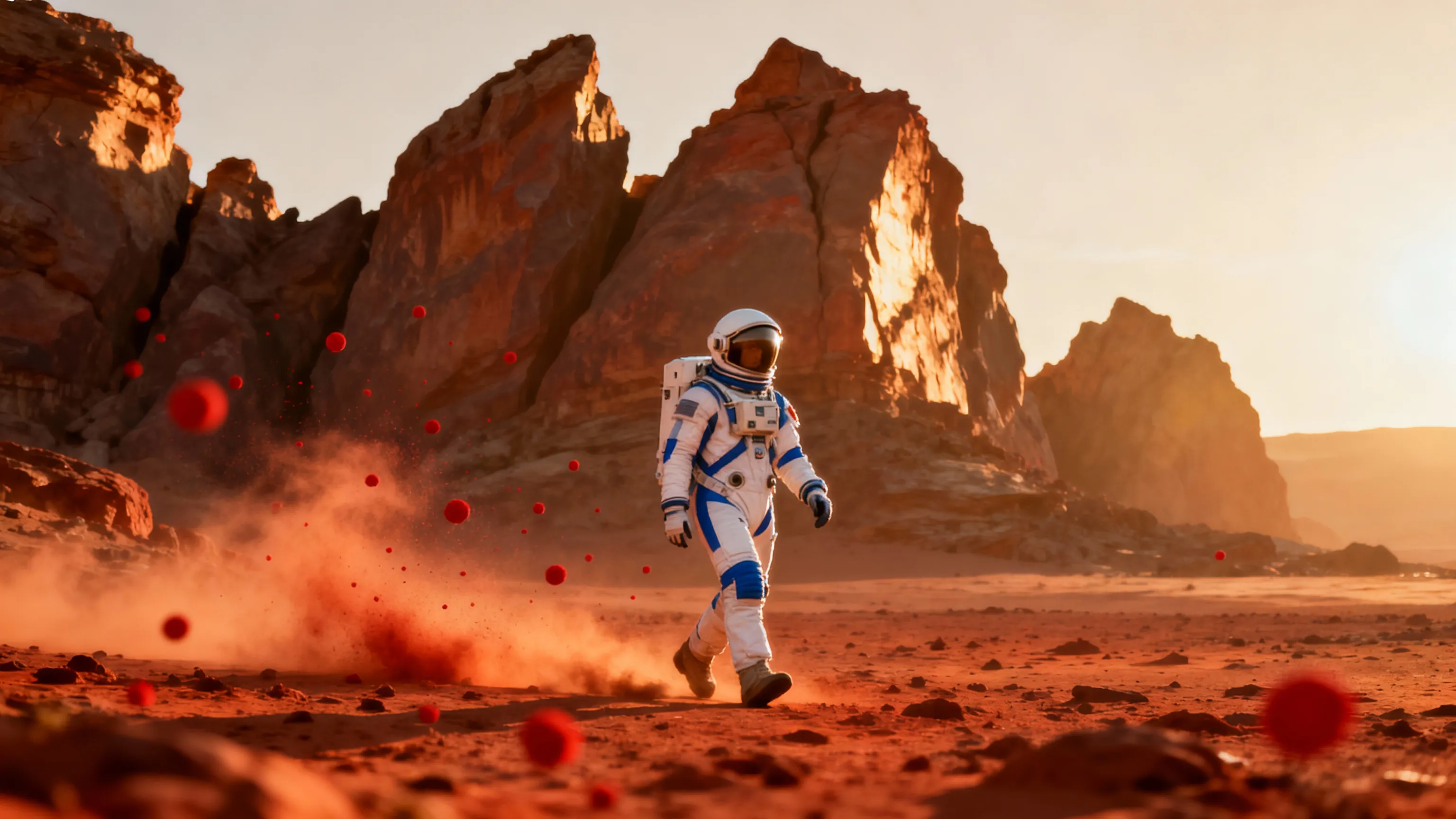
#1 Google Veo 3.1 text to video — Sample generation

Midjourney Video Alternatives Ranked

Updated May 2026
#1 Best Overall On JAI

Google Veo 3.1 text to video

Best Overall Alternative

Generate high-quality videos with audio from text prompts using Google Veo 3.1, the most advanced AI video generation model available.

Pros

  • Most advanced AI video generation technology
  • High-quality output with synchronized audio
  • Excellent prompt understanding and accuracy

Cons

  • Higher credit cost per generation
  • May be overkill for simple projects
160 credits per use · ~0 uses with free credits
See comparison with other tools ↓
Try Google Veo 3.1 text to video →
10 free credits — no card required
★★★★☆ 4.9/5
#2 Best Quality On JAI

Kling 2.1 Master Text-to-Video

Best for Cinematic Quality

Kling 2.1 Master transforms text prompts into cinematic AI videos with ultra-smooth motion, advanced lighting, and professional-grade visual effects.

Pros

  • Ultra-smooth motion and transitions
  • Advanced lighting and visual effects
  • Cinematic quality output

Cons

  • Premium pricing tier
  • Longer generation times for quality
140 credits per use · ~0 uses with free credits
See comparison with other tools ↓
Try Kling 2.1 Master Text-to-Video →
10 free credits — no card required
★★★★☆ 4.8/5
#3 Best Value On JAI

Sora 2 Pro Text-to-Video

Best for 1080p Quality

Generate cinematic 1080p videos with audio from text prompts using Sora 2 Pro Text-to-Video. Create dynamic, high-resolution content with natural motion.

Pros

  • Native 1080p high-resolution output
  • Synchronized audio generation
  • Natural motion and dynamics

Cons

  • Higher cost for premium quality
  • Requires detailed prompts for best results
120 credits per use · ~0 uses with free credits
See comparison with other tools ↓
Try Sora 2 Pro Text-to-Video →
10 free credits — no card required
★★★★☆ 4.8/5
#4 On JAI

Google Veo 3.1 Fast text to video

Best for Speed

Generate high-quality videos with sound using Google Veo 3.1 Fast—efficient, customizable, and perfect for rapid content creation.

Pros

  • Fast generation speed
  • High-quality output with audio
  • Cost-effective pricing

Cons

  • Slightly lower quality than Pro version
  • Limited advanced customization
80 credits per use · ~0 uses with free credits
See comparison with other tools ↓
Try Google Veo 3.1 Fast text to video →
10 free credits — no card required
★★★★☆ 4.7/5
#5 On JAI

Hunyuan Video Text to Video

Best Value Premium

Generate high-quality videos from text prompts with Hunyuan Video Text to Video. Create visually stunning content with precise motion control.

Pros

  • Excellent quality-to-price ratio
  • Precise motion control
  • High-quality output

Cons

  • Less known brand than competitors
  • Fewer advanced features
40 credits per use · ~0 uses with free credits
See comparison with other tools ↓
Try Hunyuan Video Text to Video →
10 free credits — no card required
★★★★☆ 4.6/5
#6 On JAI

Kling Video 2.5 Turbo Pro Text-to-Video

Best Turbo Performance

Kling Video 2.5 Turbo Pro transforms text prompts into cinematic, high-quality AI videos with unparalleled speed and visual fidelity.

Pros

  • Exceptional speed with turbo mode
  • Cinematic quality output
  • Great value for performance

Cons

  • May require optimization for best results
  • Limited to turbo mode features
35 credits per use · ~0 uses with free credits
See comparison with other tools ↓
Try Kling Video 2.5 Turbo Pro Text-to-Video →
10 free credits — no card required
★★★★☆ 4.7/5
#7 On JAI

MiniMax Hailuo 2.3 Pro Text to Video

Best for HD Output

Generate stunning 1080p HD videos from text prompts with MiniMax Hailuo 2.3 Pro Text to Video. Transform ideas into professional visual content.

Pros

  • Native 1080p HD resolution
  • Professional visual quality
  • Excellent text interpretation

Cons

  • Mid-range pricing tier
  • Moderate generation speed
49 credits per use · ~0 uses with free credits
See comparison with other tools ↓
Try MiniMax Hailuo 2.3 Pro Text to Video →
10 free credits — no card required
★★★★☆ 4.6/5
#8 On JAI

Wan 2.5 Text-to-Video

Best Multilingual Support

Create high-quality, AI-generated videos from English or Chinese text prompts with Wan 2.5 Text-to-Video. Supports multi-shot sequences.

Pros

  • English and Chinese language support
  • Multi-shot sequence capability
  • High-quality output

Cons

  • Limited to two languages
  • Mid-tier pricing
50 credits per use · ~0 uses with free credits
See comparison with other tools ↓
Try Wan 2.5 Text-to-Video →
10 free credits — no card required
★★★★☆ 4.5/5
#9 On JAI

CogVideoX-5B Text to Video

Best Budget Option

CogVideoX-5B Text to Video transforms text prompts into high-quality videos with advanced controls, offering professional results at an affordable price.

Pros

  • Highly affordable pricing
  • Advanced control options
  • Good quality output

Cons

  • Lower resolution than premium options
  • Fewer advanced features
20 credits per use · ~0 uses with free credits
See comparison with other tools ↓
Try CogVideoX-5B Text to Video →
10 free credits — no card required
★★★★☆ 4.4/5
#10 On JAI

Kandinsky 5 Text-to-Video

Best Free Alternative

Generate stunning 5-10 second videos from text prompts with Kandinsky 5 Text-to-Video AI. Fast, high-quality, and incredibly affordable.

Pros

  • Extremely affordable pricing
  • Fast generation speed
  • Good quality for the price

Cons

  • Shorter video duration (5-10s)
  • Basic features compared to premium tools
10 credits per use · ~1 use with free credits
See comparison with other tools ↓
Try Kandinsky 5 Text-to-Video Free →
10 free credits — no card required
★★★★☆ 4.3/5
Verdict
Our Top Picks
After evaluating the top alternatives to Midjourney Video, three models stand out for different priorities. Google Veo 3.1 delivers the best overall combination of quality, audio generation, and reliability for most users. Kling 2.1 Master takes the crown for cinematic quality with professional-grade lighting and ultra-smooth motion. For budget-conscious creators, CogVideoX-5B provides impressive results at a fraction of the cost. Unlike Midjourney Video's anticipated subscription model, JAI Portal's pay-per-use approach means you're never locked into monthly fees or paying for capacity you don't use. This flexibility particularly benefits freelancers, agencies, and businesses with variable content needs. You can test multiple models, switch between options based on project requirements, and scale usage up or down without financial penalties. Ready to start generating? Create your account and purchase credits to access all these alternatives in one platform.

Side by Side
Feature Comparison
Midjourney Video vs top alternatives
Feature Midjourney Video Google Veo 3.1 Kling 2.1 Master Sora 2 Pro Hunyuan Video
Price per generation 25 credits 160 credits 140 credits 120 credits 40 credits
Max Resolution 720p 1080p+ 1080p 1080p HD
Audio Generation ✗ No ✓ Yes ✓ Yes ✓ Yes ✗ No
Generation Speed Medium Fast Medium Fast Fast
Motion Control Basic Advanced Advanced Advanced Precise
Best For General use Professional Cinematic High-res Value
Ease of Use Easy Easy Moderate Moderate Easy
Quality Rating 4.5/5 5/5 5/5 5/5 4/5
Try Free → Try Free → Try Free → Try Free → Try Free →
Google Veo 3.1 text to video #1 Ranked
Price160 credits
Rating4.9/5
Price TypePay-as-you-go
Best ForProfessional creators and businesses nee...
Try Google Veo 3.1 text to video Free →
Kling 2.1 Master Text-to-Video
Price140 credits
Rating4.8/5
Price TypePay-as-you-go
Best ForFilmmakers and content creators requirin...
Try Kling 2.1 Master Text-to-Video Free →
Sora 2 Pro Text-to-Video
Price120 credits
Rating4.8/5
Price TypePay-as-you-go
Best ForCreators needing high-resolution 1080p v...
Try Sora 2 Pro Text-to-Video Free →
Google Veo 3.1 Fast text to video
Price80 credits
Rating4.7/5
Price TypePay-as-you-go
Best ForContent creators needing quick turnaroun...
Try Google Veo 3.1 Fast text to video Free →

Why Switch
Why Look for Midjourney Video Alternatives?
💰
Better Pricing
Many alternatives offer more flexible pay-as-you-go pricing models, allowing you to only pay for what you use without monthly commitments.
Faster Generation
Some competitors provide turbo modes and faster processing times, delivering high-quality videos in seconds rather than minutes.
🎨
More Features
Alternative platforms often include additional capabilities like audio generation, motion control, reference-to-video, and multi-image inputs for enhanced creative control.
🎯
Specialized Options
Different tools excel at specific use cases—whether you need cinematic quality, avatar creation, or precise motion control for your projects.

Context
Choosing the Right Midjourney Video Alternative
Midjourney Video has generated significant interest in the AI video generation space, but it's not the only option available. Many creators and businesses are exploring alternatives that offer different pricing structures, faster generation times, or specialized features for specific use cases. On this page, we've compiled the top alternatives to Midjourney Video, each evaluated for quality, speed, cost-effectiveness, and unique capabilities. Whether you're looking for cinematic quality with Kling 2.1 Master Text-to-Video, lightning-fast generation with Google Veo 3.1 Fast, or budget-friendly options like CogVideoX-5B, you'll find detailed comparisons to help you make an informed decision. All models listed are available on JAI Portal's pay-per-use platform, meaning you can test multiple options without subscription commitments and only pay for the videos you actually generate.

Real Scenarios
When to Choose a Midjourney Video Alternative
Marketing teams creating ad variations
Marketing departments need to produce multiple video ad variations quickly to test different messaging and visual approaches. Instead of waiting for lengthy render times, teams can use Google Veo 3.1 Fast to generate dozens of video concepts in minutes. For campaigns requiring premium cinematic quality, Kling 2.1 Master delivers professional-grade results with advanced lighting and smooth motion that rivals traditional video production.
Content creators producing social media videos
YouTubers, TikTokers, and Instagram creators need consistent video content without breaking the bank. Pay-per-use models make more financial sense than monthly subscriptions when production schedules vary. Kandinsky 5 Text-to-Video offers an incredibly affordable entry point for creators testing concepts, while MiniMax Hailuo 2.3 Pro provides 1080p HD output perfect for polished social content that stands out in crowded feeds.
E-commerce businesses showcasing products
Online retailers need product demonstration videos that highlight features and benefits without expensive photoshoots. Sora 2 Pro Text-to-Video generates 1080p videos with natural motion, perfect for showing products in realistic contexts. For stores operating in multiple markets, Wan 2.5 Text-to-Video supports both English and Chinese prompts, enabling seamless localization of product videos for different regions without managing multiple tools.
Educators developing instructional content
Teachers and training professionals need to create engaging educational videos that illustrate complex concepts visually. Budget constraints often limit how much content they can produce. CogVideoX-5B provides professional-quality results at budget-friendly prices, making it feasible to create entire course libraries. The advanced controls allow educators to maintain consistency across video series while adjusting pacing and visual elements to match different learning objectives and student comprehension levels.
Agencies managing multiple client projects
Creative agencies juggle diverse client needs, from luxury brands requiring cinematic quality to startups needing quick turnaround times. Having access to multiple AI video models allows agencies to match the right tool to each project's requirements and budget. Kling Video 2.5 Turbo Pro delivers speed without sacrificing quality for time-sensitive campaigns, while Hunyuan Video offers premium results with precise motion control for clients demanding meticulous attention to detail.

Tips
Pro Tips for Picking the Right Alternative
💡
Start with fast models for concept testing
Before investing credits in premium models, validate your prompts and concepts using faster, more affordable options. This approach lets you iterate on ideas quickly and refine your text prompts until you're confident in the direction. Once you've nailed the concept, move to higher-quality models for final production. This workflow saves both time and credits while ensuring better end results.
💡
Match video length to your actual needs
Different models offer varying video durations, and longer doesn't always mean better. For social media content, 5-10 second clips often perform better than longer videos. Evaluate whether you truly need extended duration or if shorter, punchier videos will serve your purpose. Shorter generations typically cost fewer credits and render faster, allowing you to produce more variations within the same budget.
💡
Consider audio requirements upfront
Some models generate video with synchronized audio while others produce silent output requiring separate sound design. If your project needs audio, prioritize models that include sound generation to streamline your workflow. Check whether the audio quality and style match your project requirements, as adding audio in post-production can be time-consuming and may not integrate as naturally as AI-generated soundtracks.
💡
Evaluate motion control capabilities
Advanced motion control features let you dictate camera movements, subject actions, and scene transitions with precision. If your projects require specific choreography or camera work, look for models offering these controls. Basic text-to-video works well for general concepts, but complex scenes benefit from models with granular motion parameters that give you directorial control over the final output.
💡
Test resolution against distribution channels
Not all platforms require 1080p HD output. Instagram stories, TikTok, and many web applications look perfectly fine with lower resolutions. Generating at the highest available resolution uses more credits and processing time. Determine where your videos will be published and choose models that match those technical requirements without overproducing content that will be compressed anyway.
💡
Leverage multilingual models for global reach
If you're creating content for international audiences, models with native multilingual support produce better results than translating prompts. Language-specific training helps AI understand cultural nuances and visual references that don't translate directly. This capability becomes especially valuable for brands operating across multiple markets who need consistent quality regardless of the prompt language used.

How To
Migrating from Midjourney Video to JAI Portal
Migrating from Midjourney Video to JAI Portal alternatives is straightforward and doesn't require abandoning your existing workflows. First, create a free account on JAI Portal and purchase credits based on your anticipated usage—start small to test different models. Second, identify which alternative best matches your needs by reviewing the comparison table above and testing 2-3 models with identical prompts. Google Veo 3.1 offers excellent all-around performance for most use cases, while Kling 2.1 Master excels at cinematic quality. Third, adapt your existing Midjourney Video prompts to your chosen model—most alternatives use similar prompt structures, though you may need minor adjustments for optimal results. Fourth, establish a workflow that leverages JAI Portal's pay-per-use model: generate multiple variations during active projects without worrying about subscription costs during downtime. Finally, organize your generated videos using JAI Portal's dashboard and download options to integrate seamlessly with your existing content management systems.

Questions
Frequently Asked Questions
Kandinsky 5 Text-to-Video is the most affordable alternative at just 10 credits per generation. It generates stunning 5-10 second videos from text prompts with fast processing and high-quality output, making it perfect for beginners and experimentation. For slightly higher quality at still-affordable pricing, CogVideoX-5B Text to Video at 20 credits offers advanced controls and professional results.
Google Veo 3.1 text to video is the most advanced AI video generation model available, offering the highest quality output with synchronized audio. For cinematic quality specifically, Kling 2.1 Master Text-to-Video provides ultra-smooth motion and professional-grade visual effects. Sora 2 Pro Text-to-Video is excellent for native 1080p high-resolution output with natural motion.
Google Veo 3.1 Fast text to video is specifically optimized for speed while maintaining high quality with sound generation at 80 credits. Kling Video 2.5 Turbo Pro Text-to-Video also offers exceptional turbo performance with cinematic quality at 35 credits. Both provide rapid content creation without sacrificing output quality.
Hunyuan Video Text to Video provides excellent quality-to-price ratio at 40 credits per generation with precise motion control and high-quality output. For even more budget-friendly options, CogVideoX-5B Text to Video at 20 credits offers advanced controls and professional results, while Kandinsky 5 Text-to-Video at 10 credits is perfect for high-volume generation.
Yes, several alternatives include audio generation. Google Veo 3.1 text to video generates high-quality videos with synchronized audio. Sora 2 Pro Text-to-Video creates cinematic 1080p videos with audio, and Kling 2.1 Master Text-to-Video produces professional-grade content with audio. Google Veo 3.1 Fast also includes sound generation at a more affordable price point.
Wan 2.5 Text-to-Video specifically supports both English and Chinese text prompts, making it ideal for multilingual creators and Asian market content production. It creates high-quality AI-generated videos with multi-shot sequence capability at 50 credits per generation.
JAI Portal operates on a pay-per-use credit system rather than monthly subscriptions, which means you only pay for videos you actually generate. Credit costs vary by model based on quality, resolution, and generation time. Budget-friendly options like CogVideoX-5B offer professional results at lower credit costs, while premium models like Kling 2.1 Master use more credits but deliver cinematic quality. This pricing structure benefits users with irregular production schedules who don't need constant access, as you're never paying for idle subscription time between projects.
Commercial usage rights depend on each model's specific licensing terms, which are detailed on individual model pages within JAI Portal. Most models available on the platform allow commercial use, but it's essential to verify before generating content for paid projects. Models like Google Veo 3.1 and Sora 2 Pro typically include commercial licensing. Always review the terms for your specific use case, especially if you're creating content for clients, advertising campaigns, or products you're selling, as licensing requirements can vary significantly between providers.
When you're working under tight deadlines, generation speed becomes critical. Google Veo 3.1 Fast is specifically optimized for rapid content creation, delivering high-quality videos in significantly less time than standard models. Kling Video 2.5 Turbo Pro also emphasizes speed without compromising visual fidelity, making it ideal for agencies managing multiple client deadlines. For projects where turnaround time matters more than absolute cinematic perfection, these turbo and fast variants provide the best balance of quality and speed.
Resolution choice should align with your distribution channels and audience expectations. For social media platforms like Instagram, TikTok, or Twitter, 720p often suffices since mobile viewing and platform compression reduce perceived quality differences. However, YouTube content, professional presentations, and marketing materials benefit from 1080p output. Models like MiniMax Hailuo 2.3 Pro and Sora 2 Pro specialize in HD 1080p generation. Remember that higher resolution requires more credits and processing time, so balance quality requirements against budget and deadline constraints for optimal results.
While this page focuses on text-to-video alternatives to Midjourney Video, many users need additional input modalities for their workflows. Some models on JAI Portal support reference images, style frames, or existing video as input alongside text prompts, enabling more controlled outputs. These multi-modal capabilities allow you to maintain brand consistency, match existing footage styles, or transform static assets into dynamic content. Check individual model pages for specific input format support, as capabilities vary. Models with advanced controls often include options for reference-based generation that goes beyond pure text prompting.
Pro versions typically offer enhanced resolution, longer video duration, better motion coherence, and more advanced control parameters compared to standard variants. For example, Sora 2 Pro delivers 1080p output with audio, while standard versions might offer lower resolution or shorter clips. Pro models generally consume more credits per generation but produce results suitable for professional distribution and client work. If you're testing concepts or creating internal content, standard models often suffice. For final deliverables, client presentations, or public-facing content, pro versions justify the additional credit investment with noticeably superior quality.
Browse by Type
Explore AI Models by Category
Try the Best Midjourney Video Alternatives Free
Get 10 free credits to test Google Veo 3.1, Kling, Sora, and 128+ other AI video models. No subscription required.
Start Free
10 Free Credits · No Credit Card Required

Related Content
How-To Guides
Create AI Video from Text Turn Photo into Video with AI How to Remove Background from Video with AI Change Video Aspect Ratio with AI How to Generate AI Video Clips from Images
Free Tools
Free AI Video Generator Free AI Video Translate Tool Free AI Reference to Video Generator Free AI Video Editor Tool Free AI Video Upscaler Tool
Alternatives
Pixverse v5.5 text to video Alternatives WAN Video Alternatives Stable Video Diffusion Alternatives Midjourney Alternatives
Best Of
Best AI Video Generators 2026 Best Free AI Video Generators Best Text to Video AI Tools 2026 Best Image to Video Generators Best AI Video Makers for Beginners 2026
Explore Related