Nano Banana 2 is here 🍌 Try Now
✨ No Subscription Needed

Free AI Video to Video Generator 🎬

Transform videos with 10 free credits – No subscription, pay only for what you use!

Best free alternative to Runway for video-to-video AI No subscription like Pika Labs video tools Cheaper than Kaiber AI for video editing Pay only for what you use – unlike Wonder Studio Better flexibility than D-ID video transformations No watermarks or monthly fees like other AI video editors
500K+
Active Users
10M+
Generations
4.9/5
Rating
5+
AI Models
Free to Try
5+ Advanced AI Video to Video Models
Explore a curated suite of models for video extension, style transfer, animation, and frame interpolation—all with no subscription required.
✓ No Watermarks ✓ Commercial License Included ✓ No Subscription Required ✓ Fast AI Processing ✓ Secure & Private
SAM 3 Video Segmentation
Try Now →
Free to Try
SAM 3 Video Segmentation
Track and isolate objects across video frames using text or visual prompts
Try Now →
Free to Try
Luma Ray 2 Flash Reframe
Quickly change video aspect ratios with AI-filled content
Try Now →
Free to Try
Wan 2.2 Video-to-Video
Transform videos with text prompts while maintaining high visual quality and motion.
Try Now →
Free to Try
Wan 2.2 Animate Replace
Replace characters in videos while keeping original lighting and scene intact.
Try Now →
Free to Try
Wan 2.2 VACE Fun A14B Reframe
Change video aspect ratios and enhance quality with comprehensive processing controls.
Try Now →
Free to Try
LightX Relight
Advanced video relighting and illumination control. Transform lighting conditions with text prompts, reference images, HDR maps, or background-based relighting
Try Now →
NVIDIA Cosmos Predict 2.5 Video to Video
Generate video from video and text using NVIDIA's 2B Cosmos model. Fixed 1280x704, 9-93 frames at 16fps (up to 5.8s). Multiple output formats
Try Now →
Luma Ray 2 Reframe
Change video aspect ratios with AI-filled content for smooth, realistic results
CogVideoX-5B Video to Video
Try Now →
CogVideoX-5B Video to Video
Restyle and transform existing videos using text prompts.
View All 9 Models

Inspiration
Example Prompts
Try these prompts to get started
Video Extension
"Extend this travel vlog by 5 seconds, smoothly continuing the mountain scenery."
Style Transfer
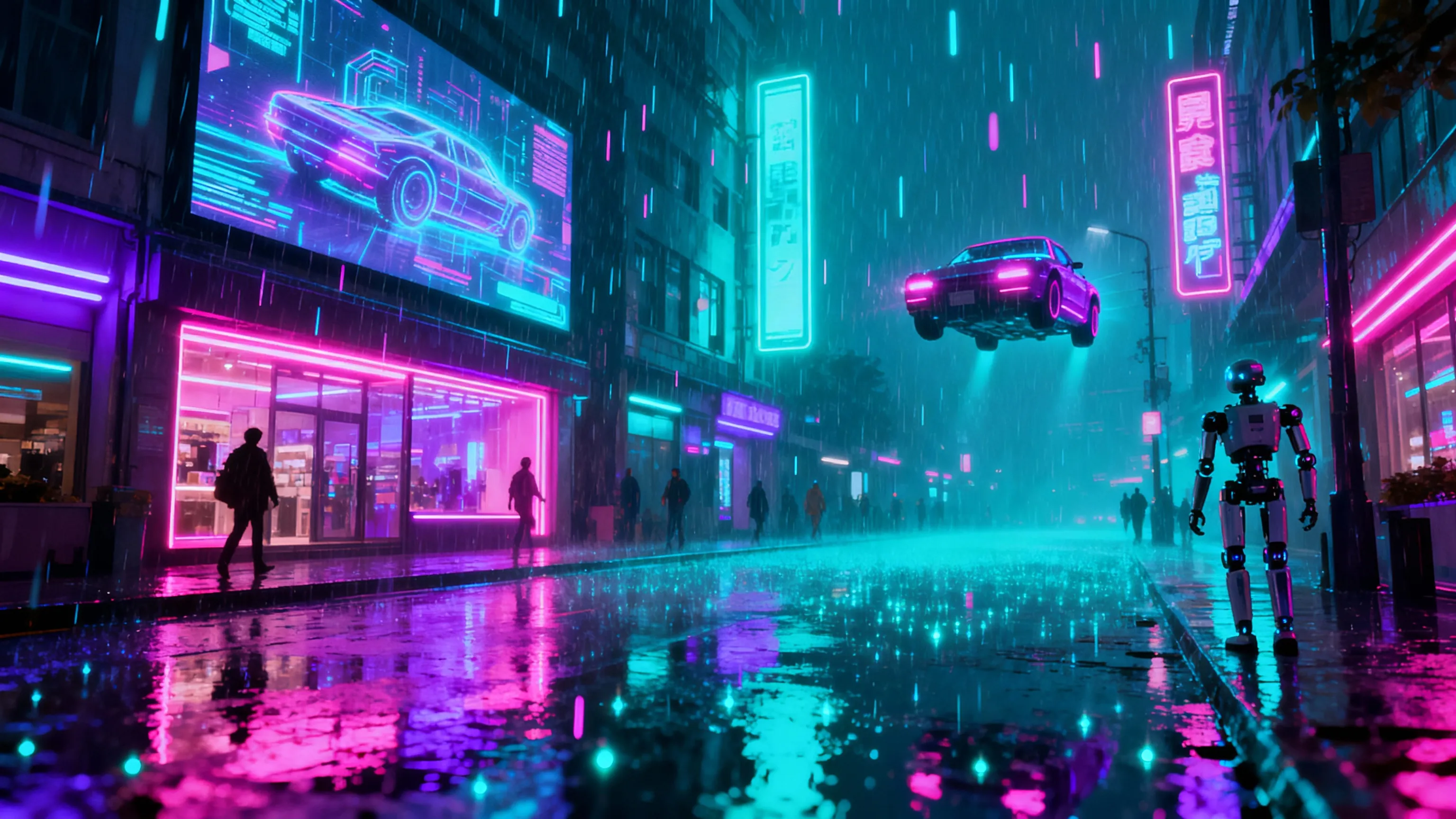
"Transform this video into a cyberpunk neon city style, high contrast and glowing effects."
Character Replacement
"Replace the main character with an animated robot, keep the original lighting."
Visual Effects
"Add a snowfall animation overlay for the next 3 seconds in this walking scene."
Interpolation
"Increase video frame rate to 60 FPS for smoother slow-motion playback."
Background Replacement
"Change background to a sunny beach while keeping the main subject intact."
Promotional Edits
"Animate the logo at the end for a dynamic outro, 2 second extension."
Educational Videos
"Apply retro cartoon style to this tutorial video, adjust color palette for a fun vibe."

Getting Started
How It Works
Start creating in 3 simple steps
1
Sign Up Free
Create your account in seconds—no credit card needed. Get 10 free credits to start transforming videos instantly.
2
Choose Your AI Model
Select from 5 powerful video-to-video AI models for style transfer, animation, extension, and more.
3
Generate & Download
Upload your video, enter your prompt, tweak settings, and download your new AI-enhanced video with no watermarks.
Get Started Free

Why JAI
Why Choose JAI Portal?
🔄
Seamless Video Extensions
Effortlessly extend your videos by adding new, AI-generated content for smooth story transitions and longer scenes.
🎨
AI-Powered Style Transfer
Transform the look and feel of your videos using cutting-edge models for unique artistic effects and stunning visual upgrades.
Instant Video Edits
Edit videos quickly with advanced models—change characters, replace backgrounds, or animate scenes in just a few clicks.
🆓
No Subscription, Free Credits
Get started for free with 10 credits—no monthly fees or hidden costs. Only pay for what you use!

Use Cases
Perfect For Every Use Case
Create professional content for any purpose
📱
Extend Short Clips for Social Media
Make your Instagram Reels or TikTok clips longer by seamlessly extending existing videos with new content.
🔥
Style Transfer for Viral Trends
Transform video styles to match trending aesthetics and boost audience engagement instantly.
🤖
Animate and Replace Characters
Swap characters in your video with animated avatars while keeping original backgrounds and lighting.
💼
Create Promotional Video Variations
Easily generate multiple versions of your promotional videos for A/B testing and campaign variety.
🎞️
Smooth Out Video Transitions
Use AI interpolation to create ultra-smooth transitions between frames or scenes.
🧑‍🏫
Educational Video Enhancements
Add explainer sections or highlight key moments in tutorial and training videos without re-recording.
📹
Transform Footage for Content Creators
Upgrade old footage with new effects, animations, or improved visuals for YouTube and streaming.
🌄
Replace Backgrounds Instantly
Change or animate backgrounds in existing videos for creative projects or virtual sets.

Social Proof
Loved by Creators
★★★★★
"I love how easy it is to generate new scenes for my videos! The AI video to video tool saves me hours of editing and the results look professional."
Alex Rivera
YouTube Content Creator
★★★★★
"No subscriptions, just pay for what I need. I extended several ad videos and applied unique styles with just a few free credits. Amazing convenience!"
Samira Patel
Digital Marketer
★★★★★
"The character replacement feature blew my mind. Integrating animated avatars while maintaining the scene’s feel is next-level. Perfect for my client work."
Jonas Müller
Animator
★★★★★
"Being able to quickly extend reels and add transitions has boosted our engagement. 10 free credits on signup is a great bonus!"
Chloe Sanders
Social Media Manager
★★★★★
"I use the tool to enhance educational videos by inserting new explainer segments without extra filming. The process is simple and results are fantastic."
Tariq Hasan
Education Specialist
★★★★★
"From style changes to frame interpolation, the models give me creative options I never had before. No recurring fees makes it even better."
Maya Chen
Indie Filmmaker
★★★★★
"We generated multiple ad variations for our campaigns in minutes. High quality, fast, and no hidden charges. The best video AI tool I've tried so far."
Jake Thompson
Brand Strategist

What is AI Video to Video Generation?

AI video to video generation leverages cutting-edge artificial intelligence to transform and enhance existing videos in seconds. Instead of starting from scratch, you can extend video length, apply new styles, swap out characters, animate scenes, or even interpolate frames for smoother motion. This technology is revolutionizing video editing workflows for creators, marketers, and businesses by saving time and unlocking creative possibilities, all without the need for advanced editing skills.

Best Free AI Video to Video Tool – No Subscription Needed

Looking for the best free AI video to video generator without any subscription hassles? JAI Portal offers a powerful suite of AI models that let you transform your videos for free—no monthly fees, no hidden charges. Get 10 free credits when you sign up and experience premium video-to-video AI features such as style transfer, character animation, and seamless video extension. Perfect for content creators, marketers, and anyone seeking fast, high-quality video edits.

How to Use the AI Video to Video Generator

Using our AI video to video tool is easy: just sign up for free, upload your video, and select one of our advanced AI models. Enter your desired prompt—such as 'extend by 5 seconds' or 'apply cyberpunk style'—and in moments, your new video will be ready for download. With no subscription required and a simple pay-as-you-go credit system, you can experiment with all the video transformation features risk-free.

Benefits of AI Video to Video Technology

AI video to video technology provides unmatched flexibility for creators and professionals. Instantly extend videos, apply artistic filters, replace backgrounds, or animate characters—all with just a few clicks. Save hours in post-production, achieve consistent visual quality, and unlock new creative options. Best of all, JAI Portal offers these powerful features for free to start, with straightforward pay-as-you-go pricing and no subscriptions.

Popular Video to Video AI Use Cases

From social media influencers extending clips for more impact, to marketers creating multiple ad variations, the applications of AI video to video tools are vast. Educators can enhance tutorials, filmmakers can upgrade visuals, and YouTubers can refresh old content. With features like style transfer, animation, and interpolation, our AI models empower you to create professional-grade videos instantly and easily.

Why Choose JAI Portal for AI Video to Video Generation?

JAI Portal stands out as the top choice for AI video to video editing thanks to its no-subscription, pay-as-you-go system, free credits on signup, and a selection of 5+ specialized AI models. Our platform is trusted by over 500K users, offers commercial licenses with every generation, and delivers fast, watermark-free results. Experience creative freedom with industry-leading AI video tools designed for everyone.

Questions
Frequently Asked
Our AI video to video generator uses advanced machine learning models to transform, extend, or stylize your uploaded videos based on your prompts. You simply upload your source video, choose a model, enter your desired transformation, and download your enhanced video. No prior editing experience is needed, and results are delivered quickly and watermark-free.
No, our AI video to video tool operates on a pay-as-you-go credit system. There are absolutely no subscriptions or monthly fees. You get 10 free credits when you sign up, and after that, you only pay for the credits you use with each generation—no hidden charges or ongoing commitments.
You can extend videos, apply style changes, swap or animate characters, change backgrounds, interpolate frames for smoother motion, and more. Each AI model specializes in unique video-to-video transformations, allowing for creative flexibility across various content types, from social media reels to professional ads.
Absolutely! All videos generated with our AI video to video tool include a commercial license. This means you can use your enhanced videos in ads, marketing campaigns, client projects, YouTube, and other platforms without restrictions or additional fees.
We offer 5 specialized AI models: Vidu Q2 Video Extension Pro for seamless video extensions, Wan 2.2 Video-to-Video for high-quality transformations, CogVideoX-5B for style transfer and interpolation, Lucy Edit Dev for rapid editing, and Wan 2.2 Animate Replace for animated character integration. Each model is designed for specific video editing needs.
Every new user gets 10 free credits upon signup—no credit card required. You can use these credits to try any of our video-to-video models and see the results firsthand. Once your free credits are used, you can purchase additional credits as needed, with no obligation or subscription required.

Explore
More Free AI Tools
Enhance your creative workflow
Transform Your Videos with AI – Free Credits, No Subscription!
Sign up now and get 10 free credits to start generating stunning new videos in minutes. No credit card or monthly fees required.
Start Generating Free
🎉 10 Free Credits · No Credit Card Required