74+ Image to Video Models

🎬 AI Image to Video Generator - Animate Still Photos

Compare 74+ specialized models to bring images to life with camera movement and motion control

10M+ Generations on JAI Portal
Top Models
Explore 74 AI Image to Video Generator Models
✓ 74+ Specialized Models ✓ Side-by-Side Comparison ✓ Commercial Use License ✓ Pay-as-You-Go Credits ✓ Camera Movement Control
Try Now →
Top Pick
Grok Imagine Video Image to Video
Animate images into 15-second videos with motion and synchronized audio.
Stable Video Diffusion
Try Now →
Top Pick
Stable Video Diffusion
Turn images into smooth videos with motion controls
Try Now →
Top Pick
Wan 2.2 Animate Move
Transfer motion and expressions from videos to animate your images.
Try Now →
Wan Video 2.2 I2V Fast
Create videos from images, optimized for speed and cost
Try Now →
Vidu Q2 I2V Turbo
Quickly animate images into videos with fast processing and good quality.
Try Now →
MiniMax Hailuo 02 Fast
Generate 6-10s videos in 512p quickly at lower cost
Try Now →
WAN 2.2 Image to Video
Turn images into 5-8 second videos at 480p or 720p
Try Now →
Seedance 1.0 Pro Fast I2V
Animate images into 12-second videos with camera control and auto aspect detection.
Try Now →
PixVerse v4.5 Image-to-Video
Turn images into 8s videos in 1080p
Try Now →
PixVerse v5 Image-to-Video
Animate images into stylized videos using text prompts.
Try Now →
LTX-2 19B Image to Video
Turn images into videos with audio generation.
Try Now →
LTX-2 19B Image to Video LoRA
Animate images into videos with audio and custom style control.
Try Now →
MiniMax Hailuo 2.3 Fast Standard Image to Video
Quickly animate images to 768p videos in 6-10 seconds.
Try Now →
Hunyuan Video 1.5 Image-to-Video
Animate your images into smooth, high-quality videos
Kandinsky5 Pro Image to Video
Try Now →
Kandinsky5 Pro Image to Video
Animate images with camera movements and dynamic effects.
Try Now →
Wan Move 480p
Animate images with precise motion control using trajectory paths.
Try Now →
Vidu Image to Video
Animate images with precise motion control and customizable intensity
Try Now →
Pika v2.2 Image to Video
Animate images into 5-second videos in 720p or 1080p
Try Now →
Pika v2.2 PikaScenes
Blend multiple images into a single 5-second video
Try Now →
Vidu Q2 I2V Pro
Create cinematic animations from images with precise motion control and optional music.
Bytedance Seedance v1.5 Pro Image to Video
Try Now →
Bytedance Seedance v1.5 Pro Image to Video
Turn images into videos with optional audio and camera control.
Try Now →
NVIDIA Cosmos Predict 2.5 Image to Video
Animate images into videos up to 5.8s. Fixed 1280x704 resolution, multiple export formats.
CogVideoX-5B Image to Video
Try Now →
CogVideoX-5B Image to Video
Animate images with natural motion guided by text prompts
Try Now →
Kling 2.5 Turbo Standard I2V
Transform images into fluid, cinematic videos with precise motion control.
Try Now →
Kling 1.6 Standard Elements
Combine up to 4 images into a single video
Try Now →
Kling 1.6 Standard Image-to-Video
Animate your images with natural motion
Try Now →
LTX Video 2.0 Fast I2V
Animate images into 4K videos with synchronized audio quickly.
Try Now →
LTX 2.3 Image to Video Fast
Animate images into 6-20s videos up to 4K with audio. Perfect for product demos and storytelling.
Try Now →
LTX Video 2.0 Fast İmage to Video
Animate images into 20-second videos with audio quickly
Try Now →
Runway Gen-4 Turbo
Create 5-10s videos with consistent characters and realistic motion
Try Now →
Midjourney Image to Video
Animate your images with cinematic motion and smooth transitions.
Kling v2.1
Try Now →
Kling v2.1
Turn images into 5s or 10s videos in up to 1080p
Wan v2.6 Image to Video Flash
Try Now →
Wan v2.6 Image to Video Flash
Animate images into cinematic videos with multi-shot support and audio input.
Try Now →
MiniMax Hailuo 2.3 Standard Image to Video
Animate your images into 6-10 second videos in 768p resolution.
Try Now →
Luma Ray Flash 2 (720p)
Generate 5s or 9s videos fast with camera controls and looping
Vidu Q2 Reference to Video Pro
Try Now →
Vidu Q2 Reference to Video Pro
Create videos using reference images and videos to control subject appearance, motion, and camera.
Try Now →
PixVerse v4.5 Image-to-Video Fast
Turn images into videos quickly in 720p
Try Now →
MiniMax Hailuo 2.3 Fast Pro Image to Video
Rapidly create 1080p HD videos from images with professional results.
Try Now →
Pixverse v5.5 Image-to-Video
Bring images to life with text-guided video generation and optional audio.
Try Now →
Kling Video v2.6 Pro Image to Video
Animate images into cinematic videos with dialogue and sound effects.
Try Now →
Kling Video 2.5 Turbo Pro Image-to-Video
Create smooth, cinematic videos from images with precise motion control.
Try Now →
Vidu Q3 Image to Video
Animate images into 16-second videos with optional audio generation.
Try Now →
Pixverse v5.6 Image to Video
Animate images in multiple styles with optional background music, sound effects, and dialogue.
Try Now →
SkyReels V1 Image to Video
Turn images into cinematic videos with film-quality motion
Try Now →
Pixverse v5.6 Transition
Create smooth video transitions between two images in multiple artistic styles.
Try Now →
LTX Video 2.0 Pro I2V
Create professional 4K videos with audio from images at highest quality.
Try Now →
Sora 2 Image-to-Video
Turn images into cinematic 720p videos with natural motion and audio.
Try Now →
Hunyuan Video Image to Video
Animate images with motion control and optional stability mode
Try Now →
Vidu Q1 Start-End to Video
Create smooth morphing videos between two images in 1080p
Try Now →
Vidu Q1 Image to Video
Turn images into 1080p videos with adjustable motion intensity
Try Now →
Decart Lucy 14B Image-to-Video
Turn images into cinematic videos with fast generation.
Try Now →
Hunyuan Video Image to Video LoRA
Animate images with custom style control using fine-tuned models
Try Now →
LTX Video 2.0 Pro Image To Video
Transform images into cinematic 4K videos with audio
Try Now →
Kling 2.1 Pro Image-to-Video
Create videos from images with precise camera control and smooth motion
Try Now →
Effect Templates x194
Apply 190+ motion templates including dances, transformations, and effects
Try Now →
Kling 1.6 Pro Image-to-Video
Animate images with superior motion and ending frame control
Try Now →
Kling 1.6 Pro Elements
Combine up to 4 images into video with enhanced quality
Try Now →
MiniMax Hailuo 2.3 Pro Image to Video
Animate images into 1080p HD videos with smooth, professional motion.
Try Now →
Wan v2.6 Image-to-Video
Animate images with text prompts and optional background audio.
Try Now →
Kling Video v3 Standard Image to Video
Animate images with cinematic quality and audio. Add custom characters or objects, 3-15s.
Try Now →
Wan 2.5 Image-to-Video
Animate images with motion and camera movements up to 1080p.
Try Now →
Seedance 2.0 Fast Image to Video
Fast version of Seedance 2.0 Image to Video. Animate images into cinematic videos with native audio at lower cost.
Try Now →
Kling Video v3 Pro Image to Video
Animate images into cinematic videos with audio. Add custom elements and end frames, 3-15s.
Try Now →
Kling O1 Image to Video
Animate between two images to create smooth video transitions
DoP Image-to-Video
Try Now →
DoP Image-to-Video
Animate static images into 5-second videos with zoom, pan, and rotate effects.
Try Now →
Seedance 2.0 Image to Video
Animate images into cinematic videos with native audio, real-world physics, and up to 15 seconds of multi-shot content.
Try Now →
Google Veo 3.1 Fast First-Last-Frame
Generate videos between two keyframes quickly and affordably.
Try Now →
Google Veo 3 Fast Image-to-Video
Turn images into videos with sound, 50% cheaper.
Try Now →
Google Veo 3.1 Fast Image-to-Video
Turn images into videos with sound, faster and cheaper.
Try Now →
Hunyuan Custom
Generate videos with perfect subject consistency across frames
Try Now →
Sora 2 Pro Image-to-Video
Turn images into cinematic 1080p videos with enhanced quality and audio.
Try Now →
Google Veo 3.1 First-Last-Frame
Create videos with smooth transitions between two keyframes you provide.
Try Now →
Google Veo 3 Image-to-Video
Turn images into videos with sound.
Try Now →
Google Veo 3.1 Image-to-Video
Turn images into videos with sound.
View All Models
Inspiration
Example Prompts
Try these prompts to get started
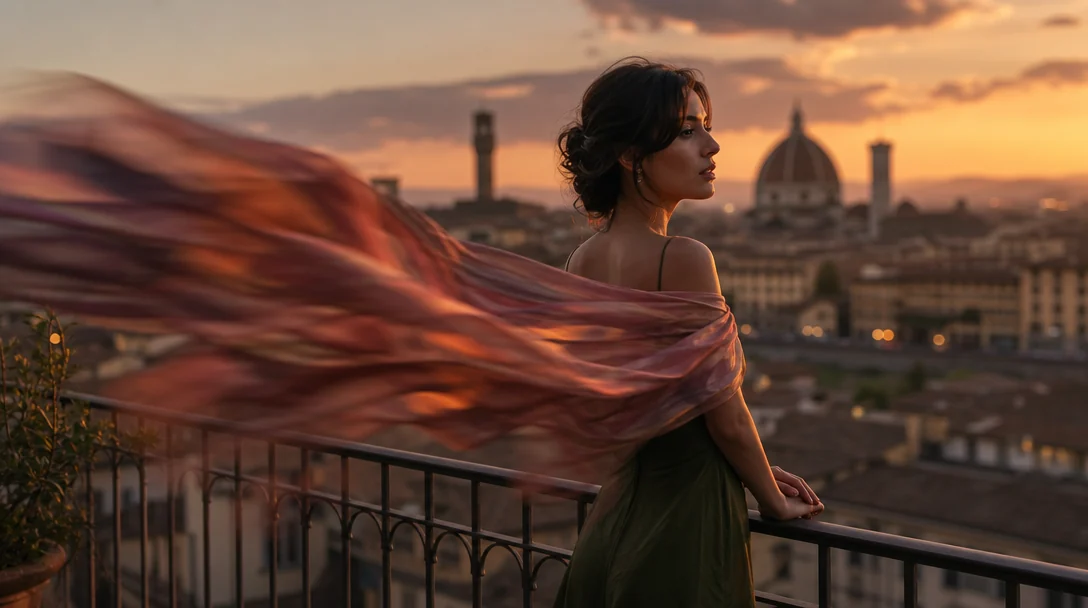
Portrait Animation
"Slow zoom in on the subject's face with subtle head tilt, maintaining focus on the eyes"
Try This Prompt →
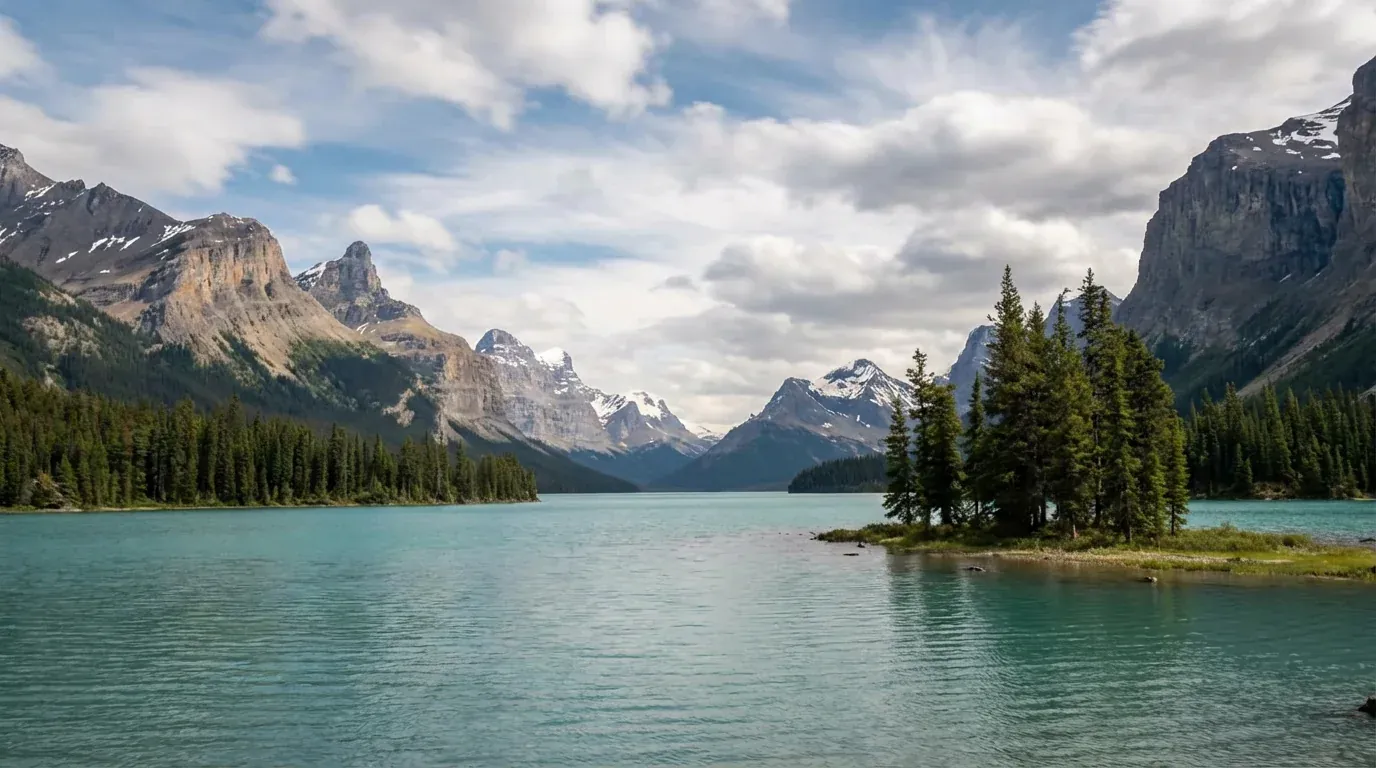
Landscape Motion
"Pan left to right across the landscape with gentle parallax effect on foreground and background"
Try This Prompt →
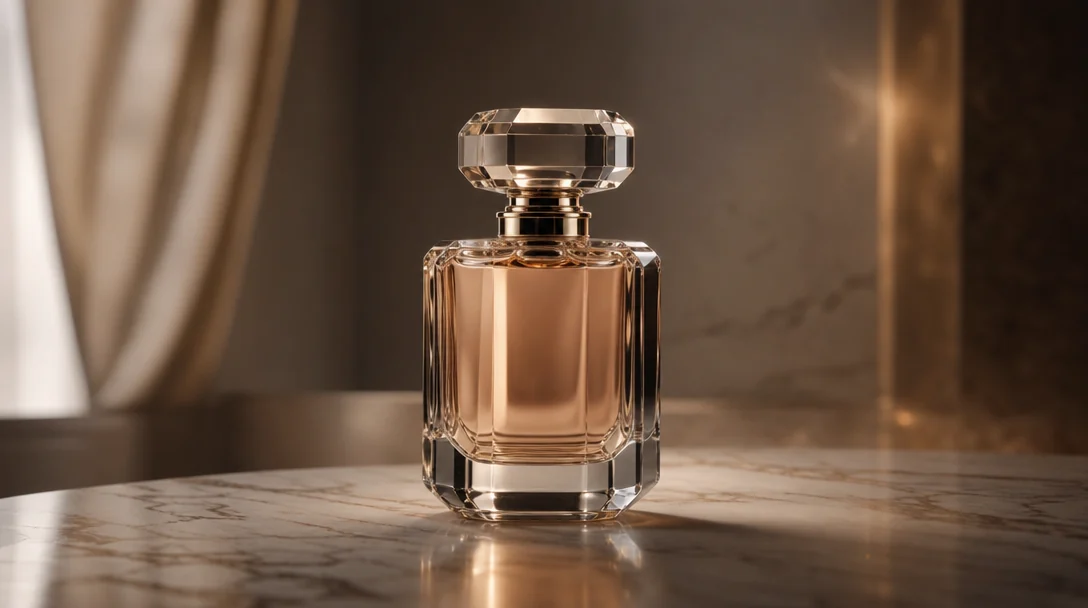
Product Showcase
"Rotate camera 360 degrees around the product while maintaining center focus"
Try This Prompt →
Realistic Animation
"Add subtle breathing motion to the portrait with natural chest rise and fall"
Try This Prompt →
Real Estate
"Dolly forward through the architectural space with smooth camera movement"
Try This Prompt →
Cinematic Effect
"Create parallax effect with foreground moving faster than background, camera panning right"
Try This Prompt →
Scene Reveal
"Zoom out slowly revealing more of the scene with atmospheric depth"
Try This Prompt →
Dynamic Motion
"Add wind effect to hair and clothing with camera slowly orbiting the subject"
Try This Prompt →
Use Cases
Perfect For Every Use Case
Create professional content for any purpose
📱
Social Media Content
Animate product photos and brand images for engaging Instagram, TikTok, and Facebook posts.
📊
Marketing Campaigns
Transform static advertisements into dynamic video content that captures attention and drives engagement.
👤
Portrait Animation
Bring portrait photography to life with subtle movements, expressions, and cinematic camera work.
🏠
Real Estate Videos
Convert property photos into virtual tours with smooth camera movements through spaces.
🛍️
E-commerce Showcases
Animate product images to show multiple angles and create engaging shopping experiences.
🎨
Artwork Animation
Add motion to digital art, illustrations, and paintings for galleries and portfolios.
📜
Historical Photo Revival
Breathe new life into archival and historical photographs with realistic motion effects.
💡
Presentation Enhancement
Transform slide images into dynamic video segments for impactful business presentations.
Explore
Related Video Generation Models
Explore other subcategories
Questions
Frequently Asked
Image to video is an AI technology that transforms static images into dynamic videos by adding motion, camera movements, and animation effects. It analyzes the content, depth, and composition of still photos to generate realistic motion that brings images to life with cinematic camera work.
JAI Portal offers 74+ specialized image to video models, each with unique strengths in motion quality, camera control, and animation styles. You can compare multiple models side-by-side on the same image to find the perfect match for your project requirements and desired aesthetic.
Yes, all videos generated on JAI Portal include full commercial use rights. You own the outputs and can use them in client projects, marketing campaigns, social media content, advertisements, and any professional or commercial applications without additional licensing fees.
JAI Portal uses a pay-as-you-go credit system with no monthly subscriptions or hidden fees. You purchase credits and use them to generate videos with your chosen models. Different models consume different amounts of credits based on their capabilities and output quality. Only pay for what you use.
You can create various camera movements including pans, zooms, dollies, orbits, and parallax effects. Control motion direction, speed, and intensity to achieve cinematic results. Different models offer varying levels of camera control precision and motion naturalness.
JAI Portal supports all standard image formats including JPG, PNG, WebP, and more. Upload images of various resolutions and aspect ratios. The models automatically analyze image content and depth to generate appropriate motion and camera movements that respect the original composition.
Start Creating with Image to Video Models
Compare 74+ specialized models and bring your still images to life with professional camera movements and animation.
Try Free — 10 Credits Included
Pay-as-You-Go Credits • No Subscription Required
How It Works
Create in 3 Simple Steps

No learning curve. Pick a model, describe what you want, and download professional results in seconds.

1
Model A
Model B
Model C
Model D
Model E
Model F
Choose a Model
Browse 74+ specialized image to video models on JAI Portal. Compare features like motion quality, camera control options, and output resolution. Use side-by-side comparison to test models on your specific image type.
2
Your Input
Upload source image and target face, adjust settings...|
Quality
High
Blending
Auto
Detection
Smart
Generate
Configure & Generate
Upload your still image and configure motion parameters including camera movement, motion intensity, and duration. Set your desired output resolution and frame rate, then generate using pay-as-you-go credits.
3
HD Ready
No Watermark
Download
Download & Use
Download your animated video in high quality. All outputs include commercial use rights, so you can use them in client projects, marketing materials, and professional content without restrictions.
Try Free — 10 Credits Included
Why JAI
Why Choose JAI Portal?
🎥
Animate Still Photos
Transform static images into dynamic videos with natural motion and camera movements. Bring portraits, landscapes, and artwork to life with advanced AI animation.
🎯
Camera Movement Control
Direct camera pans, zooms, and rotations with precision. Control motion intensity, direction, and speed to achieve cinematic results from any still image.
⚖️
Compare 74+ Models
Test multiple image to video models side-by-side on the same image. Find the perfect model for your animation style, motion quality, and output requirements.
💼
Commercial License Included
All generated videos are yours to use commercially. Create content for clients, marketing campaigns, social media, and professional projects without restrictions.
Social Proof
Loved by Creators
★★★★★
"JAI Portal's image to video models transformed our static product photos into engaging social content. The ability to compare different models helped us find the perfect animation style for our brand. Our engagement rates increased by 340%."
Marcus Chen
Social Media Manager
★★★★★
"The camera movement control is incredibly precise. I can create cinematic animations from client photos that look professionally shot. Having 74+ models to choose from means I always find the right tool for each project."
Elena Rodriguez
Creative Director
★★★★★
"Converting property photos into virtual tours has been a game-changer for my business. The smooth camera movements make spaces feel immersive. Clients love the dynamic presentations, and the credit system is very cost-effective."
David Park
Real Estate Photographer
★★★★★
"I use JAI Portal to animate my illustrations and paintings. The side-by-side comparison feature lets me test different motion styles quickly. The commercial license means I can sell animated versions of my artwork confidently."
Sophie Laurent
Digital Artist
★★★★★
"The variety of image to video models available is impressive. For each campaign, I can match the animation style to the brand aesthetic. The pay-as-you-go model is perfect for agencies handling multiple clients."
James Mitchell
Marketing Consultant
★★★★★
"Animating product images has significantly improved our conversion rates. The ability to show products from multiple angles through camera movement gives customers a better sense of what they're buying. Setup was incredibly easy."
Aisha Patel
E-commerce Manager

What is Image to Video?

Image to video AI technology represents a breakthrough in content creation, enabling creators to transform static photographs into dynamic, animated videos. This innovative approach analyzes still images to understand depth, composition, and subject matter, then generates realistic motion and camera movements that bring photos to life. Whether animating portraits with subtle expressions, creating parallax effects in landscapes, or adding cinematic camera work to product photography, image to video AI opens new creative possibilities. The technology works by using advanced machine learning models trained on millions of video sequences. These models understand how objects move naturally, how camera movements affect perspective, and how to maintain visual coherence throughout the animation. Modern image to video generators can add everything from subtle breathing motions in portraits to complex camera orbits around subjects, all while maintaining the quality and detail of the original image. For professionals in marketing, social media, e-commerce, and creative fields, image to video AI has become an essential tool. It transforms static content libraries into engaging video assets, increases audience engagement on social platforms, and creates professional-quality animations without expensive video production. The ability to animate still photos with controlled camera movements has revolutionized how brands present products, how artists showcase their work, and how stories are told visually.

Best Image to Video Models on JAI Portal

JAI Portal hosts 74+ specialized image to video models, making it the most comprehensive platform for comparing and using AI animation technology. Each model brings unique capabilities, from precise camera movement control to natural motion generation, allowing creators to find the perfect tool for their specific needs. The platform's side-by-side comparison feature enables users to test multiple models on the same image simultaneously, revealing differences in motion quality, animation style, and output characteristics. Top-tier models on JAI Portal excel in different areas: some specialize in portrait animation with realistic facial movements and expressions, others focus on architectural and real estate visualization with smooth camera dollies and pans, while advanced models offer complete camera control including orbits, zooms, and complex parallax effects. This diversity ensures that whether you're creating social media content, marketing videos, or professional presentations, you'll find a model optimized for your use case. The pay-as-you-go credit system makes accessing these professional-grade models cost-effective for both individual creators and agencies. No monthly subscriptions mean you only pay for what you generate, and the commercial license included with all outputs ensures you can use your animated videos in any professional context. With new models regularly added to the platform, JAI Portal remains at the forefront of image to video AI technology.

How to Animate Still Photos with AI

Animating still photos with AI begins with understanding your creative goals and choosing the right model for your image type. On JAI Portal, the process starts by uploading your static image and browsing through specialized models designed for different animation styles. Portrait images benefit from models that understand facial structure and can add subtle movements, while landscape photos work best with models that create parallax effects and camera pans. Camera movement control is key to professional results. Most models allow you to specify motion direction, speed, and intensity. You can create slow zooms that draw attention to specific details, panning movements that reveal scene composition, or orbital camera work that shows subjects from multiple angles. Advanced parameters let you control motion smoothness, add depth-based parallax effects, and adjust animation duration to match your content needs. The comparison feature on JAI Portal accelerates the creative process by letting you test multiple approaches simultaneously. Generate the same animation with different models to see which produces the most natural motion, best preserves image quality, or creates the most engaging visual effect. This iterative approach, combined with the platform's credit-based pricing, makes it easy to experiment and refine your animations until they perfectly match your vision.

Camera Movement Control in Image to Video AI

Camera movement control distinguishes professional image to video animations from basic motion effects. Advanced models on JAI Portal offer precise control over camera behavior, enabling creators to achieve cinematic results that rival traditional video production. Understanding camera movement types—pans, tilts, dollies, zooms, and orbits—allows you to select the right motion for your storytelling needs and image composition. Pan movements work exceptionally well for landscape and architectural images, creating a sense of space and revealing scene details progressively. Zoom effects draw viewer attention to specific subjects or details, while dolly movements (camera moving forward or backward) create depth and immersion. Orbital camera movements showcase products and subjects from multiple angles, ideal for e-commerce and portfolio presentations. Many models also support parallax effects, where foreground and background move at different speeds, adding dimensional depth to flat images. The key to effective camera control is matching movement to content. Portrait animations benefit from subtle movements—gentle zooms, slight pans, or minimal orbits that add life without distraction. Product showcases often require more dynamic movements to display features and angles. Landscape animations can use sweeping pans or dramatic zooms to create impact. JAI Portal's diverse model selection ensures you can find the right balance of control and automation for any project.

Commercial Applications of Image to Video AI

Image to video AI has transformed commercial content creation across industries. Social media marketers use animated images to increase engagement rates, with video content consistently outperforming static posts. E-commerce businesses animate product photography to create immersive shopping experiences, showing items from multiple angles without expensive photoshoots. Real estate professionals convert property photos into virtual tours, giving potential buyers a better sense of space and flow. Marketing agencies leverage image to video technology to extend the value of existing photo assets. A single professional photoshoot can generate dozens of video variations by animating images with different camera movements and motion styles. This approach dramatically reduces content production costs while maintaining visual quality and brand consistency. The ability to quickly test different animation styles helps agencies optimize content for specific platforms and audiences. Creative professionals including digital artists, photographers, and designers use image to video AI to showcase their work in portfolios and galleries. Animated artwork attracts more attention at exhibitions and online, while photographers can offer clients both static and animated versions of their images. The commercial license included with JAI Portal outputs ensures all these professional applications are fully supported, giving creators confidence to use their animated content in any commercial context.

Comparing Image to Video AI Models

With 74+ image to video models available on JAI Portal, understanding how to compare and select the right model is crucial for optimal results. Models differ in motion quality, camera control precision, processing speed, output resolution, and animation style. Some excel at natural, subtle movements perfect for portraits, while others create dramatic, cinematic effects ideal for marketing content. The platform's side-by-side comparison feature makes evaluating these differences straightforward and efficient. When comparing models, consider several factors: motion naturalness (how realistic the animation appears), temporal consistency (whether the animation maintains coherence throughout), edge handling (how well the model preserves image details during motion), and camera control responsiveness (how precisely the model follows your movement instructions). Test models on your specific image types—what works well for landscapes may not suit portraits, and product animation requirements differ from architectural visualization needs. The credit-based system on JAI Portal encourages experimentation without financial risk. Generate test animations with multiple models to identify which produces results that match your quality standards and aesthetic preferences. Pay attention to how different models handle challenging elements like hair, fine details, and background complexity. Building familiarity with several models gives you flexibility to choose the optimal tool for each project, ensuring consistently professional results across diverse content types.
Browse by Type
Explore AI Models by Category

Related Content
How-To Guides
Create AI Video from Text Turn Photo into Video with AI How to Remove Background from Video with AI Change Video Aspect Ratio with AI How to Generate AI Video Clips from Images
Free Tools
Free AI Video Generator Free AI Video Translate Tool Free AI Reference to Video Generator Free AI Video Editor Tool Free AI Video Upscaler Tool
Alternatives
Pixverse v5.5 text to video Alternatives Midjourney Video Alternatives WAN Video Alternatives Stable Video Diffusion Alternatives
Best Of
Best AI Video Generators 2026 Best Free AI Video Generators Best Text to Video AI Tools 2026 Best Image to Video Generators Best AI Video Makers for Beginners 2026
Try Video Generation Models →