AI Surveillance View: Add CCTV Detection Overlay
Transform Photos into Realistic CCTV Surveillance Footage
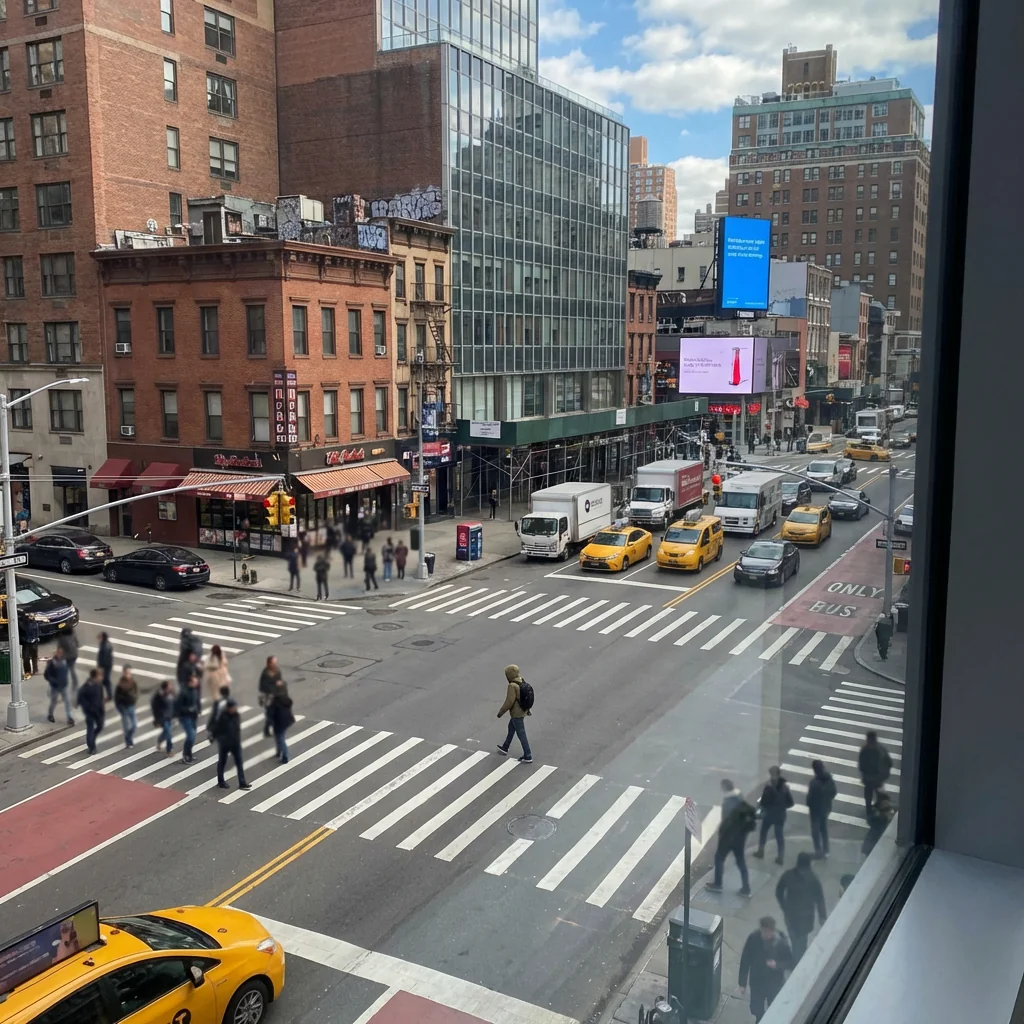
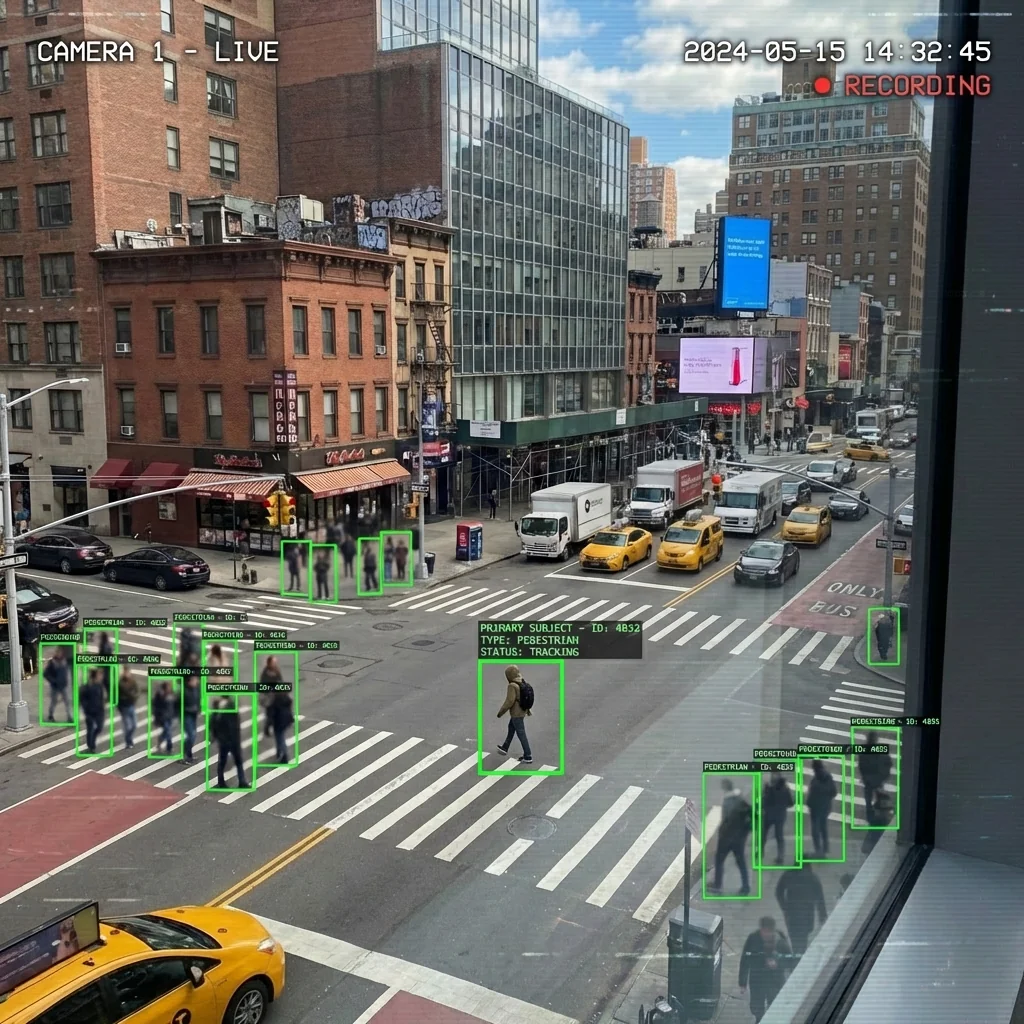
Free to try - Sign up in seconds
About This Trend
AI Surveillance View revolutionizes how you transform ordinary photographs into authentic-looking CCTV surveillance footage. This advanced AI-powered tool applies realistic computer-vision detection elements to your images, creating the exact aesthetic of professional monitoring systems. Whether you're working on creative projects, security demonstrations, or artistic compositions, this tool delivers ultra-realistic surveillance camera effects that are indistinguishable from actual CCTV recordings.
The technology behind AI Surveillance View utilizes sophisticated computer vision algorithms to analyze your images and apply authentic detection overlays. Green bounding boxes automatically track subjects within the frame, mimicking real-time object detection systems used in modern surveillance infrastructure. The AI intelligently identifies primary subjects and applies appropriate focus while maintaining realistic motion blur on background elements. Authentic recording indicators, accurate timestamps, and subtle compression artifacts complete the effect, ensuring every detail matches genuine CCTV footage aesthetics.
Perfect for filmmakers, content creators, security professionals, and digital artists, AI Surveillance View opens new creative possibilities while maintaining absolute realism. The tool preserves your original image quality while seamlessly integrating monitoring-system elements. No complex editing required—simply upload your photo and watch as AI transforms it into convincing surveillance footage. From urban street scenes to indoor environments, create professional-grade CCTV-style imagery that serves educational, creative, or demonstration purposes with unprecedented authenticity and ease.
Ready to create your own?
Try this trend for free. No credit card required, just sign up and start creating.
How It Works
Upload your urban or street scene photograph to the AI Surveillance View tool
Allow the AI to analyze subjects and apply computer-vision detection elements
Customize timestamp, recording indicators, and detection box preferences if needed
Preview the authentic CCTV overlay effect with all surveillance elements integrated
Download your transformed image with realistic monitoring-system aesthetics
Features
- Real-time AI detection boxes with authentic green tracking overlays
- Automatic subject identification and focus hierarchy
- Realistic CCTV timestamp and recording indicator integration
- Authentic compression artifacts for genuine surveillance aesthetics
- Motion blur effects on background subjects for realism
- Multiple pedestrian tracking with bounding box coordination
- Preservation of original image quality and scene composition
- Professional monitoring-system visual styling
- Instant transformation without manual editing required
- Ultra-realistic output matching genuine CCTV footage
Use Cases
- Create realistic CCTV footage for film and video production
- Generate surveillance-style visuals for security training materials
- Design authentic monitoring overlays for presentations
- Produce artistic photography with surveillance aesthetics
- Develop educational content about computer vision systems
- Create realistic mockups for security system demonstrations
- Transform street photography into CCTV-style documentation
Pro Tips for Better Results
Choose High-Resolution Urban Scenes
The Nano Banana Pro Edit model performs best with clear, high-resolution urban photographs featuring multiple subjects. Street crossings, public squares, and busy sidewalks provide ideal compositions. Higher resolution input ensures detection boxes and timestamps remain crisp and readable, matching authentic CCTV quality. Avoid heavily compressed or blurry source images, as they reduce the realism of the final surveillance overlay effect.
Position Subjects at Varying Depths
Real CCTV footage captures subjects at different distances from the camera. Compose your input photo with people or objects at foreground, middle, and background positions. This depth variation allows the AI to apply realistic focus hierarchies and motion blur effects. The detection algorithm will prioritize closer subjects with sharper boxes while adding authentic blur to distant elements, exactly as actual surveillance systems behave during recording.
Use Daylight or Well-Lit Environments
While CCTV cameras operate in various lighting conditions, well-lit scenes produce the most convincing results. Natural daylight or strong artificial lighting helps the AI accurately identify subjects for detection boxes. If you need darker surveillance aesthetics, start with a properly exposed photo and adjust contrast afterward. For creative edits beyond surveillance effects, consider FLUX 2 Dev Edit for broader stylistic control.
Include Multiple Pedestrians or Vehicles
Authentic CCTV footage typically tracks multiple moving subjects simultaneously. Photos with several people, cars, or objects create more realistic surveillance scenarios. The AI applies coordinated bounding boxes to each detected subject, mimicking multi-target tracking systems. Empty scenes work but lack the dynamic detection overlay that makes surveillance footage compelling. Aim for 3-6 distinct subjects for optimal authenticity and visual interest in your final output.
Maintain Natural Perspective and Angles
Real surveillance cameras mount at elevated positions with downward angles. Photos taken from slightly above eye level at 10-30 degree downward angles produce the most authentic CCTV aesthetic. Avoid extreme wide-angle distortion or artistic perspectives that wouldn't exist in actual monitoring systems. Standard focal lengths between 24-50mm equivalent work best. This natural perspective helps the AI apply detection overlays that feel genuinely integrated rather than artificially imposed.
Test Different Timestamp Preferences
Customize timestamp formats to match specific surveillance system types—some use 24-hour military time, others show date formats differently. Experiment with recording indicator styles and detection box colors if customization options are available. These subtle variations help match your creative vision or specific security system aesthetics. For projects requiring face-focused edits instead, AI Headshot Generator offers complementary portrait transformation capabilities.
Frequently Asked Questions
Other Models You Could Use
Ready to Try AI Surveillance View: Add CCTV Detection Overlay?
Transform your images with AI in seconds. No design skills required.
Get Started FreeJoin thousands of creators using JAI Portal