Arctic Entrapment: Trap Yourself Inside a Massive Transparent Ice Cube
Freeze Yourself in a Giant Ice Cube with AI Magic
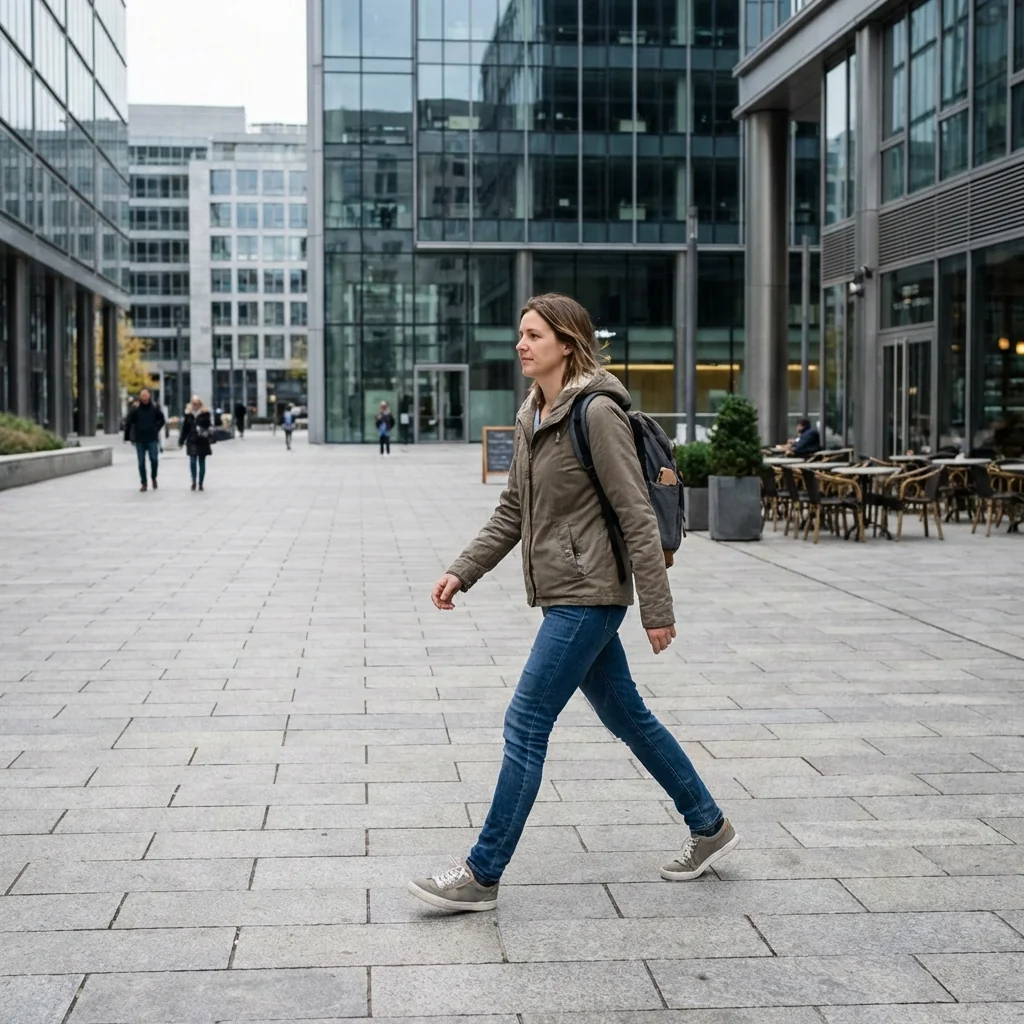
Free to try - Sign up in seconds
About This Trend
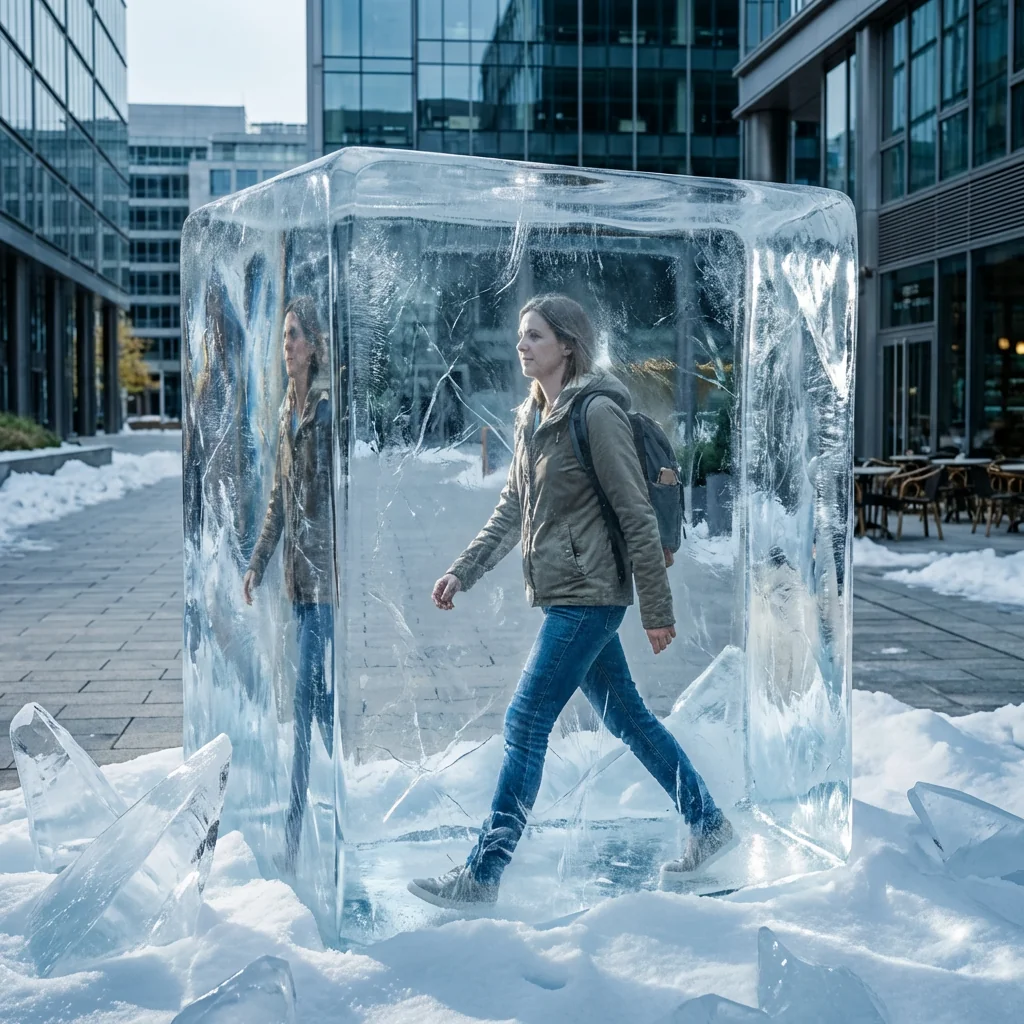
Experience the ultimate frozen transformation with Arctic Entrapment, an innovative AI photo effect that traps you inside a massive, crystal-clear ice cube. This cutting-edge AI technology creates hyper-realistic frozen scenes where you appear suspended in time within a transparent rectangular ice block, complete with intricate frost patterns, detailed cracks, and mesmerizing light refractions that make the image come alive.
The AI meticulously crafts every detail of your frozen imprisonment, from the subtle ice distortions that bend light around your figure to the scattered ice shards and snow drifts at the base of the cube. The atmospheric background showcases architectural elements visible through the transparent ice, creating depth and drama. The cold, cinematic lighting enhances the realism, casting dramatic shadows and highlights that emphasize the three-dimensional nature of your icy prison. Whether you're captured mid-walk, mid-jump, or in any dynamic pose, the AI preserves your motion while encasing you in pristine, photorealistic ice.
Perfect for social media content creators, photographers seeking unique visual effects, or anyone wanting to create jaw-dropping frozen portraits, this AI transformation delivers 8k quality results with sharp focus and incredible detail. The 1:1 ratio output is optimized for Instagram, profile pictures, and digital art collections. From the microscopic frost crystals to the grand scale of the ice cube itself, every element is rendered with stunning accuracy. Create your own arctic masterpiece in seconds and watch as your ordinary photo becomes an extraordinary frozen work of art that will captivate your audience and freeze them in their tracks.
Ready to create your own?
Try this trend for free. No credit card required, just sign up and start creating.
How It Works
Upload your photo - Choose a clear image with good lighting where you're in a dynamic walking or action pose for best results
AI processes your image - Watch as artificial intelligence analyzes your photo and begins constructing the massive ice cube around you
Automatic ice effects applied - The AI adds realistic frost, cracks, refractions, ice shards, and snow drifts with cinematic lighting
Download your frozen masterpiece - Save your 8K resolution image in 1:1 ratio, ready to share and amaze your audience
Features
- Hyper-realistic transparent ice cube encasement with authentic optical properties
- Detailed frost patterns, cracks, and internal ice refractions for maximum realism
- Scattered ice shards and snow drift effects around the cube base
- Cinematic cold lighting with dramatic shadows and highlights
- 8K resolution output with razor-sharp focus and clarity
- Atmospheric background integration with visible architecture through ice
- Preserved dynamic poses frozen in time within the ice block
- 1:1 aspect ratio perfect for social media and profile pictures
- Advanced AI light refraction simulation for authentic ice optics
- One-click transformation from regular photo to frozen masterpiece
Use Cases
- Create viral social media content with unique frozen photo effects
- Design eye-catching profile pictures and avatars with ice themes
- Produce creative winter campaign visuals for marketing and advertising
- Generate concept art for fantasy and sci-fi projects featuring cryogenic themes
- Make memorable party invitations or event announcements with frozen themes
- Develop striking album covers or music promotional materials
- Create unique digital art for NFT collections and online galleries
Pro Tips for Better Results
Choose Action Shots Over Static Poses
Dynamic poses like mid-stride walks, jumps, or reaching gestures create more dramatic frozen-in-time effects. The AI preserves motion blur and body positioning, making the ice entrapment feel authentic. Avoid sitting or standing still—movement adds narrative tension. For static professional headshots, consider AI Headshot Generator instead, which optimizes for composed portraits rather than action scenes.
Ensure Strong Contrast in Your Source Photo
High contrast between your clothing and background helps Nano Banana Pro Edit accurately separate your figure from surroundings when constructing the ice cube. Wear darker clothing against lighter backgrounds or vice versa. Avoid busy patterns that might confuse edge detection. Clear subject separation ensures the transparent ice distortions and refractions render correctly around your body without artifacts bleeding into the frozen effect.
Upload High-Resolution Source Images for 8K Output
While the AI upscales to 8K, starting with at least 2000×2000 pixel images preserves facial details and texture through the ice distortion layers. Low-resolution uploads may appear soft after the frost, cracks, and refraction effects are applied. The model excels at maintaining sharpness, but garbage-in-garbage-out still applies. For maximum detail preservation in complex edits, compare results with FLUX 2 Dev Edit on high-res inputs.
Center Yourself in the Frame Before Upload
The AI constructs the massive ice cube around your central position. Off-center subjects may get partially cropped by the cube boundaries or have uneven ice thickness on different sides. Frame yourself with equal space on all sides in your original photo. The 1:1 output ratio works best when you occupy the middle third of the frame, allowing room for scattered ice shards and snow drifts at the base.
Avoid Busy Backgrounds That Compete for Attention
While the AI adds atmospheric architecture visible through the ice, overly cluttered source backgrounds can create visual noise behind the transparent cube. Simple outdoor settings, plain walls, or blurred backgrounds let the ice effects shine. The cinematic lighting and frost patterns need breathing room. If your photo has a complex background, try JAI Portal Spicy Image Editor first to simplify the backdrop before applying the ice effect.
Test Multiple Photos to Find Your Best Freeze
Each source image produces unique frost patterns, crack placements, and light refractions. The AI generates variations in ice shard scatter and snow drift positioning. Process three to five different poses or expressions to compare results. Nano Banana Pro Edit runs quickly, so experimentation is affordable. Some facial angles or body positions translate better into frozen imprisonment—testing reveals which captures the most dramatic arctic entrapment for your specific features.
Frequently Asked Questions
Other Models You Could Use
Ready to Try Arctic Entrapment: Trap Yourself Inside a Massive Transparent Ice Cube?
Transform your images with AI in seconds. No design skills required.
Get Started FreeJoin thousands of creators using JAI Portal