Artist's Notebook: Create a Hand-Drawn Ink Sketch Portrait
Transform Photos into Hand-Drawn Ink Sketch Portraits
Free to try - Sign up in seconds
About This Trend
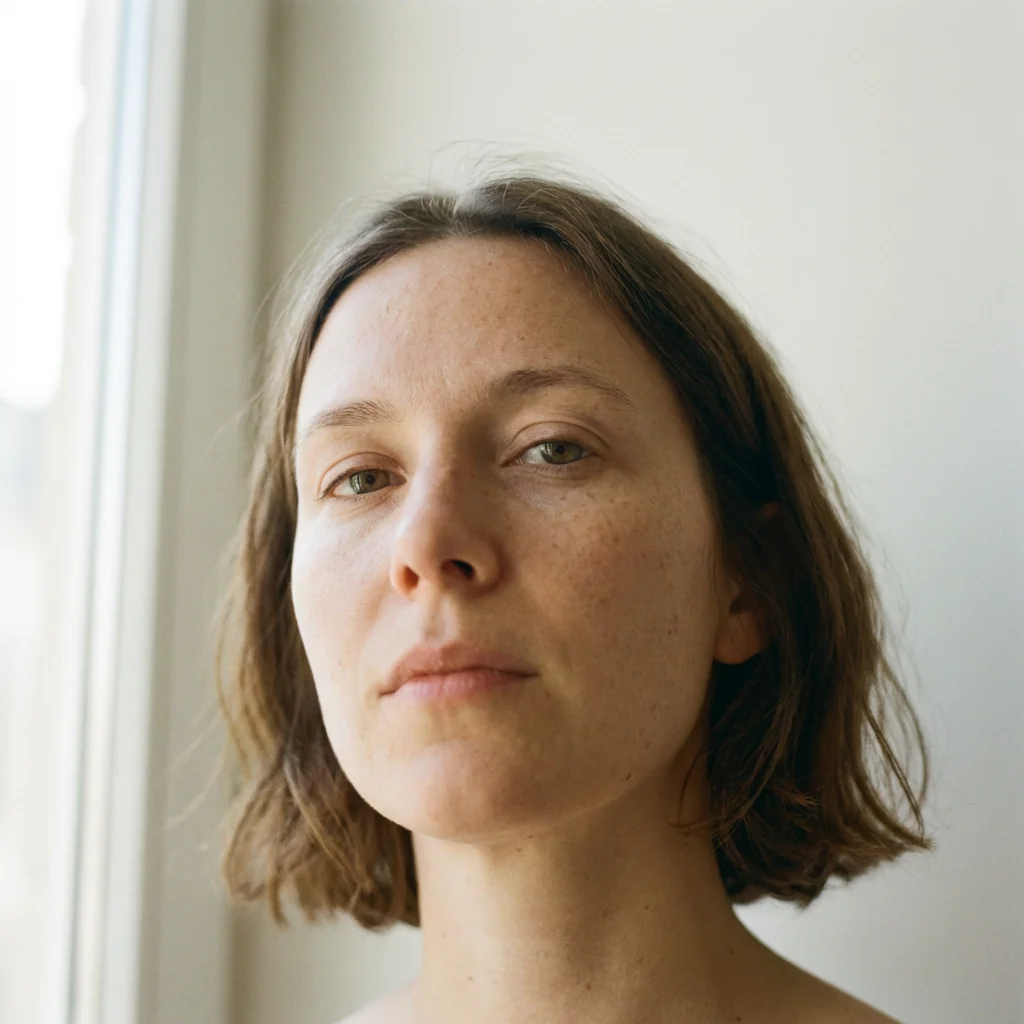
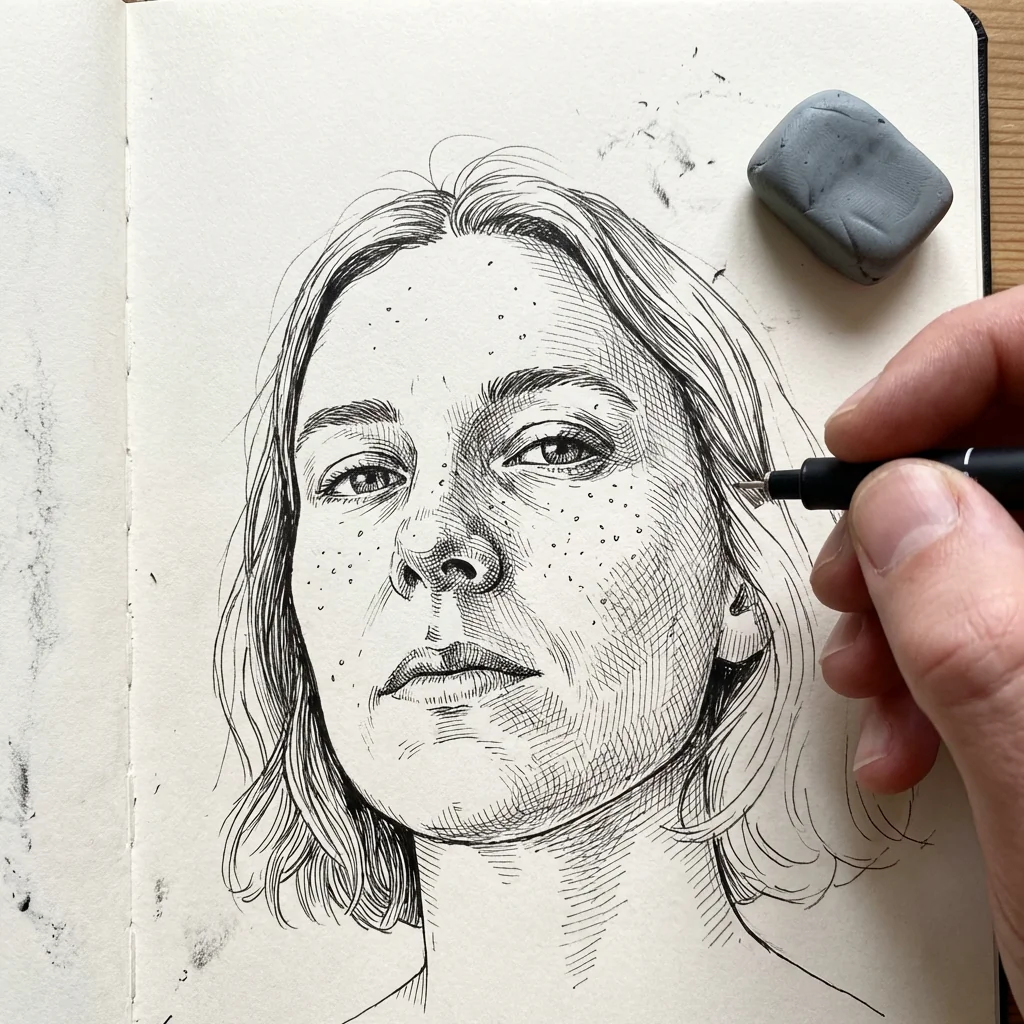
Artist's Notebook brings the timeless art of hand-drawn portraiture to the digital age. This innovative AI-powered tool transforms your photographs into stunning ink sketch portraits that look as if they were carefully drawn by a skilled artist in their personal notebook. The effect captures every intricate detail of the original photo while adding the authentic charm of traditional pen-and-ink illustration techniques.
What sets Artist's Notebook apart is its remarkable attention to detail and realism. The AI preserves every facial feature, proportion, and expression from your original image while converting it into a beautiful line drawing with intricate, fine line detailing. The black and white ink tones create depth and dimension, while the notebook-page style background adds an authentic artistic touch. The inclusion of a hand holding a pen and eraser creates the illusion that the sketch is still being created, bringing a dynamic, work-in-progress feel to your portrait.
Whether you're an artist seeking inspiration, a photographer looking to add variety to your portfolio, or simply someone who appreciates the beauty of hand-drawn art, Artist's Notebook offers an accessible way to create professional-quality ink sketches. The tool is perfect for creating unique profile pictures, personalized gifts, social media content, or artistic interpretations of cherished memories. With just a single photo upload, you can transform any portrait into a timeless piece of sketch art that celebrates the intersection of traditional drawing techniques and modern AI technology.
Ready to create your own?
Try this trend for free. No credit card required, just sign up and start creating.
How It Works
Upload a clear portrait photo with good lighting and visible facial features
Let the AI analyze and convert your photo into detailed ink sketch lines
Review the generated notebook-style sketch with artist hand detail
Download your high-resolution ink sketch portrait for sharing or printing
Features
- Precise facial feature preservation maintains original proportions and expressions
- Fine line ink detailing creates authentic hand-drawn texture and depth
- Realistic notebook-page background with authentic paper texture
- Dynamic artist hand holding pen and eraser for work-in-progress effect
- Black and white ink tones with professional sketch gradation
- High-resolution output suitable for printing and digital display
- Instant AI transformation from photo to ink sketch portrait
- Maintains photographic accuracy while adding artistic sketch style
- Professional-grade line work mimics traditional pen-and-ink techniques
- Customizable intensity and detail levels for personalized results
Use Cases
- Create unique social media profile pictures with artistic flair
- Transform family photos into timeless hand-drawn portrait keepsakes
- Generate artistic portfolio pieces for photographers and artists
- Design personalized gifts with custom ink sketch portraits
- Create eye-catching book covers and editorial illustrations
- Develop distinctive branding materials with sketch-style portraits
- Produce artistic reference images for traditional drawing practice
Pro Tips for Better Results
Use Front-Facing Portraits for Best Detail
The Nano Banana Pro Edit model excels at capturing facial details when your subject faces the camera directly. Side profiles or extreme angles can work, but front-facing shots between 0-30 degrees produce the most balanced ink line distribution. Avoid sunglasses or hands covering the face—every visible feature translates into more authentic sketch strokes.
High Contrast Photos Yield Richer Line Work
Photos with strong lighting differences—like natural window light or studio setups—give the AI more tonal information to convert into varied ink strokes. Flat, evenly lit snapshots can result in thinner line work. If you need a professional headshot base, try AI Headshot Generator first, then run that output through this trend for a polished sketch.
Crop Tight Around the Face Before Upload
The notebook effect includes a hand holding a pen, which occupies part of the frame. Cropping your original photo to focus on the head and upper shoulders ensures your subject remains the focal point and prevents the face from appearing too small in the final sketch. Leave minimal background space for the cleanest composition.
Avoid Busy Backgrounds in Source Images
While the AI replaces the background with a notebook texture, complex or cluttered backgrounds in your source photo can confuse edge detection and create stray lines around the portrait. Plain walls, solid colors, or soft bokeh backgrounds let Nano Banana Pro Edit focus entirely on rendering clean facial contours.
Experiment with Expression Intensity
Subtle smiles and neutral expressions translate beautifully into ink sketches, but dramatic expressions—wide grins, raised eyebrows—can produce exaggerated line clusters that look cartoonish. For a timeless, gallery-worthy result, choose photos with calm, natural expressions. The AI preserves every micro-expression, so less is often more.
Download Full Resolution for Print Projects
The high-resolution output is print-ready, but always download the largest available file if you plan to frame or use the sketch in physical products. For quick social media posts, the standard resolution works fine. If you need further edits after generation, OpenAI GPT Image 2 Edit can tweak specific areas without regenerating from scratch.
Frequently Asked Questions
Other Models You Could Use
Ready to Try Artist's Notebook: Create a Hand-Drawn Ink Sketch Portrait?
Transform your images with AI in seconds. No design skills required.
Get Started FreeJoin thousands of creators using JAI Portal