Battle Royale Hero: Become a Fortnite Character
Transform into an Epic Fortnite Battle Royale Character
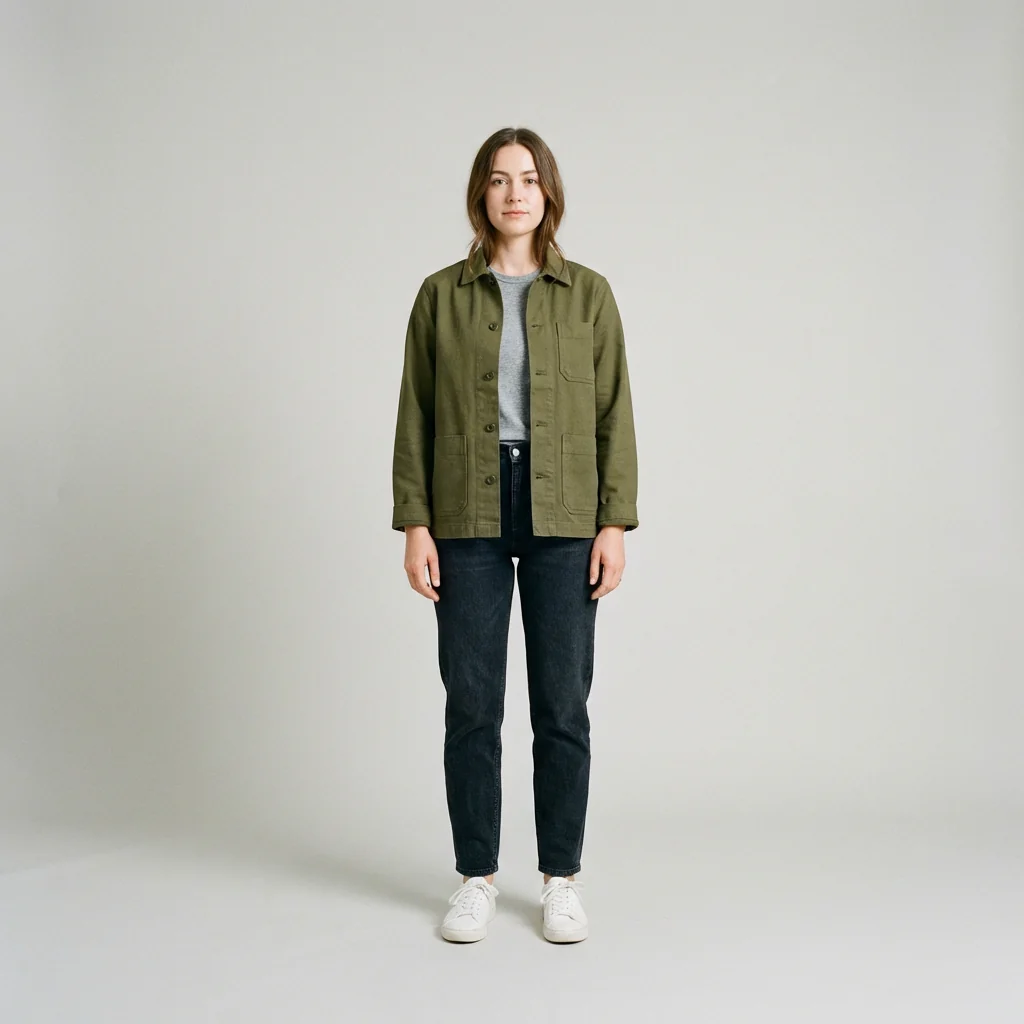
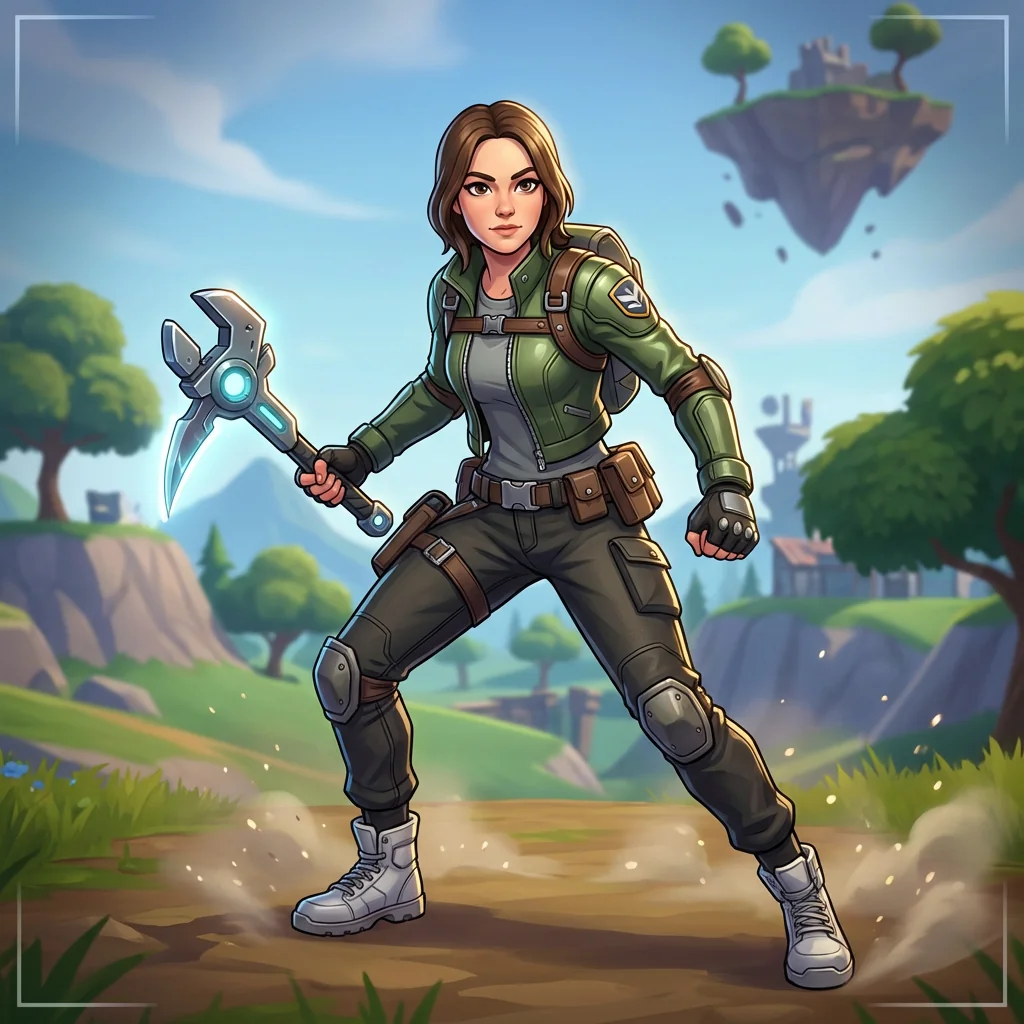
Free to try - Sign up in seconds
About This Trend
Step into the vibrant world of Fortnite with our revolutionary AI-powered character transformation tool. Battle Royale Hero brings the iconic Fortnite aesthetic to life by converting your photos into stunning, game-ready characters that look like they've been pulled straight from Epic Games' legendary battle royale universe. Whether you're a dedicated Fortnite player, content creator, or gaming enthusiast, this AI transformation captures every detail of the game's distinctive visual style—from the slightly exaggerated proportions and expressive eyes to the bright, saturated color palette and clean cel-shaded rendering that defines Fortnite's unique look.
Our advanced AI technology meticulously preserves your original facial features, expression, and hairstyle while seamlessly translating them into Fortnite's stylized character aesthetic. The transformation goes beyond simple filtering—it reimagines your entire appearance with the signature elements that make Fortnite characters instantly recognizable: dynamic ready-for-action poses, game-friendly outfit redesigns with tactical accessories, and that perfect balance of realistic detail and playful stylization. Your outfit's original color scheme and key accessories are thoughtfully reinterpreted with Fortnite-appropriate materials like sleek synthetic fabrics, armored canvas, leather straps, and glossy metal trims, complete with signature elements like utility belts, compact backpacks, and personalized harvest tools or futuristic sidearms.
The final result is a high-resolution, game-concept quality render that places your Fortnite avatar against the iconic island backdrop—complete with rolling hills, stylized trees, colorful structures, and atmospheric elements like drop-ships or floating island fragments. Professional lighting techniques including dramatic rim lights, cinematic key lighting, and subtle bloom effects ensure your character has that perfect in-game polish. Whether you want to create unique social media content, design custom gaming avatars, surprise fellow Fortnite fans, or simply see yourself as a Battle Royale legend, this AI tool delivers stunning, shareable results that capture the energy and excitement of Fortnite's cultural phenomenon.
Ready to create your own?
Try this trend for free. No credit card required, just sign up and start creating.
How It Works
Upload a clear, well-lit full-body or portrait photo with visible facial features and expression
Let the AI analyze your photo and apply Fortnite's signature stylized character aesthetic with exaggerated proportions
Watch as your outfit transforms into game-ready materials with Fortnite accessories and tactical elements
Review your Battle Royale hero rendered against the iconic island background with professional lighting
Download your high-resolution Fortnite character transformation and share across gaming platforms
Features
- Authentic Fortnite aesthetic with exaggerated proportions and expressive character design
- Precise facial feature preservation while applying iconic game-style rendering
- Dynamic Battle Royale poses with confident, action-ready stances
- Custom outfit redesign maintaining original colors with game-appropriate materials
- Signature Fortnite accessories: utility belts, backpacks, harvest tools, and weapons
- Professional cinematic lighting with rim glow, bloom effects, and silhouette enhancement
- Iconic island environment backgrounds with depth of field and atmospheric details
- High-resolution game-concept quality output suitable for social sharing and avatars
- Stylized textures with clean fabric grain, polished metals, and toy-like finish
- Subtle gameplay HUD elements and particle effects for authentic in-game feel
Use Cases
- Create personalized Fortnite-style avatars for gaming profiles and social media
- Design unique content for YouTube thumbnails, Twitch overlays, and streaming graphics
- Generate custom character art for Fortnite fan communities and Discord servers
- Produce eye-catching visuals for gaming blogs, esports articles, and tournament promotions
- Make memorable birthday gifts and surprises for Fortnite enthusiasts and gamers
- Develop creative cosplay references and character design inspiration
- Build engaging social media posts showcasing yourself as a Battle Royale hero
Pro Tips for Better Results
Choose Photos with Clear Facial Features
The Nano Banana Pro Edit model works best when your face is clearly visible with good lighting. Avoid heavily shadowed photos or extreme angles. Full-body shots capture more outfit details for the AI to transform into Fortnite-style tactical gear, but close-up portraits still produce excellent character headshots. If you need professional headshot quality first, try AI Headshot Generator to create a clean base photo before applying the Fortnite transformation.
Wear Outfits with Distinct Colors and Textures
The AI translates your clothing into Fortnite's game-ready materials, so photos with clear color blocks and recognizable textures work best. Jackets, hoodies, tactical vests, and accessories like hats or backpacks give the model more elements to reimagine as Battle Royale gear. Avoid busy patterns that might blur together—solid colors and simple designs let the AI add authentic Fortnite details like utility belts, armor plates, and weapon holsters while maintaining your original style.
Natural Poses Translate Better Than Stiff Shots
While the AI applies dynamic Battle Royale stances, starting with a natural, confident pose gives better results than rigid passport-style photos. Slight action poses—arms slightly bent, weight shifted to one leg, or a casual lean—help the model create that signature Fortnite ready-for-action energy. If you want more control over pose transformation, FLUX 2 Dev Edit offers broader editing capabilities, though it won't match the specialized Fortnite aesthetic.
Upload High-Resolution Images for Maximum Detail
Higher resolution input photos allow the AI to preserve finer details like facial expressions, hair texture, and clothing accessories when applying the Fortnite style. Images at least 1024px on the longest side produce sharper results with cleaner cel-shaded rendering and more defined character features. Low-resolution or heavily compressed photos may lose detail during transformation. The Nano Banana Pro Edit model outputs high-quality renders suitable for social media, thumbnails, and profile avatars.
Consider Lighting Direction in Your Source Photo
Photos with clear directional lighting help the AI understand facial structure and create better depth in the final Fortnite render. Side lighting or three-quarter lighting works particularly well, as the model adds cinematic rim lights and bloom effects that complement existing shadows. Flat, evenly-lit photos still work but may produce slightly less dramatic results. The AI automatically applies professional game-concept lighting, but starting with good source lighting enhances the final character's visual impact.
Experiment with Different Expressions for Variety
The AI preserves your facial expression while applying Fortnite's expressive character design, so try different moods—confident smirks, determined looks, or playful grins all translate well into Battle Royale hero energy. Neutral expressions work fine but might feel less dynamic. If you want to generate multiple variations quickly, consider using FLUX 2 Face to Full Portrait for broader character exploration, then refine your favorite with this specialized Fortnite transformer.
Frequently Asked Questions
Other Models You Could Use
Ready to Try Battle Royale Hero: Become a Fortnite Character?
Transform your images with AI in seconds. No design skills required.
Get Started FreeJoin thousands of creators using JAI Portal