Behind the Scenes: Reveal Your Photo's Studio Setup
Transform Photos into Professional Studio Setup Guides
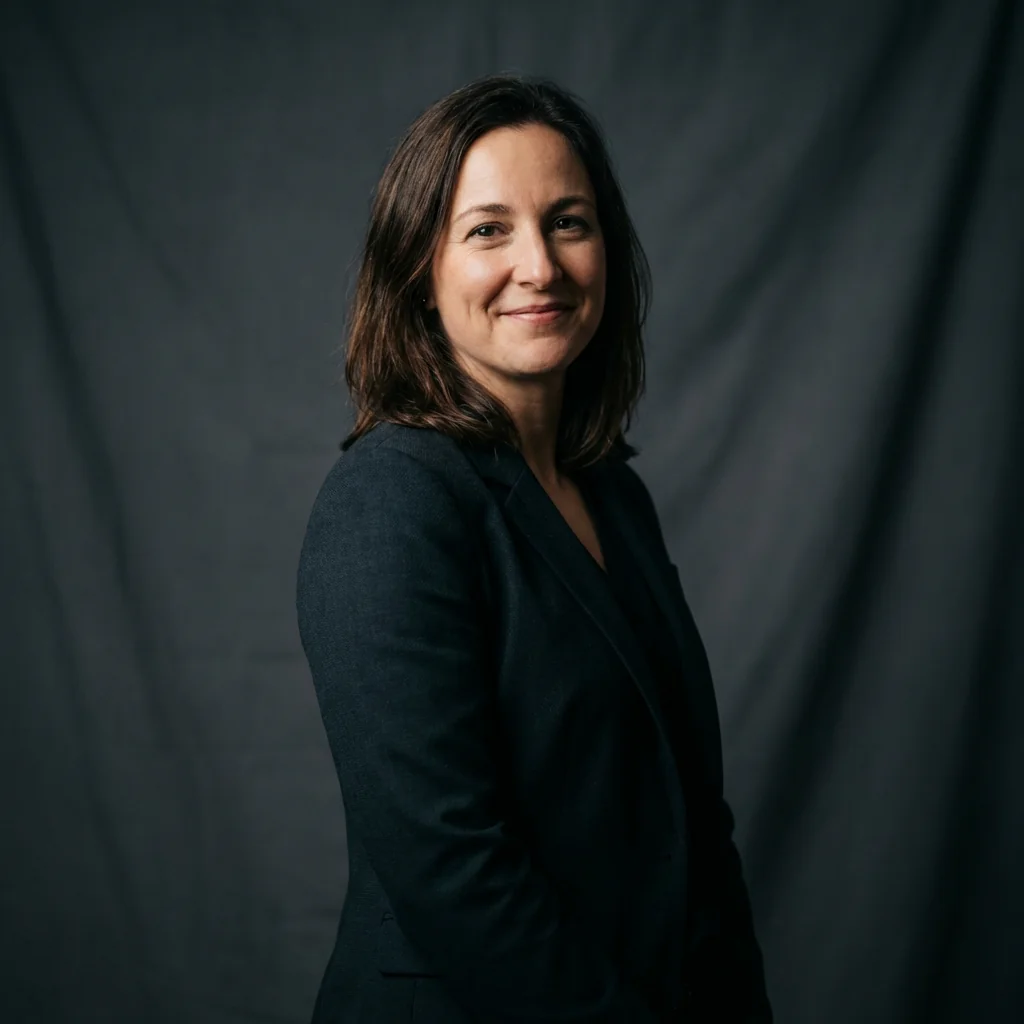
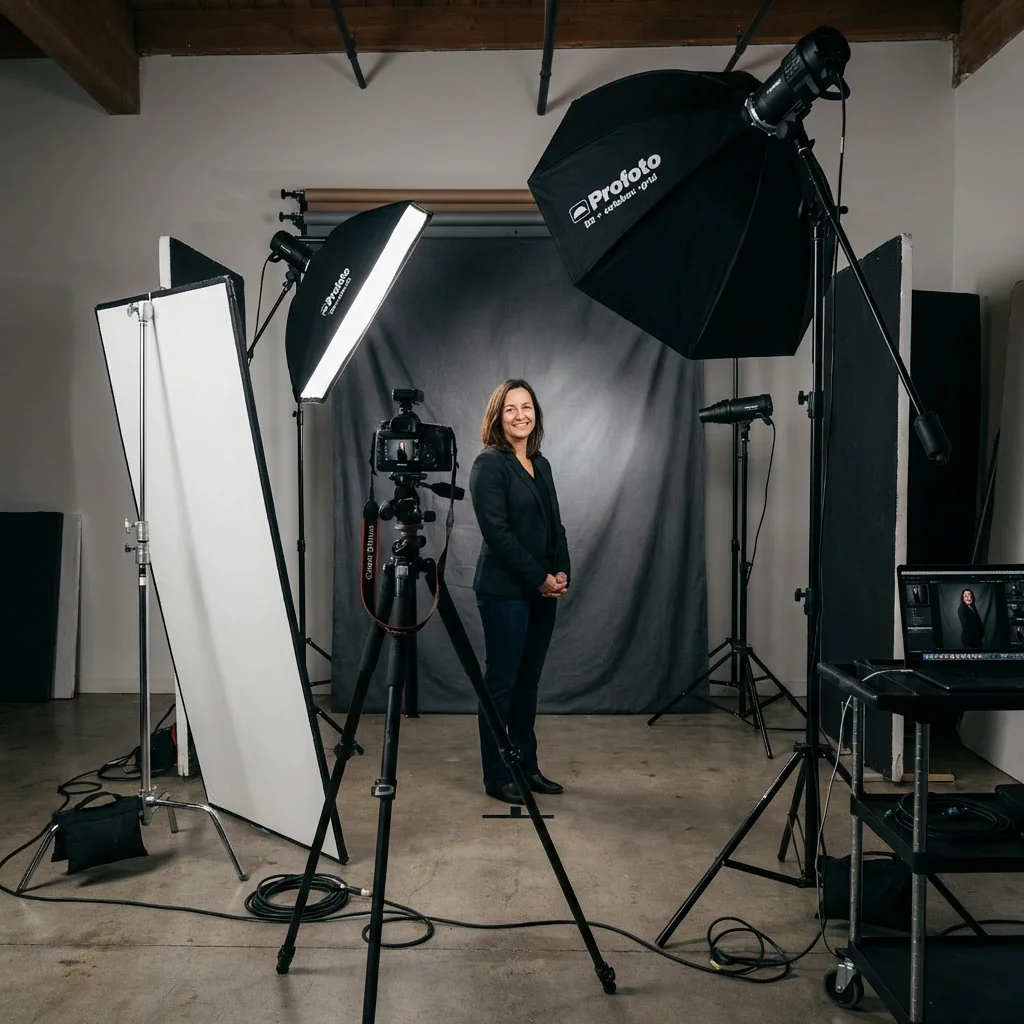
Free to try - Sign up in seconds
About This Trend
Behind the Scenes: Reveal Your Photo's Studio Setup is a revolutionary AI-powered tool that transforms the way photographers learn and understand professional photography setups. By analyzing any photograph with extreme precision, this advanced technology deconstructs the entire production environment, revealing every technical detail from camera settings to the exact positioning of each light source. Whether you're a beginner trying to replicate a professional look or an experienced photographer reverse-engineering a complex lighting scheme, this tool provides unprecedented insight into the technical execution behind stunning imagery.
The AI performs comprehensive analysis of multiple elements simultaneously: it identifies the specific camera body and lens combination used, estimates critical exposure settings including ISO, aperture, and shutter speed based on depth of field and image characteristics, maps out the complete lighting diagram including key lights, fill lights, rim lights, background lights, and even subtle accent lights hidden behind props or plants. The technology goes beyond simple detection—it understands the purpose of each light modifier, whether it's a softbox creating gentle illumination, a grid focusing light precisely, or practical lights adding ambient atmosphere. Every element of the scene composition is documented, from backdrop materials and colors to prop placement and their interaction with the lighting design.
What sets this tool apart is its ability to generate accurate, labeled behind-the-scenes visualizations that show the full studio setup from a bird's-eye or side perspective. These diagrams include precise measurements, distances between equipment, light angles, modifier types, and power ratios. The output serves as a complete blueprint that photographers can use to recreate similar setups in their own studios. This educational approach democratizes professional photography knowledge, allowing anyone to study the techniques used by top photographers and understand the intricate details that separate amateur snapshots from professional masterpieces. Whether you're analyzing portrait photography, product shots, fashion editorials, or commercial work, this AI tool provides the technical roadmap to elevate your own photography skills and achieve professional-quality results.
Ready to create your own?
Try this trend for free. No credit card required, just sign up and start creating.
How It Works
Upload or attach the photograph you want to analyze to the AI system
Wait for the AI to perform comprehensive analysis of all visual elements, camera metadata, and lighting patterns
Review the detailed breakdown including identified camera equipment, estimated settings, and complete lighting inventory
Examine the generated behind-the-scenes diagram showing labeled equipment placement, distances, and angles
Use the provided setup information to recreate the look in your own studio or learn from the technical approach
Features
- Complete camera settings analysis (ISO, aperture, shutter speed detection)
- Detailed lighting diagram with all light sources mapped and labeled
- Camera body and lens type identification from image characteristics
- Light modifier recognition (softboxes, umbrellas, grids, reflectors)
- Prop and backdrop analysis including materials and positioning
- Distance and angle measurements for equipment placement
- Background and practical light detection including hidden accent lights
- Power ratio estimation for multi-light setups
- Visual BTS diagram generation with professional labeling
- Color temperature and white balance analysis
Use Cases
- Photography students learning professional lighting techniques
- Photographers reverse-engineering competitor or inspiration shots
- Content creators planning studio setups for specific visual styles
- Photography educators creating teaching materials and tutorials
- Studio owners optimizing equipment layout and workflow
- Product photographers replicating commercial photography standards
- Portrait photographers studying professional headshot setups
- Beginners understanding the relationship between settings and results
Pro Tips for Better Results
Start With High-Resolution Source Images
The AI performs significantly better when analyzing images with clear details and minimal compression artifacts. Upload photos at least 2000 pixels on the longest side to ensure the algorithm can accurately detect subtle lighting nuances, depth of field characteristics, and equipment signatures. If you're working with heavily compressed social media downloads, the Nano Banana Pro Edit model may struggle to identify precise camera settings or hidden accent lights that are crucial for complete setup reconstruction.
Focus on Single-Subject Studio Shots First
Complex scenes with multiple subjects, mixed lighting environments, or outdoor elements can dilute the accuracy of equipment detection. Begin your learning journey by analyzing classic single-subject studio portraits or product shots where lighting patterns are clearly visible and intentional. Once you understand how the AI interprets controlled environments, you can graduate to more complex editorial or environmental portraits where natural and artificial light sources blend together in sophisticated ways.
Cross-Reference With Manual Lighting Knowledge
While the AI provides excellent starting points, combine its analysis with your understanding of basic lighting principles like inverse square law and color temperature mixing. The tool identifies light positions and modifiers, but experienced photographers will recognize when a detected "softbox" might actually be bounced light or when estimated power ratios need adjustment based on modifier efficiency. This hybrid approach—AI analysis plus human expertise—produces the most accurate recreations of professional setups.
Compare Analysis Results Across Similar Styles
Upload multiple photos from the same photographer or genre to identify consistent patterns in their lighting approach. You'll notice recurring equipment choices, favorite light placements, and signature modifier combinations that define their visual style. This pattern recognition helps you understand not just individual setups but entire lighting philosophies. For portrait-specific analysis, the AI Headshot Generator offers complementary insights into professional headshot lighting standards.
Document Your Recreation Attempts With Notes
After receiving the BTS diagram, photograph your own recreation attempts and compare them side-by-side with the original. Note which elements matched perfectly and where deviations occurred—often these differences reveal subtle environmental factors like ceiling height, wall color bounce, or ambient light contamination that the AI couldn't detect from a single image. This iterative documentation process accelerates your learning curve and builds an invaluable personal reference library of proven setups.
Use Analysis for Equipment Purchase Decisions
Before investing in expensive lighting gear, analyze dozens of photos in your target style to identify which modifiers and light types appear most frequently. If every analyzed fashion editorial uses strip boxes and you only own octaboxes, that insight guides smarter purchasing decisions. The tool essentially provides market research on professional equipment usage patterns, helping you prioritize investments that match industry standards for your specific photography niche rather than buying gear based on generic recommendations.
Frequently Asked Questions
Other Models You Could Use
Ready to Try Behind the Scenes: Reveal Your Photo's Studio Setup?
Transform your images with AI in seconds. No design skills required.
Get Started FreeJoin thousands of creators using JAI Portal