3D Christmas Character Portrait
Transform Your Photo into a Stylized 3D Santa Character
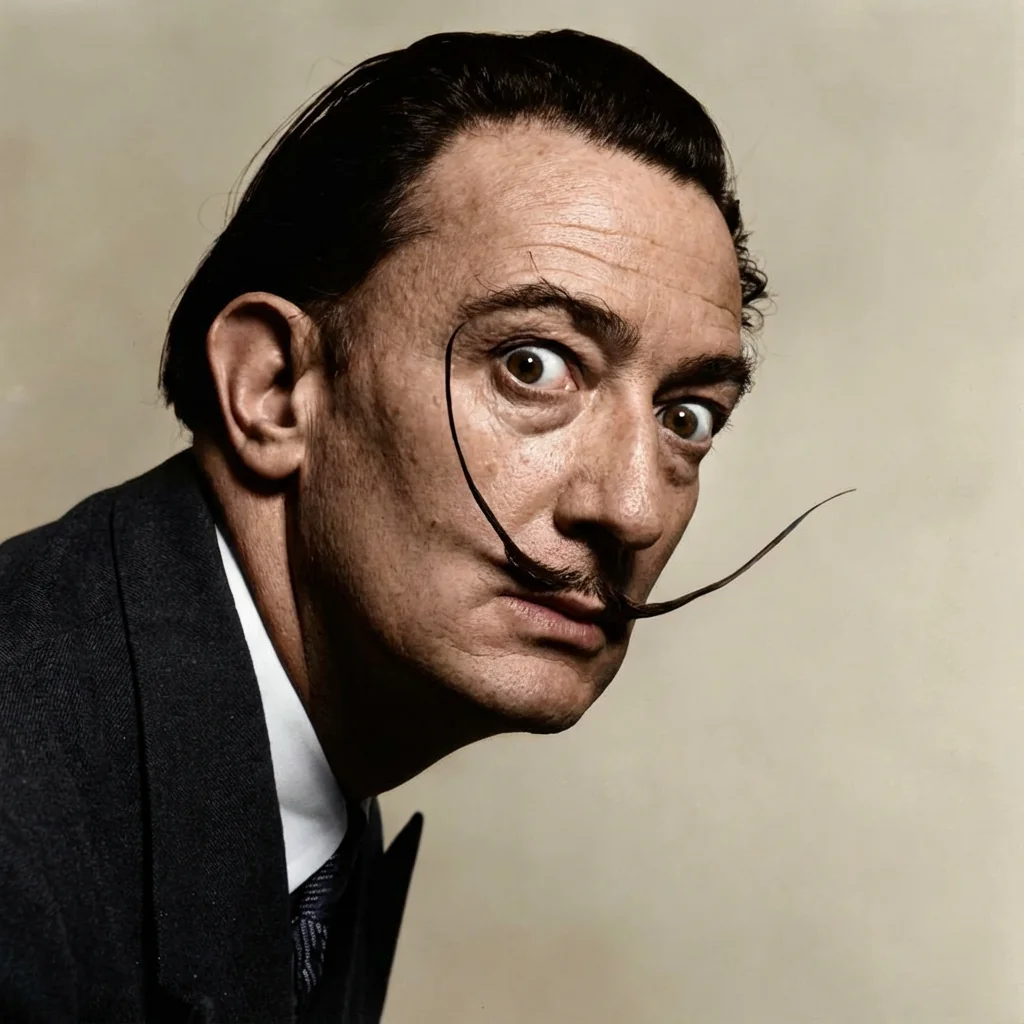
Free to try - Sign up in seconds
About This Trend
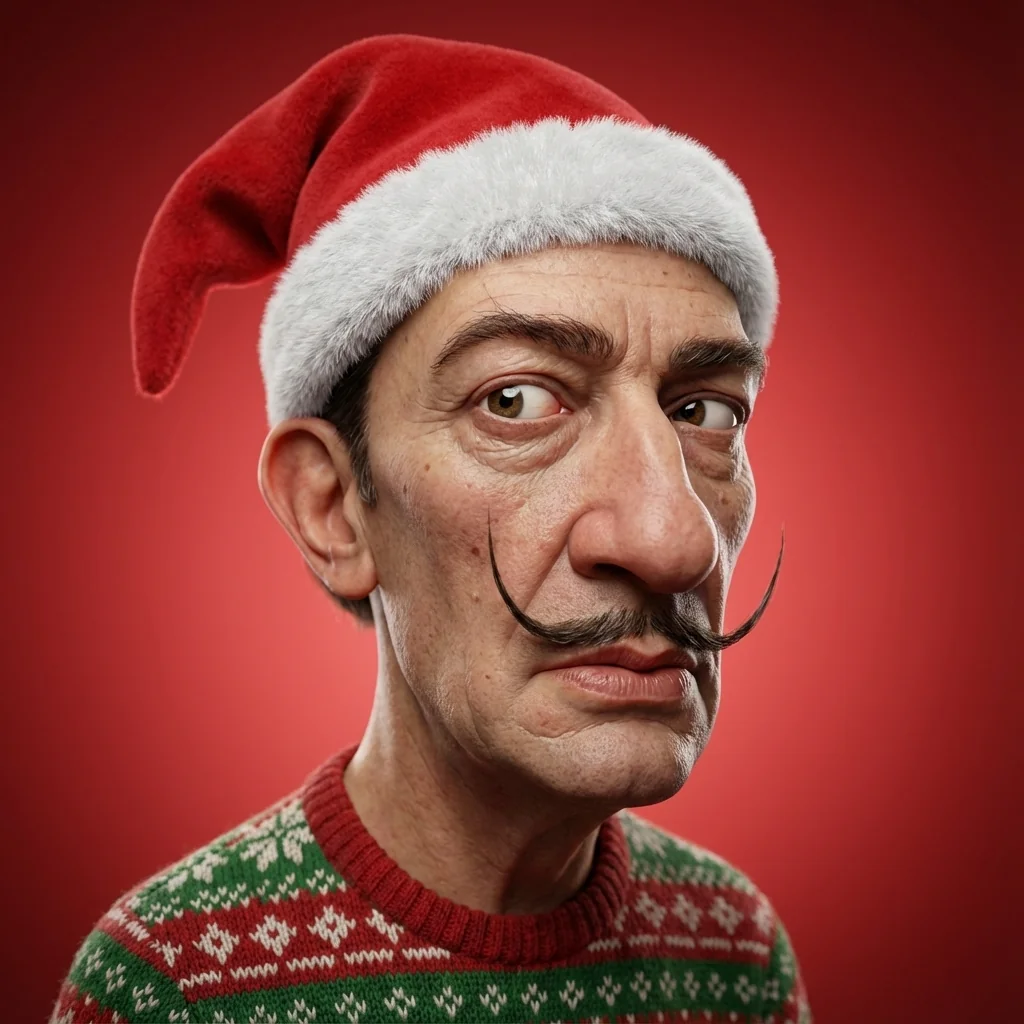
The 3D Christmas Character Portrait trend transforms your photos into charming stylized 3D characters with festive holiday themes. This AI effect creates unique cartoon-style portraits that maintain your facial likeness while adding exaggerated proportions and holiday elements.
Powered by Nano Banana Pro Edit, this transformation preserves your facial structure and proportions while rendering you as a playful 3D character wearing a classic Santa hat and cozy Christmas sweater. The hyper-realistic skin textures with detailed pores and natural imperfections create a perfect blend of cartoon style and photorealism.
Perfect for Christmas profile pictures, holiday greeting cards, and festive social media content. The clean red gradient backdrop and cinematic lighting deliver professional studio-quality results that stand out during the holiday season.
Ready to create your own?
Try this trend for free. No credit card required, just sign up and start creating.
How It Works
Upload a clear front-facing portrait photo
AI analyzes facial structure and proportions
3D character model generated with cartoon styling
Santa hat and Christmas sweater rendered
Download your festive 3D character portrait
Features
- Preserves facial structure and likeness in 3D style
- Exaggerated cartoon proportions with realistic anatomy
- Hyper-detailed skin textures with pores and imperfections
- Classic Santa Claus hat with fluffy trim
- Festive Christmas sweater with knitted patterns
- Clean red gradient studio backdrop
- Soft studio lighting and shallow depth of field
- High-quality 3D cinematic render
Use Cases
- Christmas profile pictures and avatars
- Holiday greeting cards and invitations
- Festive social media posts
- Personalized Christmas gifts
- Year-end celebration content
- Holiday marketing materials
- Fun family Christmas portraits
Pro Tips for Better Results
Use High-Resolution Front-Facing Photos
Upload a clear, well-lit portrait taken straight-on for best results. The Nano Banana Pro Edit model needs to see your full facial structure to accurately preserve your likeness in 3D. Avoid extreme angles, sunglasses, or heavy shadows that obscure facial features. Photos taken in natural daylight or with even indoor lighting work best for capturing the subtle details that translate into realistic skin textures.
Keep Your Expression Natural and Neutral
A relaxed, slight smile works better than exaggerated expressions for this 3D character style. The AI maintains your facial proportions while adding cartoon exaggeration, so starting with a neutral base gives more control over the final look. Overly dramatic expressions can create unpredictable results when combined with the stylized 3D rendering. If you need more control over facial expressions, try FLUX 2 Face to Full Portrait for alternative portrait generation.
Avoid Busy Backgrounds in Source Photos
The model replaces your background with a clean red gradient, but complex backgrounds can sometimes interfere with edge detection around your head and shoulders. Use photos with simple, uncluttered backgrounds for the cleanest results. If you're working with a photo that has a busy background, consider using JAI Portal Spicy Image Editor first to remove or simplify the background before applying the Christmas character effect.
Consider Your Starting Skin Tone
The hyper-realistic skin rendering preserves your natural skin tone while adding detailed texture. Photos with even skin tone and good color balance produce the most natural-looking 3D characters. If your source photo has uneven lighting or color casts, the final render may amplify these variations. The Nano Banana Pro Edit model excels at texture detail, so starting with a well-exposed photo maximizes this strength.
Let the AI Handle the Festive Details
Don't wear a Santa hat or Christmas sweater in your source photo—the AI adds these elements automatically with perfect 3D rendering and lighting. Your input should be a standard portrait that shows your face and upper shoulders clearly. The model generates the Santa hat with fluffy trim and knitted sweater patterns that match the lighting and perspective of your 3D character, creating a cohesive final image that looks professionally rendered.
Download Full Resolution for Print Quality
The 3D rendering includes fine details like skin pores and fabric textures that shine at full resolution. Download the highest quality version for Christmas cards, prints, or professional marketing materials. The cinematic lighting and shallow depth of field create a studio-quality look that holds up well in both digital and print formats. For alternative high-resolution portrait styles, check out AI Headshot Generator for more professional headshot options.
Frequently Asked Questions
Other Models You Could Use
Ready to Try 3D Christmas Character Portrait?
Transform your images with AI in seconds. No design skills required.
Get Started FreeJoin thousands of creators using JAI Portal