3D Christmas Ornament Collectible
Transform Photos into Holiday Ornament Collectibles

Free to try - Sign up in seconds
About This Trend
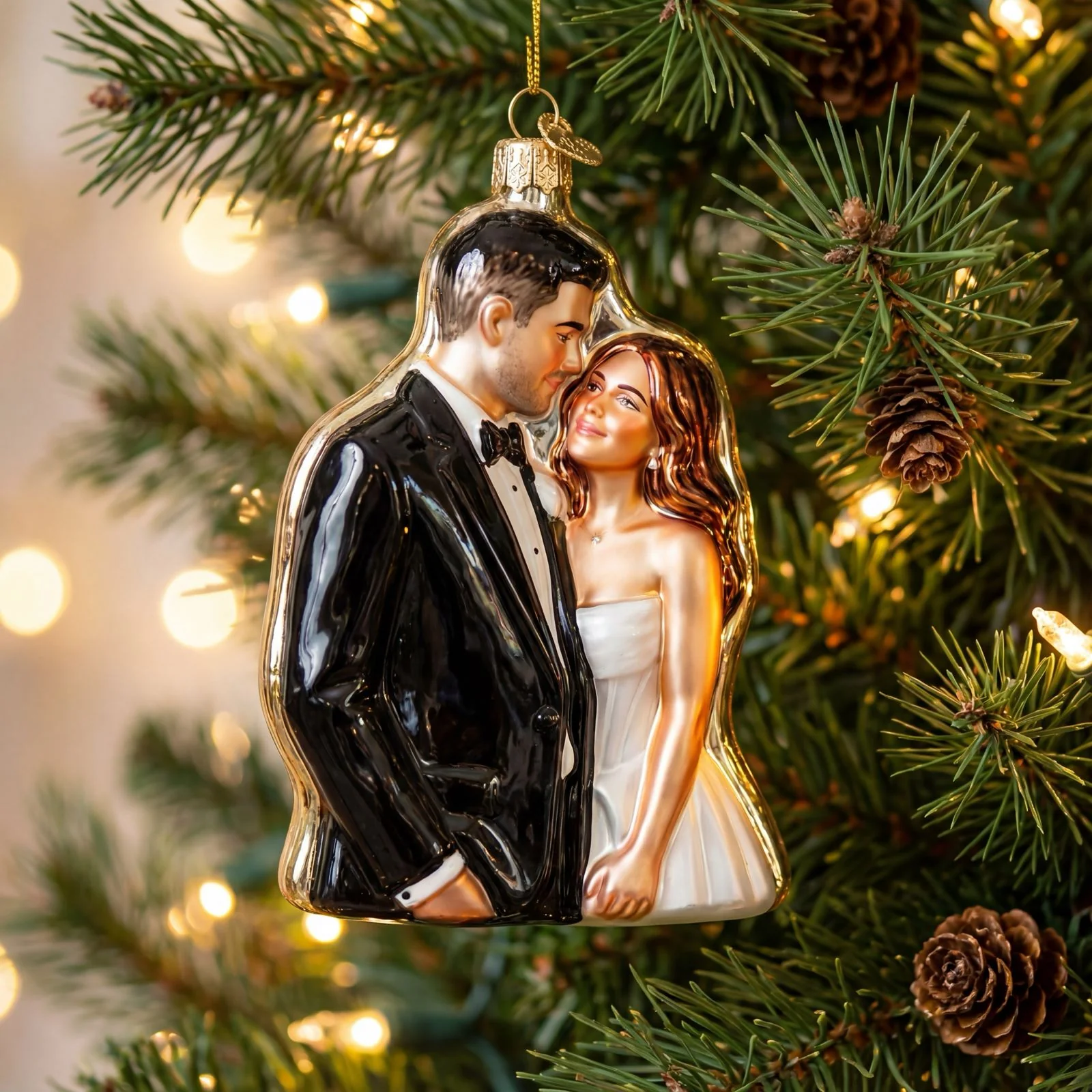
The AI Christmas Ornament trend transforms ordinary photos into festive, glossy holiday ornaments. Using advanced AI editing, this style produces hyper-realistic Christmas tree decorations while preserving the subject’s recognizable features.
Powered by the Nano Banana Edit model, users can generate high-quality ornament concepts with custom finishes, metallic hooks, tree branch placement, and warm holiday ambiance. This trend is perfect for creating collectible Christmas visuals, personalized decorations, or festive social media content.
The Christmas ornament transformation has gained popularity among creators, designers, and holiday enthusiasts who want to visualize unique ornament concepts or produce professional-looking holiday imagery.
Ready to create your own?
Try this trend for free. No credit card required, just sign up and start creating.
How It Works
Upload a clear photo of your subject
Our AI analyzes and stylizes the image into an ornament form
The model renders a festive Christmas tree scene
Download your high-resolution holiday ornament artwork
Features
- Transform any photo into a festive 3D Christmas ornament
- Glossy, polished resin or glass-like finishes
- Warm holiday bokeh lighting and tree branch presentation
- High-detail likeness preservation
- High-resolution output suitable for printing or social use
Use Cases
- Holiday-themed collectible ornament concepts
- Personalized Christmas decoration previews
- Festive social media content creation
- Gift visualization and design mockups
- Fan art and holiday merchandise concepts
Pro Tips for Better Results
Use High-Contrast Source Photos
Photos with strong lighting contrast and clear facial definition produce the most striking ornament transformations. The GPT-Image 1.5 Edit model preserves fine details best when your source image has sharp edges and well-defined features. Avoid overly soft or heavily filtered selfies—natural lighting works better than ring lights for this particular effect.
Specify Material Finish in Your Prompt
While the default glossy finish looks great, you can request specific materials like frosted glass, metallic chrome, or ceramic glaze. Adding phrases like "polished resin with gold accents" or "iridescent pearl finish" helps the AI render more distinctive ornament styles. Experiment with different material descriptions to match your holiday aesthetic or brand guidelines.
Center Your Subject for Best Results
The ornament transformation works best when your subject's face or focal point is centered in the frame. Off-center compositions can result in awkward cropping when the AI renders the spherical ornament shape. If you need more compositional flexibility, consider using FLUX 2 Dev Edit for broader creative control over placement and framing.
Request Specific Holiday Lighting Moods
The default warm bokeh is beautiful, but you can customize the background ambiance. Try prompts like "cool blue Christmas lights," "vintage warm Edison bulbs," or "colorful rainbow tree lights" to match different holiday themes. The AI responds well to specific color temperature requests, letting you create cohesive sets of ornaments with matching lighting.
Combine with Portrait Models for Series
For creating matching ornament collections, start by generating consistent portraits with AI Headshot Generator, then transform each into an ornament. This workflow ensures uniform lighting and angles across multiple subjects, perfect for family ornament sets or character merchandise lines. The consistency makes your final collection look professionally designed.
Export at Maximum Resolution for Printing
If you plan to print these designs on actual ornaments or merchandise, always download the highest resolution available. The glossy finish and fine details require sharp output to avoid pixelation. For commercial printing projects requiring even larger files, OpenAI GPT Image 2 Edit offers additional upscaling options you can apply after the ornament transformation.
Frequently Asked Questions
Other Models You Could Use
Ready to Try 3D Christmas Ornament Collectible?
Transform your images with AI in seconds. No design skills required.
Get Started FreeJoin thousands of creators using JAI Portal