Doodle Art Portrait: Draw with Red and Yellow Pens on Notebook Paper
Transform photos into vibrant doodle art with red & yellow pens
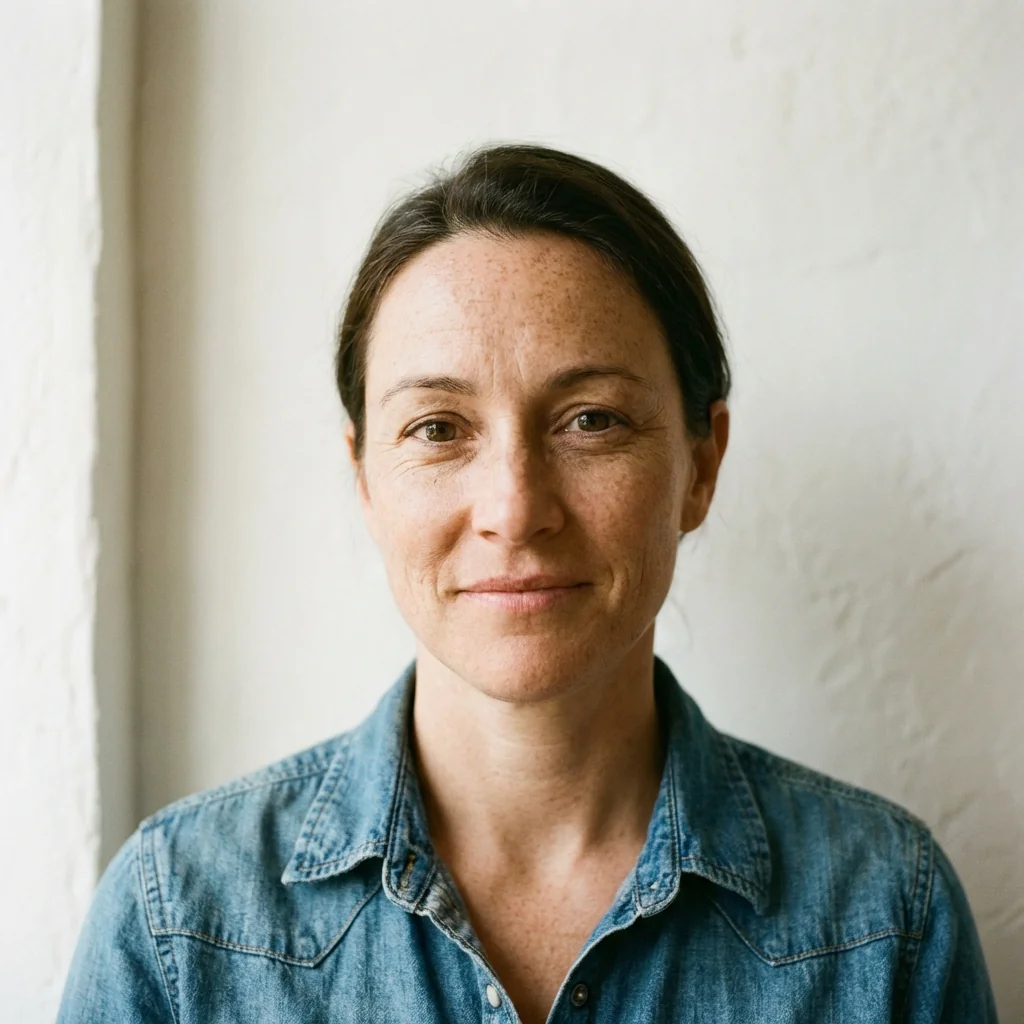
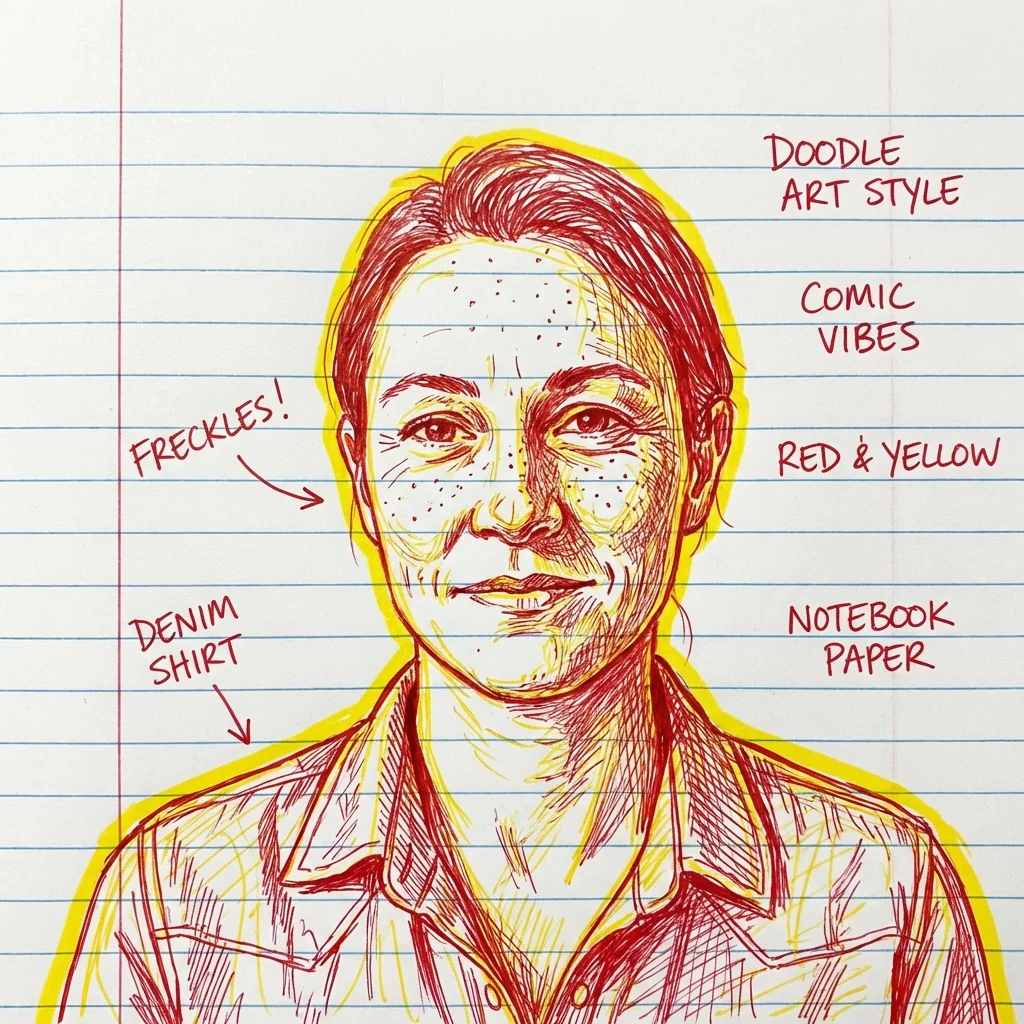
Free to try - Sign up in seconds
About This Trend
Doodle Art Portrait Generator brings the nostalgic charm of hand-drawn notebook sketches to your digital photos. This innovative AI tool transforms your images into expressive doodle art portraits using the classic red and yellow pen combination on realistic notebook paper backgrounds. Unlike traditional photo filters, our AI meticulously analyzes facial features and expressions to maintain perfect likeness while applying spontaneous, expressive line work that captures the authentic feel of manual doodling.
The technology behind this portrait generator combines advanced neural networks with artistic rendering algorithms to create pen stroke textures that look genuinely hand-drawn. Each portrait features bold outline glows, dynamic gesture lines, and comic-style annotations that add personality and narrative to your images. The AI intelligently places handwritten notes and decorative elements around your subject, mimicking the spontaneous creativity of notebook margin art. Whether you're creating profile pictures, social media content, or personalized gifts, the 4K resolution output ensures your doodle portraits maintain crisp quality across all platforms and print sizes.
Perfect for artists, content creators, educators, and anyone who loves the aesthetic of hand-drawn art, this tool democratizes artistic expression. No drawing skills required – simply upload your photo and watch as AI transforms it into a masterpiece that looks like it was lovingly sketched during a creative brainstorming session. The red and yellow color scheme pays homage to classic school notebook doodles while providing a distinctive, eye-catching visual style that stands out in today's oversaturated digital landscape. Join thousands of users who are rediscovering the joy of doodle art through AI-powered creativity.
Ready to create your own?
Try this trend for free. No credit card required, just sign up and start creating.
How It Works
Upload your portrait photo in JPG or PNG format to the Doodle Art Portal
Adjust the intensity slider to control pen stroke thickness and annotation density
Preview your doodle art portrait and fine-tune color balance if needed
Click 'Generate' and download your 4K resolution doodle portrait in seconds
Share directly to social media or save for printing and further editing
Features
- AI-powered doodle art transformation with authentic pen stroke simulation
- Classic red and yellow pen color scheme on notebook paper texture
- Perfect facial likeness preservation with expressive line work
- Automatic comic-style annotations and handwritten notes placement
- Bold outline glow effects for enhanced visual impact
- Spontaneous gesture lines that capture natural movement
- 4K ultra-high resolution output for print and digital use
- Realistic notebook paper background with ruled lines
- One-click transformation with instant preview
- Customizable annotation text and placement options
Use Cases
- Create unique social media profile pictures with artistic flair
- Design personalized greeting cards and gift prints
- Generate eye-catching thumbnails for YouTube and blogs
- Produce creative marketing materials with hand-drawn appeal
- Transform team photos into memorable office wall art
- Create illustrated book covers and comic-style character designs
- Design custom merchandise prints for t-shirts and mugs
Pro Tips for Better Results
Use High-Contrast Source Photos
The Nano Banana Pro Edit model works best with photos that have clear lighting and strong facial definition. Avoid heavily shadowed or backlit images—the AI needs distinct features to translate into expressive pen strokes. If your photo is underexposed, consider brightening it first with JAI Portal Spicy Image Editor before running the doodle transformation for cleaner line work.
Frame Your Subject with Space
Leave breathing room around the subject's head and shoulders in your original photo. The doodle art effect adds annotations, gesture lines, and decorative elements in the margins. Tight crops can cause the AI to place handwritten notes awkwardly or cut off expressive flourishes. A composition similar to standard headshot framing—like those from AI Headshot Generator—gives the algorithm space to work its magic without cramping the artistic elements.
Experiment with Expression Variety
Neutral expressions work well, but don't shy away from smiles, laughter, or thoughtful looks. The Nano Banana Pro Edit model excels at capturing personality through exaggerated line work. Dynamic facial expressions translate into more energetic gesture lines and spontaneous annotation placement, giving your doodle portrait a lively, authentic notebook-sketch feel that stands out on social media feeds.
Mind Your Background Complexity
Simple, uncluttered backgrounds yield the cleanest doodle art results. Busy or patterned backgrounds can confuse the AI's edge detection, leading to stray pen strokes or messy line work. If you're working with a complex background photo, try using OpenAI GPT Image 2 Edit to simplify or blur the backdrop first, then apply the doodle effect for sharper, more focused pen art.
Optimize Resolution for Print Quality
While the model outputs 4K resolution, starting with at least 2000x2000 pixel images ensures maximum detail in the final pen strokes. This matters especially if you're printing on merchandise or large posters. Lower-resolution inputs can result in pixelated line work when scaled up. The AI interpolates missing detail, but native high-resolution photos always produce crisper, more professional-looking doodle art with finer pen texture simulation.
Compare Editing Models for Style Control
If you want more manual control over the artistic direction, experiment with FLUX 2 Dev Edit or Qwen Image 2 Edit for prompt-driven adjustments before applying the doodle effect. These models let you tweak lighting, pose, or expression first, giving you a better starting canvas. Then run the refined image through Nano Banana Pro Edit for the signature red-and-yellow pen treatment.
Frequently Asked Questions
Other Models You Could Use
Ready to Try Doodle Art Portrait: Draw with Red and Yellow Pens on Notebook Paper?
Transform your images with AI in seconds. No design skills required.
Get Started FreeJoin thousands of creators using JAI Portal