Fashion Editorial Flatlay: Create a High-Fashion Collage
Transform photos into stunning editorial flatlay collages
Free to try - Sign up in seconds
About This Trend
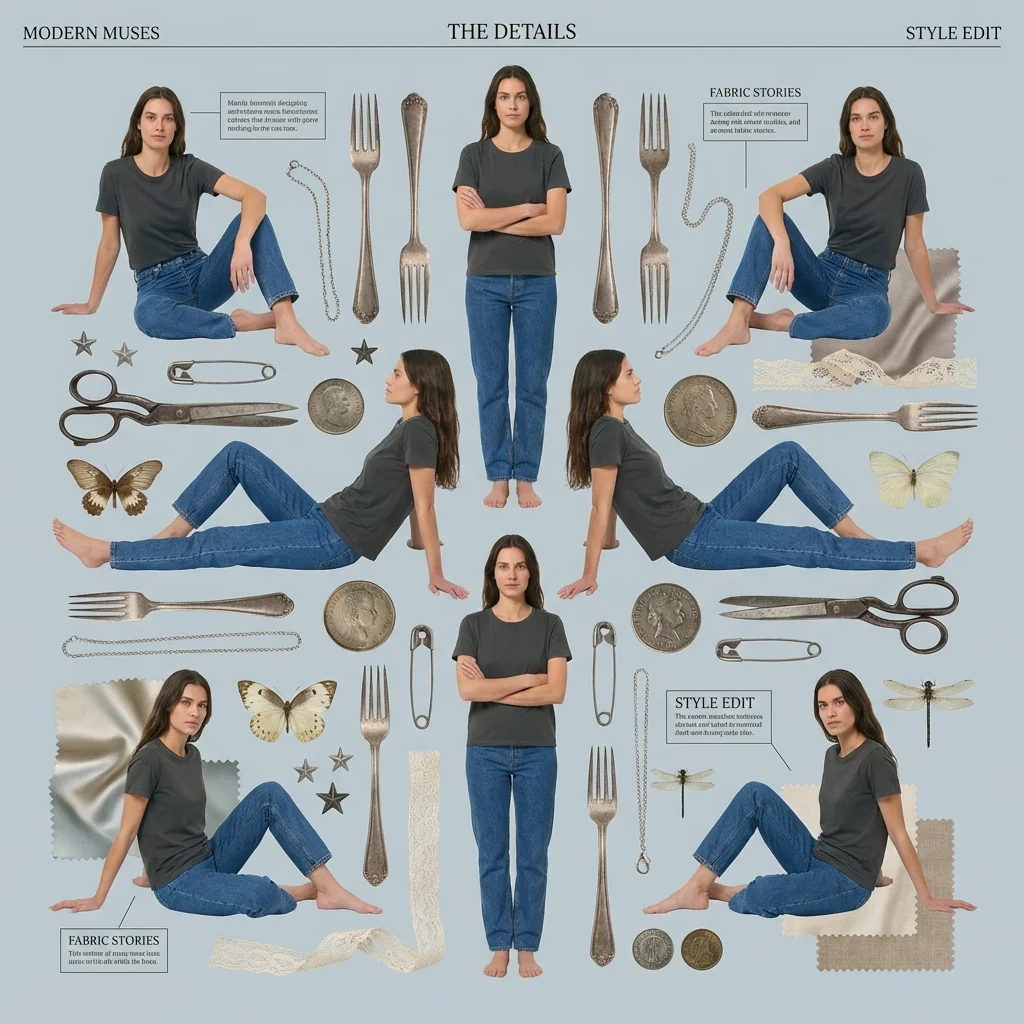
Fashion Editorial Flatlay AI transforms ordinary photos into sophisticated, magazine-worthy editorial compositions that capture the essence of high-fashion photography. This innovative tool leverages advanced artificial intelligence to recreate the meticulous artistry of professional editorial design, enabling creators to produce stunning flatlay collages that rival those found in prestigious fashion publications. By combining subject duplication, symmetrical arrangement, and carefully curated decorative elements, this AI trend delivers the polished aesthetic that defines contemporary editorial photography.
The technology behind Fashion Editorial Flatlay AI employs sophisticated image processing algorithms to cleanly extract subjects from their original backgrounds, creating precise cutouts that maintain edge quality and detail integrity. Once isolated, subjects can be duplicated and positioned in varied poses across the composition, creating dynamic visual narratives that draw the viewer's eye through intentional symmetry and balanced spacing. The AI intelligently arranges vintage objects—from ornate scissors and silverware to delicate butterflies, dragonflies, and botanical elements—creating layered compositions that evoke the curated aesthetic of high-end fashion editorials. Pastel backgrounds in muted blue-gray tones provide the perfect canvas for these intricate arrangements, while typography options including elegant serif and modern sans-serif fonts add professional finishing touches with minimal headlines and boxed annotations.
Whether you're a fashion blogger seeking to elevate your content, a brand designer crafting compelling marketing materials, a social media manager pursuing viral-worthy visuals, or an aspiring photographer exploring editorial aesthetics, Fashion Editorial Flatlay AI democratizes access to professional-grade design capabilities. This tool eliminates the technical barriers and time-consuming processes traditionally associated with editorial photography, allowing creators to experiment with composition, color palettes, and decorative elements in real-time. The result is a versatile creative solution that adapts to various aesthetic preferences—from vintage-inspired romanticism to contemporary minimalism—while maintaining the sophisticated visual language that defines editorial excellence. Transform your ordinary photographs into extraordinary editorial statements that command attention and communicate refined creative vision.
Ready to create your own?
Try this trend for free. No credit card required, just sign up and start creating.
How It Works
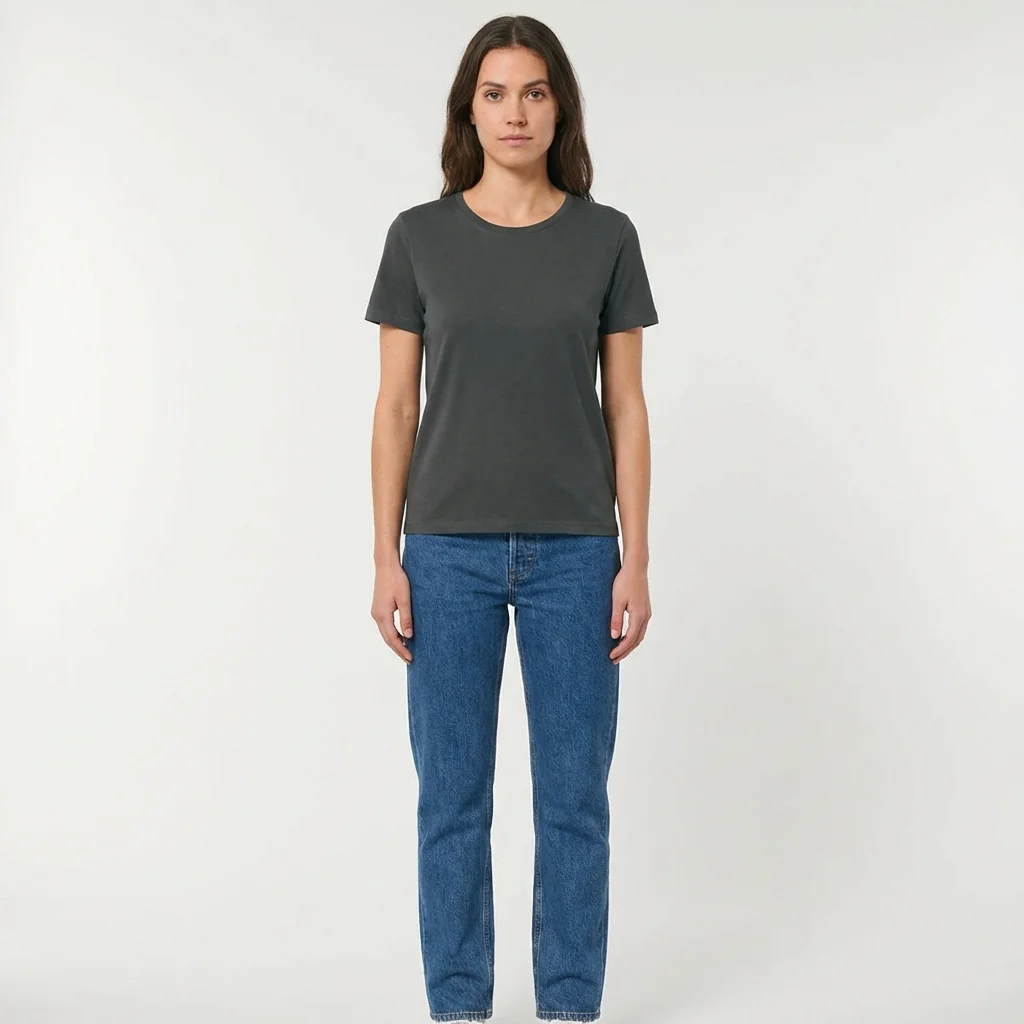
Upload your photo and let AI cleanly extract the subject with precise edge detection
Choose duplication settings to create multiple figures in varied poses and sizes
Select vintage decorative objects and nature elements from the curated library
Apply pastel background colors and adjust symmetrical arrangement of all elements
Add typography with minimal headlines, boxed annotations, and download your editorial flatlay
Features
- AI-powered subject extraction with clean, precise cutout technology
- Automatic subject duplication in multiple poses and sizes
- Symmetrical composition arrangement with professional spacing
- Curated library of vintage decorative objects and elements
- Pastel background color palettes optimized for editorial aesthetics
- Vintage object collection: scissors, silverware, chains, coins, safety pins
- Nature elements: butterflies, dragonflies, stars, botanical accents
- Typography tools with serif and sans-serif font options
- Minimal headline creation with boxed annotation features
- Layered texture integration including lace and fabric overlays
Use Cases
- Fashion blog feature images and editorial content creation
- Social media posts for Instagram, Pinterest, and fashion platforms
- Brand lookbooks and seasonal campaign collateral design
- Magazine layout mockups and editorial pitch presentations
- Product photography enhancement for e-commerce and retail
- Portfolio pieces for fashion photographers and stylists
- Marketing materials for boutiques and fashion retailers
Pro Tips for Better Results
Start with High-Resolution Fashion Photography
Upload images at least 1500px on the shortest side for crisp editorial results. Nano Banana Pro Edit performs best when source photos have sharp edges and good contrast between subject and background. Avoid heavily compressed JPEGs or images with motion blur, as these create fuzzy cutouts that undermine the polished editorial aesthetic you're aiming for.
Position Subjects Before Adding Decorative Elements
Arrange your duplicated figures first, establishing the core symmetry of your composition before layering vintage objects. This workflow prevents overcrowding and ensures decorative elements enhance rather than compete with your subjects. Once the figure placement feels balanced, add butterflies, chains, and botanical accents strategically in negative space to guide the viewer's eye through the composition naturally.
Match Vintage Object Scale to Subject Size
Keep decorative elements proportional to your duplicated subjects—oversized scissors or silverware can overwhelm delicate portraits. Scale vintage objects so they complement rather than dominate the composition. If your figures are small and centered, use smaller accent pieces; for bold, full-body poses, larger decorative elements create better visual harmony and maintain the editorial sophistication.
Experiment with Pastel Background Intensity
Adjust background saturation to match your editorial mood—softer pastels create dreamy, romantic layouts while slightly more saturated tones add contemporary edge. The default blue-gray palette works beautifully for most fashion content, but don't hesitate to test warmer beiges or cooler lavenders. Background choice dramatically impacts how vintage objects and typography read, so preview several options before finalizing.
Layer Typography Last for Professional Hierarchy
Add minimal headlines and boxed annotations after all visual elements are positioned. This ensures text doesn't interfere with composition adjustments and allows you to choose optimal placement for readability. Use serif fonts for classic editorial elegance or sans-serif for modern minimalism. Keep headlines short—three to six words maximum—to maintain the refined, uncluttered aesthetic that defines high-fashion layouts.
Compare Results with Other Editing Models
If Nano Banana Pro Edit doesn't achieve your desired cutout quality, try OpenAI GPT Image 2 Edit or FLUX 2 Dev Edit for alternative extraction approaches. Different models handle edge complexity and hair detail differently, so testing multiple options with the same source photo can reveal which AI best suits your specific image characteristics and editorial vision.
Frequently Asked Questions
Other Models You Could Use
Ready to Try Fashion Editorial Flatlay: Create a High-Fashion Collage?
Transform your images with AI in seconds. No design skills required.
Get Started FreeJoin thousands of creators using JAI Portal