Fresh Sealed Portrait: Wrap Yourself in Transparent Plastic
Transform Your Portrait into Vacuum-Sealed Art with AI
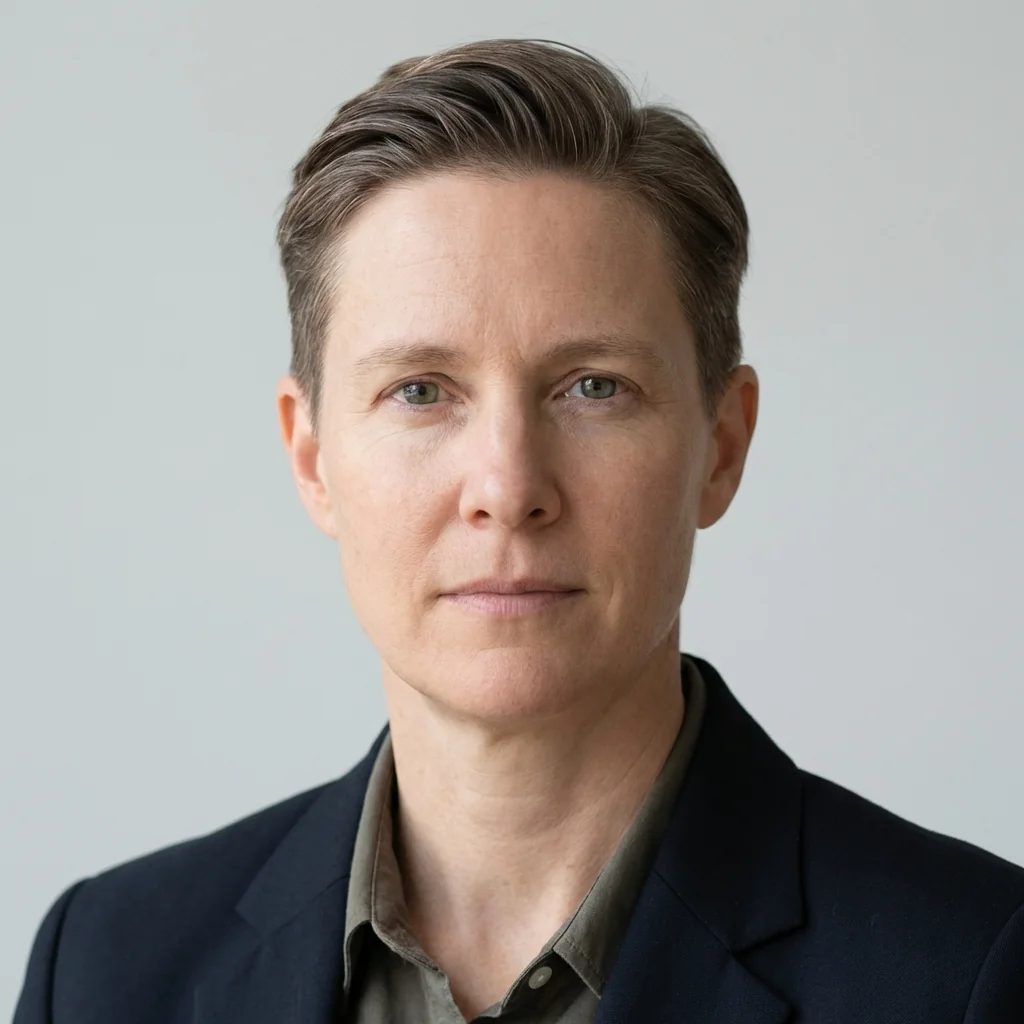
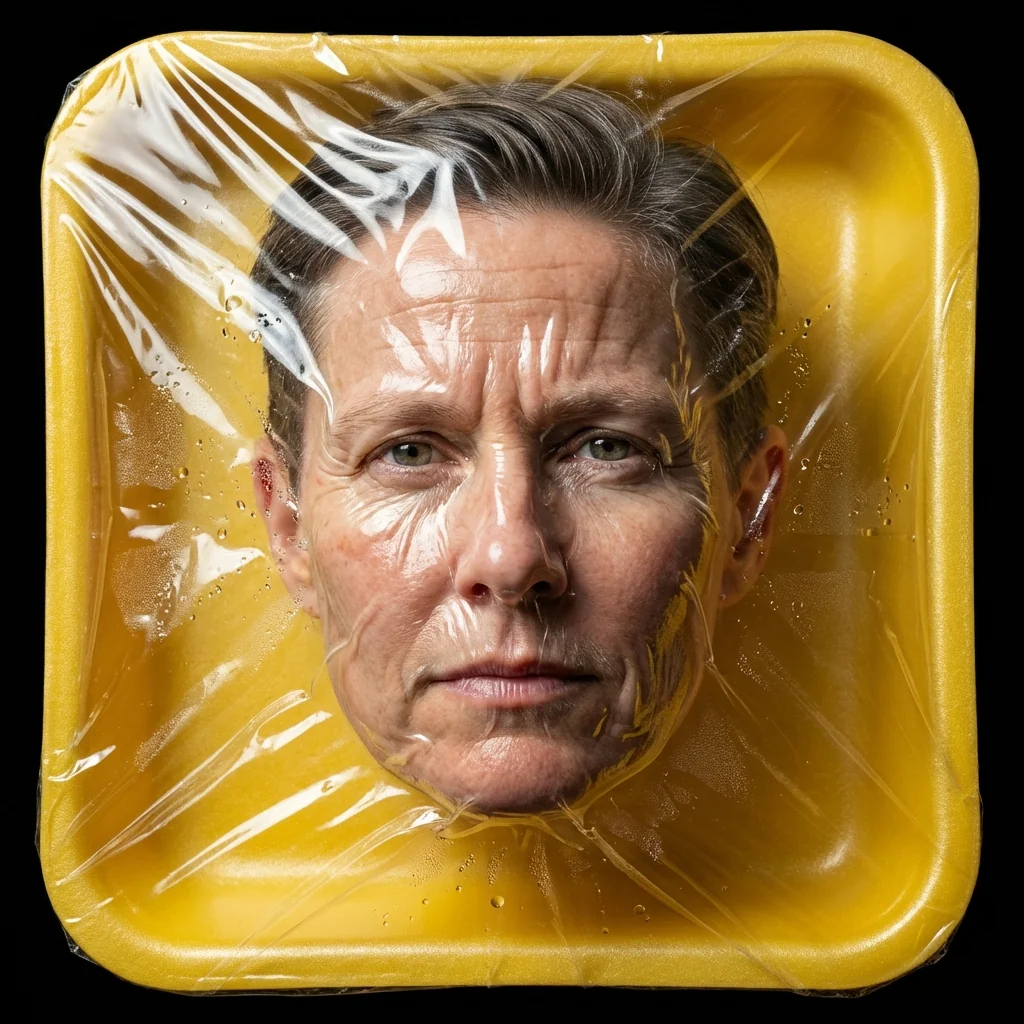
Free to try - Sign up in seconds
About This Trend
Fresh Sealed Portrait revolutionizes portrait photography by transforming ordinary photos into provocative, vacuum-sealed artworks that blur the line between commercial product photography and high-concept fashion. This AI-powered trend creates photorealistic images where subjects appear wrapped in transparent plastic against bright yellow trays, mimicking the aesthetic of fresh-sealed produce with an edgy, contemporary twist. The effect generates authentic-looking wrinkles, creases, condensation droplets, and optical distortions that make the plastic wrap appear convincingly real, while maintaining perfect facial feature preservation and identity accuracy.
The technology behind Fresh Sealed Portrait employs advanced AI algorithms to analyze facial structures, skin textures, and lighting conditions, then seamlessly integrates the vacuum-sealed effect while preserving every detail of the original subject. Studio-quality lighting with strong highlights creates dramatic contrast between the glossy plastic surface and human skin, resulting in ultra-sharp 8k imagery that rivals professional commercial photography. The centered composition on a solid black background enhances the visual impact, making each portrait a statement piece suitable for fashion portfolios, social media content, editorial projects, or conceptual art exhibitions.
Whether you're a fashion photographer seeking bold new aesthetics, a content creator looking to stand out on social media, or an artist exploring unconventional portrait concepts, Fresh Sealed Portrait offers a unique creative tool. The AI maintains complete facial accuracy while adding layers of visual complexity through realistic plastic distortions and reflections. This trend taps into contemporary themes of consumerism, preservation, and identity, creating images that are simultaneously unsettling and captivating. The high-contrast, cinematic tone delivers professional-grade results that command attention and spark conversation, making your portraits unforgettable in an oversaturated visual landscape.
Ready to create your own?
Try this trend for free. No credit card required, just sign up and start creating.
How It Works
Upload a clear portrait photo with good facial visibility and even lighting for best results
Select the Fresh Sealed Portrait effect and preview the AI-generated vacuum-sealed transformation
Adjust intensity settings for plastic distortion, condensation, and reflection strength if desired
Generate your high-resolution 8K sealed portrait and download for immediate use across platforms
Features
- Photorealistic vacuum-sealed plastic wrap effect with authentic wrinkles and creases
- Perfect facial feature preservation maintaining exact identity and proportions
- High-contrast studio lighting with professional highlights and reflections
- Ultra-sharp 8K resolution output for commercial-quality results
- Realistic condensation droplets and optical distortions for authentic effect
- Bright yellow glossy tray background with rounded edges for product aesthetic
- Solid black background for maximum visual impact and contrast
- Cinematic dark fashion photography tone with provocative edge
- Commercial product photography style merged with conceptual art
- One-click transformation from standard portrait to sealed artwork
Use Cases
- Create bold fashion portfolio pieces with conceptual edge
- Generate viral social media content that stops scrollers instantly
- Produce editorial photography for avant-garde fashion magazines
- Design provocative album covers and promotional materials for artists
- Develop eye-catching advertising visuals for contemporary brands
- Create conversation-starting profile pictures across platforms
- Generate unique art prints for galleries and exhibitions exploring consumerism themes
Pro Tips for Better Results
Use Front-Facing Portraits with Even Lighting
The Nano Banana Pro Edit model works best with straight-on portraits where facial features are clearly visible. Avoid extreme angles or shadowy lighting that might interfere with the plastic wrap distortion algorithm. Side-lit or unevenly lit photos can produce inconsistent condensation effects. If you're starting from scratch, consider generating a clean headshot with AI Headshot Generator first, then applying the sealed effect for maximum control over the final composition.
Higher Resolution Input Equals Sharper Plastic Details
The vacuum-sealed effect relies on subtle texture details like wrinkles, creases, and condensation droplets. Upload the highest resolution portrait you have—ideally 2000px or larger on the shortest side. Low-resolution inputs will still work, but you'll lose the hyper-realistic 8K sharpness that makes this trend stand out. The AI upscales during processing, but starting with quality source material ensures those tiny optical distortions and reflections render crisply across the plastic surface, especially when printed or viewed on high-DPI screens.
Clean Backgrounds Simplify the Transformation
While Nano Banana Pro Edit handles complex backgrounds, portraits with minimal clutter behind the subject produce cleaner results. The AI focuses processing power on the plastic wrap effect and facial preservation rather than background reconstruction. If your original photo has a busy background, the model still delivers, but a simple backdrop lets the sealed aesthetic shine. For portraits with distracting elements, try a quick background removal pass with JAI Portal Spicy Image Editor before applying the seal.
Experiment with Facial Expressions for Different Moods
Neutral expressions create an eerie, objectified product-photography vibe that amplifies the consumerism commentary. Smiling or animated expressions add surreal contrast—human warmth trapped behind sterile packaging. The AI preserves whatever emotion is in your source photo, so think about the narrative you want. A stoic gaze reads as high-fashion editorial; a slight smile becomes unsettling satire. Test multiple expressions from the same photoshoot to see which resonates strongest with your audience or project theme.
Leverage the Yellow Tray for Brand Consistency
The signature bright yellow glossy tray isn't just aesthetic—it creates instant brand recognition across a series. If you're building a campaign or portfolio, run multiple portraits through the same effect to establish visual continuity. The consistent yellow-on-black palette ties disparate subjects together, making your feed or gallery cohesive. This works especially well for artist collectives, fashion brands, or social media accounts where a unified look strengthens identity. The tray becomes a visual signature that audiences associate with your work.
Compare Edit Models for Subtle Style Variations
While Nano Banana Pro Edit nails the sealed-portrait aesthetic, you might want slight variations. FLUX 2 Dev Edit offers more granular control over distortion intensity if you prefer a subtler wrap effect. OpenAI GPT Image 2 Edit can handle custom prompt tweaks if you want to experiment with different tray colors or background treatments. Test a few alternatives to find your preferred balance between realism and artistic exaggeration.
Frequently Asked Questions
Other Models You Could Use
Ready to Try Fresh Sealed Portrait: Wrap Yourself in Transparent Plastic?
Transform your images with AI in seconds. No design skills required.
Get Started FreeJoin thousands of creators using JAI Portal