Grand Line Adventure: Transform into One Piece Anime Style
Transform Your Photos into One Piece Anime Characters
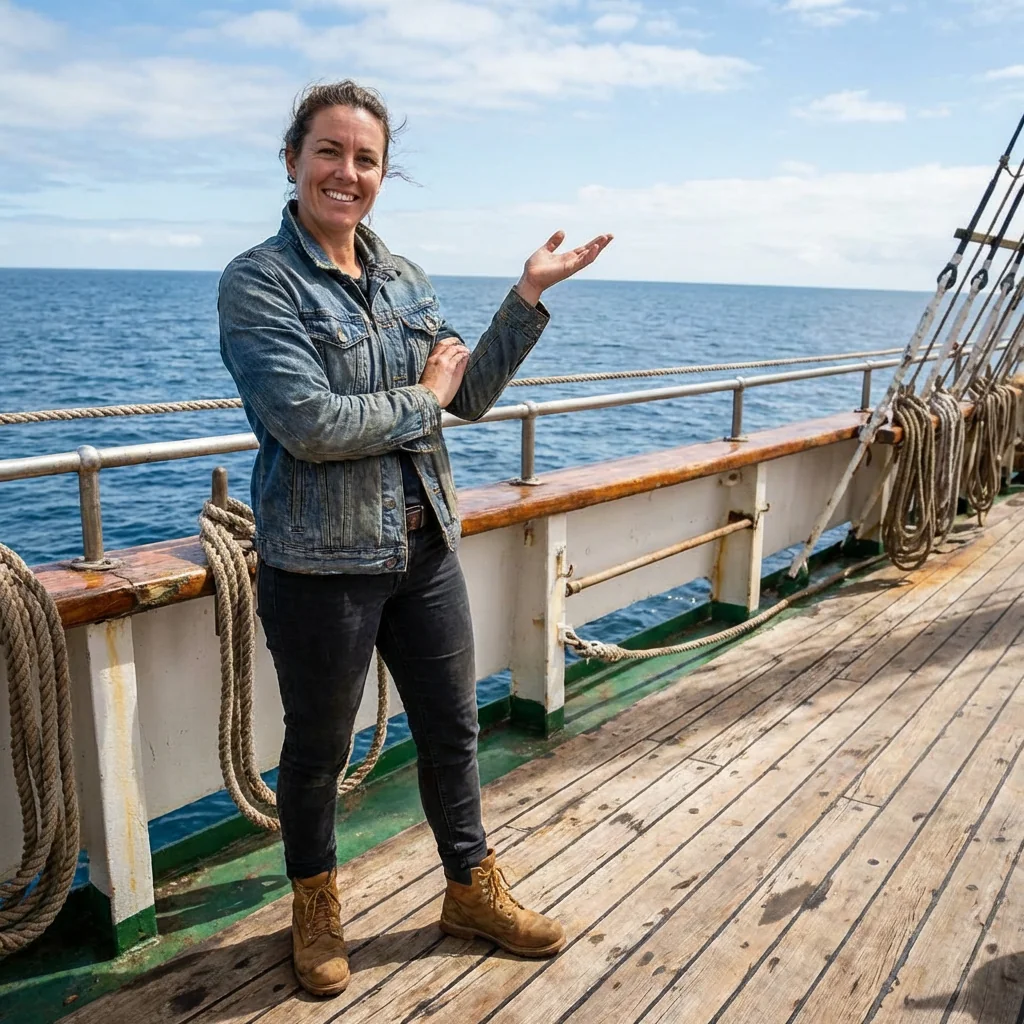
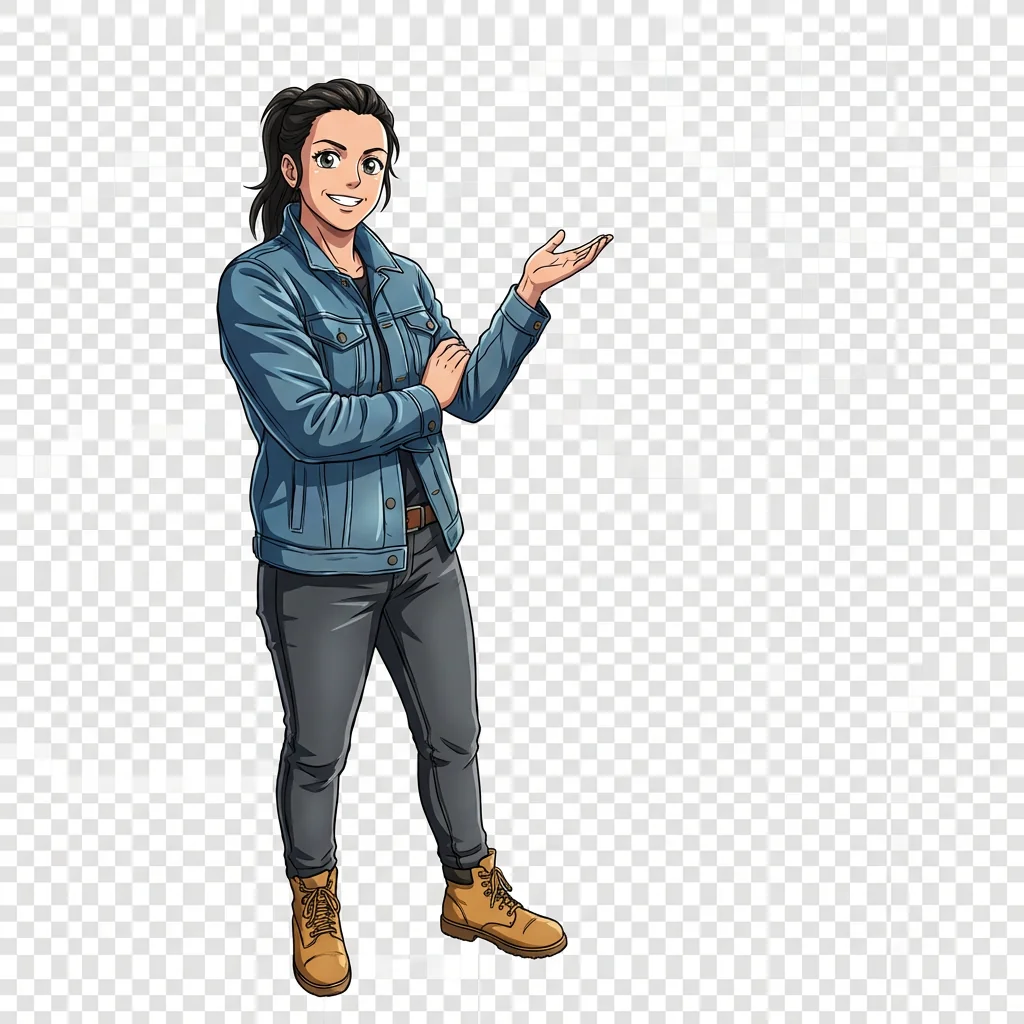
Free to try - Sign up in seconds
About This Trend
Experience the ultimate anime transformation with our Grand Line Adventure AI generator, specifically designed to convert your photos into authentic One Piece anime-style characters. This powerful AI tool captures the essence of Eiichiro Oda's legendary art style, transforming ordinary photos into vibrant, cel-shaded anime masterpieces that look like they've been pulled straight from the iconic anime series. Whether you're a longtime One Piece fan or discovering the series for the first time, this AI-powered transformation tool brings the Grand Line adventure to life through your own personalized anime character.
Our advanced AI technology meticulously analyzes your uploaded photo and applies the distinctive One Piece anime aesthetic while preserving your unique facial features, expressions, and overall identity. The generator employs sophisticated algorithms to recreate the show's signature bold outlines, vibrant saturated colors, and clean cel-shading techniques that define the official One Piece animation style. Unlike generic anime filters, our AI specifically focuses on One Piece's unique character proportions—lean frames, long limbs, and those unmistakably expressive anime eyes that bring characters to life. The system intelligently adapts your clothing, hairstyle, and accessories to seamlessly fit within the One Piece universe while maintaining recognizable elements of your original appearance.
What sets this One Piece AI generator apart is its attention to authentic anime detail and quality output. The AI creates full-body character illustrations with professional-grade anime cel-shading, complete with dynamic poses and dramatic facial expressions characteristic of the series. Every transformation includes the crisp outlines and clean, polished finish you'd expect from official One Piece character artwork. The generated images feature transparent backgrounds, making them perfect for creating profile pictures, fan art, cosplay references, or sharing your pirate persona across social media platforms. Join millions of One Piece fans worldwide who have already discovered their Grand Line alter ego through this revolutionary AI anime transformation tool.
Ready to create your own?
Try this trend for free. No credit card required, just sign up and start creating.
How It Works
Upload a clear, well-lit photo showing your full body or upper body pose
Wait 30-60 seconds while our AI analyzes and transforms your image into One Piece anime style
Preview your generated One Piece character with vibrant colors and cel-shading
Download your high-quality anime transformation with transparent background
Share your Grand Line adventure character on social media or use as avatar
Features
- Official One Piece anime style transformation with authentic cel-shading
- Advanced AI that preserves your facial identity and expressions
- Vibrant, saturated colors matching the anime's signature look
- Full-body character generation with dynamic One Piece proportions
- Intelligent clothing and accessory adaptation to anime style
- Professional-grade anime outlines and clean shading techniques
- Transparent background output perfect for multiple uses
- Distinctive One Piece facial features with expressive anime eyes
- High-quality illustration suitable for printing and sharing
- One-click transformation from photo to Grand Line pirate
Use Cases
- Create unique One Piece anime profile pictures for social media
- Design personalized anime avatars for gaming and forums
- Generate custom One Piece fan art featuring yourself
- Make creative birthday or gift cards for anime fans
- Develop cosplay character references and inspiration
- Transform family photos into One Piece crew members
- Create anime-style merchandise designs and prints
Pro Tips for Better Results
Choose Full-Body Shots for Best Results
Upload photos showing your complete body or at least from the waist up. The Nano Banana Pro Edit model excels at translating full poses into One Piece's distinctive character proportions—those signature long limbs and lean frames. Close-up headshots work but limit the AI's ability to capture the dynamic, action-ready stances that define the series. Clear visibility of your clothing also helps the AI adapt your outfit into anime-appropriate attire that fits the Grand Line aesthetic.
Avoid Busy Backgrounds and Complex Lighting
Simple, uncluttered backgrounds help the AI focus entirely on transforming you into a One Piece character. Complex backgrounds with multiple people or intricate patterns can confuse the model's subject detection. Natural outdoor lighting or evenly-lit indoor shots work best—harsh shadows or extreme backlighting may interfere with facial feature recognition. If you need more control over background removal or lighting adjustments before transformation, try the JAI Portal Spicy Image Editor to prep your photo first.
Strike a Confident Pose
One Piece characters are known for their bold, expressive stances and dramatic poses. Stand confidently with your arms visible rather than straight down at your sides—crossed arms, pointing gestures, or action poses translate beautifully into the anime style. The AI interprets your body language and amplifies it with One Piece's characteristic energy. Neutral standing poses work fine, but dynamic positioning gives your character that authentic pirate crew vibe that makes the transformation really pop.
Wear Solid Colors or Simple Patterns
Clothing with bold, solid colors or simple patterns converts more cleanly into the cel-shaded anime aesthetic. One Piece's art style features vibrant, saturated hues with clean color blocks rather than photorealistic textures. Intricate patterns, fine prints, or heavily textured fabrics may simplify during transformation. If you're aiming for a specific character-inspired look, wear clothing in similar color schemes—reds, blues, yellows, and blacks are series staples that the AI handles exceptionally well.
Face the Camera Directly
Front-facing or slight three-quarter angle photos produce the most recognizable character transformations. The Nano Banana Pro Edit model preserves your facial identity best when it can clearly see your features. Extreme profile shots or looking away from the camera may result in less accurate facial mapping. Make sure your eyes, nose, and mouth are clearly visible—these are the key features the AI uses to maintain your recognizable identity while applying One Piece's expressive anime eye style.
Consider Multiple Angles for Variety
Generate several versions using different photos to see which captures your ideal One Piece persona. Different poses, expressions, and angles can yield surprisingly varied results—one might emphasize your adventurous side while another captures a more serious pirate captain vibe. Unlike the AI Headshot Generator which focuses on professional consistency, this model celebrates variety in character interpretation. Save your favorites and compare them to find the version that best represents your Grand Line alter ego.
Frequently Asked Questions
Other Models You Could Use
Ready to Try Grand Line Adventure: Transform into One Piece Anime Style?
Transform your images with AI in seconds. No design skills required.
Get Started FreeJoin thousands of creators using JAI Portal