GTA V Full Scene Recreation
Recreate Your Photo as GTA V Game Scene
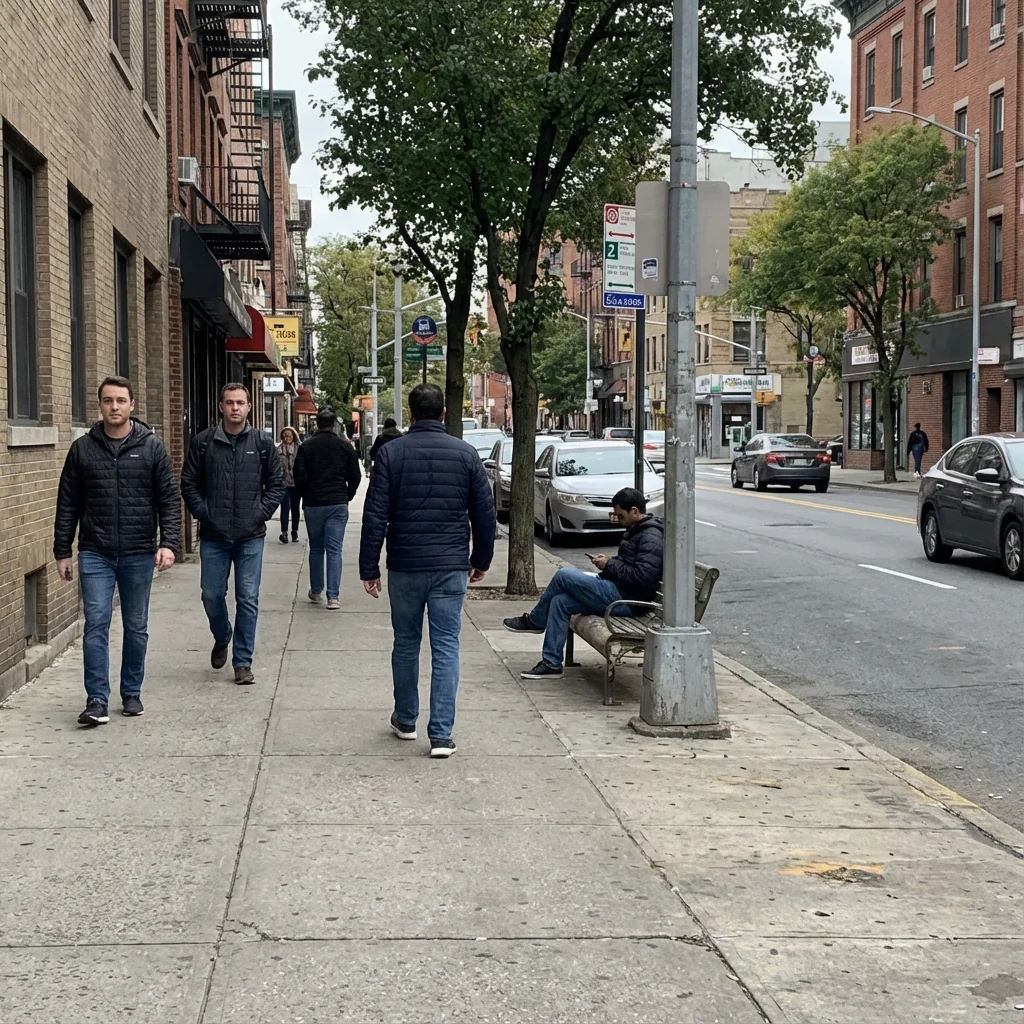
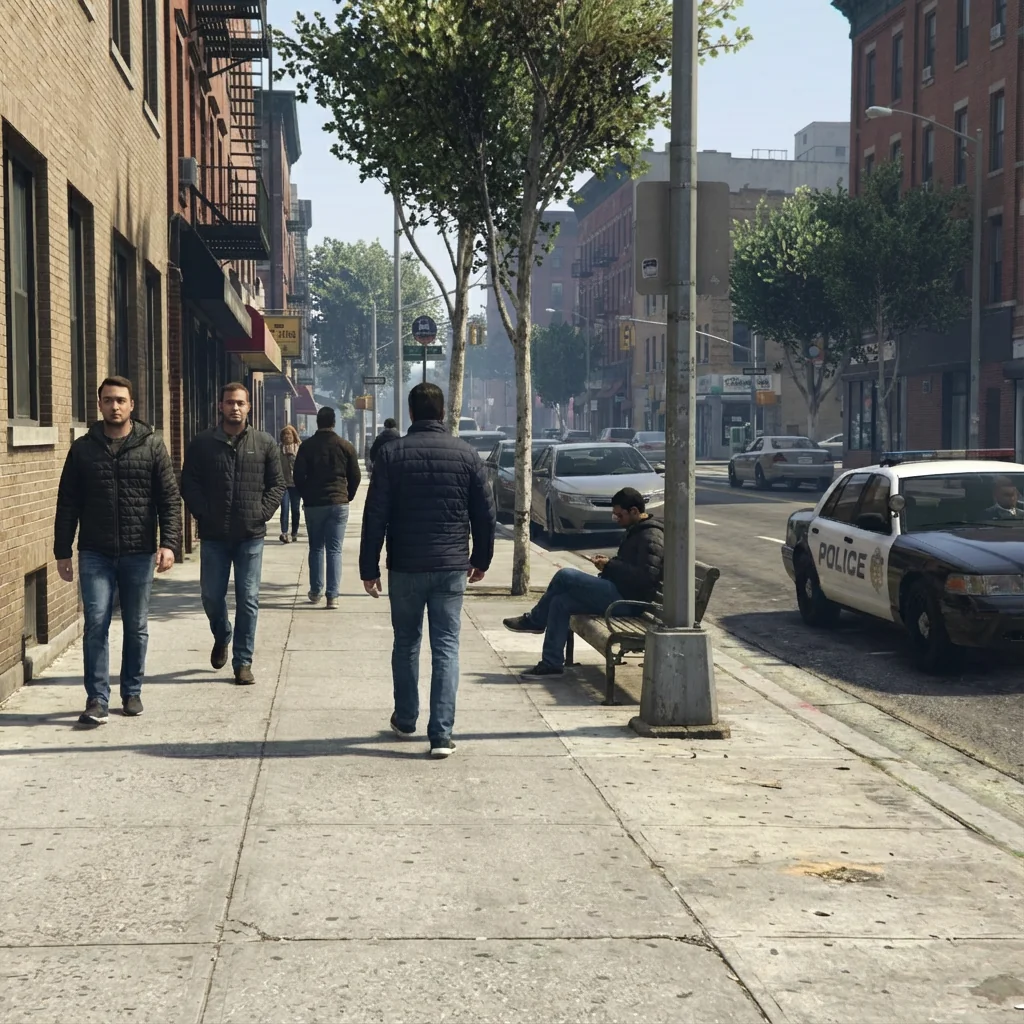
Free to try - Sign up in seconds
About This Trend
The GTA V Full Scene Recreation trend completely rebuilds your photo from scratch as if it were captured inside the GTA V game engine. This AI effect does not filter or stylize your original photo - instead it uses it only as a compositional blueprint to create an entirely new synthetic 3D scene.
Powered by Nano Banana Pro Edit, this transformation recreates characters as generic GTA V NPCs with polygonal meshes and waxy game-engine skin shaders, not preserving real facial identity. The environment becomes a Los Santos equivalent with repeating textures, modular architecture, and GTA V foliage systems. All objects are mapped to in-game equivalents.
Perfect for gaming content that requires authentic GTA V aesthetics without using actual game screenshots. The RAGE Engine lighting and visible LOD geometry deliver true 2013-2015 era game graphics with no photorealism or cinematic effects.
Ready to create your own?
Try this trend for free. No credit card required, just sign up and start creating.
How It Works
Upload photo as compositional blueprint
AI analyzes pose and spatial layout only
Scene rebuilt from scratch with 3D meshes
Characters become generic GTA V NPCs
Environment converted to Los Santos equivalent
Download your synthetic GTA V game scene
Features
- Full synthetic 3D scene recreation
- No original photo pixels reused
- Generic GTA V NPC character meshes
- Polygonal geometry with visible simplification
- Game-engine skin shaders (waxy, non-photoreal)
- Los Santos environment mapping
- Repeating textures with visible tiling
- Real-time RAGE Engine lighting
- In-game haze and distance fog
- 4K gameplay screenshot quality
- Absolutely no HUD or UI elements
Use Cases
- GTA V style gaming content
- Non-photorealistic game scene recreation
- Los Santos environment visualization
- Gaming video thumbnails
- NPC character concept visualization
- Open-world game aesthetic posts
- 2013-2015 era game graphics recreation
Pro Tips for Better Results
Use Clear Compositional Reference Photos
Since Nano Banana Pro Edit rebuilds your scene from scratch using only spatial layout, choose photos with distinct foreground subjects and recognizable background elements. Avoid cluttered or abstract compositions—the AI needs clear depth cues and object boundaries to map everything to GTA V equivalents. Wide shots with visible horizon lines work better than extreme close-ups.
Expect Generic NPC Faces, Not Portraits
This trend creates polygonal game characters, not realistic likenesses. If you need recognizable faces with photorealistic detail, try AI Headshot Generator instead. The GTA V recreation intentionally uses waxy skin shaders and simplified meshes to match 2013-era game graphics. Your input photo's facial features become compositional guides only—identity is not preserved in the polygonal output.
Outdoor Scenes Map Better to Los Santos
Urban streets, parking lots, beaches, and highways translate most authentically because GTA V's Los Santos environment excels at these settings. Indoor or niche locations may get approximated with generic game interiors. The AI matches your environment to the closest in-game equivalent, so familiar outdoor settings yield more convincing RAGE Engine aesthetics with proper foliage, asphalt textures, and atmospheric haze.
Accept Visible Texture Tiling and LOD Pop-in
Authentic GTA V graphics include repeating pavement patterns, low-poly distant buildings, and visible mesh simplification—these aren't flaws, they're faithful recreations of 2013 game engine limitations. If you want polished, seamless edits without geometric artifacts, FLUX 2 Dev Edit or OpenAI GPT Image 2 Edit offer smoother results, but they won't capture the retro game aesthetic.
Avoid Busy Clothing Patterns or Text
Complex logos, fine text, or intricate patterns on clothing get simplified into solid colors or generic texture blocks during the polygonal mesh recreation. The AI prioritizes overall silhouette and color zones over fine detail. If preserving brand logos or readable text matters, this trend isn't the right fit—it's optimized for broad compositional recreation, not pixel-perfect fidelity.
Download in 4K for Gaming Thumbnails
The output mimics 4K gameplay screenshot quality with RAGE Engine lighting and distance fog. This resolution works perfectly for YouTube thumbnails, Twitch overlays, or Instagram gaming content. The non-photorealistic polygonal style stands out in feeds crowded with real photos, giving your posts an instantly recognizable GTA V identity without needing actual game footage or console hardware.
Frequently Asked Questions
Other Models You Could Use
Ready to Try GTA V Full Scene Recreation?
Transform your images with AI in seconds. No design skills required.
Get Started FreeJoin thousands of creators using JAI Portal