Hidden Leaf Shinobi: Become a Naruto Anime Character
Transform Your Photos into Epic Naruto Anime Characters
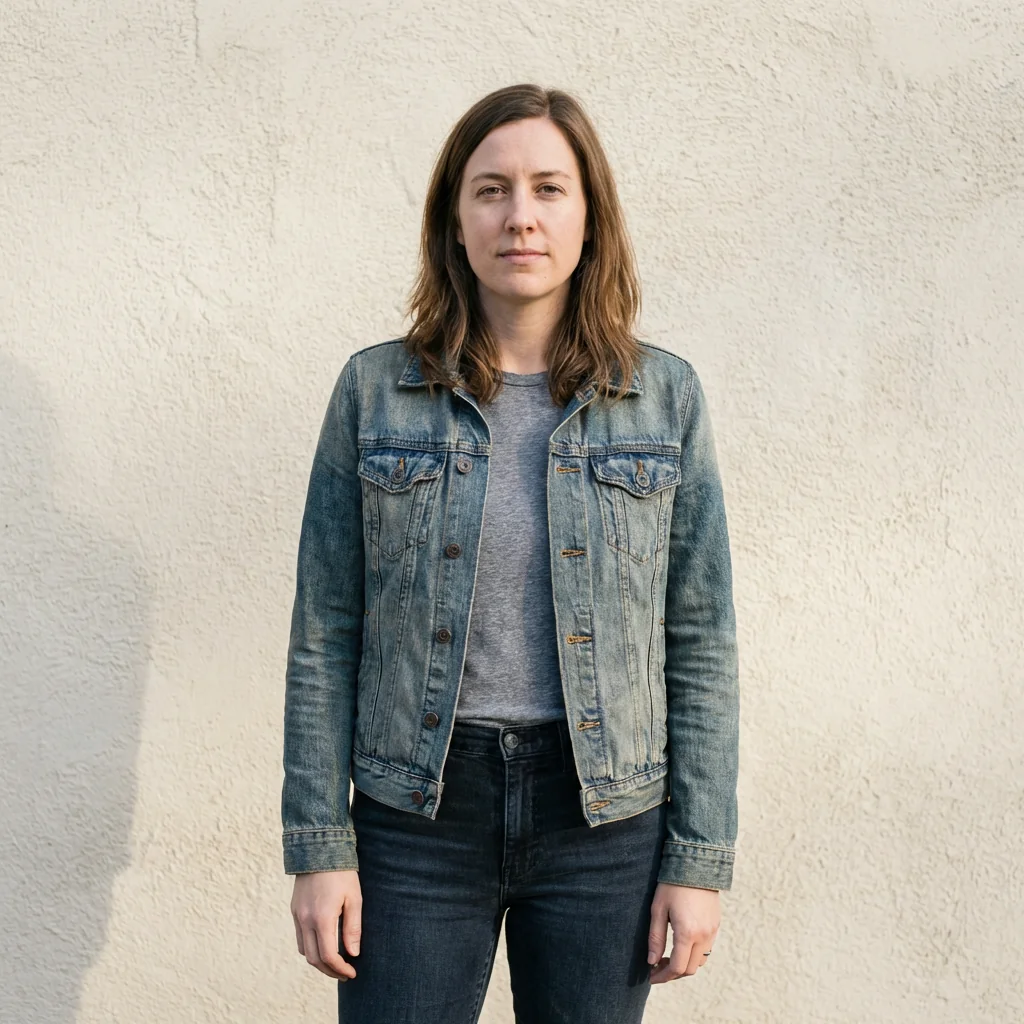
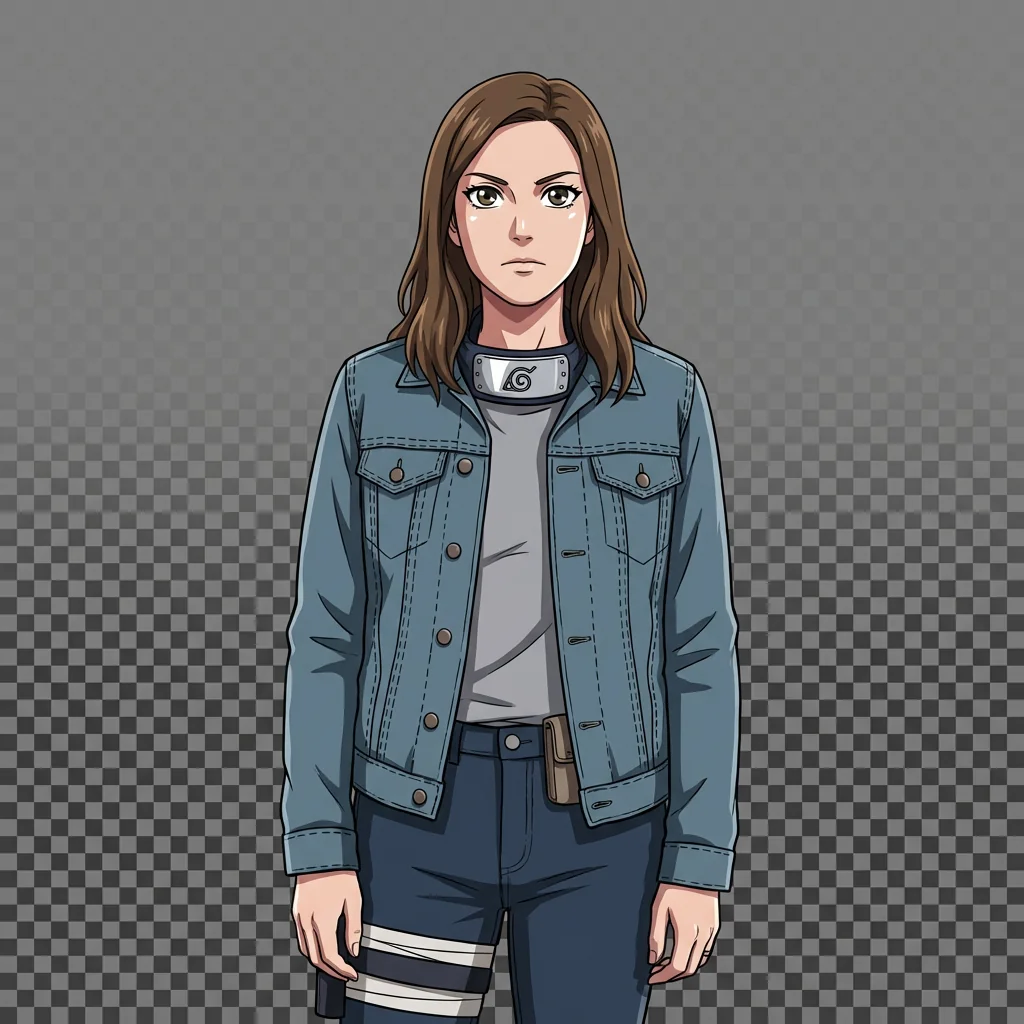
Free to try - Sign up in seconds
About This Trend
Step into the world of Hidden Leaf Village with our advanced AI-powered Naruto character transformation tool. This innovative AI technology takes your personal photos and transforms them into authentic Naruto anime-style shinobi characters, complete with the signature cel-shaded art style, bold anime outlines, and vibrant colors that define the beloved Naruto TV series. Whether you've always dreamed of becoming a ninja from Konoha or want to see yourself as a powerful shinobi warrior, this AI tool delivers studio-quality anime transformations that capture the essence of Masashi Kishimoto's iconic art style.
Our AI meticulously preserves your unique identity while seamlessly integrating you into the Naruto universe. Your facial features, hairstyle, clothing, and accessories remain recognizable, but are stylized with authentic shinobi elements including ninja headbands (forehead protectors), reinforced fabric textures, sash-like belts, and traditional ninja gear like kunai holsters and open-toe sandals. The transformation maintains Naruto's distinctive anime proportions—lean, agile body types with expressive eyes featuring strong highlights, stylized eyebrows, and simplified anime facial features. Optional energy effects such as chakra auras, motion lines, and wind-swept streaks can add dynamic flair to your character, making you look like you just stepped out of an episode.
Unlike generic anime filters, this AI specializes exclusively in the Naruto TV series aesthetic, avoiding manga sketching, black-and-white shading, or other anime styles like One Piece. Every transformation is rendered as a high-quality, full-body character illustration with a transparent background, perfect for social media profiles, fan art projects, cosplay references, or personal collections. The AI ensures your clothing is enhanced—not replaced—with subtle ninja-themed modifications that honor your original outfit while adding that authentic Hidden Leaf Village touch. Experience professional-grade anime art creation without needing drawing skills, and join millions of fans who've discovered their inner shinobi through AI-powered transformation technology.
Ready to create your own?
Try this trend for free. No credit card required, just sign up and start creating.
How It Works
Upload a clear full-body photo with good lighting and visible clothing details
AI automatically analyzes your features, outfit, and pose for optimal transformation
Customize optional elements: add ninja headband, select chakra effects, or include props
AI renders your photo in authentic Naruto TV series style with cel-shading and anime outlines
Download your high-quality shinobi character with transparent background, ready to use
Features
- Authentic Naruto TV series cel-shaded art style with bold outlines and saturated colors
- Full-body character transformation with head-to-toe visibility and transparent background
- Identity preservation: maintains your hairstyle, clothing, accessories, and facial features
- Ninja headband customization with metal plate and village symbol options
- Shinobi clothing enhancement with reinforced fabrics, sashes, and layered textures
- Anime-style facial transformation with expressive Naruto eyes and stylized features
- Optional chakra energy effects including auras, motion lines, and wind streaks
- Traditional ninja accessories: kunai holsters, pouches, and open-toe sandals
- TV series production quality rendering with professional anime finish
- One-click transformation preserving original outfit structure with ninja flair
Use Cases
- Create unique social media profile pictures as a Hidden Leaf shinobi character
- Generate custom anime avatars for gaming profiles and online communities
- Design personalized fan art for Naruto cosplay reference and costume planning
- Make creative birthday or celebration cards featuring friends as anime ninjas
- Produce content for Naruto fan pages, YouTube thumbnails, and anime blogs
- Transform family photos into fun anime-style shinobi group portraits
- Create merchandise designs like custom t-shirts, posters, and phone cases
Pro Tips for Better Results
Use Full-Body Photos for Complete Shinobi Transformation
Upload photos showing your entire body from head to toe rather than just headshots. The Nano Banana Pro Edit model excels at transforming complete outfits into ninja gear, adding details like kunai holsters, open-toe sandals, and layered fabric textures. Cropped photos limit the AI's ability to create authentic full-body shinobi characters with proper proportions and stance.
Choose Photos with Clear Clothing Details
Select images where your outfit has visible texture, layers, and accessories. The AI enhances existing clothing elements rather than replacing them, so detailed garments produce richer shinobi transformations. Avoid photos with busy backgrounds or poor lighting that obscure your outfit's structure. If you need simpler edits, FLUX 2 Dev Edit handles minimal input better but won't match Naruto's specific aesthetic.
Face the Camera Directly for Best Facial Features
Front-facing poses with your face clearly visible produce the most recognizable anime transformations. The AI needs to see your eyes, eyebrows, and facial structure to create those signature Naruto-style expressive features with bold highlights and simplified anime proportions. Side profiles or tilted angles may result in less accurate character rendering compared to straight-on shots.
Wear Layered Outfits for Authentic Ninja Aesthetic
Jackets, vests, scarves, or multi-layered clothing translate beautifully into shinobi gear with reinforced textures and sashes. The Nano Banana Pro Edit model interprets layers as natural opportunities to add ninja elements like chest plates, utility belts, and fabric wraps. Simple t-shirts work but produce less visually complex transformations than layered ensembles.
Request Chakra Effects for Dynamic Action Poses
If your input photo shows movement or an active stance, enable optional chakra aura and motion line effects. These energy elements make static poses feel alive with wind streaks and glowing effects that match the Naruto TV series battle scenes. For portraits without action, skip these effects to maintain clean character illustration style suitable for profile pictures.
Download Transparent Background for Maximum Versatility
The output includes a transparent background, making your shinobi character perfect for compositing into custom scenes, merchandise designs, or social media graphics. Unlike AI Headshot Generator which focuses on professional portraits with backgrounds, this trend prioritizes character isolation for creative flexibility in fan art projects and digital collages.
Frequently Asked Questions
Other Models You Could Use
Ready to Try Hidden Leaf Shinobi: Become a Naruto Anime Character?
Transform your images with AI in seconds. No design skills required.
Get Started FreeJoin thousands of creators using JAI Portal