Inner Conflict Portrait: Show Your Emotional Alter-Egos
Transform Photos into Powerful Emotional Alter-Ego Portraits
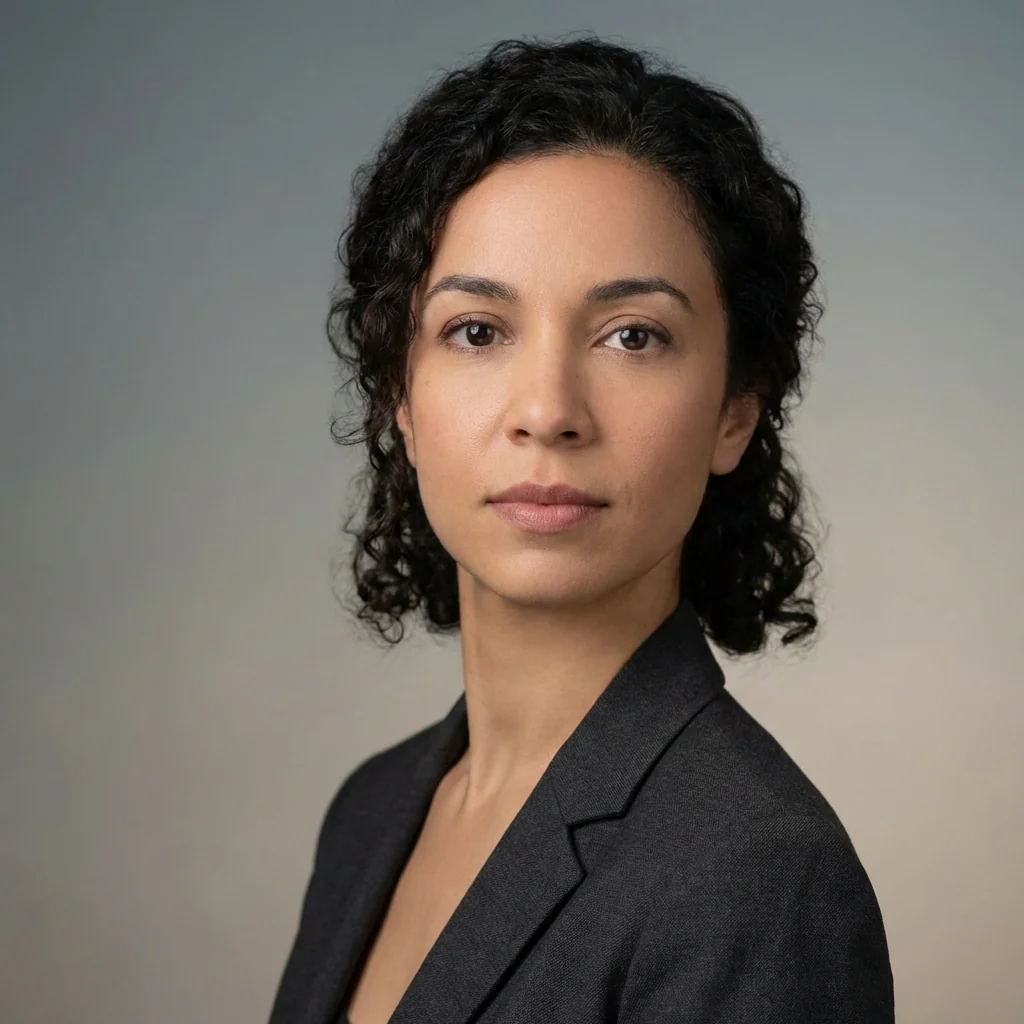
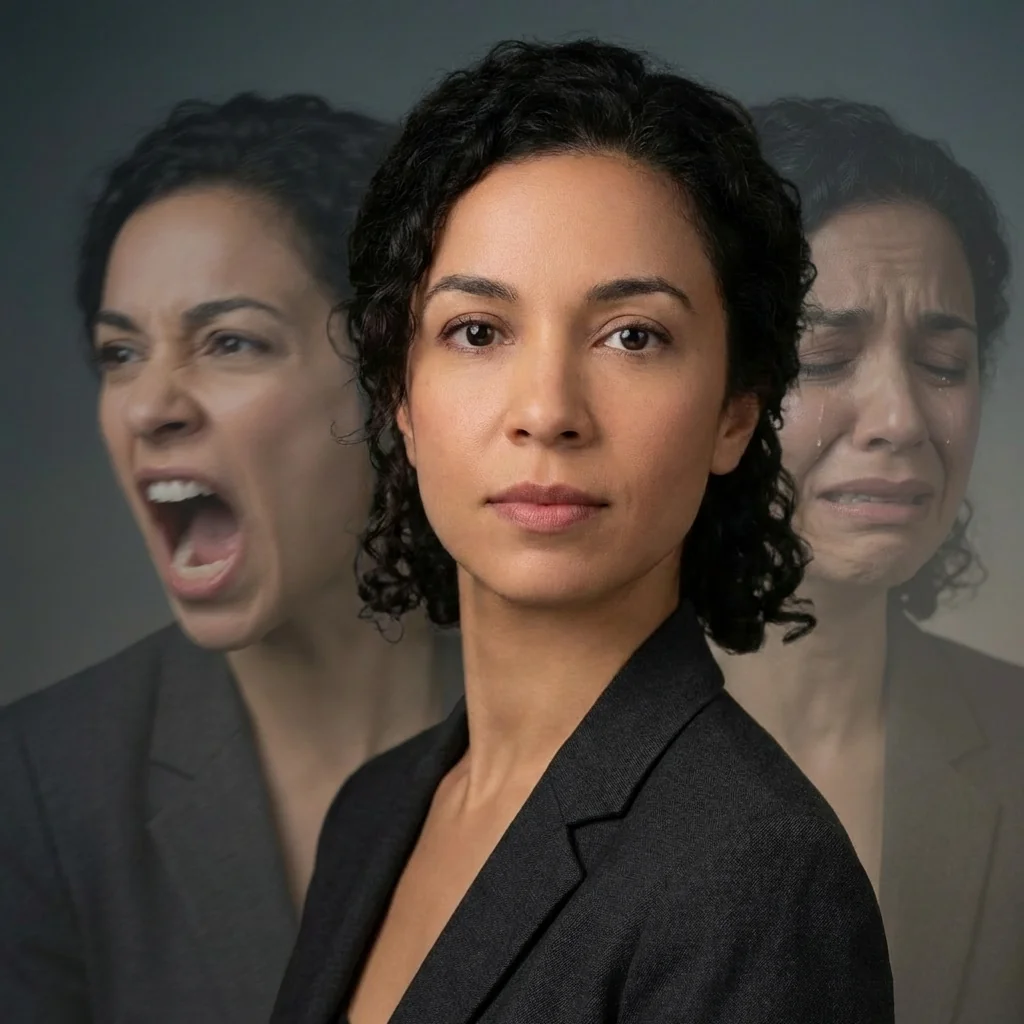
Free to try - Sign up in seconds
About This Trend
Inner Conflict Portrait is a revolutionary AI-powered photo transformation tool that creates stunning psychological portraits by revealing your emotional alter-egos. This innovative effect uses advanced double exposure techniques to showcase the complex emotional landscape within a single image, creating a powerful visual representation of inner conflict and psychological depth.
Using state-of-the-art artificial intelligence, the Inner Conflict Portrait generator analyzes your uploaded photo and creates two semi-transparent alter-ego versions positioned strategically on either side of your main subject. Each alter-ego displays a randomly selected intense emotion from a pool of psychological states including rage, grief, hysteria, shock, madness, and more. The result is a cinematic, high-tension drama that captures the multifaceted nature of human emotion in a single, breathtaking 8K resolution image. The AI maintains your original facial features while transforming the background versions into ghost-like representations of your inner emotional spectrum, creating a photorealistic composite that tells a deeper story.
Whether you're an artist exploring psychological themes, a photographer seeking unique portrait styles, or simply someone interested in creative self-expression, the Inner Conflict Portrait tool offers an unprecedented way to visualize the complexity of human emotion. The carefully calibrated opacity levels, motion blur effects, and spatial positioning create a balanced composition that is both artistically compelling and psychologically evocative. This AI transformation goes beyond simple photo filters to create genuine artistic statements that resonate with viewers on an emotional level, making it perfect for social media, portfolio work, or personal artistic exploration.
Ready to create your own?
Try this trend for free. No credit card required, just sign up and start creating.
How It Works
Upload a clear portrait photo with good lighting and neutral expression for best results
Click the 'Generate Inner Conflict Portrait' button to start the AI transformation process
Wait 10-30 seconds while AI creates your emotional alter-egos with randomized emotions on left and right sides
Download your high-resolution 8K psychological portrait and share on social media or use in creative projects
Regenerate multiple times to explore different emotional combinations and find your perfect conflict portrait
Features
- AI-powered emotional alter-ego generation with 8 unique psychological states
- Cinematic double exposure effect with photorealistic quality
- Precise spatial positioning: left and right side alter-ego placement
- Randomized emotion selection for unique results every time
- Semi-transparent ghost-like background treatment at optimized opacity
- 8K resolution output for professional-quality results
- Preserves original subject's face, pose, and expression perfectly
- Advanced motion blur and ethereal effects for dramatic impact
- Multiple emotional states: rage, grief, hysteria, shock, madness, disgust
- One-click transformation with no manual editing required
Use Cases
- Create powerful social media profile pictures that showcase emotional depth
- Generate artistic portfolio pieces exploring psychological themes
- Design unique album covers or music promotional materials
- Produce eye-catching thumbnails for YouTube or content creation
- Create conceptual art for mental health awareness campaigns
- Generate dramatic character portraits for creative writing projects
- Develop striking visual content for psychology or therapy presentations
- Transform personal photos into gallery-worthy artistic statements
Pro Tips for Better Results
Start with Neutral Expressions for Maximum Impact
The AI works best when your source photo shows a calm, neutral expression. This creates stronger contrast when the emotional alter-egos appear, making the psychological tension more dramatic. Avoid already-expressive photos—let Nano Banana Pro Edit generate the intensity. If you need a clean headshot first, try AI Headshot Generator to create the perfect base portrait before applying the inner conflict effect.
Use Centered, Forward-Facing Portraits Only
The double exposure effect relies on precise spatial positioning of left and right alter-egos. Profile shots or off-center compositions won't work well because the AI needs facial symmetry to place the ghost-like versions correctly. Make sure your face occupies the central third of the frame and you're looking directly at the camera. This ensures the semi-transparent emotional versions align properly on both sides without awkward overlaps or misalignment issues.
Regenerate Multiple Times for Emotional Variety
Since the AI randomly selects two emotions from eight possible states, each generation produces a unique psychological portrait. Don't settle for the first result—try generating five or six versions to explore different emotional combinations. You might get rage paired with grief in one attempt, then madness with shock in another. Each pairing tells a different story about inner conflict, so experiment until you find the combination that resonates most with your creative vision.
Ensure Strong Lighting for Ghost Effect Clarity
The semi-transparent alter-egos need clear facial detail to maintain their haunting impact. Poor lighting in your source photo will result in muddy, indistinct background versions that lose the cinematic quality. Use well-lit portraits with even illumination across the face. Harsh shadows or backlighting can interfere with the AI's ability to create crisp, recognizable emotional versions. For quick lighting fixes before uploading, consider OpenAI GPT Image 2 Edit to adjust exposure.
Avoid Busy Backgrounds in Source Photos
While Nano Banana Pro Edit handles background treatment automatically, starting with a simple backdrop produces cleaner results. The AI applies motion blur and ethereal effects to the background versions, but cluttered environments can create visual noise that distracts from the emotional alter-egos. Plain walls, solid colors, or slightly blurred backgrounds work best, letting the three-figure composition remain the clear focal point of your psychological portrait.
Download at Full 8K Resolution Immediately
The Inner Conflict Portrait generates professional 8K output, but some browsers may display a compressed preview. Always use the download button to save the full-resolution file rather than screenshotting or right-clicking the preview image. The high resolution preserves fine details in the semi-transparent alter-egos and ensures your portrait looks sharp whether you're printing it for gallery display, using it as a large social media banner, or incorporating it into professional portfolio work.
Frequently Asked Questions
Other Models You Could Use
Ready to Try Inner Conflict Portrait: Show Your Emotional Alter-Egos?
Transform your images with AI in seconds. No design skills required.
Get Started FreeJoin thousands of creators using JAI Portal