Kapow Action Panel: Turn Your Photo into Vintage Comic Book Art
Transform Photos into Vintage 1960s Comic Book Panels
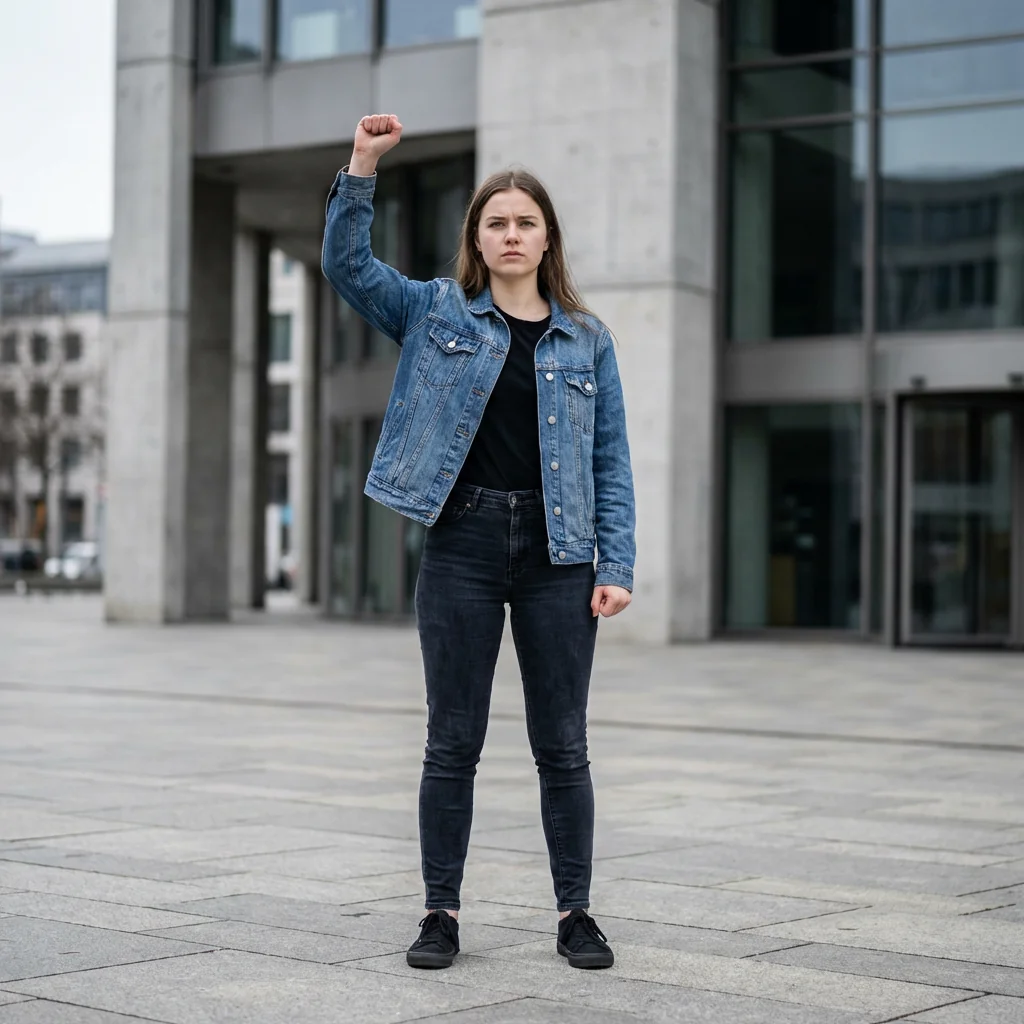
Free to try - Sign up in seconds
About This Trend
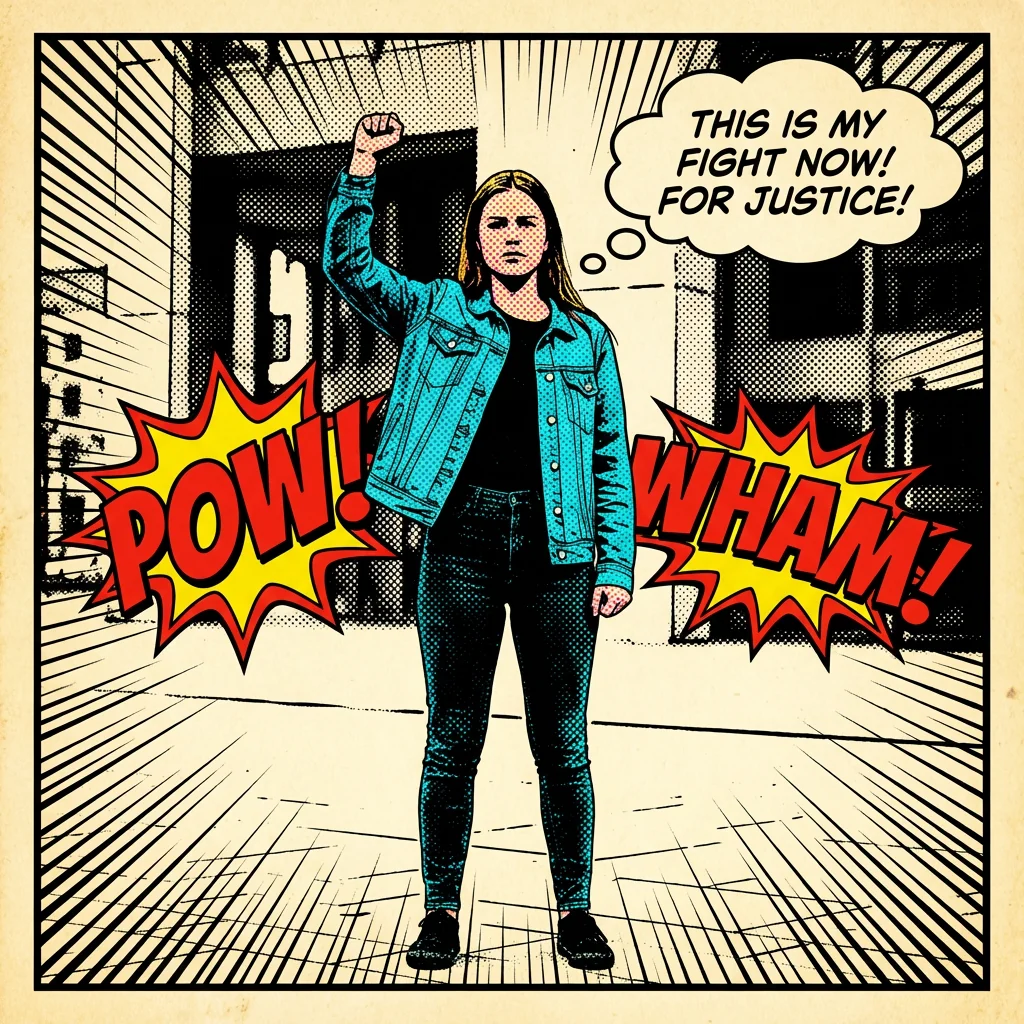
Step back into the golden age of American comics with Kapow Action Panel, an AI-powered transformation tool that converts your ordinary photographs into authentic vintage comic book artwork. This revolutionary effect captures the essence of 1960s-70s comic book aesthetics, complete with Ben-Day halftone dots, bold black ink outlines, and the iconic four-color printing process that defined an era. Whether you're a comic book enthusiast, graphic designer, or social media creator, this tool brings the nostalgia and energy of classic superhero comics to your modern photos.
The transformation process is meticulously designed to replicate every aspect of vintage comic production. Your photos are converted using a limited color palette with visible cyan, magenta, yellow, and black separations—the same CMYK process used in original comic printing. The AI applies characteristic Ben-Day dot patterns to skin tones, clothing, and backgrounds, creating that unmistakable retro comic texture. Bold black ink outlines trace every subject and object, while dramatic shadows are rendered as solid black shapes, just like hand-drawn comic illustrations. Speed lines add motion and energy, while explosive action words like 'POW!', 'WHAM!', and 'KAPOW!' appear in bold comic lettering with dynamic explosion shapes. Speech and thought bubbles can contain custom dialogue, making your image tell a story.
What sets Kapow Action Panel apart is its ability to maintain recognizable likenesses while completely transforming photographic realism into pure comic art aesthetics. The final result looks like it was drawn by hand and printed using traditional four-color separation techniques. Panel borders frame your artwork authentically, and every element—from color gradients to shading—uses the distinctive halftone dot patterns that made vintage comics so visually unique. Whether you're creating social media content, custom gifts, marketing materials, or simply exploring creative expression, this tool delivers professional-quality comic book transformations that capture the spirit and style of America's most beloved comic book era.
Ready to create your own?
Try this trend for free. No credit card required, just sign up and start creating.
How It Works
Upload your photo—portraits and action shots work best for maximum comic impact
AI automatically applies Ben-Day dots, bold outlines, and vintage color separation
Customize action words, speech bubbles, and dialogue to match your scene
Download your vintage comic panel in high resolution, ready to share or print
Features
- Authentic Ben-Day halftone dot patterns on all elements
- Bold black ink outlines around subjects and backgrounds
- Vintage four-color CMYK printing palette simulation
- Dynamic action words with explosion shapes (POW, WHAM, KAPOW)
- Customizable speech and thought bubbles with comic dialogue
- Dramatic speed lines for motion and energy effects
- Solid black shadow rendering in classic comic style
- Panel border framing for authentic comic book presentation
- Maintains subject likeness while converting to illustrated style
- No photorealistic elements—pure hand-drawn comic aesthetic
Use Cases
- Create viral social media posts with retro comic aesthetics
- Design custom superhero-style portraits for gifts and memorabilia
- Transform wedding or event photos into unique comic keepsakes
- Generate eye-catching marketing visuals with vintage appeal
- Create comic book-style profile pictures for gaming and social platforms
- Design retro posters and wall art with personal photos
- Develop branded content with nostalgic comic book themes
Pro Tips for Better Results
Choose High-Contrast Source Photos
The Nano Banana Pro Edit model works best with images that have clear separation between subject and background. Photos with strong lighting and defined edges produce cleaner ink outlines and more dramatic Ben-Day dot patterns. Avoid overly busy backgrounds or low-light shots where details blur together. If your source photo lacks contrast, consider preprocessing it with OpenAI GPT Image 2 Edit to adjust exposure and sharpness before applying the comic effect.
Frame Your Subject Like a Comic Panel
Think like a comic book artist when composing your shot. Center your subject with enough negative space for action words and speech bubbles. Close-up portraits work beautifully for dramatic character introductions, while mid-range action shots capture movement with speed lines. The AI analyzes composition to position explosive text elements, so leave room at the edges. Photos cropped too tightly may have action words overlap important facial features or details you want to preserve in the final panel.
Action Shots Maximize the Effect
Static poses become dynamic comic panels, but photos with implied motion—jumping, running, throwing a punch—let the AI add speed lines and action words that feel natural. The vintage comic aesthetic thrives on energy and drama. If you're working with a portrait and want more stylistic flexibility, FLUX 2 Dev Edit offers broader artistic control, but it won't replicate the authentic halftone printing and four-color separation that defines this specific trend.
Experiment with Dialogue Customization
The speech and thought bubbles aren't just decorative—they complete the storytelling. Write short, punchy dialogue that matches the vintage comic tone. Classic exclamations, dramatic statements, or humorous quips work best. Keep text brief so the lettering remains bold and readable within the bubble. The AI positions bubbles based on subject placement, but you can regenerate with different dialogue to find the perfect narrative moment. This customization separates a good comic panel from a great one that tells a story.
Understand the Four-Color Limitation
Authentic vintage comics used cyan, magenta, yellow, and black ink dots in varying densities to create all colors. This means your output won't have photorealistic color gradients—it will have visible dot patterns and limited palette. Embrace this constraint as a feature, not a bug. The Ben-Day dots are what make the aesthetic historically accurate. If you need more color fidelity while keeping an illustrated look, JAI Portal Spicy Image Editor offers different stylization options without the halftone restriction.
Save Multiple Versions for Different Uses
Generate several variations with different action words and dialogue options. A version with 'POW!' works for social media engagement, while a version with thoughtful dialogue might be better for printed gifts or wall art. The Nano Banana Pro Edit model processes quickly, so creating multiple iterations costs minimal credits. Download high-resolution files for print projects and web-optimized versions for digital sharing. Each variation tells a slightly different story while maintaining the same vintage comic aesthetic.
Frequently Asked Questions
Other Models You Could Use
Ready to Try Kapow Action Panel: Turn Your Photo into Vintage Comic Book Art?
Transform your images with AI in seconds. No design skills required.
Get Started FreeJoin thousands of creators using JAI Portal