Locket Love Portrait: Place Couple in Heart-Shaped Necklace
Transform Your Love Story into a Timeless Locket Portrait
Free to try - Sign up in seconds
About This Trend
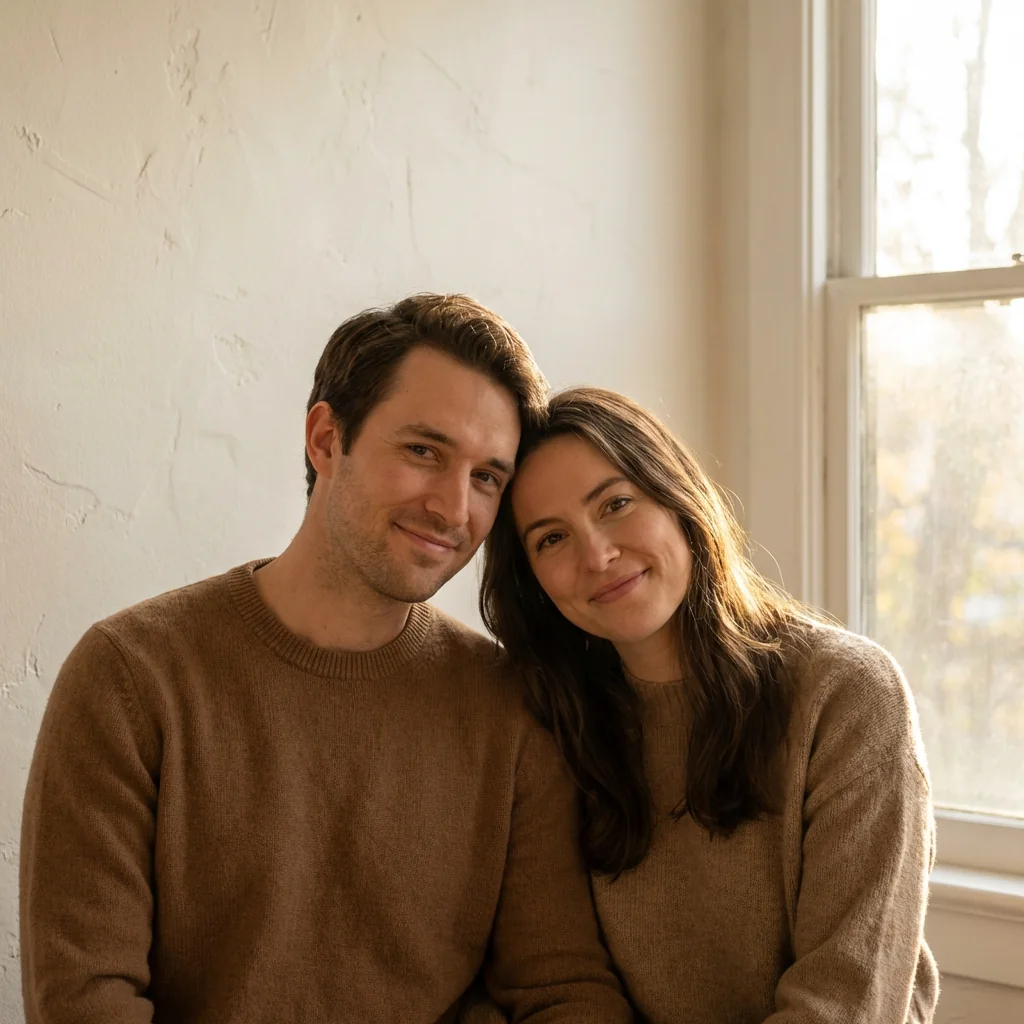
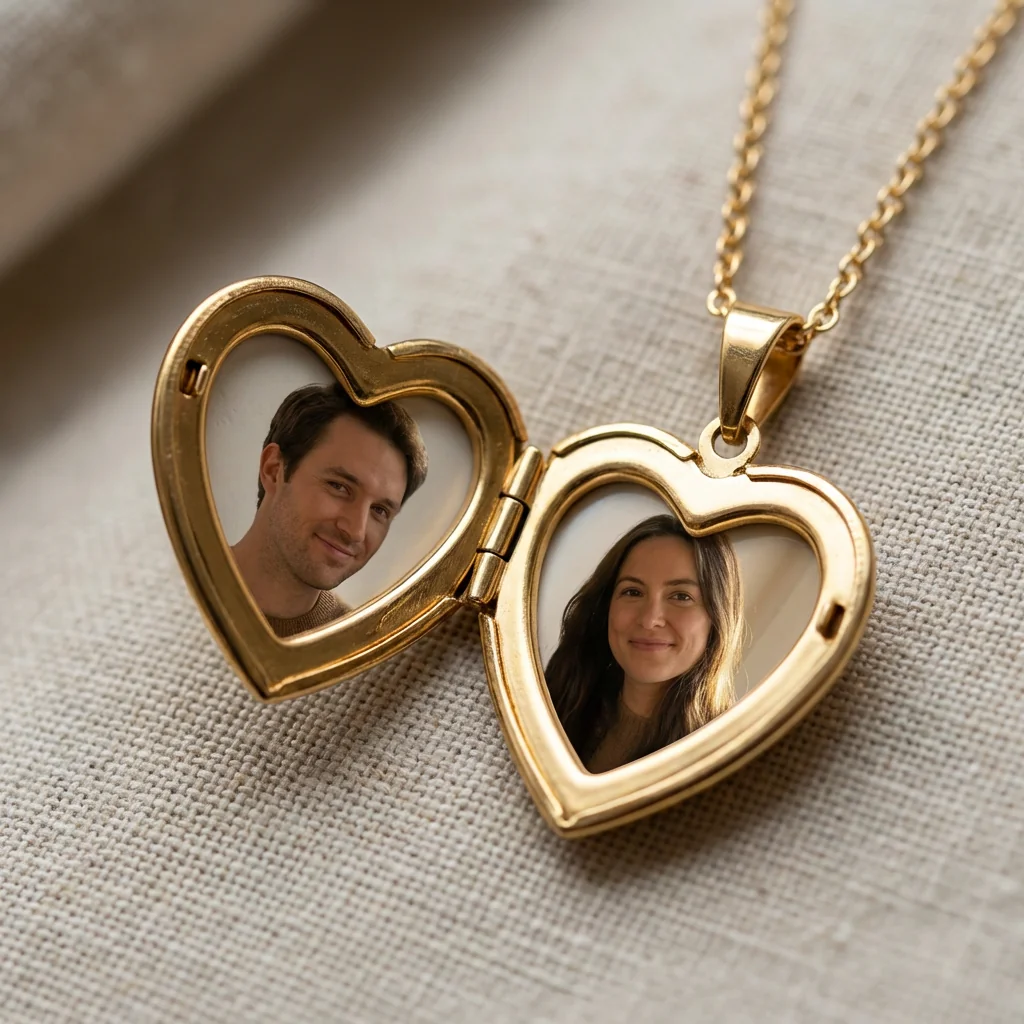
The Locket Love Portrait trend brings a timeless romantic touch to your couple photography by transforming cherished moments into exquisite miniature portraits nestled within a heart-shaped locket. This AI-powered effect creates stunning photorealistic images of an open gold locket necklace, with your couple's faces precisely placed on each side of the heart. The technology preserves exact facial features while adding professional macro photography details including sharp focus, realistic gold reflections, intricate hinge details, and delicate chain elements that make the final image indistinguishable from a real photograph.
Perfect for anniversaries, engagements, weddings, or Valentine's Day celebrations, this trend captures the essence of vintage romance combined with modern AI capabilities. The effect simulates professional jewelry photography with precise attention to detail - from the subtle texture of the gold surface to the warm reflections that dance across the locket's curves. Each portrait is carefully scaled and positioned to fit naturally within the locket's frame, creating a keepsake-quality image that tells your unique love story. The result is a shareable, frameable artwork that looks like it was shot by a professional photographer specializing in luxury jewelry and intimate portraiture.
Whether you're creating a personalized gift, designing wedding invitations, crafting social media content, or simply preserving precious memories in a creative way, the Locket Love Portrait effect offers unlimited possibilities. The AI ensures consistent quality across different couple photos, maintaining facial accuracy while seamlessly integrating them into the locket scene. Share your creation to inspire others, print it as wall art, or use it as a unique profile picture that celebrates your relationship. This trend combines nostalgia with innovation, making it one of the most beloved AI photo effects for couples worldwide.
Ready to create your own?
Try this trend for free. No credit card required, just sign up and start creating.
How It Works
Upload a clear photo of the couple with visible faces facing the camera
Select the Locket Love Portrait effect and confirm both faces are detected
Adjust portrait positioning within the locket frames if needed for centering
Choose your preferred gold tone and locket style from available options
Generate the image and download your photorealistic locket portrait in high resolution
Features
- Photorealistic heart-shaped gold locket rendering with professional quality
- Precise facial feature preservation for both portraits inside the locket
- Sharp macro focus effect simulating professional jewelry photography
- Realistic gold reflections and surface texture details
- Accurate hinge and chain details for authentic locket appearance
- Automatic portrait scaling and positioning for perfect fit
- High-resolution output suitable for printing and professional use
- Consistent lighting and color balance across the entire composition
- Customizable locket styles and gold tones for personalization
- Instant processing with professional-grade results in seconds
Use Cases
- Create unique anniversary gifts with couple photos in vintage locket style
- Design personalized Valentine's Day cards and romantic greeting content
- Generate wedding invitation graphics with bride and groom portraits
- Craft engagement announcement images for social media sharing
- Produce keepsake artwork for relationship milestones and special dates
- Make custom profile pictures for couples on dating apps and social platforms
- Design romantic wall art and home decor prints for bedroom or living spaces
Pro Tips for Better Results
Use Front-Facing Photos for Best Results
The locket effect works best with couple photos where both faces are clearly visible and oriented toward the camera at similar angles. Avoid profile shots or images where one person is turned away. If you need to generate professional-looking couple portraits first, try AI Headshot Generator to create consistent, high-quality base images before applying the locket effect with Nano Banana Pro Edit.
Match Lighting Between Both Portraits
For the most cohesive locket appearance, start with photos that have similar lighting conditions and color temperatures. If your couple photos were taken at different times or locations, the AI will do its best to harmonize them, but consistent source lighting produces more natural results. The Nano Banana Pro Edit model excels at preserving facial details while maintaining uniform lighting across the final locket composition.
Crop Tight Around Faces Before Upload
Pre-cropping your source images to focus on faces helps the AI position portraits more accurately within the locket frames. Remove excessive background or full-body shots by zooming in on the head and shoulders area. This gives the model clearer guidance on which facial features to prioritize, resulting in better-scaled miniature portraits that look naturally framed inside the heart-shaped locket openings.
Test Different Gold Tone Options
The locket effect offers various gold finishes including yellow, rose, and white gold. Experiment with different tones to match your aesthetic preference or the skin tones in your photos. Rose gold tends to complement warmer complexions, while white gold creates a more modern, sophisticated look. Yellow gold delivers classic vintage romance that works universally across different couple photos and occasions.
Generate Multiple Versions for Comparison
Since Nano Banana Pro Edit processes quickly, create several variations with slight adjustments to positioning or styling. This gives you options to choose from and ensures you capture the perfect version for your specific use case, whether that's printing, social sharing, or professional design work. The credit cost is minimal compared to the value of having multiple high-quality options.
Combine With Other Edits for Unique Styles
After generating your locket portrait, consider additional creative edits using models like JAI Portal Spicy Image Editor or OpenAI GPT Image 2 Edit to add background elements, adjust color grading, or incorporate text overlays for invitations and announcements. This layered approach lets you build completely custom romantic artwork that goes beyond the basic locket effect.
Frequently Asked Questions
Other Models You Could Use
Ready to Try Locket Love Portrait: Place Couple in Heart-Shaped Necklace?
Transform your images with AI in seconds. No design skills required.
Get Started FreeJoin thousands of creators using JAI Portal