Monument Under Construction: Build Your Giant City Statue
Transform Your Photo into a Giant City Monument Under Construction
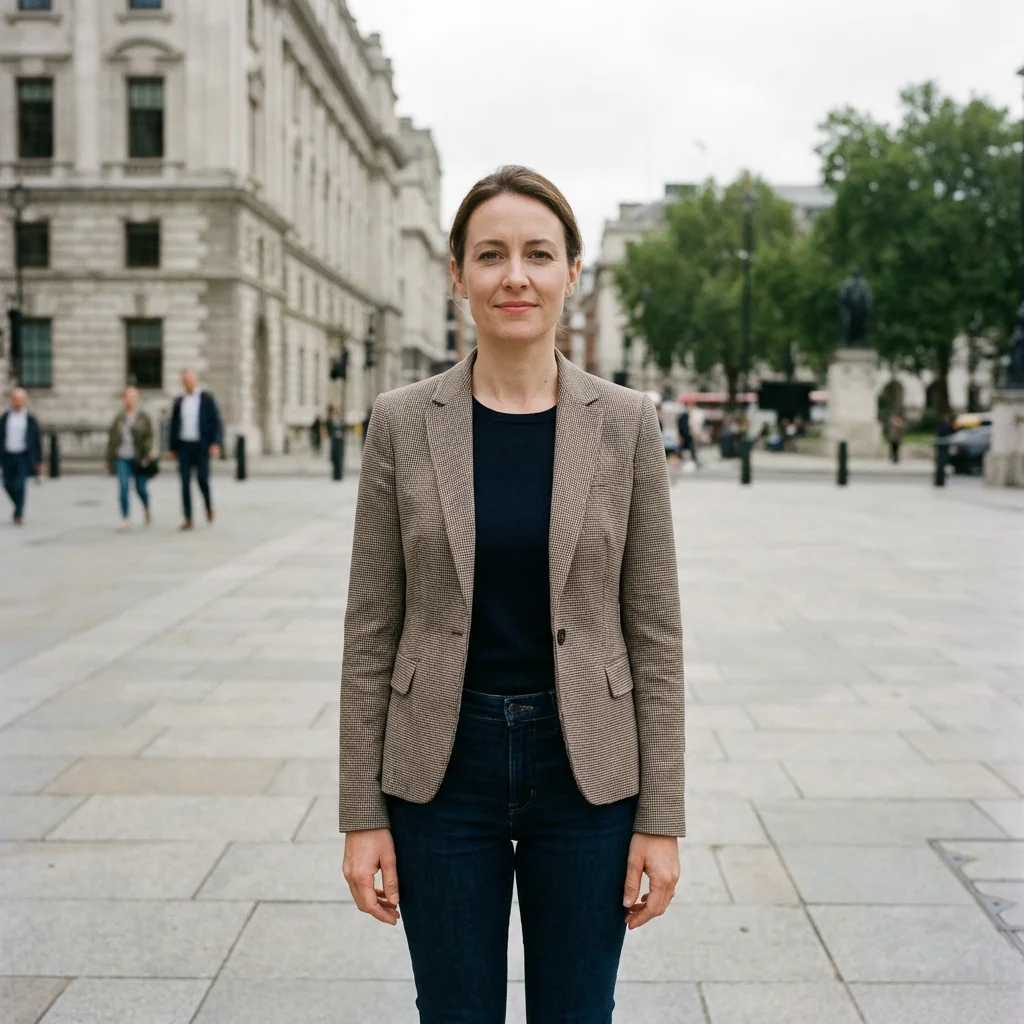
Free to try - Sign up in seconds
About This Trend
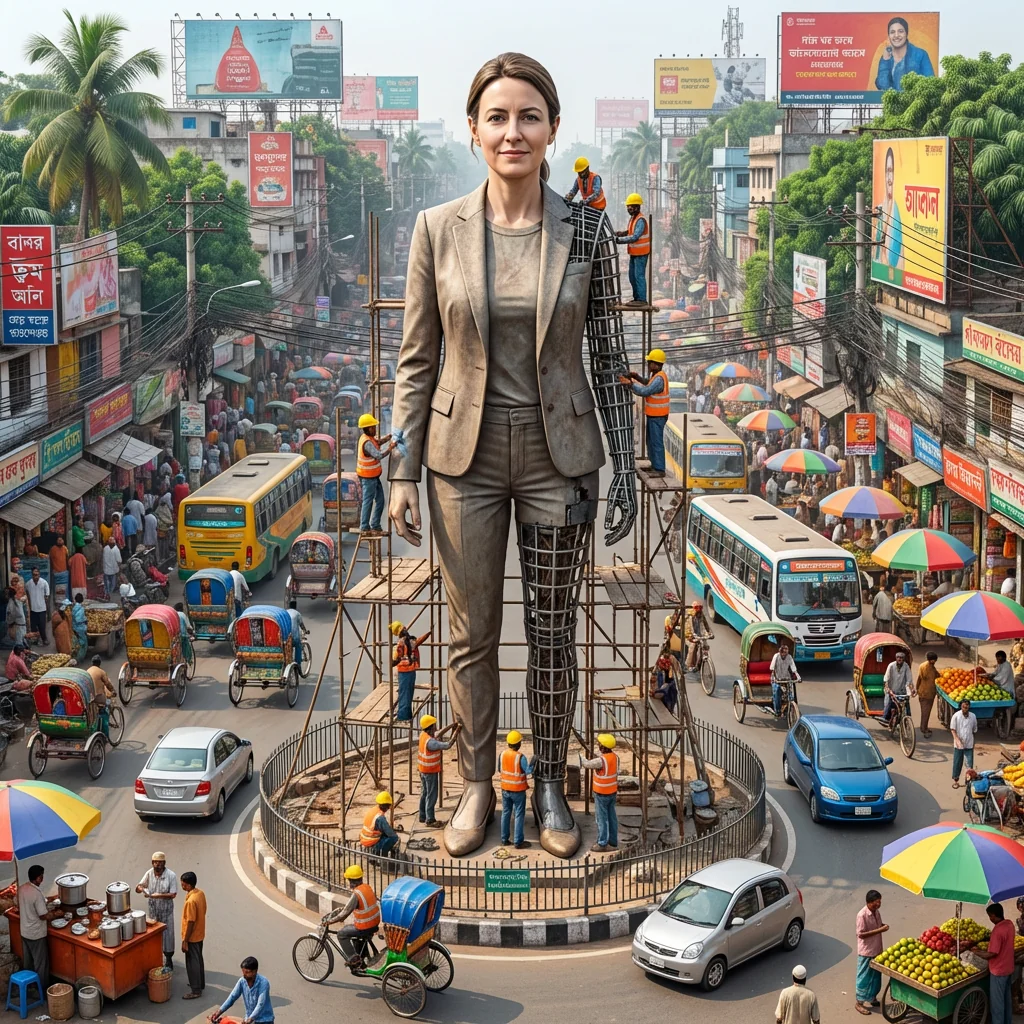
Experience the extraordinary transformation of your personal photo into a magnificent giant statue standing proudly in the heart of a vibrant city. Our Monument Under Construction AI tool creates breathtaking hyper-realistic renderings that place you at the center of urban development, surrounded by authentic construction scenes complete with scaffolding, hardworking construction crews, and the bustling energy of city life. This innovative AI technology preserves every detail of your facial features while seamlessly integrating them into a monumental statue that dominates city roundabouts and landmarks.
The Monument Under Construction effect captures the authentic atmosphere of major urban centers with remarkable precision. Watch as AI algorithms generate intricate scaffolding structures, construction workers in safety gear actively building your monument, and the organized chaos of a working construction site. The partially completed statue showcases both exposed metal framework and finished detailed sections, creating a dynamic visual narrative of artistic creation in progress. The surrounding cityscape comes alive with colorful rickshaws, packed public transportation, street vendors with their vibrant stalls, and the characteristic tangle of overhead electric wires that define bustling metropolitan areas.
This AI-powered transformation tool goes beyond simple photo manipulation to create a complete immersive scene that tells a compelling story. Every generated image includes photorealistic elements like tropical vegetation, diverse crowd activities, authentic shop signage, billboards, and the warm glow of natural daytime lighting. Whether you're creating content for social media, artistic projects, or simply want to see yourself immortalized as a city landmark, the Monument Under Construction effect delivers professional-quality results that capture both the grandeur of monumental sculpture and the vibrant energy of urban life. The level of detail extends to worker positioning, construction equipment placement, and even the realistic wear patterns on the scaffolding, ensuring every generated image feels authentic and lived-in rather than artificially staged.
Ready to create your own?
Try this trend for free. No credit card required, just sign up and start creating.
How It Works
Upload a clear portrait photo with good facial visibility and lighting
Select the Monument Under Construction effect from the AI transformation gallery
Adjust city setting preferences including landmark type and construction progress level
Click generate and wait 30-60 seconds for AI processing to complete
Download your hyper-realistic giant statue image in high resolution
Features
- Hyper-realistic giant statue generation from any portrait photo
- Authentic construction site details with scaffolding and workers
- Preservation of original facial features with zero distortion
- Vibrant urban cityscape backgrounds with bustling street life
- Mixed completion states showing metal framework and finished sections
- Colorful street vendors, rickshaws, and authentic city elements
- Photorealistic lighting and atmospheric depth rendering
- Customizable city landmarks and roundabout placement
- High-resolution output suitable for printing and professional use
- One-click generation with advanced AI processing
Use Cases
- Create viral social media content showing yourself as a city monument
- Generate unique artistic portraits for professional portfolios
- Design creative marketing materials for personal branding campaigns
- Produce eye-catching thumbnails for video content and blogs
- Make personalized gifts showing friends as famous city landmarks
- Develop concept art for urban development and architectural projects
- Create engaging visual content for tourism and cultural campaigns
Pro Tips for Better Results
Use Front-Facing Portrait Shots for Best Results
The Nano Banana Pro Edit model works best with portraits taken straight-on or at a slight angle, no more than 30 degrees from center. Avoid extreme profile shots, as the AI needs clear visibility of both facial sides to accurately render your monument's three-dimensional appearance. If you're starting with professional headshots from AI Headshot Generator, those typically provide the ideal angle and composition for monument transformation.
Choose High-Contrast Photos for Sharper Statue Details
Photos with strong lighting contrast help the AI distinguish facial features more clearly, resulting in crisper statue renderings. Natural outdoor lighting or studio setups with defined shadows work exceptionally well. Avoid flat, overexposed images or dim photos where facial features blend together. The model needs clear edge definition to translate your face into carved stone texture. If your original photo lacks contrast, consider pre-editing it with OpenAI GPT Image 2 Edit to enhance definition before applying the monument effect.
Remove Glasses and Accessories Before Upload
While the Nano Banana Pro Edit model preserves facial features accurately, accessories like glasses, hats, or large earrings can create unexpected artifacts in the final statue. The AI may interpret these items as part of your facial structure, leading to unusual stone textures or scaffolding placement. For the cleanest monument result, use a simple portrait with minimal accessories. Your natural facial features alone provide enough detail for a compelling giant statue.
Experiment with Different Expressions for Varied Impact
Neutral or slightly smiling expressions typically work best for traditional monument aesthetics, matching the dignified appearance of real-world statues. However, don't be afraid to try photos with stronger emotions—a determined look, thoughtful gaze, or confident smile can add personality to your monument. The model handles various expressions well, though extreme facial contortions may result in exaggerated statue features. Test a few different portrait moods to see which creates the most striking urban landmark presence.
Consider Resolution Requirements for Print Projects
If you're planning to print your monument image for portfolios, marketing materials, or physical displays, start with the highest resolution portrait photo available. The Nano Banana Pro Edit model outputs high-quality images, but the final detail level depends partly on your input resolution. For professional printing at poster size or larger, use source photos of at least 2000 pixels on the shortest side. Web and social media use can work with lower resolutions without noticeable quality loss.
Let the AI Handle Background Complexity
Don't worry about removing your photo's existing background before upload—the model completely replaces it with the bustling cityscape, construction scaffolding, and street life. Whether your portrait has a plain backdrop, outdoor scenery, or cluttered indoor setting, the AI focuses on your face and generates the entire urban monument scene from scratch. This differs from simpler editing tools like JAI Portal Spicy Image Editor, which modify existing backgrounds rather than creating entirely new environments.
Frequently Asked Questions
Other Models You Could Use
Ready to Try Monument Under Construction: Build Your Giant City Statue?
Transform your images with AI in seconds. No design skills required.
Get Started FreeJoin thousands of creators using JAI Portal