Red Jacket Studio Shot
Cinematic Fashion Studio Portraits Instantly
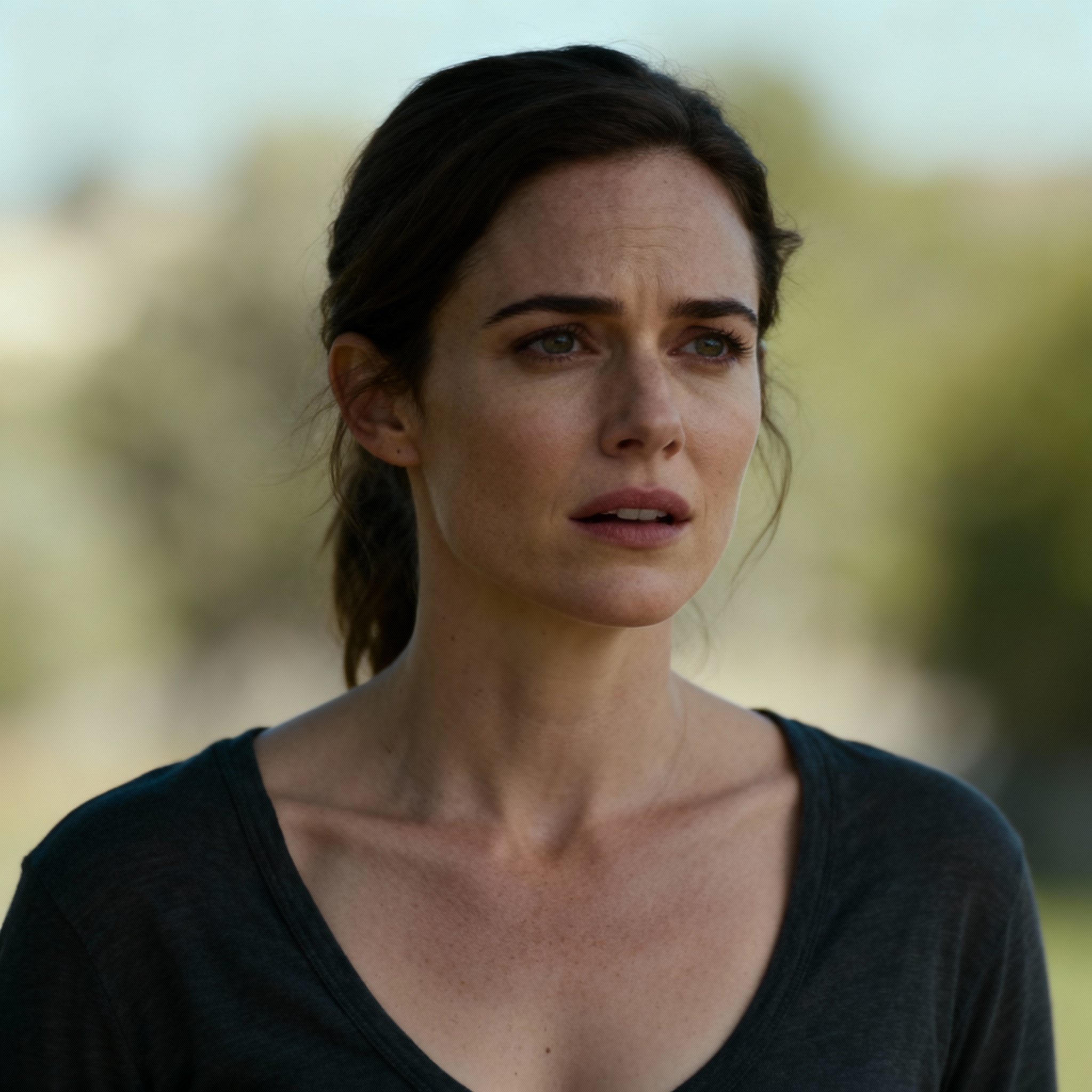
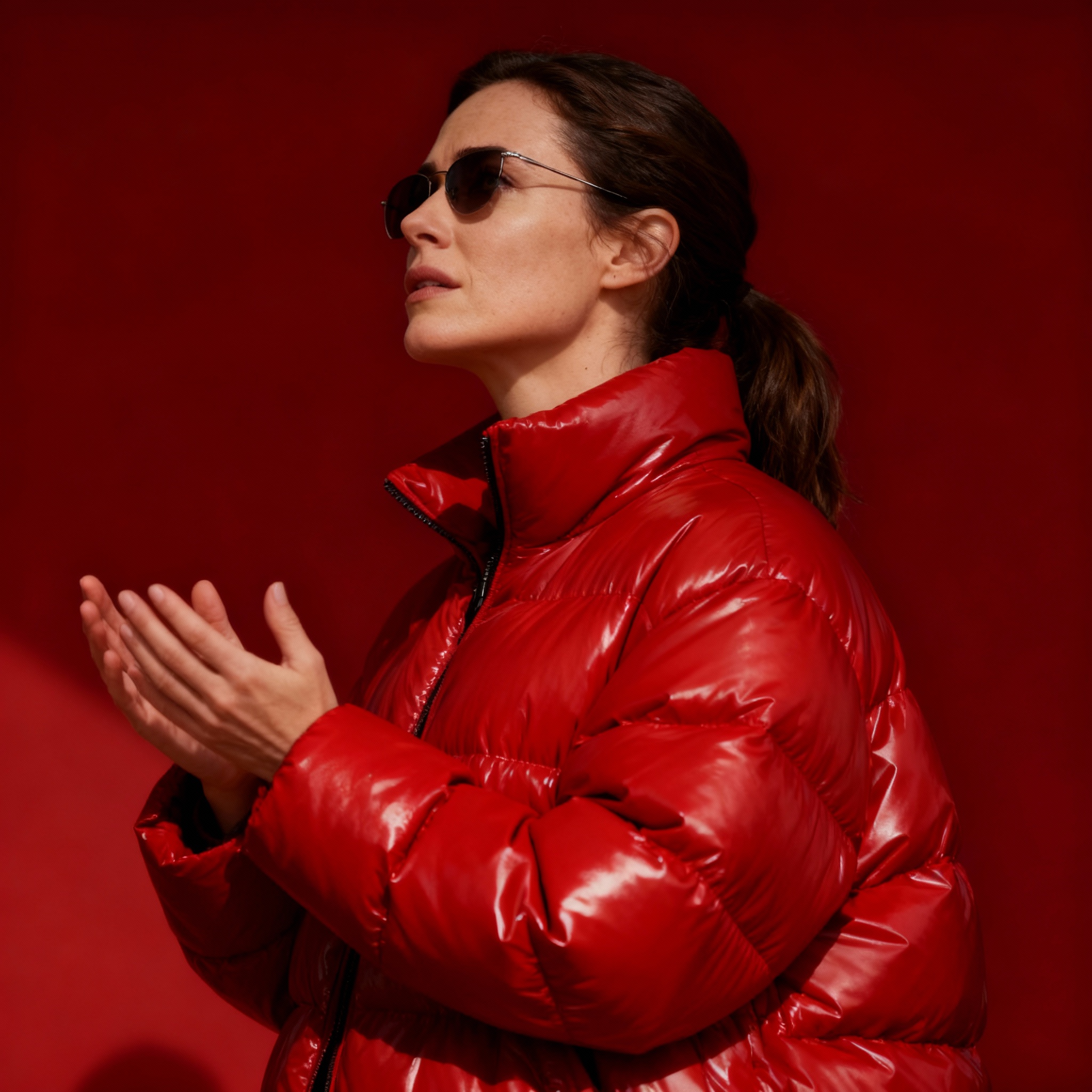
Free to try - Sign up in seconds
About This Trend
The AI Red Jacket Studio Shot trend revolutionizes portrait photography by transforming ordinary images into cinematic studio portraits with bold fashion styling. Powered by the advanced bytedance-seedream-4-0-edit model, this AI tool uses cutting-edge technology to apply professional-grade lighting, dynamic backgrounds, and striking red jacket fashion edits to your photos.
Whether you’re an aspiring model, a photographer seeking new creative angles, or a social media enthusiast, the Red Jacket Studio Shot offers an effortless way to achieve high-fashion editorial looks. The AI analyzes facial features, body posture, and ambient lighting, then layers on stylish studio effects and a vivid red jacket for a dramatic, magazine-worthy result. The process is automated, quick, and yields results that rival professional photo studios.
This trend has gained popularity among influencers, fashion brands, and digital artists seeking to elevate their visual storytelling. The cinematic aesthetic, combined with bold wardrobe transformation, makes it ideal for creative portfolios, online profiles, and promotional campaigns. By leveraging AI image editing, users save time and costs associated with traditional studio shoots, while gaining access to limitless creative possibilities and consistent, high-quality results.
Ready to create your own?
Try this trend for free. No credit card required, just sign up and start creating.
How It Works
Upload a clear portrait photo to the platform
The AI analyzes your image for facial features and pose
Advanced algorithms apply cinematic studio effects and red jacket styling
Download your high-resolution, editorial-style studio shot
Features
- Transforms portraits into cinematic studio shots
- Applies bold red jacket fashion styling automatically
- Enhances lighting, contrast, and background elements
- Delivers high-resolution, editorial-quality images
- Works with a wide range of input photos
Use Cases
- Elevating personal and professional social media profiles
- Fashion brands showcasing new collections
- Modeling portfolios and creative headshots
- Digital artists experimenting with editorial looks
- Marketing campaigns requiring eye-catching visuals
Pro Tips for Better Results
Use Front-Facing Portrait Photos
The bytedance-seedream-4-0-edit model works best with straight-on portraits where the subject faces the camera directly. Avoid extreme side angles or tilted heads, as the AI needs clear facial landmarks to map the red jacket and studio lighting convincingly. If you need more flexibility with poses, consider FLUX 2 Face to Full Portrait for generating full-body compositions from headshots.
Start with High-Contrast Source Images
Photos with strong natural lighting and clear subject-background separation yield the most dramatic cinematic results. The AI enhances existing contrast rather than creating it from scratch, so images taken in soft, even light may produce flatter studio shots. If your source photo is underexposed, try brightening it slightly before upload. For more granular lighting control, OpenAI GPT Image 2 Edit offers text-driven adjustments before applying the red jacket effect.
Crop Tight Around the Subject
The red jacket transformation focuses on upper-body styling, so cropping your input to chest-and-above framing helps the AI allocate detail where it matters most. Wide shots with lots of background clutter can dilute the studio effect. If you're working with full-body images and want similar fashion edits, JAI Portal Spicy Image Editor provides broader wardrobe and scene manipulation across the entire frame.
Upload at Least 1024px Resolution
While the bytedance-seedream-4-0-edit model accepts lower resolutions, starting with 1024×1024 or higher ensures the output retains sharpness for print or large-screen display. Low-res inputs may result in pixelated jacket textures or blurry facial details. For professional portfolios, always begin with the highest resolution your camera or phone provides to maximize editorial quality.
Avoid Busy Patterns in Original Clothing
The AI replaces your clothing with the signature red jacket, but complex patterns or text on the original garment can leave ghosting artifacts. Solid-colored shirts or simple textures give the cleanest transformation. If you want to experiment with different fashion overlays beyond the red jacket, Qwen Image 2 Edit supports custom text prompts for alternative wardrobe styles.
Run Multiple Variations for Best Pick
AI outputs can vary slightly in lighting intensity and jacket texture even from the same input. Generate two or three versions and select the one with the most balanced studio glow. Since JAI Portal uses pay-per-use credits, each run costs the same, so budgeting a few extra attempts ensures you land the perfect shot. Compare results side-by-side before committing to final edits or downloads.
Frequently Asked Questions
Other Models You Could Use
Ready to Try Red Jacket Studio Shot?
Transform your images with AI in seconds. No design skills required.
Get Started FreeJoin thousands of creators using JAI Portal