Retro Screen Mosaic: Display Your Face Across Vintage Devices
Transform Your Photo Into a Stunning Multi-Screen Mosaic
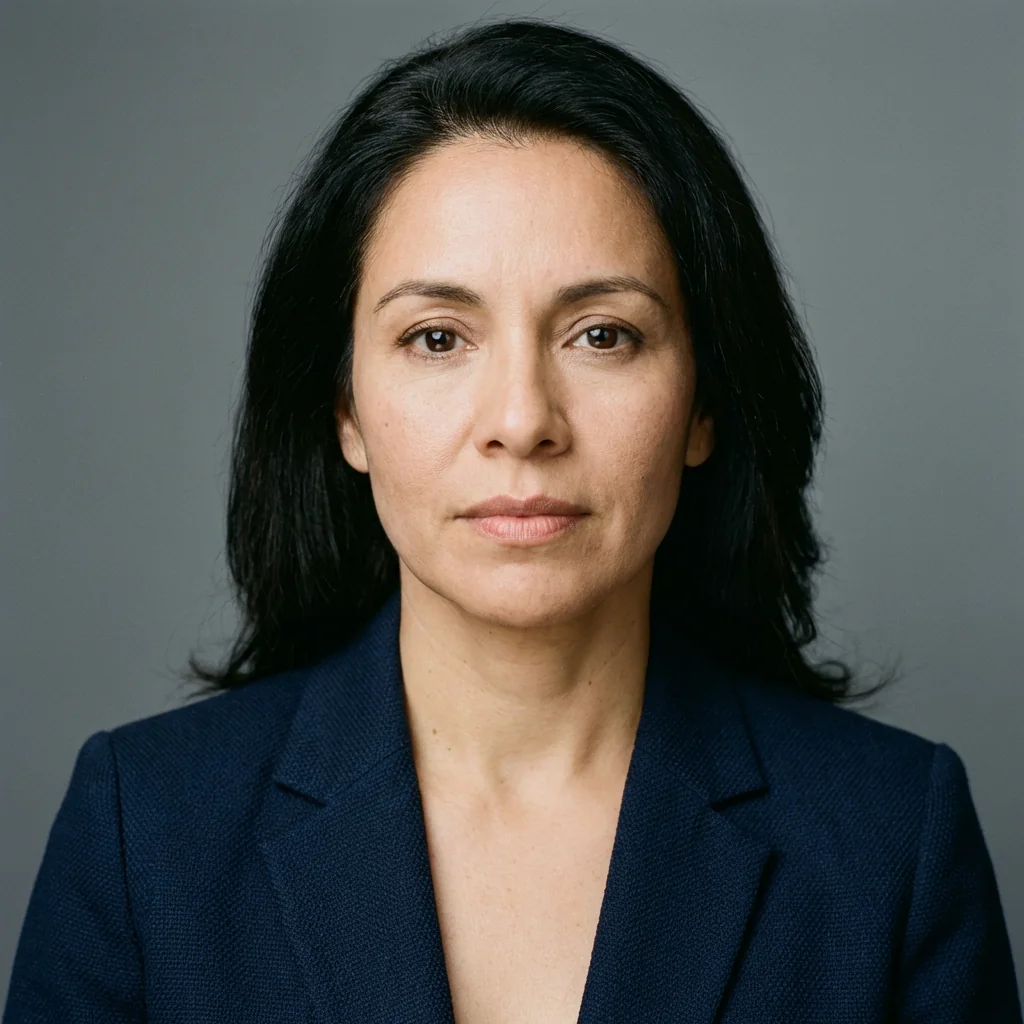
Free to try - Sign up in seconds
About This Trend
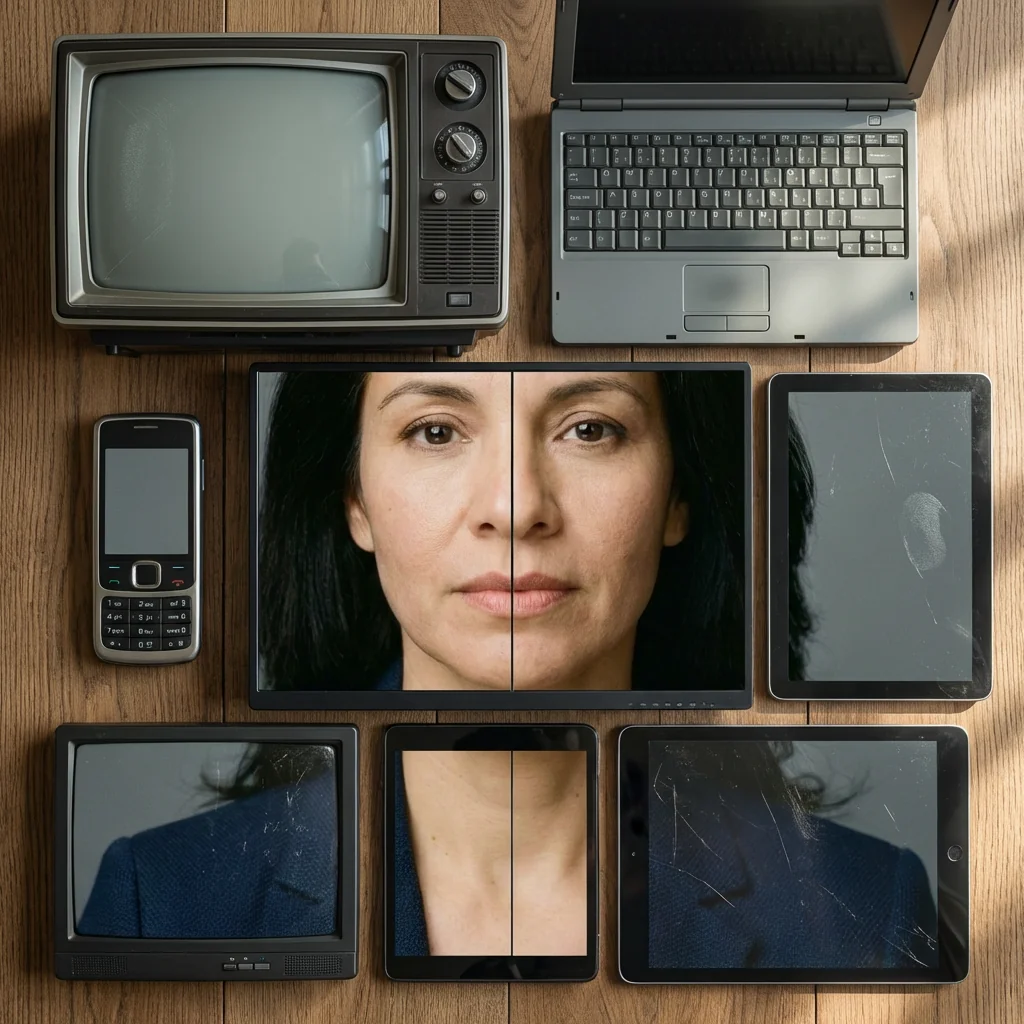
Experience the revolutionary Retro Screen Mosaic effect that transforms your ordinary photos into extraordinary multi-device displays. This cutting-edge AI technology creates stunning editorial-style portraits by fragmenting and displaying your face across a carefully curated collection of vintage and modern screens. Each device shows a precisely cropped section of your portrait, aligning perfectly to form one complete, cohesive image that captures both nostalgia and contemporary aesthetics.
The ultra-realistic rendering ensures every detail matters - from the subtle wear on vintage CRT monitors to the crystal-clear displays of modern smartphones. Our advanced AI algorithm analyzes your photo and intelligently distributes facial features across different screens, creating natural misalignments that add authentic character to the composition. The flat-lay perspective combined with soft natural lighting and realistic screen reflections produces a photographic result that rivals professional editorial work.
Whether you're a content creator looking for unique profile pictures, a designer seeking innovative visual concepts, or simply someone who appreciates creative photography, the Retro Screen Mosaic effect offers endless possibilities. The technology preserves your true identity while presenting it through a captivating lens of technological nostalgia. Create gallery-worthy portraits that tell a story of digital evolution, blending past and present in a single, striking image that's perfect for social media, portfolios, or artistic projects.
Ready to create your own?
Try this trend for free. No credit card required, just sign up and start creating.
How It Works
Upload a clear, well-lit portrait photo showing your full face for best results
Let the AI analyze your facial features and automatically segment them across vintage and modern devices
Preview the mosaic layout with realistic screen placements and subtle misalignments
Download your high-resolution retro screen mosaic ready for social media, printing, or professional use
Features
- Ultra-realistic flat-lay perspective with professional editorial quality
- AI-powered face segmentation across multiple vintage and modern devices
- Authentic device details including screen reflections and subtle wear textures
- Intelligent alignment system that maintains facial recognition while creating artistic misalignment
- Natural lighting simulation with soft shadows and realistic ambient effects
- Preserves true identity without stylization or distortion
- High-resolution output suitable for printing and professional use
- Customizable device mix from retro CRT monitors to modern smartphones
- One-click generation with advanced AI processing
- No technical skills required - upload and transform instantly
Use Cases
- Create eye-catching social media profile pictures and cover photos
- Design unique portfolio headers for photographers and creative professionals
- Generate artistic prints for home or office decoration
- Produce editorial-style images for digital publications and blogs
- Create memorable gift portraits with vintage technology theme
- Develop engaging content for tech-focused marketing campaigns
- Build distinctive personal branding materials with retro-modern aesthetics
Pro Tips for Better Results
Use High-Contrast Portrait Photos for Maximum Impact
The Nano Banana Pro Edit model segments your face across multiple screens, so high-contrast photos with distinct facial features produce the sharpest results. Avoid soft, overexposed images or low-light selfies. If your source photo lacks contrast, consider running it through AI Headshot Generator first to create a crisp, well-lit base image before applying the mosaic effect.
Center Your Face for Optimal Device Alignment
The AI distributes facial features across vintage and modern screens based on geometric analysis. Photos where your face occupies the central 60-70% of the frame produce the most balanced mosaics. Off-center or tilted portraits can result in awkward cropping on individual device screens. Frame your shot like a passport photo for best results, ensuring eyes, nose, and mouth fall within the middle third of the image.
Avoid Busy Backgrounds and Competing Visual Elements
Since Nano Banana Pro Edit creates a flat-lay composition, busy backgrounds fragment across screens and distract from your face. Solid-color backgrounds or simple gradients work best. If you have a cluttered background, use JAI Portal Spicy Image Editor to remove it first, then apply the mosaic effect for cleaner, more professional results that keep attention on your portrait.
Higher Resolution Inputs Create Sharper Screen Details
Each device in the mosaic displays a cropped segment of your portrait, so starting with at least 1500x1500 pixels ensures individual screens remain sharp and detailed. Low-resolution inputs (below 800px) can appear pixelated when distributed across multiple devices. The model preserves fine details like screen reflections and vintage CRT textures, but only if your source image provides enough data to work with.
Match Your Lighting to the Flat-Lay Aesthetic
The effect simulates natural overhead lighting typical of flat-lay photography. Photos taken in soft, diffused light (like near a window on an overcast day) integrate more naturally into the mosaic composition. Harsh directional lighting or strong shadows can create inconsistencies across device screens. If you need to adjust lighting first, FLUX 2 Dev Edit offers precise exposure and tone controls.
Experiment With Facial Expressions for Different Moods
Neutral or subtle expressions work well for professional portfolios, while smiles or quirky faces create more engaging social media content. The Nano Banana Pro Edit model preserves your True identity without stylization, so your expression carries the emotional tone of the final mosaic. Test multiple expressions to find what matches your intended use case, whether editorial, artistic, or playful.
Frequently Asked Questions
Other Models You Could Use
Ready to Try Retro Screen Mosaic: Display Your Face Across Vintage Devices?
Transform your images with AI in seconds. No design skills required.
Get Started FreeJoin thousands of creators using JAI Portal