Surreal Giant Head: Hold Your Oversized Head Portrait
Create stunning surreal portraits with giant head effects
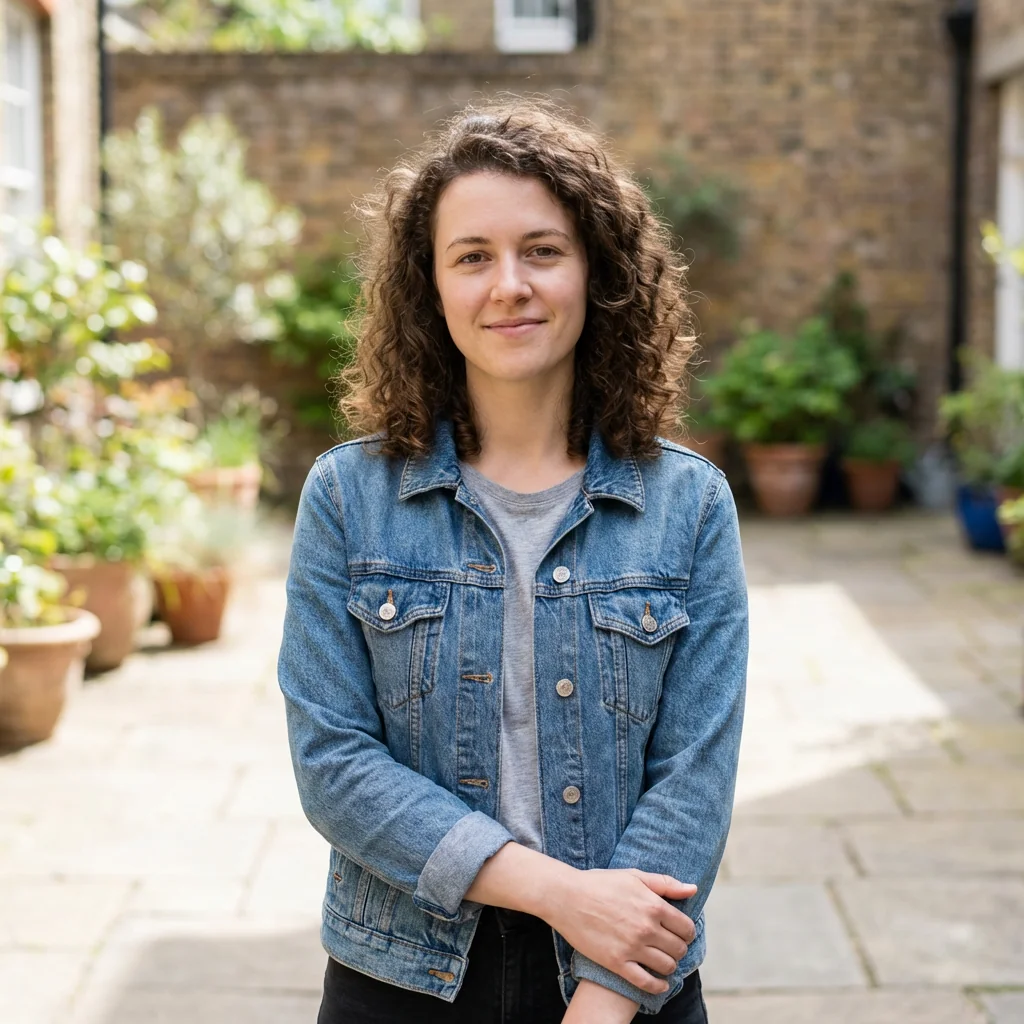
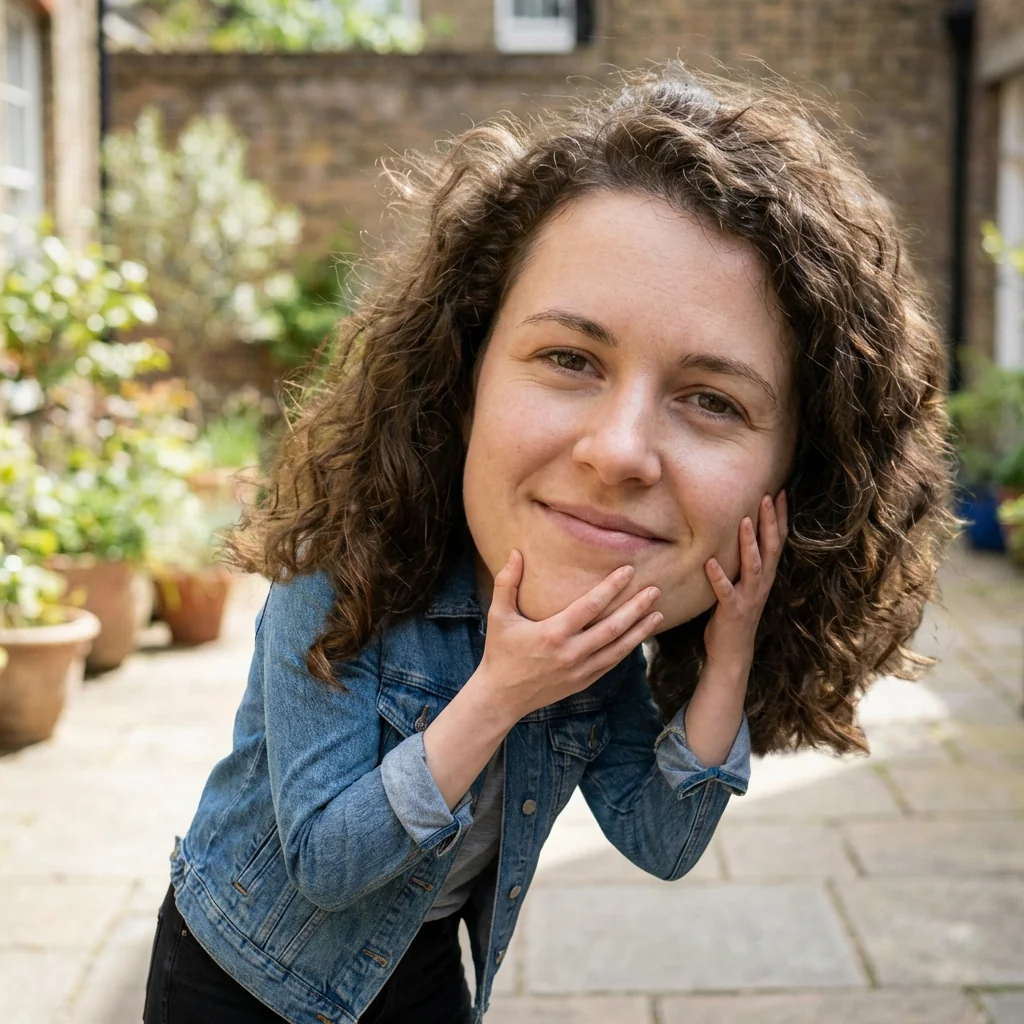
Free to try - Sign up in seconds
About This Trend
The Surreal Giant Head Portrait trend has taken social media by storm, creating mesmerizing visual paradoxes where subjects appear to hold their own massively oversized heads. This AI-powered photo transformation tool enables anyone to create professional-quality surreal portraits that blend hyper-realistic details with impossible physics. Using advanced AI algorithms, the generator analyzes your facial features, skin texture, hair, and accessories to create a perfectly detailed giant version of your head while simultaneously generating a proportionally smaller body that realistically holds this oversized cranium.
What sets this AI portrait generator apart is its attention to hyper-realistic details that make the impossible seem tangible. The technology meticulously recreates every aspect of your face at giant scale—from individual hair strands and skin pores to the subtle play of light across facial contours. The smaller body is rendered with equal precision, positioned in a natural carrying posture with hands gripping the enlarged head at anatomically believable angles. One hand typically supports the jaw or cheek area while the other holds the side or chin, creating a composition that feels both surreal and strangely grounded in physical reality. The AI ensures proper shadow casting from the giant head onto the body and hands, while maintaining consistent lighting that mimics soft daylight with Fuji-analog inspired color grading.
This surreal portrait effect opens endless creative possibilities for social media content, artistic expression, and viral marketing campaigns. The hyper-realistic rendering style combined with the impossible scenario creates an immediate visual hook that stops scrollers mid-feed. Whether you're a content creator looking for unique profile pictures, an artist exploring surrealist digital art, or a brand seeking attention-grabbing campaign visuals, this AI tool delivers gallery-worthy results in minutes. The seamless compositing technology ensures no visible editing artifacts, while subtle touches like slight vignetting and mild film grain add premium editorial finishing that elevates the final image from mere photo manipulation to genuine digital art.
Ready to create your own?
Try this trend for free. No credit card required, just sign up and start creating.
How It Works
Upload a clear, well-lit portrait photo showing your face, accessories, and outfit
Select the surreal giant head portrait effect and adjust intensity settings if desired
Let the AI analyze your facial features and generate the oversized head with proportional body
Preview the result, fine-tune hand positioning or lighting, then download your surreal portrait
Features
- Hyper-realistic giant head rendering with exact facial feature matching
- AI-powered proportional body scaling for believable surreal effect
- Natural hand positioning and grip simulation on oversized head
- Advanced shadow and lighting calculations for seamless compositing
- Fuji-analog inspired color grading and soft daylight simulation
- Automatic skin texture, hair detail, and accessory preservation
- Professional editorial finishing with vignette and film grain
- One-click transformation from regular photo to surreal portrait
- High-resolution output suitable for print and social media
- Customizable pose and hand positioning options
Use Cases
- Create viral social media profile pictures and cover photos
- Generate unique content for Instagram, TikTok, and Facebook posts
- Design eye-catching marketing materials and brand campaigns
- Produce surrealist art portfolio pieces and digital exhibitions
- Make memorable birthday, anniversary, or special occasion cards
- Create attention-grabbing thumbnails for YouTube and content platforms
- Develop creative assets for fashion and editorial photography projects
Pro Tips for Better Results
Choose Photos with Clear Facial Definition
The Nano Banana Pro Edit model works best when your source photo has sharp facial features and good contrast. Avoid blurry selfies or heavily filtered images—the AI needs clean data to replicate every pore, wrinkle, and hair strand at giant scale. Natural lighting beats ring lights here because it creates the subtle shadows the model uses to build depth. If your portrait lacks definition, consider running it through AI Headshot Generator first to enhance clarity before applying the surreal effect.
Mind Your Background and Outfit Contrast
The giant head effect relies on clean edge detection to separate your face from the body. Wear clothing that contrasts with your skin tone—dark shirts work well for lighter skin, light fabrics for darker tones. Busy patterns can confuse the AI's compositing algorithm, causing artifacts where the hands grip the oversized head. Plain or subtly textured backgrounds let the model focus processing power on the surreal element itself rather than fighting complex scenery. This isn't as critical with broader tools like OpenAI GPT Image 2 Edit, but Nano Banana Pro Edit rewards simplicity.
Experiment with Head Tilt Angles
Straight-on portraits produce symmetrical results, but a slight head tilt—15 to 25 degrees—adds dynamic tension to the final composition. The AI interprets tilt as intentional posing, which influences how it positions the smaller body's hands and adjusts weight distribution. A tilted giant head feels more playful and less static, perfect for social content that needs to stop the scroll. If you want maximum control over pose and angle, FLUX 2 Dev Edit offers more manual adjustment, though it requires more technical input than this one-click approach.
Let Accessories Tell the Story
Glasses, earrings, hats, and scarves get rendered at giant scale with impressive fidelity, turning functional items into surreal focal points. A pair of oversized sunglasses becomes a statement piece when your head is three feet wide. The model preserves reflections, textures, and even small brand logos, so think about what visual details you want amplified. This attention to accessory detail is where Nano Banana Pro Edit outperforms more general editing tools—it treats every element as part of the hyper-realistic illusion rather than flattening them during upscaling.
Use Soft Natural Light for Fuji-Analog Grading
The model applies Fuji-analog inspired color grading automatically, but it amplifies whatever lighting mood exists in your source photo. Golden hour shots gain warm, nostalgic tones. Overcast daylight produces cooler, editorial vibes. Harsh midday sun can create unwanted contrast that fights the surreal effect's dreamy quality. If you're shooting specifically for this trend, aim for soft window light or open shade. For more control over color grading after the fact, JAI Portal Spicy Image Editor lets you tweak tones post-generation.
Check Hand Placement in Preview Mode
The AI defaults to anatomically plausible hand positions, but occasionally fingers clip through the giant head or grip at awkward angles. Always preview before finalizing—most platforms let you regenerate with slight pose variations if the first attempt looks off. The model calculates contact shadows where hands meet face, so unnatural placement becomes immediately obvious. If you need a specific hand pose that the automatic system misses, Qwen Image 2 Edit allows manual mask painting to guide exactly where hands should appear, though it sacrifices some of the one-click convenience.
Frequently Asked Questions
Other Models You Could Use
Ready to Try Surreal Giant Head: Hold Your Oversized Head Portrait?
Transform your images with AI in seconds. No design skills required.
Get Started FreeJoin thousands of creators using JAI Portal