Thread Art Portrait: Create Detailed Hand Embroidery
Transform Photos into Stunning Hand-Embroidered Art
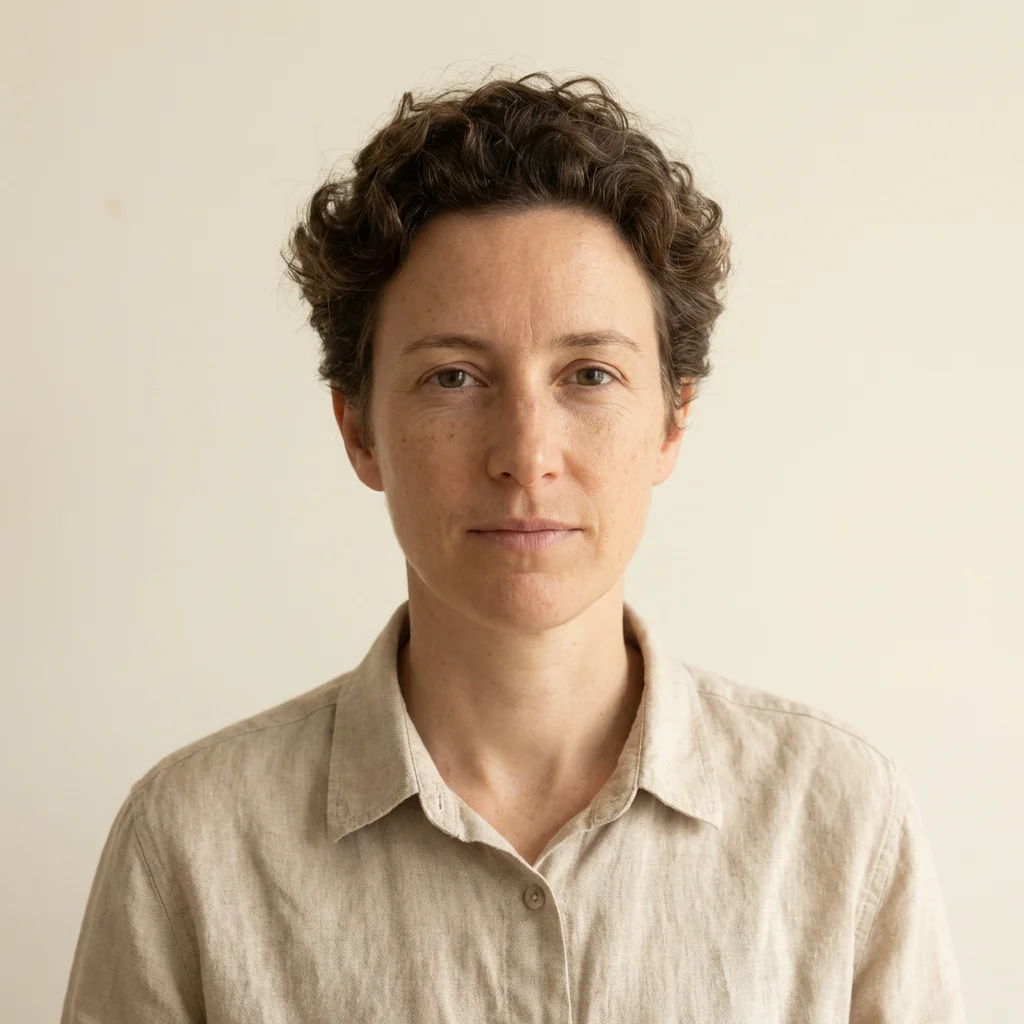
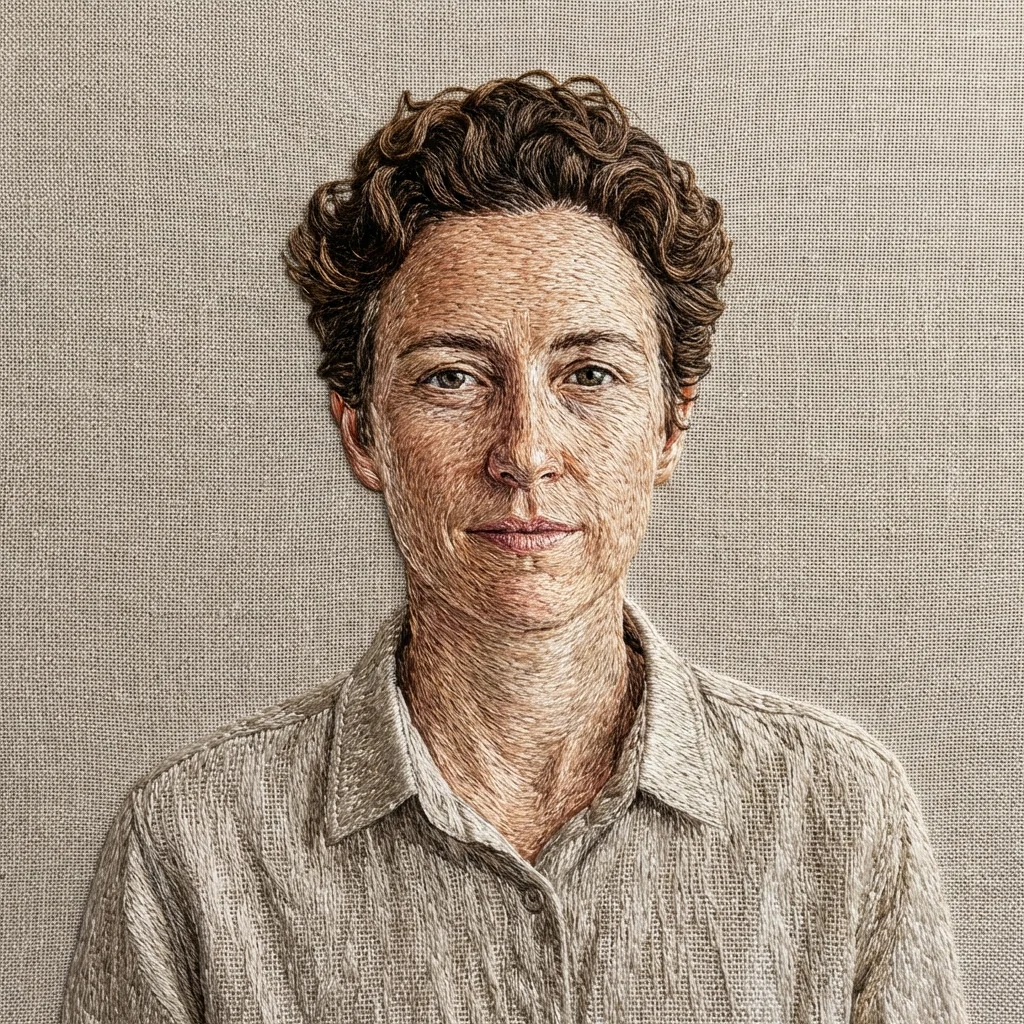
Free to try - Sign up in seconds
About This Trend
Thread Art Portrait Generator brings the timeless beauty of hand embroidery into the digital age, allowing you to transform any photograph into a stunning piece of textile art. This innovative AI tool meticulously recreates the intricate details of traditional hand embroidery, featuring realistic satin stitches, long and short stitch techniques, and densely layered thread work that follows the natural contours of faces and subjects. Each generated piece captures the authentic look of hours of skilled needlework, complete with visible stitch direction, subtle thread sheen, and the characteristic texture of embroidery on neutral fabric.
The technology behind this effect analyzes facial features, lighting, and depth to create embroidery patterns that mirror professional hand-stitching techniques. Satin stitches are placed to catch light naturally, creating highlights and shadows that bring portraits to life. The long and short stitch method is applied to create smooth color transitions and realistic skin tones, while maintaining the distinctive texture that makes embroidered art so captivating. The neutral fabric background provides the perfect canvas, allowing the intricate threadwork to stand out with crystal-clear macro detail that reveals every individual stitch.
Whether you're a textile artist seeking inspiration, a designer looking for unique visual elements, or simply someone who appreciates the intersection of traditional craft and modern technology, the Thread Art Portrait effect delivers museum-quality results. Perfect for creating personalized gifts, wall art, social media content, or commercial design projects, this tool makes professional-grade embroidered portraits accessible to everyone. The ultra-sharp detail and studio lighting simulation ensure that your thread art creations are ready for print, display, or digital sharing, capturing the warmth and tactile beauty that only embroidery can provide.
Ready to create your own?
Try this trend for free. No credit card required, just sign up and start creating.
How It Works
Upload a high-quality portrait or image with clear facial features and good lighting
Apply the Thread Art Portrait effect and wait for the AI to analyze contours and create stitch patterns
Review the generated embroidery with attention to stitch direction, thread density, and fabric texture
Adjust settings if available (stitch density, thread colors, background fabric) to match your vision
Download your high-resolution thread art portrait for printing, sharing, or further creative editing
Features
- Hyper-realistic satin stitch simulation with authentic thread sheen
- Long and short stitch technique for smooth color gradations
- Intelligent stitch direction following facial contours and features
- Dense thread layering with visible texture and depth
- Neutral fabric background with realistic weave texture
- Soft studio lighting that highlights thread dimension
- Ultra-sharp macro detail revealing individual stitches
- Professional embroidery color palette and thread rendering
- Customizable stitch density and thread thickness options
- High-resolution output suitable for print and commercial use
Use Cases
- Transform family portraits into heirloom-quality embroidered art
- Create unique social media content with textile art aesthetic
- Design personalized gifts and commemorative pieces
- Generate textile mockups for fashion and craft businesses
- Produce wall art and home decor with handmade appeal
- Develop visual content for embroidery and craft tutorials
- Create book covers and editorial illustrations with textile texture
Pro Tips for Better Results
Choose High-Contrast Source Photos
The Nano Banana Pro Edit model maps embroidery stitches based on tonal variation in your image. Photos with strong shadows and highlights produce more dramatic stitch direction changes and better thread sheen simulation. Avoid flat, evenly-lit snapshots—instead, use portraits with directional lighting that creates natural contours. This helps the AI distinguish where to place dense satin stitches versus lighter fill areas, resulting in more authentic-looking needlework with visible depth.
Crop Tight Around Facial Features
Frame your subject closely before uploading to maximize stitch detail density. The model allocates embroidery texture across the entire canvas, so a tightly cropped portrait ensures facial features receive the most intricate thread mapping. Leave minimal background space—think passport photo framing rather than environmental portrait. This approach produces macro-level stitch clarity where it matters most, especially around eyes, lips, and hair, which benefit from the long-short stitch technique the AI applies to complex contours.
Use Clean, Sharp Original Images
Blurry or heavily compressed photos confuse the stitch direction algorithm, resulting in muddled thread patterns. Upload the highest resolution version available—ideally straight from your camera or phone, not a social media download. The Nano Banana Pro Edit model analyzes fine details to simulate realistic embroidery flow, so image sharpness directly impacts how convincingly the AI renders individual thread strands and their natural overlap on fabric.
Experiment With Monochrome Source Photos
Black-and-white portraits often yield striking thread art results because the AI focuses purely on tonal embroidery without color distraction. The model excels at translating grayscale gradients into varied stitch densities and thread layering, creating vintage needlework aesthetics. If your color photo isn't converting well, try desaturating it first or use OpenAI GPT Image 2 Edit to convert to monochrome before applying the thread art effect for a classic embroidered heirloom look.
Avoid Busy Backgrounds in Input
Complex backgrounds force the AI to distribute embroidery detail across non-essential areas, diluting the portrait's thread density. Use portraits with plain or softly blurred backgrounds—the model will interpret these as neutral fabric substrate, concentrating intricate satin and long-short stitches on your subject. If your photo has a distracting backdrop, consider using JAI Portal Spicy Image Editor to remove or simplify the background before generating your thread art.
Test Multiple Angles of Same Subject
Stitch direction follows facial geometry, so different poses produce dramatically different embroidery patterns. A three-quarter profile might yield elegant diagonal thread flow, while a straight-on shot creates symmetrical radial stitching. Run the same person through the effect in various poses to discover which angle produces the most compelling needlework aesthetic. The Nano Banana Pro Edit model interprets each unique contour set differently, so experimentation often reveals unexpectedly beautiful stitch compositions.
Frequently Asked Questions
Other Models You Could Use
Ready to Try Thread Art Portrait: Create Detailed Hand Embroidery?
Transform your images with AI in seconds. No design skills required.
Get Started FreeJoin thousands of creators using JAI Portal