Townsville Hero Transformation: Become a Powerpuff Girls Character
Transform into a Powerpuff Girl with AI - Instant Hero Makeover
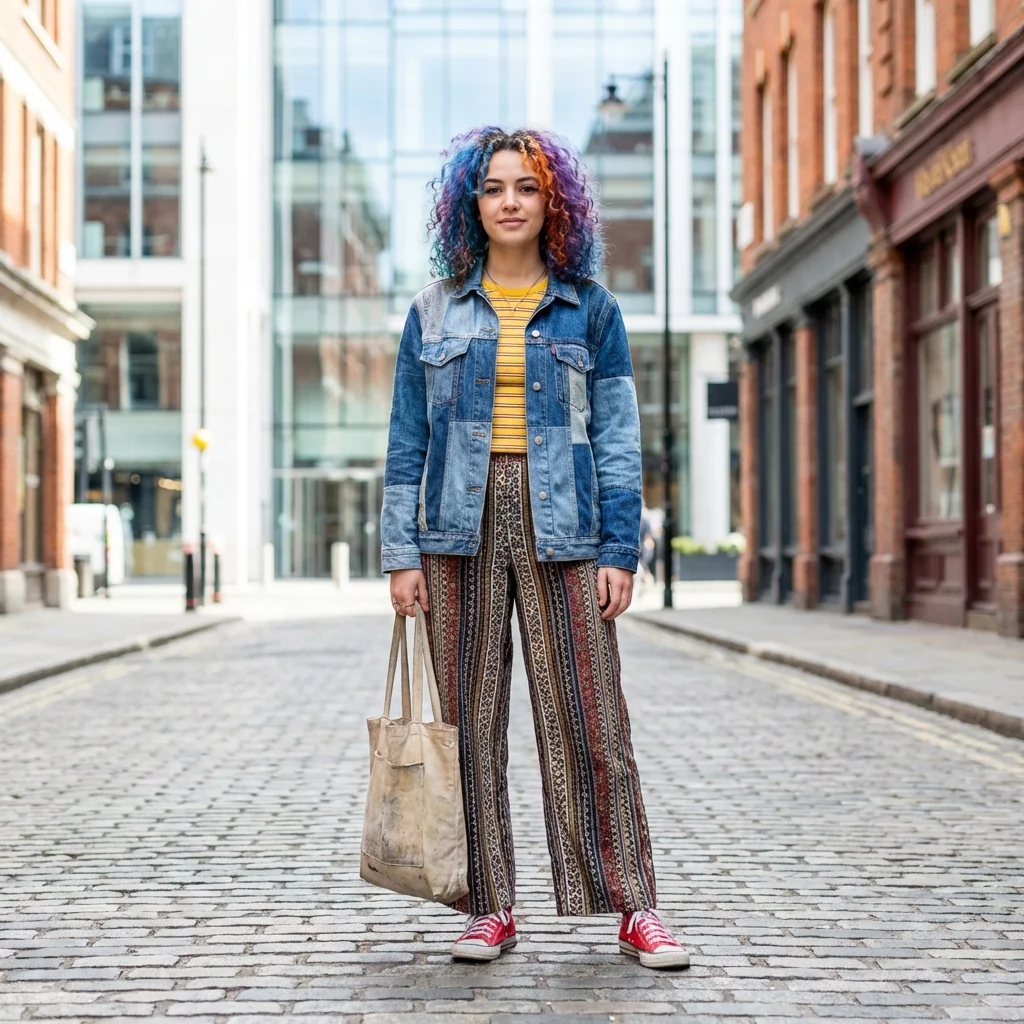
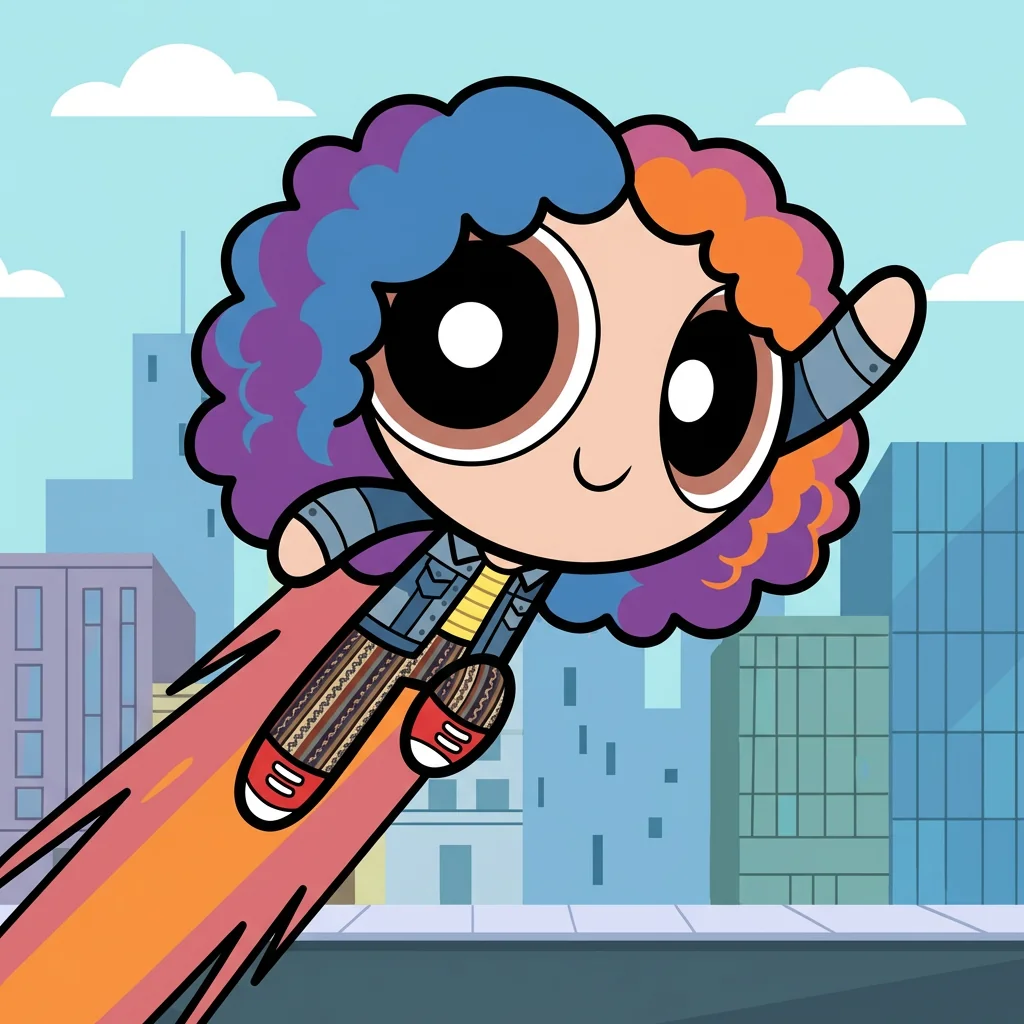
Free to try - Sign up in seconds
About This Trend
Step into the world of Townsville and become the superhero you've always dreamed of being with our Powerpuff Girls AI Transformation tool. This cutting-edge AI generator transforms your photo into an authentic Powerpuff Girls character, perfectly capturing the iconic art style created by Craig McCracken in 1998. Whether you've grown up watching Blossom, Bubbles, and Buttercup save the day, or you're discovering the magic of these pint-sized heroes for the first time, our AI technology lets you experience the thrill of becoming a PPG character yourself.
Our advanced AI algorithm meticulously analyzes your uploaded photo and recreates you in the unmistakable Powerpuff Girls aesthetic. Every detail matters: your hairstyle shape and color are preserved while being converted to the flat, bold cel-shaded style that made the show so visually distinctive. The transformation includes the signature round head, enormous expressive oval eyes with thick black outlines, the adorable absence of a nose, a simple curved smile, and that characteristic stubby cylindrical body. The AI even places you in a dynamic flying pose complete with the iconic energy streak trail, set against a simplified Townsville cityscape background that looks like it was pulled straight from a classic episode.
What makes this tool special is its commitment to authenticity. Unlike generic cartoon filters, our AI has been trained to understand the specific visual language of The Powerpuff Girls - the bold black outlines, flat colors without gradients, minimal shading, and perfectly 2D aesthetic that defined late-90s Cartoon Network animation. Your outfit colors are maintained but rendered in the show's signature flat style, ensuring you look like you truly belong in Sugar, Spice, and Everything Nice. Whether you want to share your PPG transformation on social media, create unique profile pictures, surprise fellow fans, or simply relive childhood nostalgia, this AI tool delivers professional-quality results in seconds. Join thousands of users who've already discovered their inner superhero and see yourself fighting crime before bedtime in authentic Powerpuff Girls style!
Ready to create your own?
Try this trend for free. No credit card required, just sign up and start creating.
How It Works
Upload a clear, front-facing photo with good lighting and visible features
Let the AI analyze your photo and identify hairstyle, colors, and facial structure
Watch as the transformation converts you into authentic Powerpuff Girls style
Download your high-resolution PPG character and share with the world
Experiment with different photos to create your own superhero team
Features
- Authentic Craig McCracken art style conversion with 1998 cartoon accuracy
- Preserves your unique hairstyle shape and hair color in PPG format
- Maintains outfit colors while applying flat cel-shaded cartoon aesthetic
- Signature round head with huge expressive oval eyes and thick outlines
- Dynamic flying pose with iconic PPG energy streak trail effect
- Townsville cityscape background in original cartoon style
- Perfect 2D flat rendering with bold black outlines and no realistic shading
- Instant transformation - results in seconds with one photo upload
- High-resolution output suitable for social media and printing
- No artistic skills required - AI handles all style conversion automatically
Use Cases
- Create unique Powerpuff Girls-themed social media profile pictures and avatars
- Design personalized birthday party invitations and decorations for PPG fans
- Generate custom merchandise designs like t-shirts, mugs, and posters
- Surprise friends and family with nostalgic cartoon transformations as gifts
- Create engaging content for fan communities and Cartoon Network nostalgia groups
- Design unique Halloween costume concepts in authentic PPG style
- Develop creative content for animation enthusiasts and retro cartoon blogs
Pro Tips for Better Results
Choose Photos with Clear Hairstyles
The Nano Banana Pro Edit model excels at preserving hairstyle shapes when they're clearly visible. Use photos where your hair isn't covered by hats or obscured by shadows. Front-facing angles work best because the AI needs to see your hair's silhouette to recreate it in the flat, bold PPG style. Side profiles or tilted heads can confuse the outline detection, resulting in less accurate cartoon conversions.
Wear Solid Colors for Best Results
Since Powerpuff Girls use flat cel-shaded colors without gradients, photos with solid-colored clothing translate more authentically. Busy patterns or complex textures get simplified during conversion, which can look less intentional. If you want your outfit to really pop in PPG style, choose a shirt or dress in a single bold color. The AI will maintain that color while applying the cartoon's signature flat rendering technique.
Avoid Harsh Shadows on Your Face
The PPG aesthetic uses minimal shading, so photos with dramatic lighting or harsh shadows can create unexpected results. Use evenly-lit photos taken in natural daylight or soft indoor lighting. This helps the AI focus on your facial structure rather than trying to interpret shadow patterns. If you need more control over lighting adjustments before transformation, try OpenAI GPT Image 2 Edit for pre-processing.
Center Yourself in the Frame
Position your face and upper body in the center of your photo for optimal detection. The Nano Banana Pro Edit model works best when your head occupies roughly the middle third of the image. Too much empty space or off-center positioning can cause the AI to misidentify which elements to transform. Crop tight around your shoulders and head before uploading.
Use High-Resolution Source Images
While the AI can work with various image sizes, starting with a high-resolution photo ensures your final PPG transformation has crisp outlines and clean colors. Blurry or pixelated source images produce softer edges that don't match the sharp, bold linework of the original cartoon. Aim for at least 1024x1024 pixels for professional-quality results you can print or use as high-res profile pictures.
Experiment with Different Expressions
Your facial expression in the source photo influences your final PPG character's vibe. Smiling photos tend to produce the classic cheerful Powerpuff look, while neutral expressions create more serious hero poses. Try multiple photos with different expressions to see which captures your personality best. Unlike AI Headshot Generator, this tool prioritizes cartoon authenticity over photorealism, so have fun with it.
Frequently Asked Questions
Other Models You Could Use
Ready to Try Townsville Hero Transformation: Become a Powerpuff Girls Character?
Transform your images with AI in seconds. No design skills required.
Get Started FreeJoin thousands of creators using JAI Portal