Twilight Duo with Edward Cullen
Stand Beside Edward Cullen in a Snowy Vampire Scene
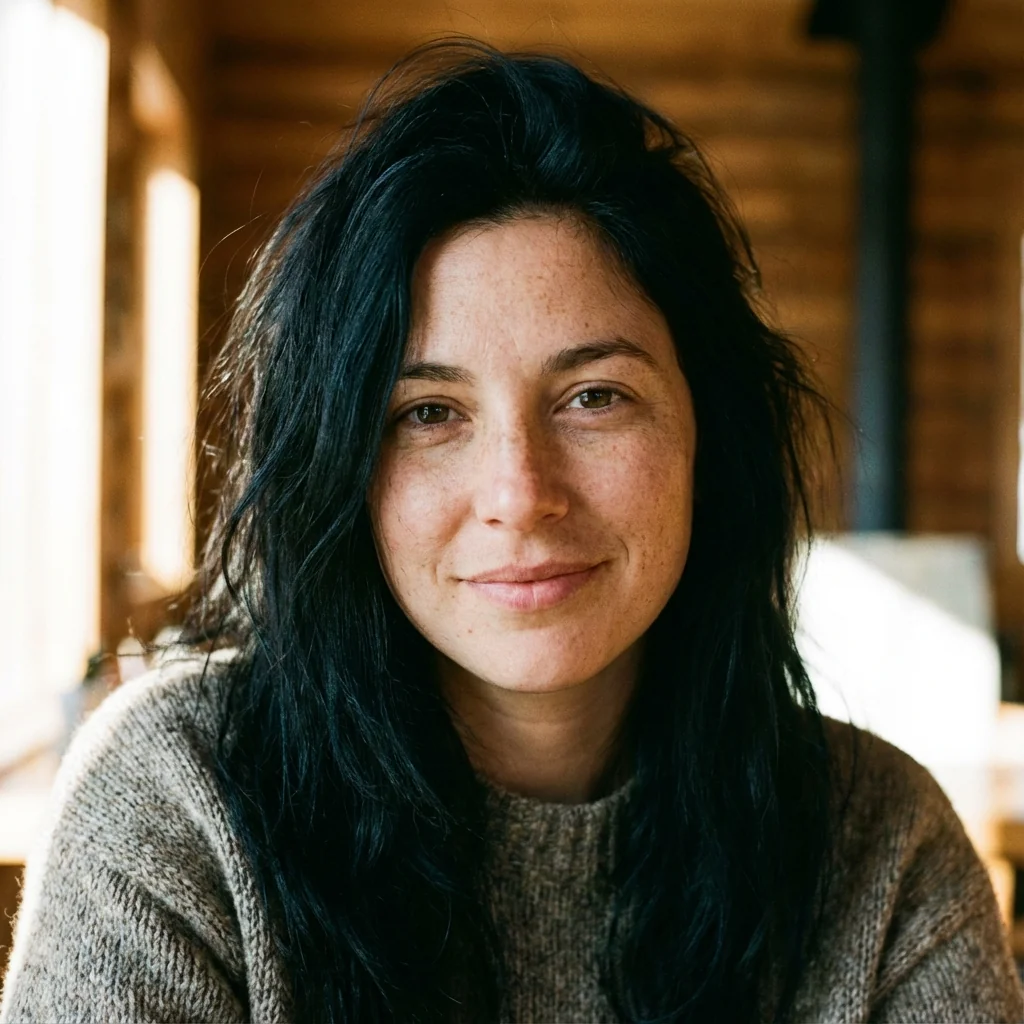
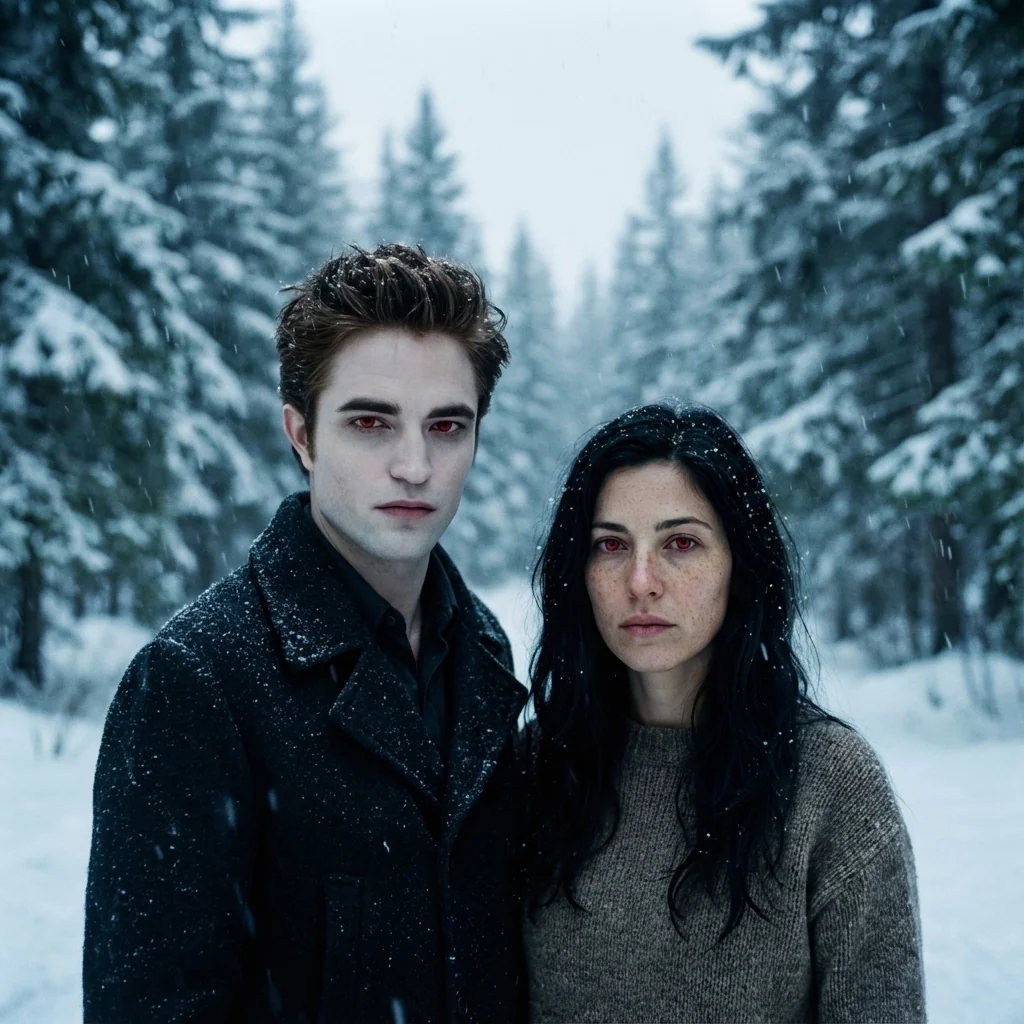
Free to try - Sign up in seconds
About This Trend
The Twilight Duo with Edward Cullen trend uses AI to place you directly into the Twilight universe alongside the iconic vampire Edward Cullen. This effect creates a cinematic medium-wide shot of you and Edward standing together in a snow-covered forest with matching deep red vampire eyes.
The Nano Banana Pro Edit model preserves your exact facial features, age, and identity while adding only the supernatural red vampire eyes. Edward Cullen appears beside you with his signature pale skin and sharp features, both characters sharing the same cold winter lighting and atmospheric snowfall that made Twilight visually iconic.
Perfect for Twilight fans who want to create their own vampire saga moment, this AI effect delivers ultra-realistic results with cinematic depth of field and professional color grading. The snowy pine forest background and moody blue atmosphere complete the authentic Twilight aesthetic.
Ready to create your own?
Try this trend for free. No credit card required, just sign up and start creating.
How It Works
Upload a clear front-facing photo
AI preserves your facial identity perfectly
Edward Cullen is generated beside you
Red vampire eyes and snowy atmosphere added
Download your Twilight duo portrait
Features
- Stand beside Edward Cullen in authentic Twilight setting
- Preserves your exact facial identity and features
- Matching deep red vampire eyes for both characters
- Ultra-realistic snowy forest environment
- Cinematic cold blue color grading
- Medium-wide duo shot composition
- High-resolution film quality output
Use Cases
- Twilight fan art with Edward Cullen
- Vampire duo social media content
- Fantasy couple portrait creation
- Twilight saga tribute posts
- Creative vampire selfie transformation
- Gothic romance aesthetic photos
Pro Tips for Better Results
Use a Clear Front-Facing Portrait
The GPT-Image 1.5 Edit model works best with well-lit, front-facing photos where your face is clearly visible. Avoid sunglasses, heavy shadows, or extreme angles. A neutral expression or slight smile translates better into the vampire aesthetic than exaggerated poses. If your input photo has poor lighting, consider generating a clean headshot first with AI Headshot Generator, then use that as your base image for the Twilight duo effect.
Match Edward's Pose with Your Body Language
Since the AI places Edward beside you in a standing duo composition, photos where you're already standing or positioned upright work best. Cropped headshots can sometimes create awkward body transitions. Full-body or torso-up shots give the model more spatial context to blend you naturally into the snowy forest scene. The default side-by-side arrangement mirrors classic Twilight promotional stills, so keeping your shoulders squared to the camera helps maintain that cinematic symmetry.
Let the Red Eyes Do the Talking
The signature red vampire eyes are the focal point of this effect, so avoid input photos where you're squinting or your eyes are partially closed. Wide-open eyes allow the AI to render the glowing red iris detail more dramatically. The GPT-Image 1.5 Edit model preserves your natural eye shape while adding the supernatural glow, so the more visible your iris is in the original photo, the more striking the final vampire transformation will appear.
Embrace the Cold Blue Atmosphere
This trend applies heavy cold blue color grading to match Twilight's iconic Pacific Northwest winter aesthetic. If your input photo has warm tones or golden-hour lighting, expect a dramatic shift toward cooler hues in the output. This isn't a flaw—it's intentional cinematic styling. Photos taken in neutral or cool lighting conditions will blend more seamlessly with the snowy forest background, but the AI handles warm-to-cool transitions effectively regardless.
Experiment with Custom Prompt Variations
While the default generates Edward standing beside you, you can modify the prompt to request different arrangements: Edward slightly behind you, both facing the camera, or even a closer shoulder-to-shoulder composition. The GPT-Image 1.5 Edit model supports natural language instructions, so try phrases like 'Edward closer in frame' or 'more dramatic snow falling' to fine-tune the atmosphere. Small prompt tweaks can shift the mood from romantic to intense without losing the core Twilight aesthetic.
Compare Output Quality Across Edit Models
If you want more control over Edward's appearance or the forest background details, test the same input photo with OpenAI GPT Image 2 Edit or FLUX 2 Dev Edit. Each model interprets the Twilight aesthetic slightly differently—GPT Image 2 tends toward softer, more painterly skin tones, while FLUX 2 Dev Edit can deliver sharper, more photorealistic textures. Running the same photo through multiple models lets you pick the version that best matches your creative vision.
Frequently Asked Questions
Other Models You Could Use
Ready to Try Twilight Duo with Edward Cullen?
Transform your images with AI in seconds. No design skills required.
Get Started FreeJoin thousands of creators using JAI Portal