Twilight Vampire Running in Snow
Transform into a Vampire Running Through Winter Forest
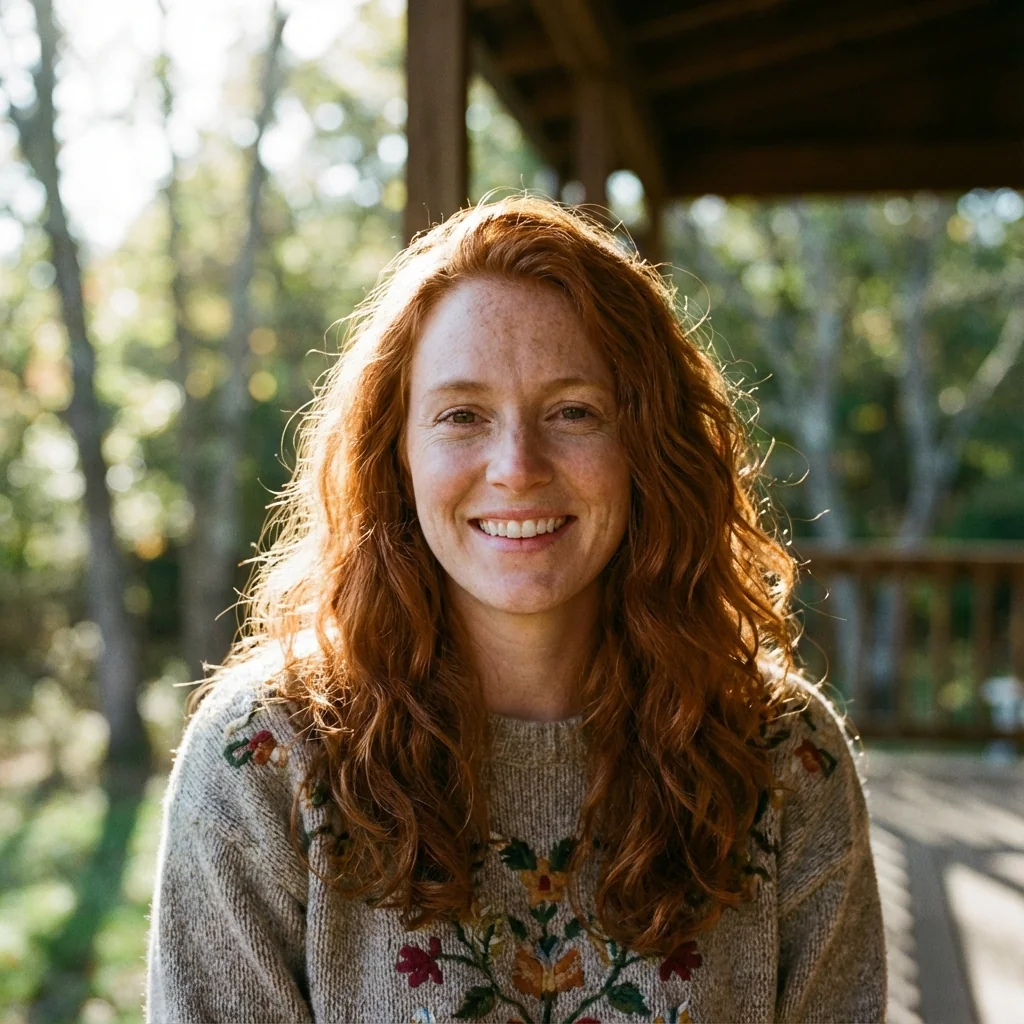
Free to try - Sign up in seconds
About This Trend
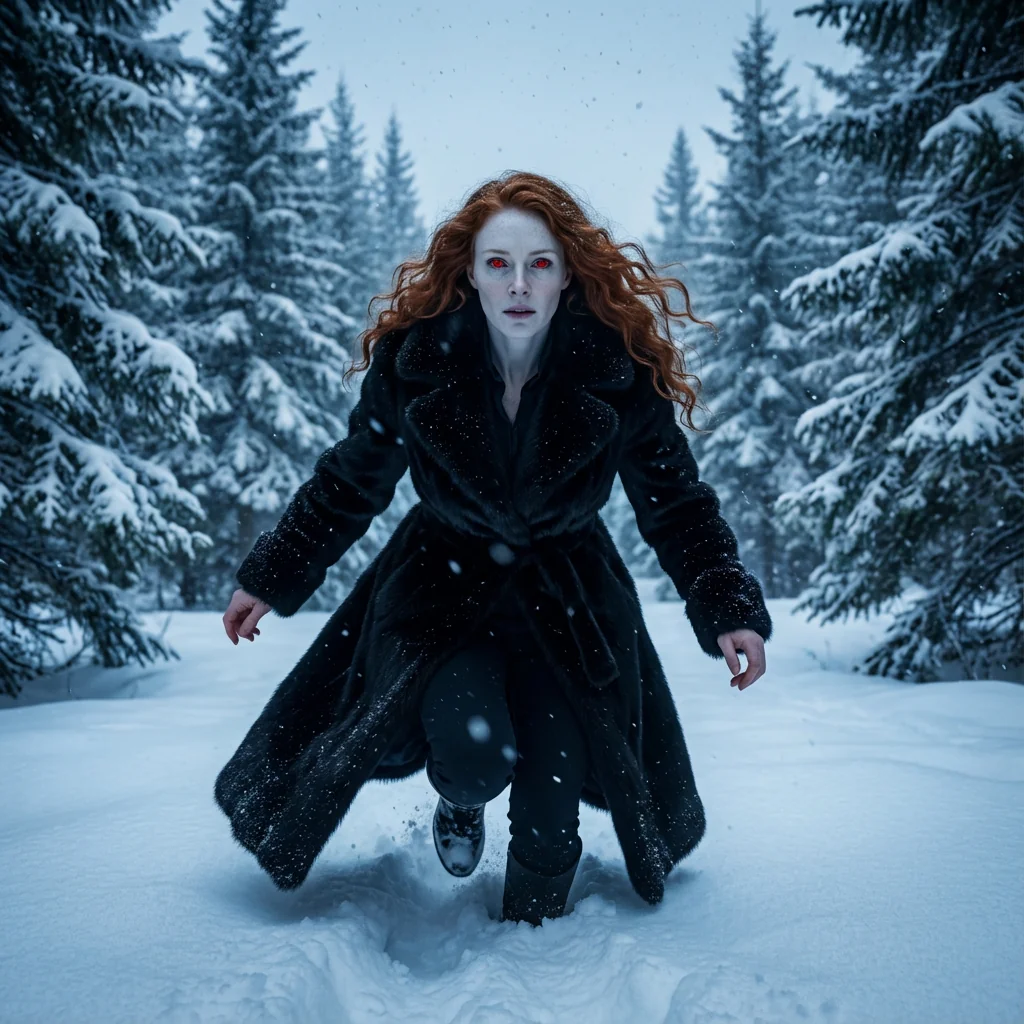
The Twilight Vampire Running in Snow trend captures the supernatural action and dramatic atmosphere of the Twilight saga, transforming your photos into cinematic vampire chase scenes through winter forests. This AI-powered effect creates dynamic, medium full-shot portraits that embody vampire speed, power, and otherworldly grace.
Using the advanced Nano Banana Pro Edit model, this transformation preserves your facial identity while adding supernatural elements including glowing intense red eyes, pale porcelain skin, and a dramatic crouching-forward running pose that conveys superhuman velocity. The luxurious black fur trench coat billows dramatically, while deep snow and winter pine trees create an authentic Twilight forest setting.
The cold color grading and moody atmospheric lighting perfectly recreate the iconic visual style of the Twilight films, with dramatic shadows and highlights that emphasize the supernatural nature of the scene. Unlike static portraits, this action-oriented effect captures movement and energy, making viewers feel like they're witnessing a vampire in motion.
This trend has exploded in popularity among Twilight enthusiasts, cosplayers, and content creators who want to embody the powerful, supernatural vampire aesthetic. Perfect for creating fan art, dynamic profile pictures, or storytelling content that brings the fantasy to life.
Whether you're recreating your favorite Twilight scenes or creating original vampire mythology content, this AI effect delivers Hollywood-quality supernatural action shots that capture the essence of vampire cinema.
Ready to create your own?
Try this trend for free. No credit card required, just sign up and start creating.
How It Works
Upload a clear photo (any pose works)
AI transforms your photo into a dynamic vampire running pose
Supernatural elements like glowing eyes and pale skin are added
Snowy forest environment and dramatic lighting are rendered
Download your cinematic vampire action portrait
Features
- Dynamic vampire running action pose
- Glowing intense red eyes with supernatural gaze
- Pale vampire skin with realistic texture
- Luxury black fur trench coat with motion blur
- Authentic snowy winter forest setting
- Cold cinematic color grading
- Dramatic lighting and moody atmosphere
- Preserves facial identity in action
- 8K masterpiece resolution output
Use Cases
- Twilight saga action scene recreations
- Dynamic vampire cosplay photography
- Supernatural action social media content
- Fantasy storytelling and narrative posts
- Book cover art for vampire action novels
- Character design for vampire fiction
- Creative action portrait photography
- Fan fiction visual content
Pro Tips for Better Results
Use Medium to Full-Body Shots
While the GPT-Image 1.5 Edit model can work with any photo, medium to full-body shots showcase the dramatic running pose and billowing coat most effectively. Avoid extreme close-ups that crop below the chest. For static headshots, consider AI Headshot Generator instead, then use this trend for action scenes.
Front-Facing Photos Work Best
The AI preserves facial identity most accurately when your original photo faces the camera directly. Profile shots or heavily angled faces may result in less recognizable transformations. The supernatural red eyes and pale skin render most dramatically when the model can clearly detect facial landmarks and eye positions in the source image.
Clear Lighting Improves Detail Rendering
Upload photos taken in good lighting conditions, even though the final output uses moody, cold color grading. Well-lit source images allow the GPT-Image 1.5 Edit model to capture more facial detail and texture, which translates to more photorealistic vampire skin and sharper supernatural features in the 8K output.
Experiment with Different Expressions
Neutral or intense expressions in your source photo translate into more dramatic vampire gazes. Smiling photos can work but may feel less authentic to the Twilight aesthetic. Try uploading several versions with different expressions to find which creates the most cinematic supernatural intensity in the final running pose.
Layer Multiple Edits for Custom Scenes
After generating your vampire running scene, you can use OpenAI GPT Image 2 Edit or FLUX 2 Dev Edit to further customize the background, adjust snow intensity, or add additional atmospheric elements like fog or moonlight without regenerating the entire transformation.
Save Originals for Series Creation
If you're creating a series of vampire action shots, keep your source photos consistent in lighting and resolution. This allows you to generate multiple scenes that feel cohesive for storytelling, fan fiction illustrations, or social media series. The model maintains consistent vampire characteristics across different runs when source quality matches.
Frequently Asked Questions
Other Models You Could Use
Ready to Try Twilight Vampire Running in Snow?
Transform your images with AI in seconds. No design skills required.
Get Started FreeJoin thousands of creators using JAI Portal