Twilight Dark Fantasy Winter Portrait
Transform into a Cinematic Winter Vampire in Snowy Forest

Free to try - Sign up in seconds
About This Trend
The Twilight Dark Fantasy Winter Portrait trend transforms your photo into a powerful, cinematic vampire portrait set in a snow-covered forest. This AI effect creates a striking solo portrait that captures the mysterious and supernatural essence of winter vampire aesthetics.
Using the Nano Banana Pro Edit model, this transformation strictly preserves your original facial identity while adding deep red vampire eyes and placing you in an atmospheric snowy environment. The composition features you standing centered and powerful, wearing a dramatic long black fur coat over a minimal white outfit, creating stunning visual contrast against the cold winter background.
The cold blue and silver color grading, combined with soft overcast lighting and gently falling snow, creates an authentic dark fantasy atmosphere. Perfect for Twilight fans, gothic aesthetic lovers, and anyone seeking a powerful supernatural portrait with professional film quality.
Ready to create your own?
Try this trend for free. No credit card required, just sign up and start creating.
How It Works
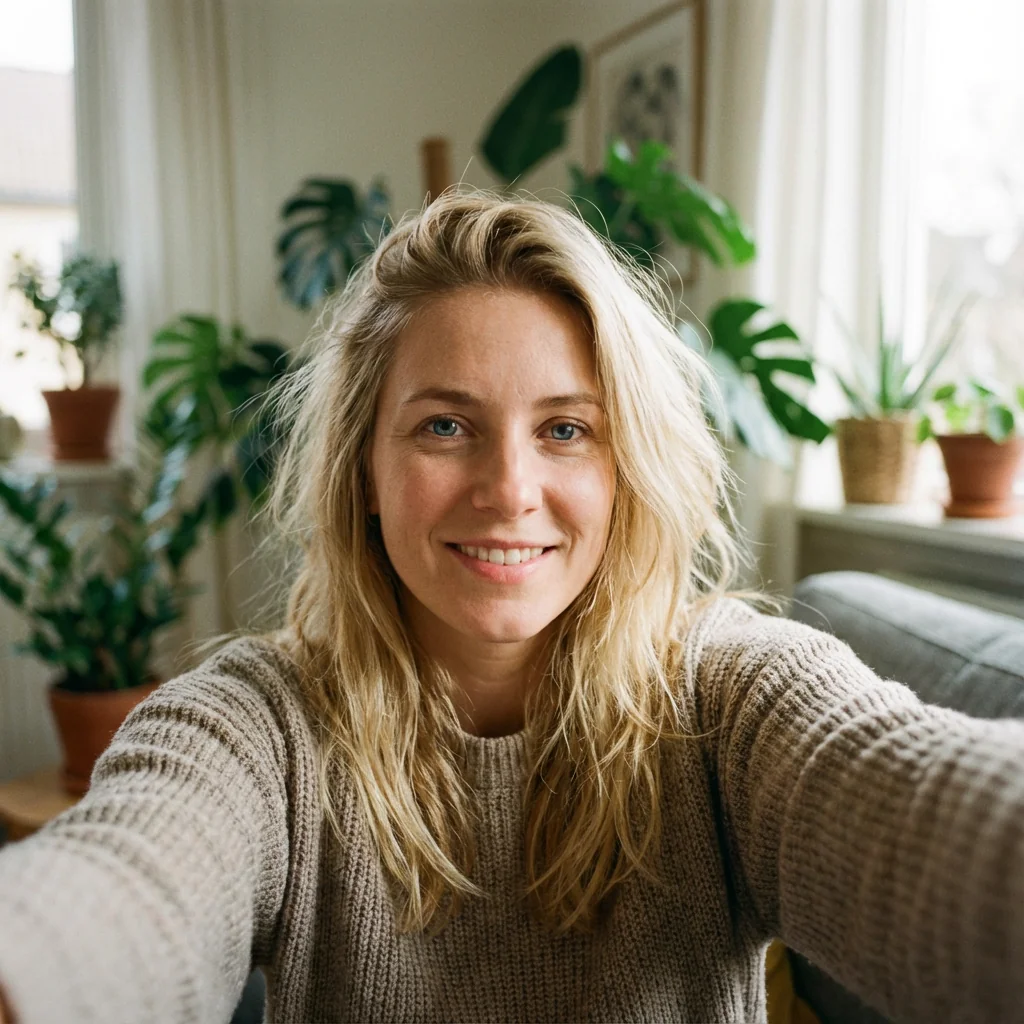
Upload a clear, well-lit portrait photo
AI preserves your facial identity perfectly
Red vampire eyes and winter atmosphere added
Black fur coat and snowy forest environment rendered
Download your cinematic dark fantasy portrait
Features
- Preserves exact facial identity and features
- Deep red vampire eyes with natural iris detail
- Dramatic black fur coat with white outfit contrast
- Atmospheric snow-covered forest setting
- Cold blue and silver cinematic color grading
- Gently falling snow particles for depth
- Shallow depth of field with sharp subject focus
- Ultra-realistic skin and fabric textures
- High-resolution professional film look
Use Cases
- Dark fantasy vampire portraits
- Winter gothic aesthetic photography
- Twilight-inspired solo portraits
- Powerful supernatural character shots
- Cinematic profile pictures
- Fashion-forward vampire content
- Social media dark fantasy posts
Pro Tips for Better Results
Use Forward-Facing Portrait Photos
The GPT-Image 1.5 Edit model works best with straight-on portrait angles where your face is clearly visible and centered. Avoid extreme side profiles or tilted heads, as the vampire eye transformation and facial identity preservation are optimized for frontal compositions. Natural head positioning helps the AI maintain your exact features while adding the supernatural red-eye effect seamlessly.
Ensure Even Lighting on Your Face
Upload photos with balanced, diffused lighting across your face to help the AI preserve your skin texture and facial structure accurately. Harsh shadows or strong directional light can interfere with the identity-matching algorithm. The model will add its own atmospheric cold lighting and snowfall effects, so your input photo should prioritize clear facial visibility over dramatic lighting setups.
Higher Resolution Inputs Yield Sharper Results
While the model handles various input sizes, starting with at least 1024px on the shortest side produces noticeably sharper fabric textures in the black fur coat and more detailed snow particles. If you need professional-grade output for print or large displays, consider the FLUX 2 Dev Edit model for even higher resolution capabilities, though it may interpret the vampire aesthetic differently.
Keep Your Original Expression Neutral or Intense
Subtle smiles or neutral expressions work best for the dark fantasy vampire aesthetic. The AI preserves your exact expression, so overly cheerful or exaggerated faces can clash with the moody winter atmosphere. A slight intensity in your eyes or a closed-mouth serious look enhances the supernatural character. The red vampire eyes will amplify whatever emotional tone your original expression conveys.
Avoid Busy Backgrounds in Input Photos
The model replaces your background entirely with the snowy forest scene, but complex or cluttered original backgrounds can sometimes leave edge artifacts around your hair or shoulders. Simple, solid-colored backgrounds in your input photo help the AI create cleaner cutouts. If you frequently need background replacements, the OpenAI GPT Image 2 Edit model offers similar editing capabilities with different edge-handling algorithms.
Match Your Body Posture to the Aesthetic
Stand tall with shoulders back in your original photo to complement the powerful, centered vampire composition. Slouched or casual postures can reduce the dramatic impact of the black fur coat transformation. The AI adapts to your body type but maintains your original stance, so confident, upright positioning creates a more commanding final portrait that matches the cinematic Twilight-inspired mood.
Frequently Asked Questions
Other Models You Could Use
Ready to Try Twilight Dark Fantasy Winter Portrait?
Transform your images with AI in seconds. No design skills required.
Get Started FreeJoin thousands of creators using JAI Portal