Ultra-Realistic Glacial Freeze
Turn Yourself into a Frozen Ice Sculpture
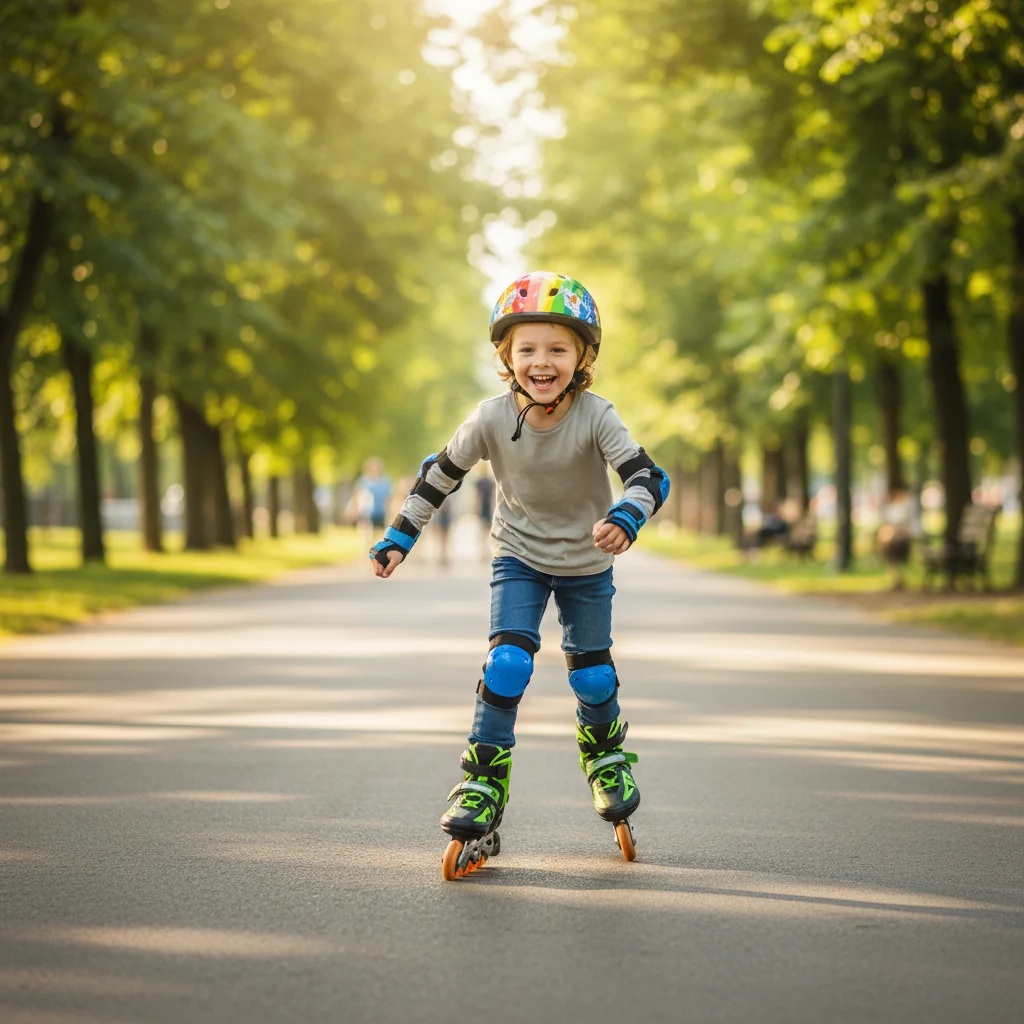
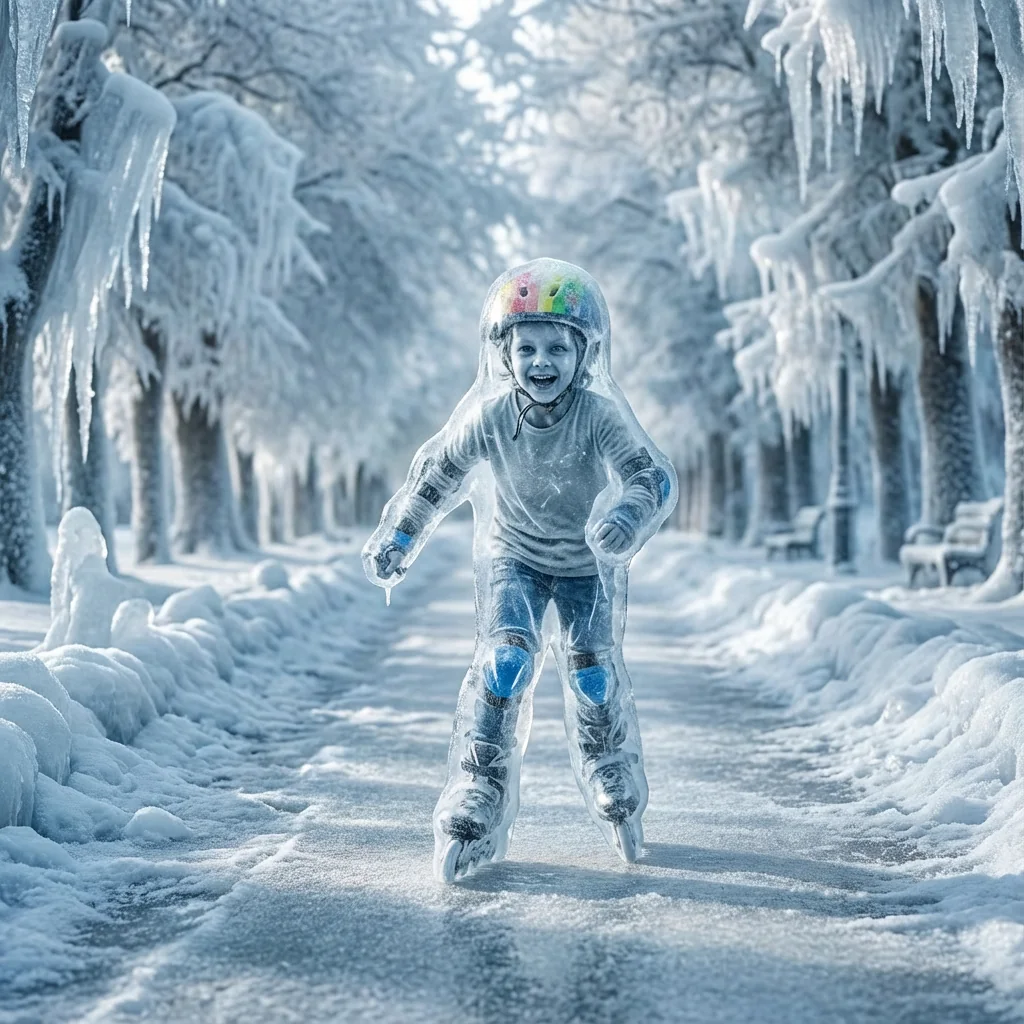
Free to try - Sign up in seconds
About This Trend
The Ultra-Realistic Glacial Freeze trend transforms your photo into a hyper-detailed frozen moment where time itself feels stopped. This AI effect encases the subject, clothing, hair, and environment in thick translucent white ice with realistic depth, internal fractures, and light scattering.
Powered by Nano Banana Pro Edit, the transformation preserves facial structure and composition while applying physically accurate frozen textures. Skin appears pale and lifeless with cold undertones, fabrics stiffen under ice pressure, and hair strands freeze into rigid crystalline forms. The lighting remains cold and cinematic, enhancing the realism of frost highlights and icy glow.
Perfect for dramatic portraits, cinematic edits, winter-themed visuals, and high-impact social media content that demands extreme realism without fantasy or stylization.
Ready to create your own?
Try this trend for free. No credit card required, just sign up and start creating.
How It Works
Upload a clear portrait or full-body photo
AI analyzes subject and environment
Skin, clothing, hair, and surroundings are frozen
Ice layers and light scattering are applied
Download your ultra-realistic glacial freeze image
Features
- Ultra-realistic frozen skin appearance
- Translucent white ice with depth and light scattering
- Frozen clothing folds and rigid hair strands
- Physically dense and heavy ice texture
- Cold cinematic lighting with icy highlights
- No fantasy or stylized effects
- Hyper-realistic environmental freezing
- Time-stopped glacial atmosphere
- High-detail ice cracks and layers
Use Cases
- Cinematic portrait edits
- Winter-themed visual campaigns
- High-impact social media posts
- Conceptual frozen character art
- Album or poster visuals
- Dramatic profile pictures
- AI realism showcases
Pro Tips for Better Results
Use High-Resolution Source Photos
The glacial freeze effect relies on fine detail to render realistic ice fractures and light scattering. Upload images at least 1024px on the shortest side with sharp focus on the subject. Blurry or low-resolution inputs will produce soft ice textures that lack the hyper-realistic depth this trend is known for. If you need to upscale first, consider preprocessing with AI Headshot Generator for portrait clarity before applying the freeze.
Choose Neutral or Cold Lighting
Photos taken in warm golden hour light or with heavy color grading can fight against the cold cinematic tone. Start with images shot in overcast, indoor, or neutral daylight conditions. The Nano Banana Pro Edit model will handle color correction, but giving it a cooler starting palette helps preserve the icy atmosphere and reduces color clashing in the final frozen render.
Avoid Busy or Cluttered Backgrounds
While the AI freezes the entire scene, overly complex backgrounds with lots of small objects can create visual noise when encased in translucent ice. Opt for simple environments—studio backdrops, plain walls, or outdoor settings with minimal clutter. This keeps the focus on the frozen subject and allows the ice layers and light scattering to shine without distraction.
Experiment with Fabric and Hair Texture
The effect works best when the subject wears textured clothing or has visible hair movement. Flowing fabrics, layered garments, and loose hair strands freeze into dramatic crystalline forms with rigid folds and individual frozen strands. Flat, tight clothing or slicked-back hair reduces the visual impact. For more control over fabric detail before freezing, try FLUX 2 Dev Edit to adjust garment structure first.
Check Skin Tone Compatibility
The frozen skin effect applies pale, lifeless cold undertones across all skin tones. Darker skin tones may see a more dramatic shift in color. Preview the output and adjust your source photo's exposure if needed—slightly brighter input images help preserve facial features under the ice. The Nano Banana Pro Edit model maintains structure well, but starting exposure matters for realism.
Combine with Manual Edits for Maximum Impact
Once you download your glacial freeze image, consider adding subtle post-processing: boost contrast in the ice highlights, sharpen fracture details, or add a vignette to enhance the cinematic cold atmosphere. For more advanced manual editing after the AI pass, JAI Portal Spicy Image Editor offers precise control over localized adjustments without redoing the entire freeze effect.
Frequently Asked Questions
Other Models You Could Use
Ready to Try Ultra-Realistic Glacial Freeze?
Transform your images with AI in seconds. No design skills required.
Get Started FreeJoin thousands of creators using JAI Portal