Urban Legend Mural: Turn Yourself into a Giant Street Art Graffiti
Transform yourself into epic street art on city walls
Free to try - Sign up in seconds
About This Trend
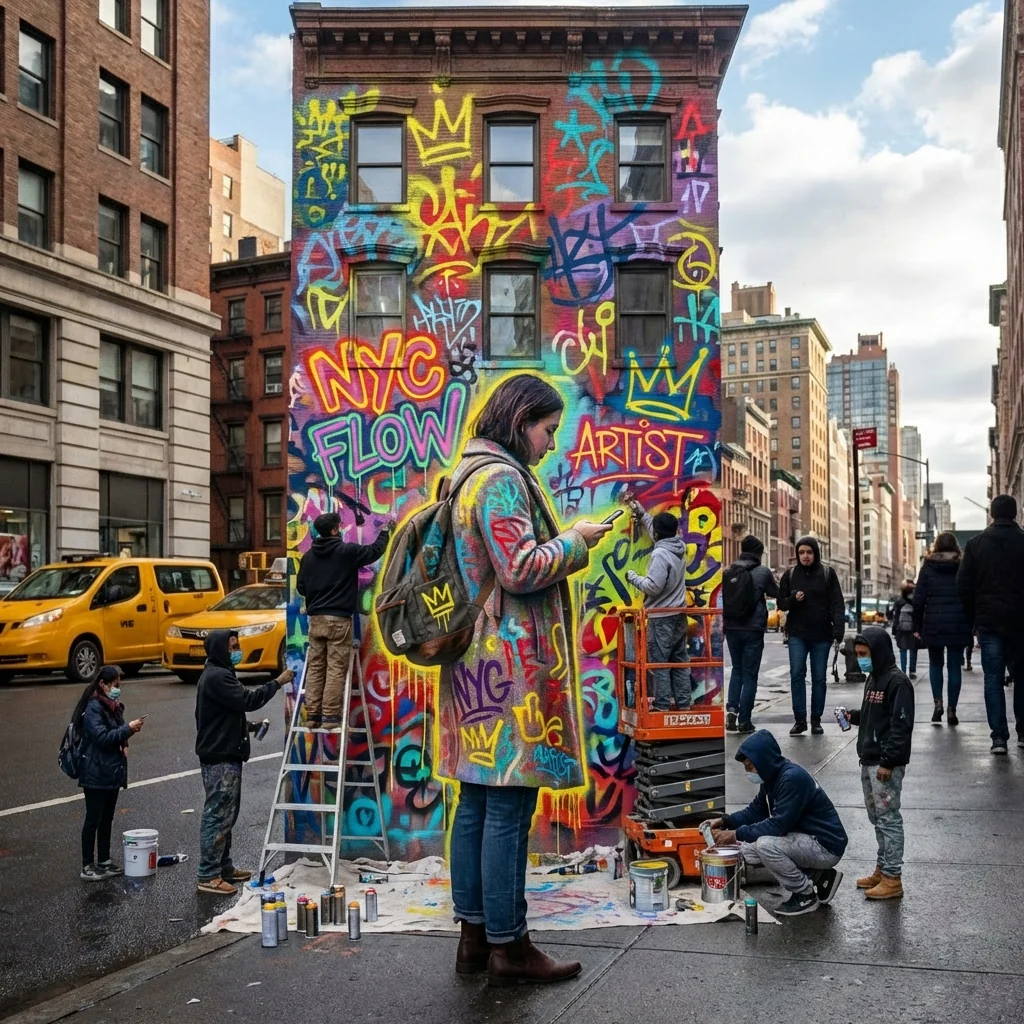
Urban Legend Mural revolutionizes personal expression through AI-powered street art transformation. This cutting-edge tool converts your portrait into a magnificent spray-paint mural covering an entire building facade, creating hyper-realistic graffiti art that looks like it was painted by professional street artists. Unlike generic photo filters, this AI analyzes your original location and recreates authentic urban environments matching your city's unique architectural style, building materials, and street culture.
The AI technology intelligently adapts every element to your specific location. Whether you're in Tokyo, Berlin, São Paulo, or Melbourne, the generated mural respects local building styles, street layouts, signage conventions, and urban density. The graffiti style incorporates vibrant street art elements - neon lettering, abstract shapes, crowns, symbols, and overlapping spray textures in yellow, red, blue, green, and purple - all applied with authentic street art techniques. The system even populates your scene with 10 young artists actively painting the mural, dressed in region-appropriate streetwear, complete with realistic paint cans, ladders, masks, and equipment scattered naturally across the pavement.
What makes Urban Legend Mural exceptional is its commitment to photorealism and cultural authenticity. The AI generates street scenes that perfectly match your city's character: appropriate pedestrians, vehicles, local transit types, region-specific license plates, road markings, and street furniture. Shot from an ultra-wide angle at street level, the final 8K UHD image captures the entire building in frame with bright natural daylight and realistic shadows. The result isn't a fantasy or exaggerated concept - it's a believable photograph that looks like you discovered an actual mural tribute in your neighborhood. Perfect for social media impact, portfolio pieces, or imagining yourself as a street art icon.
Ready to create your own?
Try this trend for free. No credit card required, just sign up and start creating.
How It Works
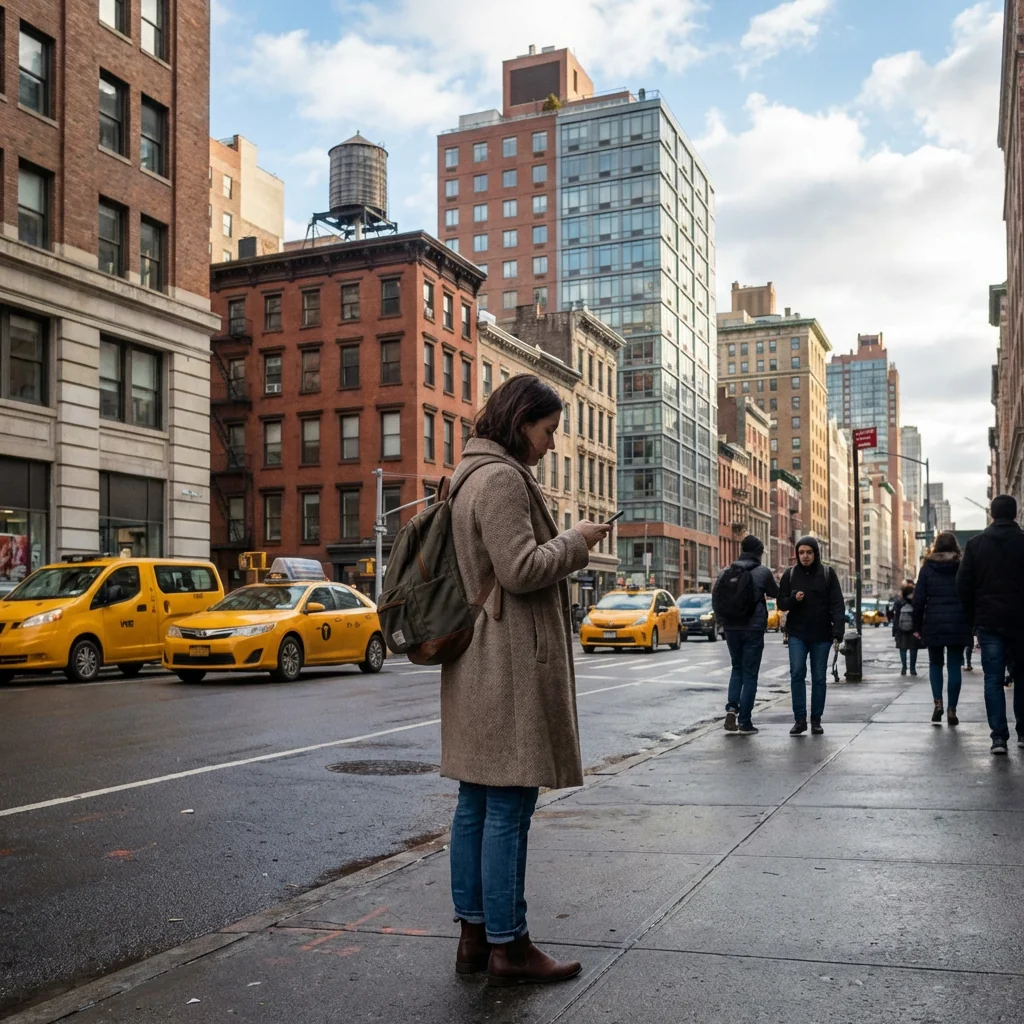
Upload a clear portrait photo taken in your city or preferred urban location
The AI analyzes your image location and automatically matches local architecture styles
Advanced algorithms generate a 5-story building mural with authentic graffiti elements
Download your 8K UHD street art masterpiece and share across social platforms
Features
- Hyper-realistic AI-generated street art murals on full building facades
- Location-intelligent architecture matching your city's authentic building styles
- Vibrant graffiti effects with neon lettering, symbols, and spray textures
- 10 AI-generated street artists actively painting your mural with realistic equipment
- City-specific environmental details: vehicles, pedestrians, signage, and street furniture
- Ultra-wide angle street-level perspective capturing entire building in frame
- 8K UHD resolution output for maximum detail and social media impact
- Natural daylight rendering with realistic shadows and atmospheric depth
- Region-appropriate streetwear and cultural elements for authentic urban feel
- One-click transformation from portrait to photorealistic street art scene
Use Cases
- Create viral social media content showcasing yourself as legendary street art
- Design unique portfolio pieces for artists, influencers, and creative professionals
- Generate personalized gifts showing loved ones as iconic urban murals
- Produce eye-catching marketing materials with authentic street art aesthetics
- Visualize yourself as part of your city's cultural landscape and street art scene
- Create memorable profile pictures and cover images with urban edge
- Develop concept art for street art projects and mural commissions
Pro Tips for Better Results
Shoot Against Recognizable City Landmarks
Take your source photo near distinctive local architecture—subway entrances, iconic building styles, or recognizable street furniture. The AI uses these visual cues to generate authentic urban environments. Photos with clear architectural context in the background help Nano Banana Pro Edit accurately match your city's building materials, window patterns, and street layouts, creating murals that feel genuinely local rather than generic.
Use Natural Daylight for Realistic Shadows
Upload portraits taken in bright, even outdoor daylight between 10 AM and 3 PM. The AI generates street scenes with realistic shadow casting and atmospheric depth that matches natural lighting conditions. Avoid harsh direct sun or indoor lighting, which can create inconsistent shadows in the final mural. Well-lit source images allow Nano Banana Pro Edit to render convincing sunlight angles across the entire building facade.
Center Your Face for Maximum Mural Impact
Position your face prominently in the center of the frame with minimal cropping. The AI scales your portrait to cover a 5-story building, so centered composition ensures your features remain the focal point of the mural. Avoid extreme angles or side profiles—straight-on or slight three-quarter angles work best. If you need precise facial positioning first, try AI Headshot Generator before applying the street art effect.
Higher Resolution Input Equals Sharper Graffiti Details
Upload the highest resolution photo available—ideally 2000 pixels or larger on the shortest side. The 8K UHD output preserves fine details like spray texture, neon lettering edges, and individual paint drips. Low-resolution sources create pixelated murals that lose the hyper-realistic quality. Check your phone's camera settings to shoot in maximum resolution mode before uploading to Nano Banana Pro Edit.
Clear Facial Features Beat Complex Backgrounds
While city context helps, prioritize sharp focus on your face over busy backgrounds. The AI rebuilds the entire urban scene anyway, so a slightly blurred background won't hurt results. What matters most is clear facial definition—eyes, nose, mouth, and skin texture. If your original photo has distracting elements, consider using JAI Portal Spicy Image Editor to clean up the composition first.
Portrait Orientation Works Best for Vertical Murals
Shoot your source photo in vertical portrait orientation to match the tall building facade format. Landscape photos get cropped or letterboxed, potentially cutting off important facial features. Vertical framing gives Nano Banana Pro Edit optimal canvas space to render the full 5-story mural with street-level perspective, artists at work, and surrounding urban context without awkward composition adjustments.
Frequently Asked Questions
Other Models You Could Use
Ready to Try Urban Legend Mural: Turn Yourself into a Giant Street Art Graffiti?
Transform your images with AI in seconds. No design skills required.
Get Started FreeJoin thousands of creators using JAI Portal