Whimsical Doodle World: Transform Your Background into Hand-Drawn Cartoon Art
Turn Photos into Whimsical Hand-Drawn Cartoon Worlds
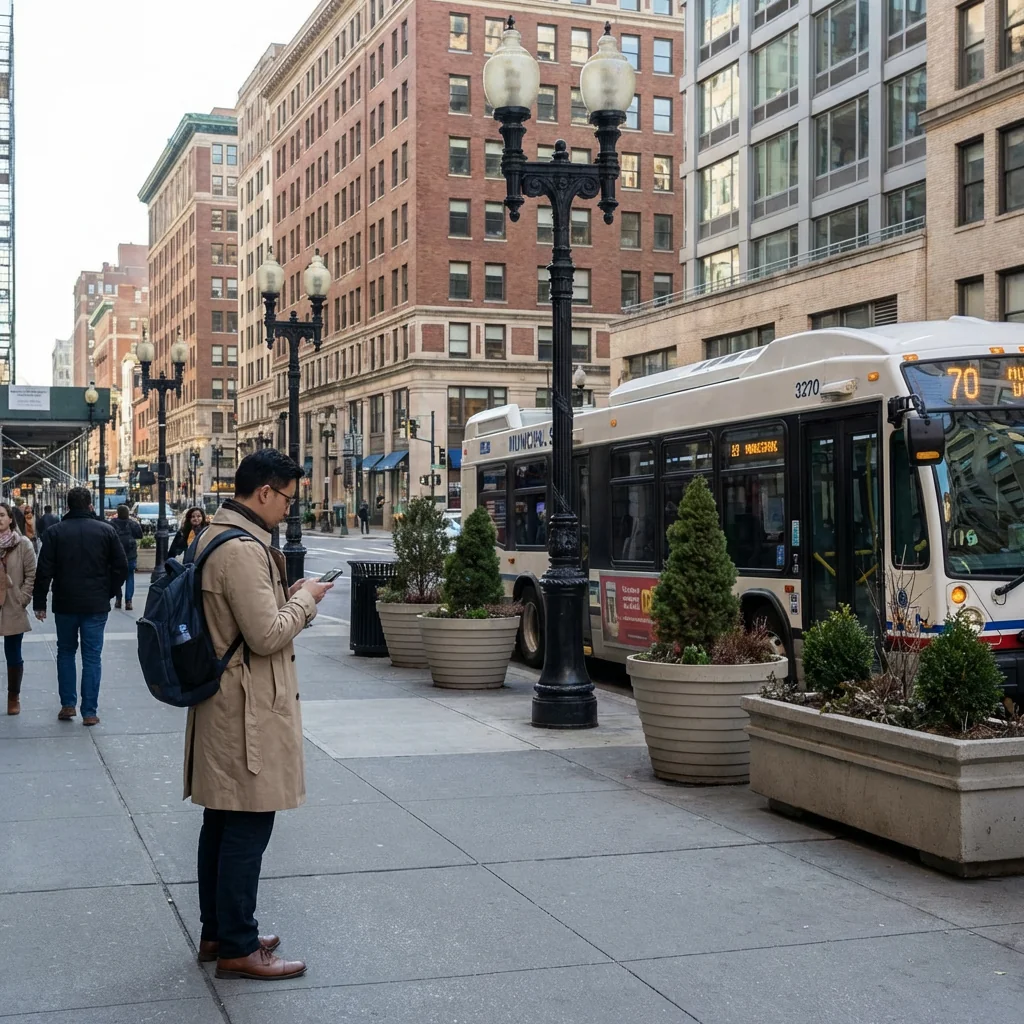
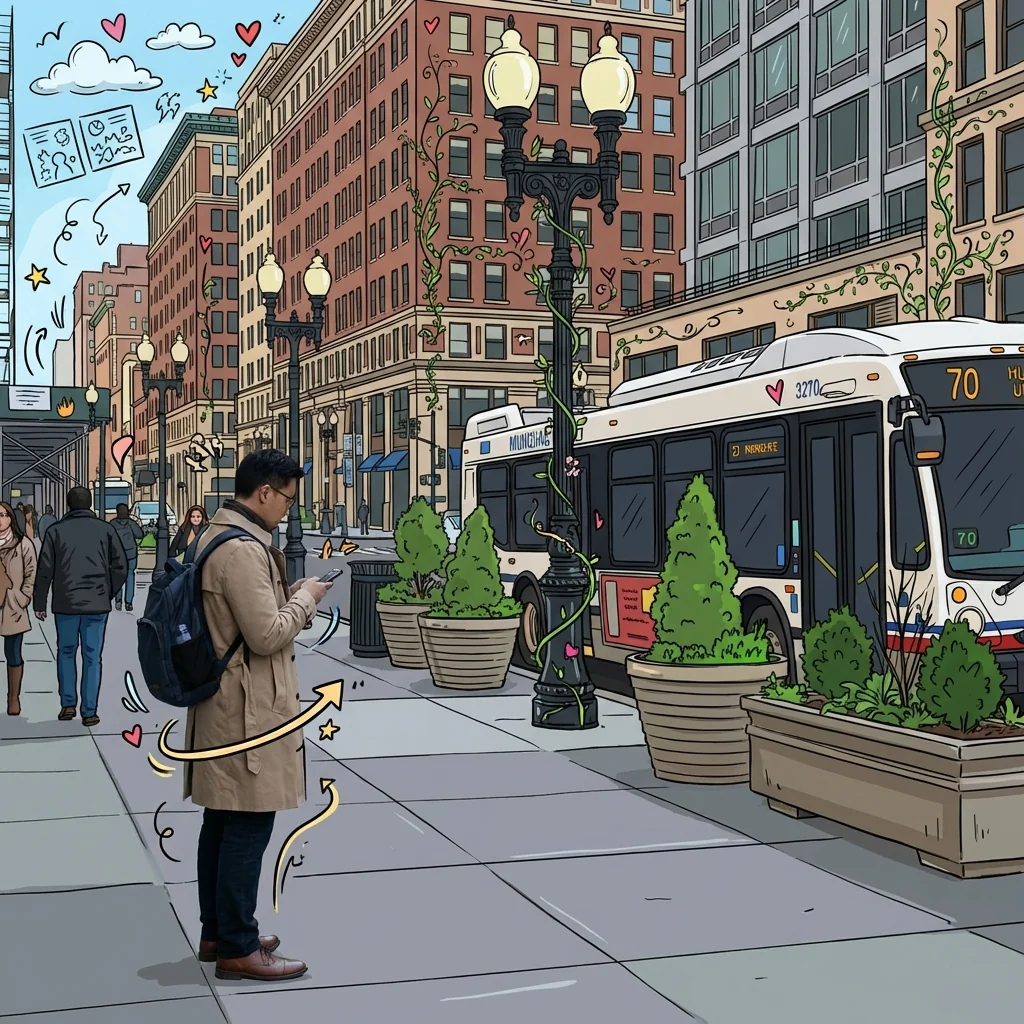
Free to try - Sign up in seconds
About This Trend
Welcome to the magical world of Whimsical Doodle World, where your ordinary photographs transform into extraordinary mixed-media masterpieces. This revolutionary AI-powered tool combines the best of both worlds: photorealistic subjects set against vibrant, hand-drawn cartoon backgrounds. Imagine your favorite photos reimagined as if they were plucked from the pages of a whimsical illustrated storybook, where every building becomes a colorful sketch, every cloud a playful doodle, and every street lamp adorned with climbing vines and decorative elements.
Our advanced artificial intelligence technology analyzes your image and intelligently separates the subject from the background, applying sophisticated cartoon overlay effects that mimic the authentic style of hand-drawn illustrations. Buildings transform into outlined sketches with bright, cheerful color fills. Street lamps gain decorative swirls and climbing botanical elements. The sky fills with cartoon clouds, while hearts, stars, and playful arrows dance around your subject. Windows become geometric patterns, plants turn into stylized botanical doodles, and the ground beneath evolves into a whimsical illustrated surface. Every element receives the doodle treatment except your subject, which remains perfectly realistic, creating a stunning contrast that makes your photos truly unforgettable.
Whether you're a social media content creator looking to stand out, a photographer seeking unique artistic styles, a marketer crafting eye-catching campaigns, or simply someone who loves creative photo editing, Whimsical Doodle World offers endless possibilities. Transform vacation photos, portrait sessions, product photography, or everyday snapshots into gallery-worthy artwork. No artistic skills required—just upload your photo and watch as our AI instantly converts your background into a charming cartoon wonderland. Perfect for Instagram posts, YouTube thumbnails, website graphics, print materials, greeting cards, and more. Join thousands of users already creating magical doodle world transformations and bring your photos to life with playful, hand-drawn cartoon charm.
Ready to create your own?
Try this trend for free. No credit card required, just sign up and start creating.
How It Works
Upload your photo: Select any image with a clear subject and background elements like buildings, sky, or street scenes
AI processing begins: Watch as our intelligent algorithm identifies your subject and separates it from the background elements
Cartoon transformation: The AI converts backgrounds into hand-drawn doodle art with colorful fills, sketched outlines, and playful decorations
Preview and download: Review your whimsical creation, make any adjustments, and download in high resolution for any use
Share your art: Post your unique doodle world photo to social media or use in creative projects and marketing materials
Features
- AI-powered background-to-cartoon transformation with realistic subject preservation
- Hand-drawn doodle overlays including hearts, stars, arrows, and decorative elements
- Automatic building and architecture conversion to outlined cartoon sketches
- Colorful fill application with vibrant, eye-catching color palettes
- Whimsical sky transformation with cartoon clouds and playful patterns
- Decorative vine and botanical doodle additions to objects and structures
- Smart subject detection keeping people and focal points photorealistic
- One-click processing with instant preview and download capabilities
- High-resolution output perfect for prints, social media, and commercial use
- Customizable doodle intensity and color scheme adjustments
Use Cases
- Transform vacation and travel photos into illustrated storybook memories
- Create eye-catching social media posts and Instagram content that stands out
- Design unique YouTube thumbnails with cartoon background effects
- Enhance portrait photography with whimsical artistic backgrounds
- Develop creative marketing materials and advertising campaigns
- Make personalized greeting cards and gift prints with doodle art style
- Generate engaging blog post headers and website graphics with cartoon flair
Pro Tips for Better Results
Choose Photos with Clear Depth Separation
For the best doodle transformation, use photos where your subject stands distinctly apart from the background. Street portraits, urban scenes with people in the foreground, and outdoor shots with clear sky work exceptionally well. The Nano Banana Pro Edit model excels at detecting subject boundaries, but giving it clean separation helps ensure your subject stays photorealistic while everything else becomes cartoon magic.
Urban Architecture Creates the Most Dramatic Results
Buildings, street lamps, storefronts, and architectural details transform beautifully into outlined sketches with vibrant fills. The more structural elements in your background, the more whimsical doodles the AI can generate. Parks with benches, cityscapes with multiple buildings, and streets with signage all provide rich material for the cartoon overlay effect, creating that storybook aesthetic that makes this trend so shareable.
Lighting Matters for Subject Preservation
Well-lit subjects remain more photorealistic during the transformation process. Avoid heavily backlit photos where your subject appears as a silhouette, as the AI needs clear detail to distinguish what to preserve. Golden hour lighting or overcast days provide even illumination that helps Nano Banana Pro Edit accurately separate your subject from the background elements that will become doodles.
Start with Medium-Distance Shots
Full-body or three-quarter portraits work better than extreme close-ups or distant wide shots. Medium distance gives the AI enough background to transform into doodle art while keeping your subject prominent. If you need tighter headshots with creative backgrounds, consider AI Headshot Generator for a different approach, but for the full whimsical doodle world effect, step back slightly when capturing your original photo.
Sky and Open Space Amplify the Effect
Photos with visible sky, clouds, or open background areas allow the AI to add cartoon clouds, floating hearts, stars, and decorative elements that enhance the storybook feel. Purely indoor shots with walls can still work, but outdoor scenes with atmospheric elements give the doodle transformation more canvas to work with, creating richer, more playful results that truly pop on social media.
Avoid Busy Patterns on Your Subject
Keep your subject wearing solid colors or simple patterns to help the AI accurately preserve realistic details. Intricate patterns, fine textures, or highly detailed clothing can sometimes confuse the boundary detection. The cleaner your subject appears, the sharper the contrast between the photorealistic foreground and the whimsical doodled background, which is exactly what makes this mixed-media effect so striking and share-worthy.
Frequently Asked Questions
Other Models You Could Use
Ready to Try Whimsical Doodle World: Transform Your Background into Hand-Drawn Cartoon Art?
Transform your images with AI in seconds. No design skills required.
Get Started FreeJoin thousands of creators using JAI Portal