Clean Videos Fast
AI Video Watermark Remover – Clean Supplier Stamps in Seconds
Upload watermarked video, get clean footage back. No frame-by-frame editing. Built for e-commerce, agencies, and content teams.
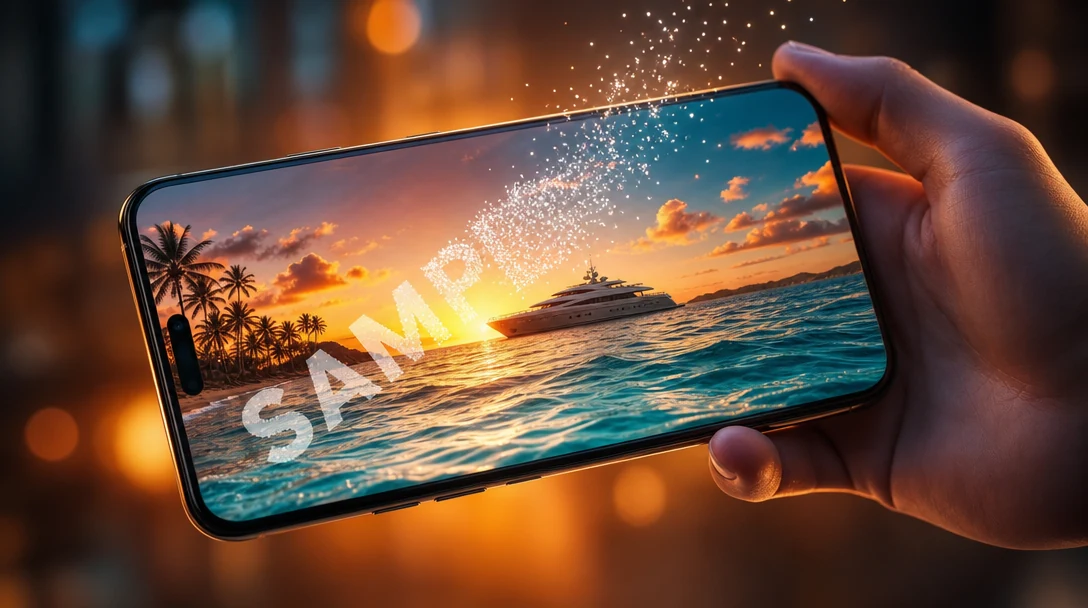
Examples
See AI Video Watermark Remover in Action
Click any thumbnail to preview the output. Click "Try It Now" to open the generator pre-filled with the same setup.
Video Examples
AI Video Watermark Remover
Input
Output
E-commerce Product
Try It Now →
Input
Output
Restaurant Food
Try It Now →
Input
Output
Real Estate
Try It Now →
Input
Output
Fashion Apparel
Try It Now →
Input
Output
Beauty Cosmetics
Try It Now →
Input
Output
Fitness Gym
Try It Now →
Input
Output
Electronics Gadget
Try It Now →
Input
Output
Automotive
Try It Now →
Input
Output
Home Goods
Try It Now →
Input
Output
Pet Products
Try It Now →
Input
Output
Travel Lifestyle
Try It Now →
Input
Output
Supplier Demo
Try It Now →
How It Works
Create in 3 Simple Steps
1
Upload Watermarked Video
Select your watermarked video file—supplier product clips, property walkthroughs, social media downloads, or licensed B-roll. JAI Portal accepts MP4, MOV, and most common video formats up to 4K resolution.
2
AI Removes Watermark
The AI analyzes each frame, detects the watermark region, and reconstructs the underlying scene using motion-aware inpainting. Processing takes seconds per video, with no manual masking or keyframe work required.
3
Download Clean Footage
Preview the cleaned video, scrub through to verify quality, then download the watermark-free file. Use it immediately in your storefront, ad campaign, social post, or client deliverable—full commercial rights included.
The Problem & Solution
Why Choose AI for This?
⚡
Before: Spending hours manually masking and cloning watermarks frame-by-frame in Premiere Pro or After Effects for every supplier video.
↓
With JAI Portal: Upload your watermarked video to JAI Portal, and the AI removes stamps in seconds—no timeline editing, no keyframes, no render wait.
💳
Before: Paying monthly subscriptions for video editing software you only use to clean watermarks from a few clips per week.
↓
With JAI Portal: Pay only for the videos you clean with JAI Portal's credit system—no monthly fees, no unused seats, no software licenses.
🎬
Before: Losing motion quality, color accuracy, or introducing artifacts when manually painting out watermarks across hundreds of frames.
↓
With JAI Portal: JAI Portal's AI reconstructs each frame intelligently, preserving motion, lighting, and detail while cleanly erasing the watermark.
Overview
About AI Video Watermark Remover
An AI video watermark remover is a tool that automatically detects and removes watermarks, logos, and sample stamps from video footage you own or have licensed. E-commerce sellers cleaning supplier product videos for Shopify listings, dropshippers preparing ad creatives, real estate agents removing MLS watermarks from property walkthroughs, and social media managers stripping TikTok or Instagram logos from their own downloaded content all face the same bottleneck: manual frame-by-frame editing in Premiere or After Effects takes hours per clip. JAI Portal's video watermark remover solves this by using AI to reconstruct each frame, delivering clean footage in seconds while preserving motion, lighting, and quality.
JAI Portal gives you access to advanced AI video watermark removal with no subscription required—just pay-per-video using credits. New users get 10 free credits to test the tool on their own watermarked clips, and every video you clean is yours to use commercially on storefronts, ads, social posts, or client deliverables. Whether you're batch-processing a catalog of 50 supplier videos or cleaning a single high-value property walkthrough, you only pay for what you process. The AI handles diagonal stamps, corner logos, and platform-specific watermarks like CapCut, TikTok, Instagram, and YouTube Shorts marks—all without requiring you to touch a timeline or mask a single keyframe.
Marketing agencies reusing licensed B-roll for pitch decks, restaurant brands cleaning food videography from suppliers, influencers preparing sponsored clips for cross-platform use, and video editors finishing client projects with sample-stamped source footage all benefit from the same workflow: upload, process, download. No software installs, no render queues, no subscription tiers. JAI Portal's AI video watermark remover is built for teams that need clean assets fast, at scale, with full commercial rights. Start cleaning your watermarked videos today and reclaim hours of editing time.
Key Benefits
Why E-Commerce Sellers and Agencies Choose JAI Portal for Watermark Removal
⏱️
Seconds Per Video
Process watermarked clips in seconds, not hours. Upload a supplier product video, get clean footage back instantly—no timeline scrubbing, no render queues. Perfect for catalog work and tight deadlines.
🎨
Smart Frame Reconstruction
AI analyzes motion, lighting, and color across every frame to reconstruct the scene beneath the watermark. No blurring, no cloning artifacts—just clean, natural-looking footage that matches the original quality.
💰
Pay-Per-Video Credits
No monthly subscriptions, no seat licenses. Pay only for the videos you clean using credits. Start with 10 free credits, then buy more as you need them—scale up or down without commitment.
📦
Bulk-Friendly Workflow
Cleaning 50 supplier videos for your Shopify catalog? Process them one after another with the same fast turnaround. JAI Portal handles high-volume workflows without slowdowns or batch limits.
✅
Commercial Rights Included
Every cleaned video is yours to use commercially—upload to Amazon listings, run as Facebook ads, post on Instagram, deliver to clients. No usage restrictions, no attribution required.
📱
Platform Watermark Support
Remove TikTok, Instagram, CapCut, and YouTube Shorts watermarks from your own downloaded content. Works on diagonal stamps, corner logos, and multi-layered marks across all major social platforms.
Real-World Use Cases
Who Uses AI Video Watermark Removal
🛒E-Commerce Dropshippers
Dropshippers cleaning supplier sample videos to create polished product listings on Shopify, Amazon, and Etsy. Remove 'SAMPLE' and '©SUPPLIER' stamps from licensed footage to build trust and increase conversions without manual editing.
🏡Real Estate Agents
Agents removing MLS watermarks and 'PREVIEW' stamps from property walkthrough videos supplied by listing services. Deliver clean, branded video tours to clients and social media without frame-by-frame masking work.
🍽️Restaurant Brands
Restaurant marketers cleaning food videography supplied by photographers or stock libraries. Strip 'DRAFT' and 'PROOF' watermarks from plating shots, kitchen scenes, and menu close-ups for Instagram Reels and website galleries.
📢Marketing Agencies
Agencies reusing licensed B-roll for client pitch decks, mood boards, and campaign concepts. Remove sample stamps from stock footage to present polished creative work without licensing delays or editing bottlenecks.
🎥Social Content Creators
Influencers and creators removing TikTok, Instagram, and CapCut watermarks from their own downloaded videos for cross-platform reuse. Clean up clips for YouTube Shorts, Facebook Reels, and Twitter without re-shooting.
🎞️Video Editors
Freelance editors finishing client projects where source footage arrived with sample watermarks. Clean up supplier clips, stock video previews, and demo reels to deliver final cuts without watermark distractions.
👗Fashion and Apparel Sellers
Fashion brands cleaning supplier product demo videos for online stores and ad campaigns. Remove diagonal 'SAMPLE' stamps from clothing rotation clips, fabric close-ups, and model shots to create professional storefront assets.
Pro Tips
Tips for Cleaner Watermark Removal Results
1
Start With High ResolutionUpload the highest resolution source you have—4K or 1080p input gives the AI more pixel data to reconstruct cleanly. Lower-resolution 720p or 480p footage may show soft edges where the watermark was removed.
2
Static Shots Clean BestVideos with minimal camera movement and stable subjects produce the cleanest results. Fast pans, handheld shake, or rapid subject motion can introduce subtle artifacts—static product shots and locked-off angles are ideal.
3
Plain Backgrounds Are EasiestWhite seamless, studio gradients, and solid-color backgrounds clean up almost flawlessly. Busy patterns, textured walls, or complex scenes behind the watermark require more AI reconstruction and may need a second pass.
4
Run Twice for Layered MarksIf your video has multiple watermarks—like a corner logo plus a diagonal stamp—process the video once to remove the first mark, download the result, then upload and process again to remove the second layer.
5
Inspect Edges and HalosAfter processing, scrub through the cleaned video and check the areas where the watermark used to sit. If you see faint halos or soft blurring, re-run the same clip—the AI often improves on a second pass.
6
Batch Similar Videos TogetherIf you're cleaning a catalog of product videos shot in the same studio setup, process them back-to-back. Consistent lighting and framing help the AI deliver uniform quality across your entire batch.
7
Only Use on Licensed ContentThis tool is designed for content you own or have rights to—supplier samples, your own social uploads, licensed stock footage. Do not use it to strip watermarks from copyrighted content owned by someone else.
Related Use Cases
Explore More AI Use Cases
FAQ
Frequently Asked Questions
Yes, when you own the content or have licensed rights to it. JAI Portal's AI video watermark remover is designed for cleaning supplier sample stamps from videos you've purchased, removing platform watermarks from your own social media uploads, or stripping 'PREVIEW' marks from licensed stock footage. It is not intended for removing watermarks from copyrighted content owned by someone else—doing so may violate copyright law. Always ensure you have the legal right to modify and use the video before processing.
Yes. If you've downloaded your own videos from TikTok, Instagram, CapCut, or YouTube Shorts and they include platform watermarks, JAI Portal can remove those marks so you can reuse the content across other platforms. This is legal for your own uploads. The tool works on diagonal stamps, corner logos, and multi-layered watermarks common on social media platforms.
Yes, but layered watermarks may require two passes. If your video has both a corner logo and a diagonal stamp, process the video once to remove the first watermark, download the cleaned result, then upload and process it again to remove the second layer. The AI handles each pass independently, and most videos clean up completely after the second run.
Yes. JAI Portal's AI uses motion-aware frame reconstruction to analyze and rebuild the scene beneath the watermark, preserving motion, lighting, color, and detail. The output matches the input resolution and quality—4K source footage stays 4K, and there's no compression or quality loss beyond what's necessary to reconstruct the watermarked region. Static shots and plain backgrounds produce the cleanest results.
Watermark removal typically costs around 15 credits per video, though the exact cost may vary slightly based on video length and resolution. JAI Portal uses a pay-per-video credit system with no monthly subscriptions—you only pay for the videos you process. New users receive 10 free credits to test the tool, and you can purchase additional credits as needed.
Absolutely. JAI Portal's credit-based pricing scales linearly—if you need to clean 50 supplier product videos for your Shopify or Amazon catalog, you process them one at a time and pay per video. There are no batch limits, volume tiers, or slowdowns. Many dropshippers and e-commerce sellers use the tool to prepare entire product catalogs quickly, paying only for the videos they clean.
Ready To Get Started With Our AI Video Watermark Remover?
Start for free with 10 credits. No subscription required. Pay only for what you use.
Get Started Free