LIMITED OFFER New Year Sale: 50% OFF Best AI Tools
Updated January 2026

10 Best Gpt Image Alternatives in 2026

Discover powerful AI image editing tools with flexible pay-as-you-go pricing. Compare features, quality, and costs to find your perfect match.

Why Look for Gpt Image Alternatives?

💰

Better Pricing

Many alternatives offer more competitive credit costs and flexible pay-as-you-go models, allowing you to only pay for what you use without subscriptions.

Faster Processing

Some alternatives like FLUX 2 Flash Edit and Reve Fast Edit deliver lightning-fast image editing with comparable or superior quality in a fraction of the time.

🎨

Specialized Features

Different tools excel at specific tasks like multi-image editing, style transfer, background generation, or precise object manipulation that may better suit your workflow.

🔧

Advanced Controls

Alternatives offer unique capabilities like hex color control, multi-reference editing, LoRA support, and physics-aware editing for more precise creative control.

Top Gpt Image Alternatives Ranked

Compared by quality, features, pricing, and ease of use

#1

FLUX 2 Pro Edit

On JAI Portal

Best Overall Alternative

★ ★ ★ ★ ☆ 4.8/5
Pay-as-you-go · From 5 credits per edit

FLUX 2 Pro Edit AI offers advanced image editing, high-quality manipulation, style transfer, and sequential editing capabilities.

Pros

  • Advanced image editing with natural language prompts
  • High-quality manipulation and style transfer
  • Sequential editing capabilities

Cons

  • Higher credit cost than budget options
  • May have longer processing times for complex edits
Quality 5/5
Speed 4/5
Value 4/5
Best for: Professional designers and content creators needing high-quality, versatile image editing
Try FLUX 2 Pro Edit Free →
#2

Qwen Image Edit Plus

On JAI Portal

Best for Multi-Image Editing

★ ★ ★ ★ ☆ 4.7/5
Pay-as-you-go · From 10 credits per edit

Qwen Image Edit Plus is an advanced AI image editing tool for multi-image editing, text-based transformations, and creative image manipulation.

Pros

  • Advanced multi-image editing capabilities
  • Text-based transformations
  • Creative manipulation options

Cons

  • Higher credit cost
  • May require learning curve for advanced features
Quality 5/5
Speed 4/5
Value 3/5
Best for: Users needing to combine and edit multiple images simultaneously with AI precision
Try Qwen Image Edit Plus Free →
#3

FLUX 2 Flash Edit

On JAI Portal

Fastest Processing Speed

★ ★ ★ ★ ☆ 4.6/5
Pay-as-you-go · From 2 credits per edit

FLUX 2 Flash Edit: Fast, precise AI image editing with natural language prompts and hex color control.

Pros

  • Lightning-fast processing speed
  • Precise natural language prompts
  • Hex color control for exact colors

Cons

  • May have slightly lower quality than Pro version
  • Limited advanced features
Quality 4/5
Speed 5/5
Value 5/5
Best for: Users who need quick image edits with good quality at an affordable price
Try FLUX 2 Flash Edit Free →
#4

Gemini 2.0 Flash Edit

On JAI Portal

Best Google AI Integration

★ ★ ★ ★ ☆ 4.7/5
Pay-as-you-go · From 4 credits per edit

Edit images instantly with Gemini 2.0 Flash Edit—Google's fast AI image editor. Modify photos using natural language prompts.

Pros

  • Google's advanced AI technology
  • Fast processing speed
  • Natural language prompts

Cons

  • Mid-range pricing
  • May require specific prompt formatting
Quality 5/5
Speed 5/5
Value 4/5
Best for: Users who prefer Google's AI ecosystem and need reliable, fast image editing
Try Gemini 2.0 Flash Edit Free →
#5

Reve Fast Edit

On JAI Portal

Best Budget Option

★ ★ ★ ★ ☆ 4.5/5
Pay-as-you-go · From 1 credit per edit

Reve Fast Edit offers lightning-fast AI image editing with text prompts. Instantly transform images with speed and precision.

Pros

  • Most affordable option
  • Lightning-fast processing
  • Simple text prompt interface

Cons

  • May lack advanced features
  • Quality may vary on complex edits
Quality 4/5
Speed 5/5
Value 5/5
Best for: Budget-conscious users needing fast, simple image edits at minimal cost
Try Reve Fast Edit Free →
#6

FLUX 2 Max Edit

On JAI Portal

Premium Quality Choice

★ ★ ★ ★ ☆ 4.9/5
Pay-as-you-go · From 10 credits per edit

FLUX 2 Max Edit delivers advanced AI image editing with realistic results, precision, and seamless transformations.

Pros

  • Highest quality results
  • Advanced AI capabilities
  • Realistic and precise edits

Cons

  • Higher credit cost
  • May be overkill for simple edits
Quality 5/5
Speed 4/5
Value 3/5
Best for: Professional projects requiring the absolute highest quality image editing
Try FLUX 2 Max Edit Free →
#7

Qwen Image Edit 2511

On JAI Portal

Best Precision Control

★ ★ ★ ★ ☆ 4.6/5
Pay-as-you-go · From 6 credits per edit

Qwen Image Edit 2511 enables precise AI-powered image editing, style transformation, and angle adjustment with natural language.

Pros

  • Precise AI-powered editing
  • Style transformation capabilities
  • Angle adjustment features

Cons

  • Mid-to-high pricing
  • Learning curve for advanced features
Quality 5/5
Speed 4/5
Value 4/5
Best for: Users needing precise control over image transformations and style changes
Try Qwen Image Edit 2511 Free →
#8

FLUX 2 Flex Edit

On JAI Portal

Best Multi-Reference Editing

★ ★ ★ ★ ☆ 4.7/5
Pay-as-you-go · From 4 credits per edit

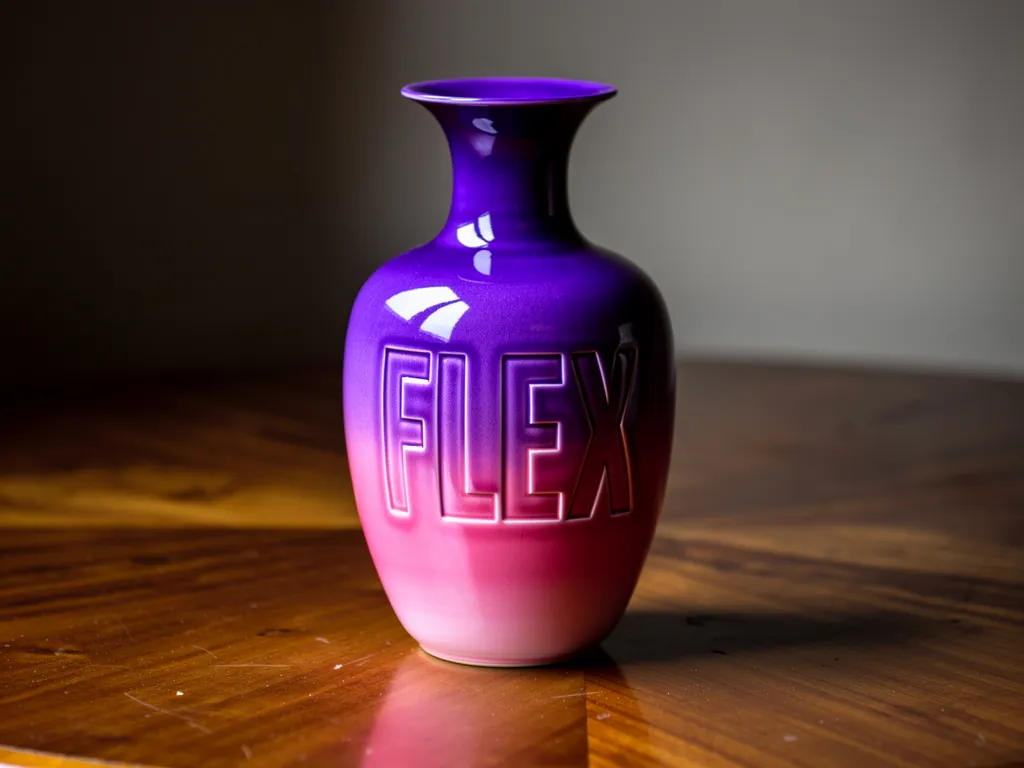
Transform images with FLUX 2 Flex Edit: advanced AI image editing, multi-reference features, HEX color control, and creative flexibility.

Pros

  • Multi-reference editing support
  • HEX color control
  • Creative flexibility

Cons

  • May require multiple references for best results
  • Mid-range pricing
Quality 5/5
Speed 4/5
Value 4/5
Best for: Creative professionals needing flexible, multi-reference image editing workflows
Try FLUX 2 Flex Edit Free →
#9

Step1X Edit

On JAI Portal

Best Customization Options

★ ★ ★ ★ ☆ 4.6/5
Pay-as-you-go · From 5 credits per edit

Transform photos with Step1X Edit: AI-powered image editing using natural language prompts, customizable parameters, and high-quality results.

Pros

  • Natural language prompts
  • Customizable parameters
  • High-quality results

Cons

  • May require parameter tuning
  • Mid-range pricing
Quality 5/5
Speed 4/5
Value 4/5
Best for: Users who want fine-grained control over editing parameters and outputs
Try Step1X Edit Free →
#10

FLUX 2 Turbo Edit

On JAI Portal

Best Speed-Quality Balance

★ ★ ★ ★ ☆ 4.6/5
Pay-as-you-go · From 3 credits per edit

FLUX 2 Turbo Edit: Ultra-fast AI image editing with precise natural language and hex color controls.

Pros

  • Ultra-fast processing
  • Precise natural language control
  • Hex color controls

Cons

  • Slightly lower quality than Pro/Max versions
  • Limited advanced features
Quality 4/5
Speed 5/5
Value 5/5
Best for: Users seeking the optimal balance between speed, quality, and affordability
Try FLUX 2 Turbo Edit Free →
#11

Gemini 2.0 Flash Multi Edit

On JAI Portal

Best Batch Processing

★ ★ ★ ★ ☆ 4.7/5
Pay-as-you-go · From 4 credits per batch

Edit multiple images at once with Gemini 2.0 Flash Multi Edit—Google's fast, AI-powered batch image editor.

Pros

  • Batch processing capabilities
  • Google's advanced AI
  • Fast processing speed

Cons

  • Requires multiple images
  • May not be ideal for single edits
Quality 5/5
Speed 5/5
Value 4/5
Best for: Content creators and marketers needing to edit multiple images simultaneously
Try Gemini 2.0 Flash Multi Edit Free →
#12

FLUX Kontext Pro

On JAI Portal

Best Context-Aware Editing

★ ★ ★ ★ ☆ 4.7/5
Pay-as-you-go · From 4 credits per edit

FLUX Kontext Pro is an AI-powered text-based image editing model that transforms images using natural language with context awareness.

Pros

  • Context-aware editing
  • Natural language interface
  • Professional-grade results

Cons

  • May require detailed prompts
  • Mid-range pricing
Quality 5/5
Speed 4/5
Value 4/5
Best for: Users needing intelligent, context-aware image transformations
Try FLUX Kontext Pro Free →

Feature Comparison

Side-by-side comparison of Gpt Image and top alternatives

Feature Gpt Image FLUX 2 Pro Edit Qwen Image Edit Plus FLUX 2 Flash Edit Gemini 2.0 Flash Edit
Credit Cost 6 credits 5 credits 10 credits 2 credits 4 credits
Processing Speed Fast Fast Fast Ultra-Fast Ultra-Fast
Multi-Image Support ✓ Yes ✓ Yes ✓ Yes Limited ✓ Yes
Natural Language Prompts ✓ Yes ✓ Yes ✓ Yes ✓ Yes ✓ Yes
Color Control Basic Advanced Advanced HEX Control Basic
Style Transfer ✓ Yes ✓ Yes ✓ Yes Limited ✓ Yes
Best For General Editing Professional Work Multi-Image Tasks Quick Edits Google Ecosystem
Quality Rating 4.7/5 4.8/5 4.7/5 4.6/5 4.7/5

Try These Gpt Image Alternatives on JAI Portal

All available with 10 free credits · No subscription required

Frequently Asked Questions

Reve Fast Edit is the most affordable alternative at just 1 credit per edit, offering lightning-fast AI image editing with text prompts. For slightly higher quality at a low cost, FLUX 2 Flash Edit at 2 credits provides fast, precise editing with natural language prompts and hex color control. Both options use pay-as-you-go pricing with no subscriptions required.
FLUX 2 Max Edit delivers the highest quality results with advanced AI image editing, realistic results, precision, and seamless transformations at 10 credits per edit. For professional work at a lower cost, FLUX 2 Pro Edit (5 credits) offers advanced image editing with high-quality manipulation and style transfer capabilities.
FLUX 2 Flash Edit and Gemini 2.0 Flash Edit are the fastest options, both offering ultra-fast processing speeds. FLUX 2 Flash Edit costs 2 credits and provides precise natural language prompts with hex color control, while Gemini 2.0 Flash Edit at 4 credits leverages Google's fast AI technology for instant image modifications.
Yes, several alternatives support multi-image editing. Qwen Image Edit Plus (10 credits) specializes in advanced multi-image editing and text-based transformations. Gemini 2.0 Flash Multi Edit (4 credits) is specifically designed for batch processing, allowing you to edit multiple images simultaneously with Google's AI-powered technology.
FLUX 2 Pro Edit (5 credits) is ideal for professional designers, offering advanced image editing, high-quality manipulation, style transfer, and sequential editing capabilities. For the absolute highest quality, FLUX 2 Max Edit (10 credits) delivers premium results with advanced AI capabilities and seamless transformations perfect for client work.
Yes, several alternatives offer better value. Reve Fast Edit at 1 credit is the most affordable option. FLUX 2 Flash Edit at 2 credits and FLUX 2 Turbo Edit at 3 credits both cost less than Gpt Image's 6 credits while delivering excellent speed and quality. All use pay-as-you-go pricing with no subscriptions.

Try the Best Gpt Image Alternatives Free

Get 10 free credits to test FLUX 2 Pro Edit, Qwen Image Edit Plus, and 98+ other AI image editing models. No subscription required.

Start Free Trial

No credit card required · Cancel anytime

Explore Related Categories