Use code JAI15 for 15% OFF 12:00:00
Updated March 2026 – 95+ Models Tested

10 Best Canva AI Alternatives in 2026 – Expert Tested & Ranked

95+ AI design & image editing models tested. Better pricing than Canva — no subscription, no watermark. Pay only for what you use.

12
Alternatives
★ 4.9
Top Rated
10
Free Credits
$0
Subscription
Why Switch
Why Look for Canva AI Alternatives?
💰
No Subscriptions
Canva requires monthly subscriptions for AI features. Pay-as-you-go alternatives let you pay only for what you use with credits, saving money for occasional users.
🎨
Advanced AI Models
Access cutting-edge AI models like FLUX 2, Qwen Image, and Grok Imagine that offer superior image quality, text rendering, and creative control beyond Canva's built-in tools.
🔧
Specialized Features
Get specialized tools for product photography, virtual try-on, background removal, and multi-image editing that Canva doesn't offer natively.
Faster Processing
Many alternatives offer faster generation speeds and higher resolution outputs, with models optimized specifically for image editing tasks.
🎯
Better Control
Fine-tune every aspect with advanced parameters like CFG scale, seed control, and reference images for precise creative vision.

Ranked
Top Canva AI Alternatives
Compared by quality, features, pricing, and ease of use
1
FLUX 2 Max Edit On JAI
Best Overall for Professional Editing
★★★★ 4.9/5
Pay-as-you-go · From 10 credits per edit
FLUX 2 Max Edit

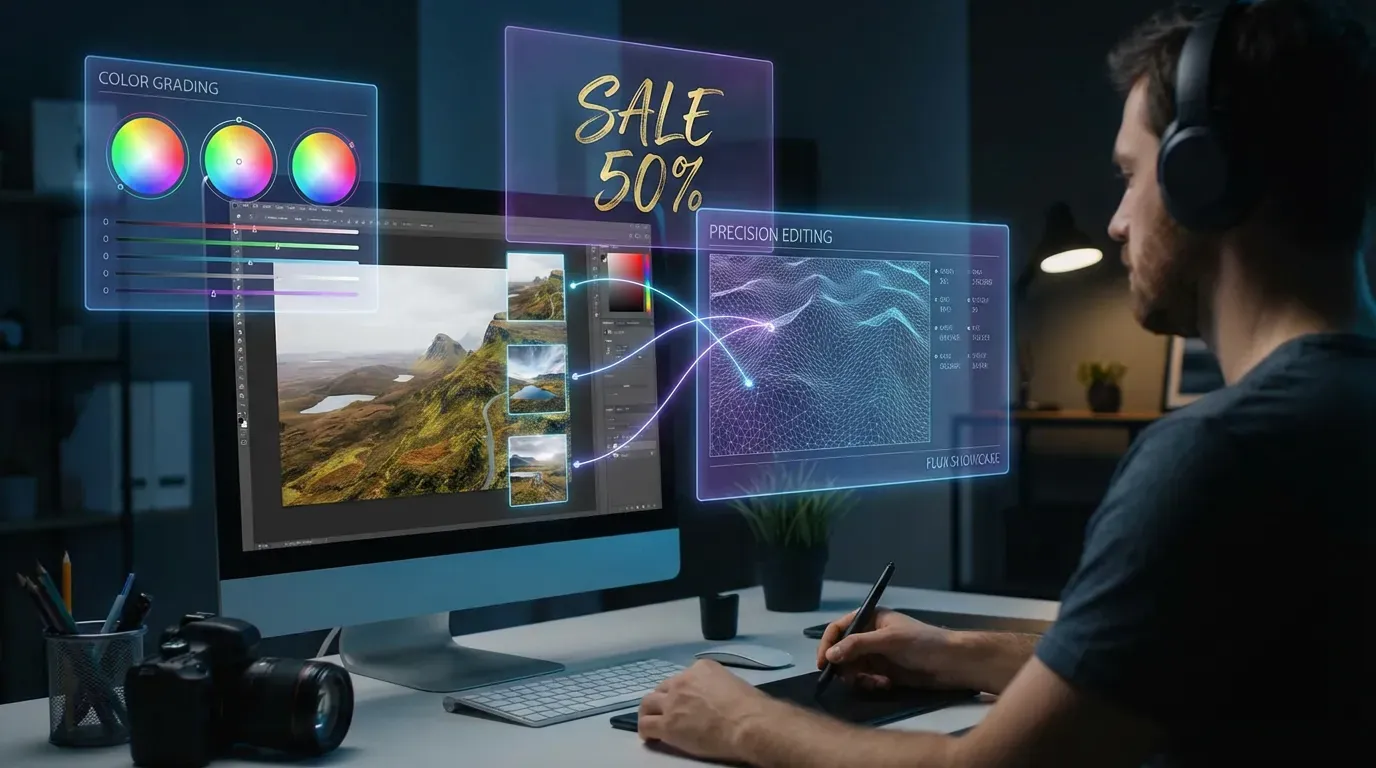
FLUX 2 Max Edit: Advanced AI Image Editing With Realistic Results, Precision, And Text Overlay. Start Creating Today.

Pros
  • Superior image quality with realistic results
  • Advanced text overlay capabilities
  • Precise editing control with natural language
Cons
  • Higher credit cost for premium features
  • Longer processing time for complex edits
Quality 5/5
Speed 4/5
Value 4/5
Best for: Professional designers and marketers who need top-tier image editing with text rendering capabilities
Try FLUX 2 Max Edit Free →
2
Nano Banana Pro Edit On JAI
Best for Multi-Image Editing
★★★★ 4.8/5
Pay-as-you-go · From 15 credits per edit
Nano Banana Pro Edit

Edit And Transform Images With Nano Banana Pro Edit's Advanced Multi-Image AI. High-Quality Creative Results. Try Free Today.

Pros
  • Advanced multi-image editing capabilities
  • High-quality creative transformations
  • Powered by Gemini 2.5 AI
Cons
  • Premium pricing tier
  • Requires learning curve for best results
Quality 5/5
Speed 4/5
Value 3/5
Best for: Creative professionals working with multiple images and complex visual compositions
Try Nano Banana Pro Edit →
3
Qwen Image Edit Plus On JAI
Best for Text-Based Transformations
★★★★ 4.8/5
Pay-as-you-go · From 10 credits per edit
Qwen Image Edit Plus

Qwen Image Edit Plus is an advanced AI image editing tool for multi-image editing, text-based transformations, and creative control.

Pros
  • Advanced text-based transformation control
  • Multi-image editing support
  • Bilingual support (English & Chinese)
Cons
  • Higher credit cost
  • Complex features may overwhelm beginners
Quality 5/5
Speed 4/5
Value 4/5
Best for: Advanced users who need precise text-driven image transformations and multi-image workflows
Try Qwen Image Edit Plus Free →
4
Grok Imagine Image Edit On JAI
Best Budget-Friendly Option
★★★★ 4.7/5
Pay-as-you-go · From 3 credits per edit
Grok Imagine Image Edit

Edit Images With Grok Imagine By xAI Using Natural Language Prompts For Realistic Transformations. Try Free Today.

Pros
  • Affordable credit pricing
  • Natural language prompt interface
  • Realistic transformation results
Cons
  • Fewer advanced features than premium options
  • Limited multi-image support
Quality 4/5
Speed 5/5
Value 5/5
Best for: Budget-conscious users who need quality image editing with natural language prompts
Try Grok Imagine Image Edit Free →
5
FLUX 2 Pro Edit On JAI
Best for Style Transfer
★★★★ 4.8/5
Pay-as-you-go · From 5 credits per edit
FLUX 2 Pro Edit

FLUX 2 Pro Edit AI: Advanced Image Editing With High-Quality Manipulation, Style Transfer & Creative Control. Start Free.

Pros
  • Excellent style transfer capabilities
  • High-quality image manipulation
  • Creative control with advanced parameters
Cons
  • Mid-tier pricing
  • May require prompt refinement
Quality 5/5
Speed 4/5
Value 4/5
Best for: Designers and artists who need advanced style transfer and creative image manipulation
Try FLUX 2 Pro Edit Free →
6
Bytedance Seedream v5 Lite Edit On JAI
Best for Fast Multi-Image Editing
★★★★ 4.7/5
Pay-as-you-go · From 3.5 credits per edit
Bytedance Seedream v5 Lite Edit

Bytedance Seedream v5 Lite Edit offers fast, high-quality multi-image editing with 2K resolution, precise control, and creative flexibility.

Pros
  • Fast processing speed
  • 2K resolution output
  • Multi-image editing support
Cons
  • Lighter version with fewer features
  • Not as advanced as Pro models
Quality 4/5
Speed 5/5
Value 5/5
Best for: Users who need quick, high-quality multi-image edits at an affordable price point
Try Bytedance Seedream v5 Lite Edit Free →
7
Hunyuan Image v3 Instruct Edit On JAI
Best for Intelligent Editing
★★★★ 4.8/5
Pay-as-you-go · From 15 credits per edit
Hunyuan Image v3 Instruct Edit

Edit Images Intelligently With Hunyuan Image V3. Transform Art, Enhance Photos With AI-Powered Editing. Start Creating Today.

Pros
  • Intelligent AI-powered editing
  • Excellent for art transformation
  • Advanced photo enhancement
Cons
  • Premium pricing tier
  • Steeper learning curve
Quality 5/5
Speed 4/5
Value 3/5
Best for: Professional photographers and digital artists who need intelligent, context-aware image editing
Try Hunyuan Image v3 Instruct Edit →
8
Kling Image O3 Image to Image On JAI
Best for Reference-Based Editing
★★★★ 4.7/5
Pay-as-you-go · From 3 credits per edit
Kling Image O3 Image to Image

Transform Images With Kling O3 AI. 10 Reference Images, Face Control, 4K Resolution, Photorealistic Results. Try Free Today.

Pros
  • Supports up to 10 reference images
  • Advanced face control features
  • 4K resolution output
Cons
  • Complex interface for beginners
  • Requires quality reference images
Quality 5/5
Speed 4/5
Value 5/5
Best for: Advanced users working with multiple reference images and needing face control features
Try Kling Image O3 Image to Image Free →
9
GPT-Image 1.5 Edit On JAI
Best for Detailed Edits
★★★★ 4.7/5
Pay-as-you-go · From 6 credits per edit
GPT-Image 1.5 Edit

Edit images with GPT-Image 1.5 Edit AI for high-fidelity, detailed, and prompt-driven image transformations. Start creating today.

Pros
  • High-fidelity detailed edits
  • Excellent prompt understanding
  • Professional quality outputs
Cons
  • Mid-range pricing
  • Processing time varies with complexity
Quality 5/5
Speed 4/5
Value 4/5
Best for: Users who need detailed, high-fidelity image edits with precise prompt control
Try GPT-Image 1.5 Edit Free →
10
Nano Banana Edit On JAI
Best for Multi-Image Fusion
★★★★ 4.6/5
Pay-as-you-go · From 4 credits per edit
Nano Banana Edit

Edit Multiple Images With Natural Language Using Gemini 2.5 AI. Multi-Image Fusion & Character Consistency. Try Free Today.

Pros
  • Natural language editing interface
  • Multi-image fusion capabilities
  • Character consistency features
Cons
  • Standard pricing tier
  • Best results require good prompts
Quality 4/5
Speed 4/5
Value 4/5
Best for: Creative professionals who need to combine multiple images with character consistency
Try Nano Banana Edit Free →
11
FLUX 2 Turbo Edit On JAI
Best for Speed
★★★★ 4.6/5
Pay-as-you-go · From 3 credits per edit
FLUX 2 Turbo Edit

FLUX 2 Turbo Edit: Ultra-Fast AI Image Editing With Natural Language And Hex Color Controls. Create Stunning Edits In Seconds.

Pros
  • Ultra-fast processing speed
  • Natural language prompts
  • Hex color control
Cons
  • Slightly lower quality than Max version
  • Fewer advanced features
Quality 4/5
Speed 5/5
Value 5/5
Best for: Users who prioritize speed and need quick image edits with color control
Try FLUX 2 Turbo Edit Free →
12
Qwen Image 2 Edit On JAI
Best for High-Resolution
★★★★ 4.6/5
Pay-as-you-go · From 3.5 credits per edit
Qwen Image 2 Edit

Advanced AI Image Editing Model For Multi-Image Transformations And High-Resolution Outputs In English. Try Free Today.

Pros
  • High-resolution output support
  • Multi-image transformation
  • Advanced editing capabilities
Cons
  • English prompts only
  • Learning curve for advanced features
Quality 5/5
Speed 4/5
Value 5/5
Best for: Users who need high-resolution multi-image transformations at a competitive price
Try Qwen Image 2 Edit Free →

Side by Side
Feature Comparison
Canva AI vs top alternatives
Feature Canva AI FLUX 2 Max Edit Nano Banana Pro Qwen Image Plus Grok Imagine
Pricing Model Monthly subscription Pay-as-you-go Pay-as-you-go Pay-as-you-go Pay-as-you-go
Credits per Edit N/A 10 credits 15 credits 10 credits 3 credits
Multi-Image Support Limited ✓ Yes Advanced ✓ Yes Basic
Text Rendering Basic Advanced Good Excellent Good
Max Resolution Standard High Very High 2048x2048 High
Style Transfer Limited Excellent Advanced Excellent Good
Commercial Use Pro plan only Yes, included Yes, included Yes, included Yes, included
Free Trial Limited 10 free credits 10 free credits 10 free credits 10 free credits

Try on JAI
Canva AI Alternatives on JAI Portal
All available with 10 free credits · No subscription required
View All 115+ Models

Questions
Frequently Asked
JAI Portal offers the best free alternative with 10 starter credits to test 115+ AI image editing models including FLUX 2 Turbo Edit (3 credits), Grok Imagine Image Edit (3 credits), and Bytedance Seedream v5 Lite Edit (3.5 credits). Unlike Canva's subscription model, you only pay for what you use with no monthly fees. All generated content is yours to use commercially.
For professional work, FLUX 2 Max Edit (10 credits) and Nano Banana Pro Edit (15 credits) offer superior quality with advanced text overlay, multi-image editing, and precise control. Hunyuan Image v3 Instruct Edit (15 credits) is excellent for intelligent, context-aware editing. These models provide professional-grade results that exceed Canva's built-in AI capabilities.
JAI Portal uses pay-as-you-go credits instead of subscriptions. Budget options like Grok Imagine Image Edit cost 3 credits per edit, mid-range options like FLUX 2 Pro Edit cost 5 credits, and premium tools like FLUX 2 Max Edit cost 10 credits. You get 10 free credits to start, and there are no monthly fees or hidden costs—just pay for what you use.
Yes! JAI Portal lets you compare multiple AI models side-by-side on the same task. You can edit an image with FLUX 2 Pro Edit, Qwen Image Edit Plus, and Grok Imagine simultaneously to see which gives the best results for your specific needs. This comparison feature helps you find the perfect model for each project.
Absolutely! All content generated on JAI Portal is yours to use commercially with no restrictions. Unlike some Canva AI features that have licensing limitations, models like FLUX 2 Max Edit, Nano Banana Pro Edit, and all 115+ AI tools on the platform give you full commercial rights to your outputs.
Nano Banana Pro Edit (15 credits) and Qwen Image Edit Plus (10 credits) excel at multi-image editing with advanced fusion capabilities. Bytedance Seedream v5 Lite Edit (3.5 credits) offers fast multi-image editing at a budget-friendly price. Kling Image O3 (3 credits) supports up to 10 reference images with 4K output, making it ideal for complex multi-image projects.
Try the Best Canva AI Alternatives Free
Get 10 free credits to test FLUX 2, Qwen Image, Grok Imagine, and 115+ other AI image editing models. No subscription required.
Start Free Trial
🎉 10 Free Credits · No Credit Card Required

Related Content
How-To Guides
Remove Watermarks from Images with AI Remove Background from Image with AI Turn Photo into Video with AI
Free Tools
Free AI Voice Generator – 10 Free Credits, No Subscription 🎤 Free AI Video Editor Tool Free AI Image Upscaler Tool
Alternatives
Flux 2 İmage Alternatives FaceFusion Faceswap Alternatives Hunyuan 3D Alternatives
Best Of
Best Free AI Video Generators Best Free AI Image Generators 2026 Best AI Face Swap Tools 2026
Explore Related