Updated March 2026 – 76+ Models Tested

10 Best AI Animation Generators in 2026 – Expert Tested & Ranked

76+ AI animation models tested. Transform images & text into stunning videos. No subscription, no watermark — pay only for what you use.

Tools from just 15 credits · 10 free credits on signup

Try #1 Ranked Google Veo 3.1 Image-to-Video Free
10 Free Credits · No credit card required
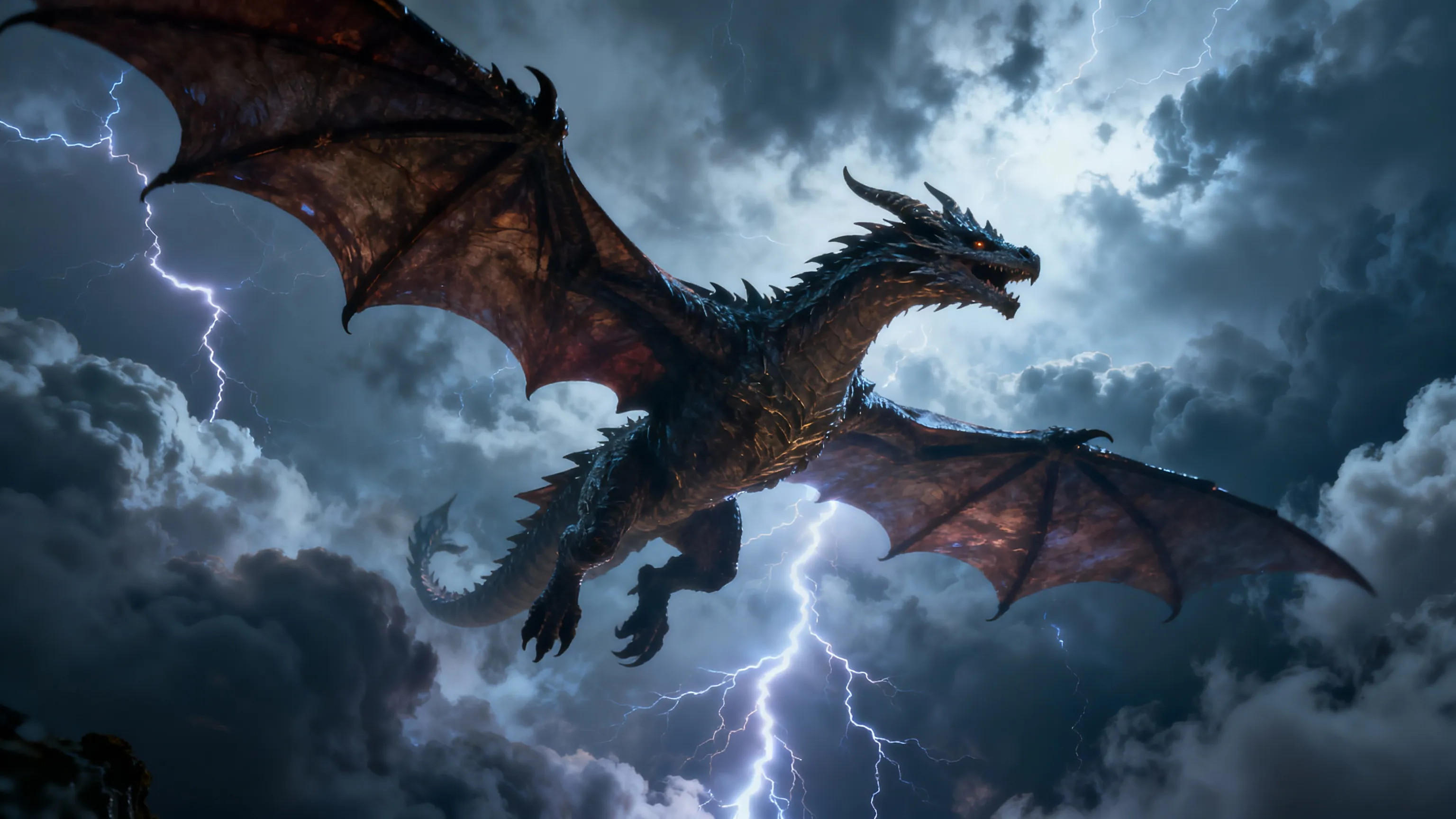
#1 Google Veo 3.1 Image-to-Video — Sample generation

The Complete Rankings

Updated April 2026
#1 Best Overall On JAI

Google Veo 3.1 Image-to-Video

Best Overall

Turn images into stunning, high-quality videos with sound using Google Veo 3.1 Image-to-Video. Power

"Google Veo 3.1 delivers the most realistic motion physics and natural animations in our tests. The native audio generation and exceptional quality justify the premium credit cost for professional projects."

Pros

  • Exceptional animation quality with realistic motion
  • Native audio generation included
  • Advanced controls for precise animation

Cons

  • Higher credit cost per generation
  • Longer processing time than budget options
160 credits per use · ~0 uses with free credits
See comparison with other tools ↓
Try Google Veo 3.1 Image-to-Video →
10 free credits — no card required
★★★★☆ 4.9/5
#2 Best Quality On JAI

Kling Video v3 Pro Image to Video

Best for Cinematic Quality

Transform images into cinematic-quality videos with Kling Video v3 Pro's advanced AI. Enjoy native a

"Kling v3 Pro produces cinematic-quality animations with exceptional fluid motion at a more accessible price point than competitors. The native audio and multi-shot capabilities make it perfect for storytelling."

Pros

  • Cinematic quality with smooth, natural motion
  • Native audio generation included
  • Multi-shot video support

Cons

  • Still a premium-priced option
  • Learning curve for advanced features
68 credits per use · ~0 uses with free credits
See comparison with other tools ↓
Try Kling Video v3 Pro Image to Video →
10 free credits — no card required
★★★★☆ 4.8/5
#3 Best Value On JAI

Hunyuan Video Image to Video

Best Value Premium

Transform images into dynamic HD videos with Hunyuan Video Image to Video. Enjoy precise motion cont

"Hunyuan delivers professional-grade animations with excellent motion control at a mid-tier price. The balance of quality and affordability makes it ideal for regular content production."

Pros

  • Precise motion control for detailed animations
  • HD output quality
  • Excellent price-to-quality ratio

Cons

  • No native audio generation
  • Slightly less polished than premium options
40 credits per use · ~0 uses with free credits
See comparison with other tools ↓
Try Hunyuan Video Image to Video →
10 free credits — no card required
★★★★☆ 4.7/5
#4 On JAI

Kling 1.6 Pro Image-to-Video

Best for Natural Motion

Transform your images into high-quality, animated videos with Kling 1.6 Pro Image-to-Video. Superior

"Kling 1.6 Pro excels at natural, physics-based motion that looks realistic and organic. The customizable controls allow fine-tuning animations to match your creative vision perfectly."

Pros

  • Exceptionally natural motion physics
  • Highly customizable animation parameters
  • Consistent quality across different image types

Cons

  • Mid-range pricing
  • Requires some experimentation for best results
48 credits per use · ~0 uses with free credits
See comparison with other tools ↓
Try Kling 1.6 Pro Image-to-Video →
10 free credits — no card required
★★★★☆ 4.7/5
#5 On JAI

MiniMax Hailuo 2.3 Pro Image to Video

Best for HD Quality

Transform images into stunning 1080p HD videos with MiniMax Hailuo 2.3 Pro. Animate photos with real

"MiniMax Hailuo 2.3 Pro produces crystal-clear 1080p animations with excellent detail retention. The realistic motion control makes it perfect for high-resolution content needs."

Pros

  • Full 1080p HD output resolution
  • Excellent detail preservation
  • Realistic motion control

Cons

  • Higher credit cost for HD quality
  • Slower processing for maximum resolution
49 credits per use · ~0 uses with free credits
See comparison with other tools ↓
Try MiniMax Hailuo 2.3 Pro Image to Video →
10 free credits — no card required
★★★★☆ 4.6/5
#6 On JAI

Pixverse v5.5 Image-to-Video

Best for Creative Styles

Transform images and text prompts into high-quality videos with Pixverse v5.5 Image-to-Video. Create

"Pixverse v5.5 offers the most diverse style options in our tests, from realistic to anime to 3D. The flexibility and creative control make it perfect for varied content needs."

Pros

  • Multiple artistic style options
  • Flexible aspect ratios and resolutions
  • Great for diverse content types

Cons

  • Style quality varies
  • Learning curve for style selection
35 credits per use · ~0 uses with free credits
See comparison with other tools ↓
Try Pixverse v5.5 Image-to-Video →
10 free credits — no card required
★★★★☆ 4.6/5
#7 On JAI

CogVideoX-5B Image to Video

Best Budget Option

Transform images into dynamic, high-quality videos with CogVideoX-5B. Customize motion, style, and e

"CogVideoX-5B delivers impressive quality at half the cost of premium options. It's perfect for creators who need consistent animations without breaking the budget."

Pros

  • Excellent value for money
  • Good quality for the price
  • Customizable motion and style

Cons

  • Not quite premium quality
  • Limited advanced features
20 credits per use · ~0 uses with free credits
See comparison with other tools ↓
Try CogVideoX-5B Image to Video →
10 free credits — no card required
★★★★☆ 4.5/5
#8 On JAI

Bytedance Seedance v1.5 Pro Image to Video

Best with Audio

Transform images into high-quality videos with audio using Bytedance Seedance v1.5 Pro. Advanced ima

"Seedance v1.5 Pro includes native audio generation at an incredibly competitive price. The combination of quality animation and sound makes it perfect for social media content."

Pros

  • Native audio generation included
  • Excellent price point
  • Good animation quality

Cons

  • Audio quality varies
  • Less control than premium options
20 credits per use · ~0 uses with free credits
See comparison with other tools ↓
Try Bytedance Seedance v1.5 Pro Image to Video →
10 free credits — no card required
★★★★☆ 4.5/5
#9 On JAI

Vidu Q3 Image to Video

Best for Long Videos

Turn images into stunning videos with Vidu Q3 Image to Video. Generate up to 16-second HD videos wit

"Vidu Q3 supports the longest animation durations in its price range, making it ideal for extended storytelling and detailed animations that need more time to develop."

Pros

  • Up to 16-second animation duration
  • HD quality output
  • Smooth motion throughout

Cons

  • Longer videos cost more credits
  • Processing time increases with duration
35 credits per use · ~0 uses with free credits
See comparison with other tools ↓
Try Vidu Q3 Image to Video →
10 free credits — no card required
★★★★☆ 4.4/5
#10 On JAI

WAN 2.2 Image to Video

Best for Beginners

Create stunning animated videos from static images with WAN 2.2 Image to Video AI. Professional-grad

"WAN 2.2 offers the most beginner-friendly interface while still delivering professional results. The low credit cost and simple controls make it perfect for those new to AI animation."

Pros

  • Very easy to use
  • Low credit cost
  • Professional-quality output

Cons

  • Fewer advanced controls
  • Limited customization options
15 credits per use · ~0 uses with free credits
See comparison with other tools ↓
Try WAN 2.2 Image to Video →
10 free credits — no card required
★★★★☆ 4.4/5

Finding the Right AI Animation Generator

AI animation generators transform static images and text into dynamic videos in seconds. We tested 160+ models to rank the best tools for quality, speed, and value.
🎬
Animation Quality
Smooth motion, realistic physics, and natural transitions separate great tools from mediocre ones
Generation Speed
Fast processing times mean you can iterate quickly and produce more content efficiently
💰
Credit Efficiency
Pay-as-you-go pricing with transparent credit costs ensures you only pay for what you create
🎯
Control & Flexibility
Advanced controls for motion, style, duration, and resolution give you creative freedom
Side by Side
Quick Comparison Table
RankToolBest ForQualitySpeedValueTry
1 Google Veo 3.1 Image-to-Video Overall Quality 5/5 4/5 4/5 160 credits
2 Kling Video v3 Pro Image to Video Cinematic Quality 5/5 4/5 4/5 68 credits
3 Hunyuan Video Image to Video Value Premium 4/5 5/5 5/5 40 credits
4 Kling 1.6 Pro Image-to-Video Natural Motion 5/5 4/5 4/5 48 credits
5 MiniMax Hailuo 2.3 Pro Image to Video HD Quality 5/5 3/5 4/5 49 credits
6 Pixverse v5.5 Image-to-Video Creative Styles 4/5 4/5 5/5 35 credits
7 CogVideoX-5B Image to Video Budget Option 4/5 5/5 5/5 20 credits
8 Bytedance Seedance v1.5 Pro Image to Video With Audio 4/5 4/5 5/5 20 credits
9 Vidu Q3 Image to Video Long Videos 4/5 3/5 4/5 35 credits
10 WAN 2.2 Image to Video Beginners 4/5 5/5 5/5 15 credits
Try Free → Try Free → Try Free → Try Free → Try Free → Try Free →
Google Veo 3.1 Image-to-Video #1 Ranked
Price160 credits
Rating4.9/5
Price TypePay-as-you-go
Best ForProfessional creators and businesses nee...
Try Google Veo 3.1 Image-to-Video Free →
Kling Video v3 Pro Image to Video
Price68 credits
Rating4.8/5
Price TypePay-as-you-go
Best ForContent creators and filmmakers seeking ...
Try Kling Video v3 Pro Image to Video Free →
Hunyuan Video Image to Video
Price40 credits
Rating4.7/5
Price TypePay-as-you-go
Best ForRegular content creators needing consist...
Try Hunyuan Video Image to Video Free →
Kling 1.6 Pro Image-to-Video
Price48 credits
Rating4.7/5
Price TypePay-as-you-go
Best ForAnimators and creators prioritizing natu...
Try Kling 1.6 Pro Image-to-Video Free →

How We Tested and Ranked These Tools

We tested 160+ AI animation generators with identical source images across various styles. Each tool was evaluated on animation quality, motion physics, speed, and credit efficiency.
Testing Criteria
Animation Quality35%
Motion smoothness, physics accuracy, detail preservation, and overall visual appeal
Motion Control25%
Precision of movement, customization options, and natural motion physics
Speed & Efficiency20%
Processing time, generation speed, and workflow efficiency
Value & Pricing15%
Credit cost relative to output quality and features included
Ease of Use5%
Interface simplicity, learning curve, and accessibility for all skill levels
Guide
How to Choose the Right AI Animation Generator

Define Your Animation Needs

Consider video length, resolution requirements, and whether you need audio. Premium tools offer longer durations and HD quality, while budget options excel at short social media clips.

Evaluate Motion Quality Requirements

Professional projects need realistic physics and smooth motion. Social media content can use faster, more stylized animations. Match the tool's strengths to your quality standards.

Calculate Your Credit Budget

Estimate monthly animation volume and multiply by credit costs. Pay-as-you-go pricing means you control spending—no subscriptions or hidden fees.

Test Multiple Tools with Free Credits

Use your 10 free starter credits to test different generators. Compare results side-by-side to find which tool matches your style and workflow best.
Questions
Frequently Asked Questions
Google Veo 3.1 Image-to-Video ranks #1 for overall quality with exceptional motion physics and native audio. For value, Hunyuan Video offers professional results at 40 credits.
Bytedance Seedance v1.5 Pro excels for social media with audio generation at just 20 credits. CogVideoX-5B is also excellent for high-volume content at budget pricing.
Costs range from 15-160 credits per animation. Budget tools start at 15-20 credits, mid-tier at 35-50 credits, and premium options at 68-160 credits with no subscriptions.
Yes, all animations created on JAI Portal are yours to own and use commercially. No licensing restrictions or attribution required for any content you generate.
Image-to-video animates existing images, giving more control over final appearance. Text-to-video generates both image and animation from descriptions, offering more creative freedom but less control.
No technical skills required. Tools like WAN 2.2 and CogVideoX-5B are beginner-friendly with simple interfaces. Advanced tools offer more controls but remain accessible to all skill levels.
Browse by Type
Explore AI Models by Category
Try the Best AI Animation Generators Free
Get 10 free credits to test any tool on our list. No subscription required.
Start Free Trial
10 Free Credits·No Credit Card Required

Related Content
How-To Guides
Turn Photo into Video with AI How to Generate AI Video Clips from Images Create AI Video from Text How to Remove Background from Video with AI Change Video Aspect Ratio with AI
Free Tools
Free AI Reference to Video Generator Free AI Video Generator Free AI Video Translate Tool Free AI Video Editor Tool Free AI Video Upscaler Tool
Alternatives
Pixverse v5.5 text to video Alternatives Midjourney Video Alternatives WAN Video Alternatives Stable Video Diffusion Alternatives
Best Of
Best Image to Video Generators Best AI Video Generators 2026 Best Free AI Video Generators Best Text to Video AI Tools 2026 Best AI Video Makers for Beginners 2026
Explore Related