Transform photos into production-ready 3D models in minutes using AI. No 3D experience needed—upload your image and let AI handle geometry and texturing.
Navigate to JAI Portal's 3D generation category and select an image-to-3D model that matches your needs. Upload a clear, well-lit photograph of the object you want to convert. For best results, use images with good contrast, minimal background clutter, and the subject centered in frame. Most models accept JPG, PNG, or WebP formats up to 10MB. Some advanced models like Meshy 5 Multi I2-3D allow uploading multiple views (front, side, back, top) for more accurate reconstruction. Ensure your image resolution is at least 512x512 pixels, though 1024x1024 or higher produces superior detail in the final 3D mesh.
Tip: Photograph objects against neutral backgrounds with even lighting from multiple angles. Avoid shadows, reflections, or transparent materials that confuse depth prediction algorithms.
2
Configure Generation Settings
Select your desired output quality, mesh topology type, and texture resolution based on your intended use case. Choose between quad-based topology for animation and subdivision or triangle-based for game engines and real-time rendering. Set polygon count targets—lower counts (5k-20k polygons) for mobile games and AR, medium counts (50k-100k) for desktop applications, or high counts (200k-500k) for film and detailed visualization. Configure PBR texture maps including albedo, normal, roughness, and metallic channels. Some models offer style options like realistic, stylized, or sculpture modes. Adjust generation speed versus quality trade-offs—rapid modes finish in 30-60 seconds while quality modes take 2-5 minutes for superior detail.
Tip: Start with medium quality settings to preview results quickly, then regenerate with maximum quality settings once you've confirmed the model interprets your image correctly.
3
Select AI Model
Choose from 24+ specialized models based on your specific requirements. Hunyuan3D v3 Image-to-3D excels at ultra-high-resolution film-quality models with exceptional geometric accuracy. Meshy v6 Image to 3D produces production-ready game assets with optimized topology. SAM 3 - 3D Objects specializes in reconstructing everyday objects with precise geometry. Trellis 2 offers excellent balance between speed and quality for general-purpose conversion. Consider credit costs—basic models start at 10 credits while premium options reach 80 credits. JAI Portal's comparison feature lets you generate the same image with multiple models simultaneously to evaluate which produces the best results for your specific subject matter and quality requirements.
Tip: Different models excel at different subject types—character-focused models for people, object-focused for products, and scene models for environments. Test 2-3 models with your first image to find your preferred workflow.
4
Generate 3D Model
Click generate and monitor the real-time progress indicator as the AI processes your image through multiple neural network stages. First, the depth estimation network analyzes your image to predict distance information for every pixel. Next, the geometry reconstruction module builds the initial mesh structure with proper vertex placement and face connectivity. Then, texture synthesis networks generate high-resolution material maps with proper UV unwrapping. Finally, the model undergoes automatic cleanup including hole filling, normal smoothing, and topology optimization. Generation times vary from 30 seconds for rapid models to 5 minutes for maximum quality outputs. You'll see preview renders updating as each stage completes, allowing you to cancel and adjust settings if the initial results don't meet expectations.
Tip: Don't interrupt generation during the texture synthesis phase—this final stage adds crucial surface detail that dramatically improves realism even if the geometry preview looks acceptable.
5
Review and Refine
Examine your generated 3D model using JAI Portal's built-in 3D viewer with orbit controls, zoom, and lighting adjustments. Inspect the mesh from all angles to verify geometry accuracy, check for artifacts like holes or inverted faces, and evaluate texture quality and alignment. Most models provide multiple output variations—select the best result or regenerate with adjusted parameters if needed. Advanced models offer post-processing options like mesh decimation to reduce polygon count, normal map baking for detail preservation, or part separation for rigged animation. Compare your result against outputs from other models using the side-by-side comparison feature. If the model misinterpreted certain areas, try uploading additional reference images or switching to a multi-view model for better accuracy.
Tip: Use the wireframe view mode to identify topology issues early. Clean quad-based topology is essential for animation while triangulated meshes work better for static real-time rendering.
6
Download and Export
Export your 3D model in your preferred format including OBJ, FBX, GLB, GLTF, STL, or USD depending on your target application. OBJ works universally but lacks animation support, FBX includes rigging and animation data for game engines, GLB/GLTF are optimized for web and AR applications, STL is ideal for 3D printing, and USD supports advanced rendering pipelines. Download includes all generated texture maps as separate PNG files—albedo (color), normal (surface detail), roughness (shininess), metallic (metal vs non-metal), and ambient occlusion (shadowing). All outputs are yours to use commercially with full ownership rights and no watermarks on paid generations. File sizes typically range from 5MB to 50MB depending on polygon count and texture resolution. Models integrate seamlessly with Blender, Maya, Unity, Unreal Engine, and other professional 3D software.
Tip: Download multiple format versions simultaneously—keep FBX for editing in 3D software and GLB for immediate web deployment without conversion hassles.
What is How to Convert 2D Images to 3D Models?
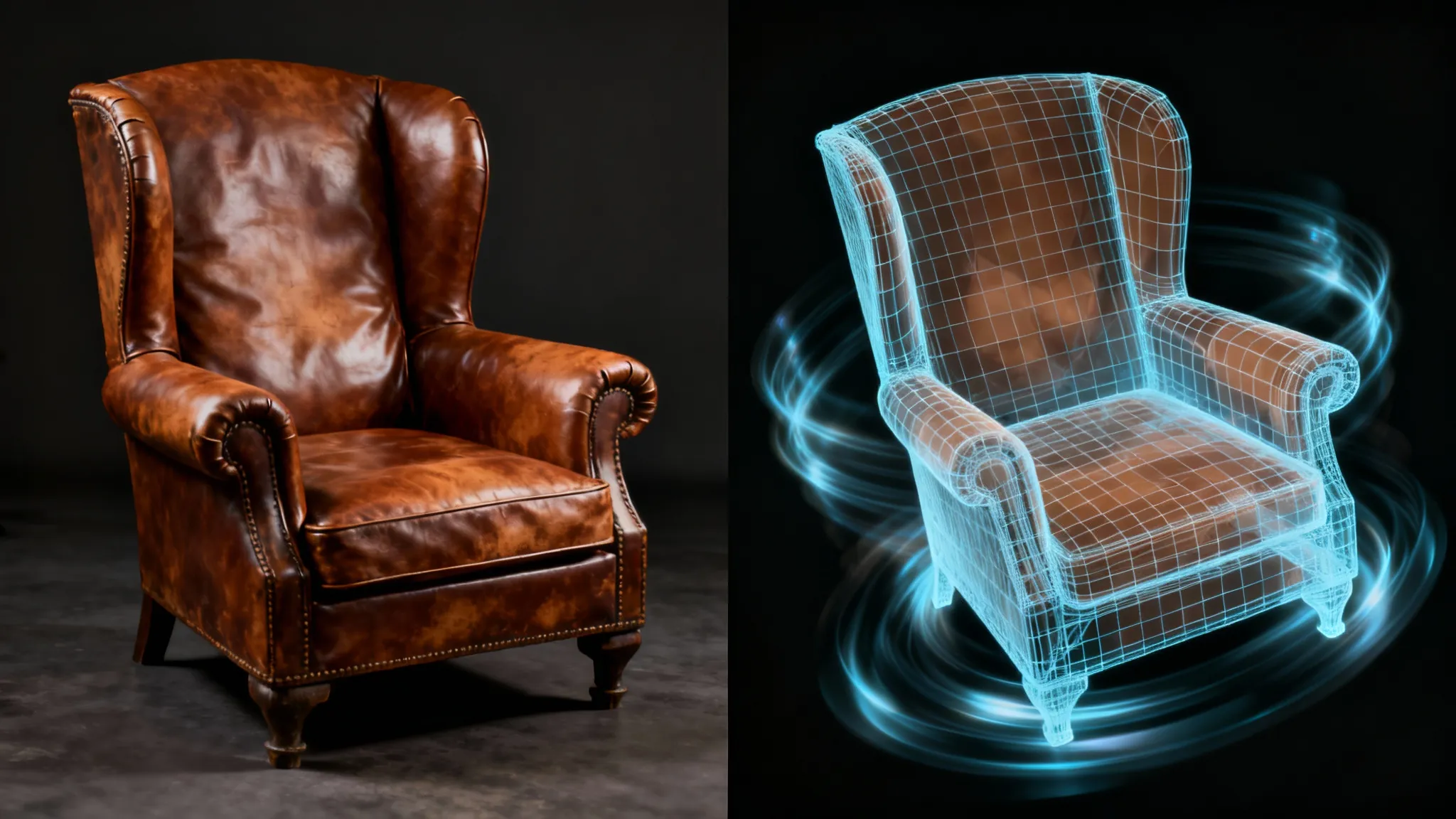
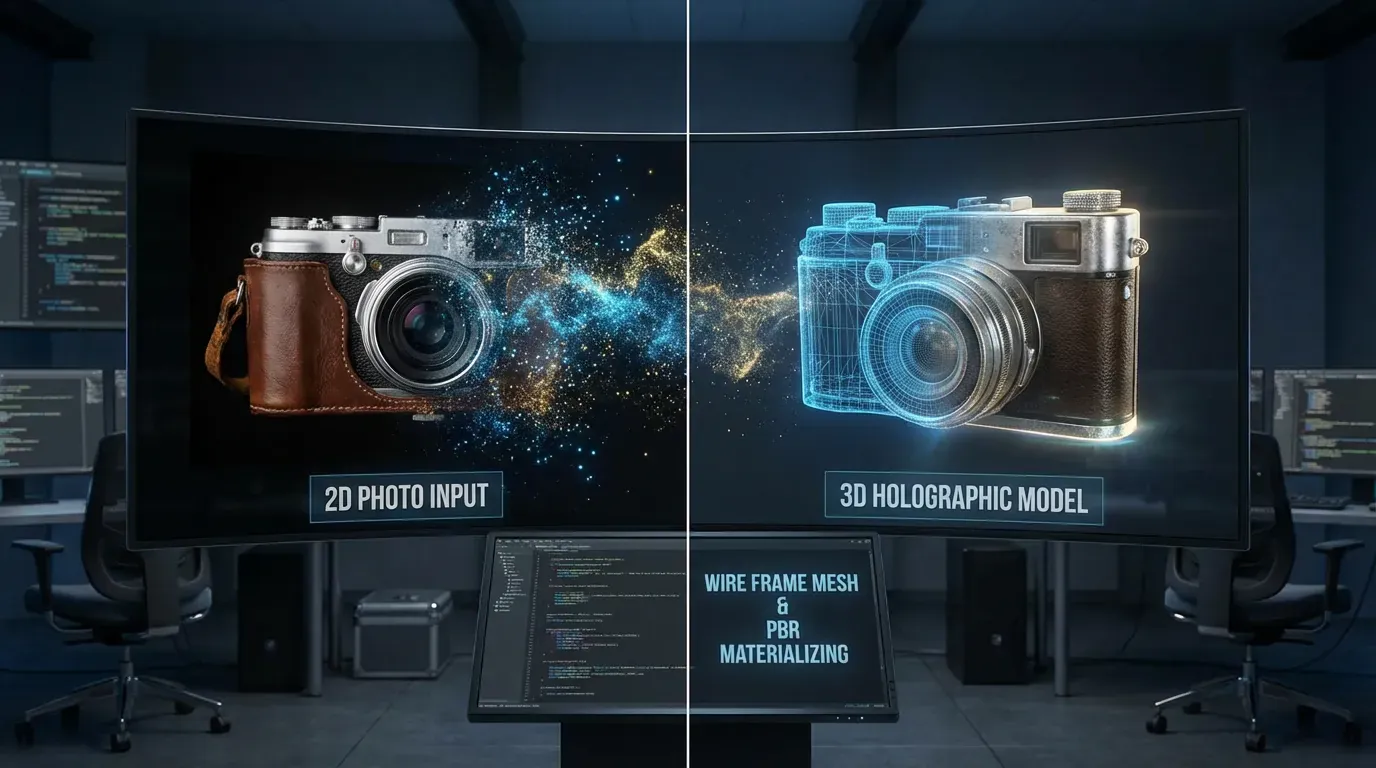
Converting 2D images to 3D models is a revolutionary AI-powered process that analyzes flat photographs and reconstructs them into fully dimensional digital objects with depth, geometry, and texture. Using advanced neural networks trained on millions of 3D assets, these AI systems predict depth information, surface normals, and material properties from single or multiple images. The technology leverages diffusion models, neural radiance fields (NeRF), and geometric reconstruction algorithms to generate meshes with proper topology, UV mapping, and PBR textures ready for game engines, 3D printing, AR/VR applications, and professional rendering pipelines.
Who Is This For?
This technology is essential for game developers creating asset libraries without expensive 3D artists, e-commerce businesses showcasing products in interactive 3D viewers, architects visualizing real-world objects in virtual spaces, content creators producing AR filters and virtual environments, educators building immersive learning experiences, and hobbyists exploring 3D printing and digital art. Anyone needing 3D models without traditional modeling skills can now generate professional-quality assets from simple photographs in minutes instead of hours or days.
Why JAI Portal?
JAI Portal provides access to 24+ cutting-edge image-to-3D AI models in one unified platform with transparent pay-as-you-go pricing using credits. Compare results from different models side-by-side, choose the perfect tool for your specific needs, and only pay for what you generate—no monthly subscriptions or hidden fees required.
Deep Dive
In-Depth Guide
🎯Choosing the Right Image-to-3D Model
Selecting the optimal AI model for your 2D to 3D conversion depends on several critical factors including subject type, quality requirements, budget constraints, and intended use case. For character and human body reconstruction, SAM 3 - 3D Body at 10 credits specializes in accurate pose and shape capture from single photos, making it ideal for avatar creation and virtual fitting applications. When converting everyday objects and products, SAM 3 - 3D Objects excels at geometric precision and texture fidelity at the same 10 credit price point. For maximum quality film and visualization work, Hunyuan3D v3 Image-to-3D at 50 credits delivers ultra-high-resolution models with exceptional detail preservation and realistic PBR materials. Budget-conscious users should consider Trellis 2 at 35 credits, offering excellent quality-to-cost ratio with native 3D generation architecture. Production pipelines requiring game-ready assets benefit from Meshy v6 Image to 3D at 80 credits, which outputs optimized topology with proper quad flow and industry-standard polygon counts between 100k-300k. Speed-focused workflows should leverage Hunyuan 3.1 Rapid Image to 3D at 25 credits for 30-second generation times. Multi-view reconstruction using Meshy 5 Multi I2-3D at 40 credits dramatically improves accuracy when you can photograph objects from 2-4 angles. JAI Portal's unique comparison feature allows generating the same image across multiple models simultaneously, helping you identify which AI architecture handles your specific subject matter most effectively before committing to bulk production.
📸Optimizing Input Images for Best Results
Image quality directly determines 3D reconstruction accuracy, making proper photography technique essential for professional results. Capture images in natural daylight or use soft, diffused artificial lighting from multiple angles to eliminate harsh shadows that confuse depth estimation algorithms. Position your subject against neutral, solid-colored backgrounds—white, gray, or light blue work best—as complex backgrounds introduce noise that degrades geometry prediction. Maintain consistent focus across the entire subject; avoid shallow depth-of-field effects that blur important details the AI needs for reconstruction. Frame your subject to fill 60-80% of the image area with small margins, ensuring the AI focuses computational resources on your target object rather than empty space. Shoot at the highest resolution your camera supports, minimum 1024x1024 pixels but preferably 2048x2048 or 4K for maximum detail capture. For reflective or transparent objects, apply dulling spray or photograph in polarized lighting to reduce specular highlights and see-through areas that break reconstruction algorithms. When using multi-view models, maintain consistent lighting and background across all angles, spacing views evenly around the object at 90-degree intervals for optimal coverage. Avoid motion blur, compression artifacts, and heavy filters—shoot in RAW format when possible and export as high-quality PNG files. Objects with intricate details like jewelry, mechanical parts, or organic textures benefit from macro photography with proper focus stacking. JAI Portal accepts images up to 10MB, allowing uncompressed high-resolution uploads that preserve fine details crucial for generating production-quality 3D meshes with accurate surface characteristics.
🔷Understanding 3D Model Topology and Output Formats
3D model topology—the arrangement and flow of polygons forming the mesh—critically impacts usability for different applications, making format selection essential for workflow success. Quad-based topology with edge loops following natural contours enables smooth subdivision surface modeling and character animation with proper deformation. Triangle-based topology optimizes real-time rendering performance in game engines and web applications where GPU efficiency matters most. Polygon count targets vary dramatically by use case: mobile AR applications require 5k-20k polygons for 60fps performance, desktop games handle 50k-100k polygons comfortably, architectural visualization uses 100k-300k for detailed accuracy, and film-quality rendering accepts 500k+ polygons with subdivision. Most JAI Portal models offer topology options—Meshy v6 provides both quad and triangle outputs, while Hunyuan3D v3 generates high-density meshes suitable for decimation to your target count. PBR (Physically Based Rendering) texture maps include albedo for base color, normal maps for surface detail without geometry, roughness controlling shininess, metallic distinguishing metals from dielectrics, and ambient occlusion adding contact shadows. Texture resolutions from 1024x1024 to 4096x4096 balance detail versus file size—use 2K for real-time applications and 4K for offline rendering. Export format selection depends on your pipeline: OBJ offers universal compatibility but lacks animation data, FBX includes rigging and materials for Unity/Unreal, GLB/GLTF optimize for web deployment with embedded textures, STL suits 3D printing with solid geometry, and USD supports advanced features like layering and variants. JAI Portal provides all formats simultaneously, letting you maintain a master FBX for editing while deploying optimized GLB for web viewers without reconversion.
⚡AI vs Traditional 3D Modeling: Cost and Time Analysis
Traditional 3D modeling requires specialized artists spending 4-40 hours per asset depending on complexity, with professional rates ranging from 50-150 credits per hour equivalent in traditional markets. A simple product model might cost 200-400 credits of artist time, while detailed character models reach 2000-6000 credits. AI image-to-3D conversion completes the same tasks in 30 seconds to 5 minutes at costs between 10-80 credits per generation, representing 95-99% time savings and 75-98% cost reduction. However, AI-generated models currently excel at specific use cases while traditional modeling remains superior for others. AI shines for product visualization, asset library population, rapid prototyping, concept exploration, and scenarios requiring dozens or hundreds of similar models where the speed advantage compounds. Traditional modeling still leads for hero assets requiring perfect topology for animation, highly stylized designs with specific artistic direction, technical models with precise engineering specifications, and assets needing extensive manual optimization. The optimal 2026 workflow combines both approaches: use AI for initial generation and base mesh creation, then employ traditional artists for refinement, retopology, and final polish. This hybrid approach reduces project timelines by 60-80% while maintaining quality standards. JAI Portal's pay-per-use credit system eliminates the risk of monthly subscription waste—generate 5 variations of a product model for 50-400 credits total versus paying a 3D artist 500-2000 credits for a single version. The platform's model comparison feature prevents costly regeneration by identifying the best AI tool for your subject before bulk production. For businesses producing 10+ 3D models monthly, AI conversion through JAI Portal typically achieves ROI within the first week while building reusable asset libraries impossible to afford with traditional modeling budgets.
Image-to-3D AI Tools Compared
Feature
SAM 3 Objects
Hunyuan Rapid
Trellis 2
Hunyuan v3
Speed
⚡ Fast (1-2 min)
⚡⚡ Fastest (30-60s)
⚡ Fast (2-3 min)
🐢 Slower (4-5 min)
Quality
⭐⭐⭐⭐
⭐⭐⭐⭐
⭐⭐⭐⭐⭐
⭐⭐⭐⭐⭐
Credits
10 cr
25 cr
35 cr
50 cr
Multi-View
❌ Single image
✅ Up to 8 views
❌ Single image
❌ Single image
Topology
Auto-optimized
Flexible
Native 3D
High-density
Resolution
Standard HD
HD
High HD
Ultra HD 4K
Best For
Products & objects
Rapid iteration
Balanced projects
Film & visualization
Use Cases
Who Uses This?
🛍️
E-Commerce Product Visualization
Transform product photography into interactive 3D viewers that increase conversion rates by 40-60%. Customers can rotate, zoom, and examine products from every angle, reducing returns and increasing purchase confidence. Generate entire product catalogs in 3D within hours instead of weeks of traditional modeling work.
🎮
Game Development Asset Creation
Populate game environments with realistic props, objects, and environmental assets at a fraction of traditional modeling costs. Convert reference photos into game-ready models with optimized topology and LOD levels. Indie developers can now create asset libraries that previously required entire art teams and months of production time.
🥽
AR/VR Content Production
Build immersive augmented and virtual reality experiences by converting real-world objects into digital twins. Create virtual showrooms, training simulations, and interactive experiences with authentic 3D representations of physical products. Mobile-optimized outputs ensure smooth performance across devices while maintaining visual fidelity.
🏗️
Architecture and Real Estate
Convert photographs of furniture, fixtures, and decorative elements into 3D models for architectural visualization and virtual staging. Create photorealistic interior renderings by populating scenes with real products converted to 3D. Real estate professionals can offer virtual tours with accurate representations of furnishings and amenities.
Avoid These
Common Mistakes
✕Using images with cluttered or complex backgrounds
→ Always photograph subjects against solid, neutral backgrounds. Use photo editing software to remove backgrounds before uploading, or use JAI Portal's background removal tools first. Clean backgrounds allow AI to focus computational power on your subject rather than wasting resources on irrelevant scenery.
✕Uploading low-resolution or compressed images
→ Use original high-resolution images at least 1024x1024 pixels, preferably 2K or higher. Avoid heavily compressed JPEGs—export as PNG with minimal compression. Low-resolution inputs produce low-quality geometry with missing details that cannot be recovered in post-processing.
✕Expecting perfect results from single-view images of complex objects
→ For objects with intricate details on multiple sides, use multi-view capable models like Meshy 5 Multi I2-3D or Hunyuan 3.1 Rapid. Photograph from front, sides, and back at consistent angles. Single-view AI must guess hidden geometry, while multi-view reconstruction uses actual data from all angles.
✕Choosing the wrong topology type for your application
→ Select quad-based topology for animation and subdivision workflows, triangle-based for real-time rendering and games. Understand your target platform's requirements before generation—reconverting topology later adds unnecessary steps and potential quality loss. Match polygon count to performance requirements from the start.
Expert Advice
Pro Tips
Batch Process Similar Objects
When converting multiple similar products or objects, generate 2-3 test versions with different models first to identify which AI handles your specific subject type best. Then batch process the entire collection with your chosen model, maintaining consistent quality across your asset library while minimizing experimentation costs.
Leverage Multi-View for Accuracy
Invest the extra time photographing objects from 4-8 angles when accuracy matters. Multi-view models like Meshy 5 Multi I2-3D produce dramatically better geometry and texture alignment compared to single-view conversion, especially for objects with complex shapes, undercuts, or important details on multiple sides.
Optimize Lighting for Depth Perception
Use soft, directional lighting from 45-degree angles rather than flat frontal lighting. This creates subtle shadows that help AI depth estimation algorithms understand surface contours and geometric features. Avoid harsh shadows but embrace gentle gradients that reveal form and dimension.
Start with Rapid Models for Iteration
Use fast, lower-cost models like Hunyuan 3.1 Rapid during the experimentation and refinement phase. Test different angles, backgrounds, and lighting setups quickly at 25 credits per attempt. Once you've perfected your input image and settings, regenerate with premium quality models for final production assets.
Combine AI with Manual Refinement
Export AI-generated models to Blender or Maya for final touch-ups, retopology, and optimization. AI handles 80-90% of the work automatically, leaving artists to focus on creative refinement rather than tedious base modeling. This hybrid workflow delivers professional quality at a fraction of traditional timelines and costs.
Archive Multiple Format Versions
Download and save all available export formats simultaneously—FBX for editing, GLB for web deployment, OBJ for universal compatibility, and STL for potential 3D printing. Storage is cheap, but regenerating models later wastes credits. Maintain a complete asset library with format flexibility for future projects.
Questions
Frequently Asked
Converting 2D images to 3D models using AI is straightforward: upload your photo to JAI Portal's 3D generation category, select an image-to-3D model like SAM 3 - 3D Objects or Trellis 2, configure your quality settings and output format preferences, then click generate. The AI analyzes your image, predicts depth information, reconstructs geometry, and generates textures automatically in 1-5 minutes. Download your completed 3D model in formats like OBJ, FBX, or GLB ready for use in games, AR applications, or 3D software.
The best tool depends on your specific needs. SAM 3 - 3D Objects at 10 credits excels for everyday objects and products with excellent accuracy-to-cost ratio. Hunyuan3D v3 Image-to-3D at 50 credits delivers film-quality results for premium applications. Trellis 2 at 35 credits offers the best balance of quality and value for professional projects. Meshy v6 Image to 3D at 80 credits produces game-ready assets with optimized topology. JAI Portal lets you compare all 24+ models side-by-side to find your perfect match.
Yes, JAI Portal provides 10 free starter credits when you sign up—no credit card required. This allows you to test image-to-3D conversion with models like SAM 3 - 3D Objects (10 credits) to experience the full workflow before purchasing additional credits. Unlike subscription services charging monthly fees regardless of usage, JAI Portal's pay-as-you-go model means you only pay for what you actually generate. There are no hidden fees, no monthly commitments, and credits never expire.
Generation time varies by model and quality settings. Rapid models like Hunyuan 3.1 Rapid Image to 3D complete in 30-60 seconds, perfect for quick iteration and testing. Standard models like SAM 3 - 3D Objects and Trellis 2 generate in 1-3 minutes with excellent quality. Premium models like Hunyuan3D v3 Image-to-3D take 4-5 minutes for ultra-high-resolution film-quality output. Total workflow from upload to download typically completes in under 2 minutes for most use cases.
Upload high-resolution images in PNG, JPG, or WebP format, minimum 1024x1024 pixels but preferably 2048x2048 or higher for maximum detail capture. Use uncompressed or minimally compressed files to preserve fine details crucial for accurate geometry reconstruction. Photograph subjects against clean, solid-colored backgrounds with even lighting and sharp focus across the entire object. JAI Portal accepts images up to 10MB, allowing professional-quality uploads that produce superior 3D models with accurate textures and geometry.
JAI Portal provides multiple industry-standard formats including OBJ for universal compatibility, FBX with rigging and animation support for Unity and Unreal Engine, GLB/GLTF optimized for web and AR applications, STL for 3D printing, and USD for advanced rendering pipelines. Exports include complete PBR texture sets with albedo, normal, roughness, metallic, and ambient occlusion maps as separate PNG files. All formats work seamlessly with professional 3D software like Blender, Maya, 3ds Max, Cinema 4D, and game engines.
Yes, you own full commercial rights to all 3D models generated through JAI Portal. Use your creations in commercial games, sell as digital products, include in client projects, feature in marketing materials, or deploy in commercial applications without restrictions or royalty payments. Paid generations include no watermarks. Your generated assets are yours to monetize however you choose, making JAI Portal ideal for professional production pipelines and commercial content creation.
Multi-view models like Meshy 5 Multi I2-3D and Hunyuan 3.1 Rapid accept 2-8 photographs of the same object from different angles, dramatically improving geometric accuracy and texture completeness. Single-view AI must guess hidden geometry and back-side details, while multi-view reconstruction uses actual photographic data from all angles to build precise 3D representations. This eliminates artifacts, improves symmetry, captures undercuts and complex shapes accurately, and produces superior texture alignment across the entire model surface.
Is AI Image-to-3D Conversion Worth It in 2026?
AI-powered 2D to 3D conversion has matured into a production-ready technology that delivers genuine value for specific use cases while acknowledging current limitations. The technology excels at converting products, props, and everyday objects into usable 3D assets at 95% time savings and 75-98% cost reduction compared to traditional modeling. Quality has reached professional standards for e-commerce visualization, game asset population, AR applications, and rapid prototyping workflows. However, AI-generated models still require manual refinement for hero assets, character animation, and highly stylized designs where artistic control matters most. The optimal 2026 workflow combines AI for base mesh generation with traditional artists for final polish, achieving dramatic efficiency gains while maintaining quality standards. JAI Portal's pay-as-you-go credit system eliminates subscription waste, letting you experiment with 24+ models to find perfect matches for different subject types. The platform's comparison features and transparent pricing make it easy to balance quality versus cost for each project. For businesses producing 10+ 3D models monthly, AI conversion typically achieves ROI within the first week. As neural network architectures continue advancing, expect even better geometry accuracy, texture fidelity, and topology optimization throughout 2026 and beyond.
Key Takeaways
AI image-to-3D delivers production-quality results for products, props, and objects with 95% time savings versus traditional modeling
Credit costs range 10-80 per model with no subscriptions—dramatically more affordable than hiring 3D artists at 200-6000 credits per asset
Technology democratizes 3D content creation, enabling small businesses and indie creators to build asset libraries previously requiring entire art teams
JAI Portal's 24+ model selection with side-by-side comparison ensures you find the perfect AI tool for each specific subject type and quality requirement
Hybrid workflows combining AI generation with manual refinement deliver optimal results—use AI for 80-90% automation then polish the final 10-20% manually
 Best Choice
10 cr
Best Choice
10 cr
 Fastest
25 cr
Fastest
25 cr
 Best Value
35 cr
Best Value
35 cr
 Most Creative
50 cr
Most Creative
50 cr