Navigate to JAI Portal's Audio/TTS category and browse through 41+ available voice generation models. Each model offers different strengths: ElevenLabs excels at emotional expression, Google Gemini provides multilingual support across 24 languages, while MiniMax offers HD quality with custom pause controls. Consider your project requirements—podcast narration needs different characteristics than commercial ads. Review the credit cost per generation, supported languages, voice customization options, and audio quality specifications. Use the side-by-side comparison feature to preview voice samples from different models before making your selection.
Tip: Start with mid-range models like Google Gemini 2.5 Flash TTS (4 credits) to test your script, then upgrade to premium options like ElevenLabs TTS Eleven-v3 (10 credits) for final production when you've perfected your text.
2
Prepare Your Script
Write or paste your voice over script into the text input field, keeping it clear and well-formatted. Break long paragraphs into shorter segments for better pacing and natural breathing points. Use punctuation strategically—commas create brief pauses, periods create longer breaks, and ellipses add dramatic pauses. Many advanced models support SSML (Speech Synthesis Markup Language) tags for precise control over pronunciation, emphasis, speed, and pitch. For example, use <break time='1s'/> for timed pauses or <emphasis level='strong'> for stressed words. Remove special characters that might confuse the AI, and spell out numbers, abbreviations, and acronyms phonetically if needed.
Tip: Add natural conversational elements like 'um,' 'well,' or brief pauses using commas to make AI voices sound more human and less robotic, especially for podcast-style content.
3
Select Voice Settings
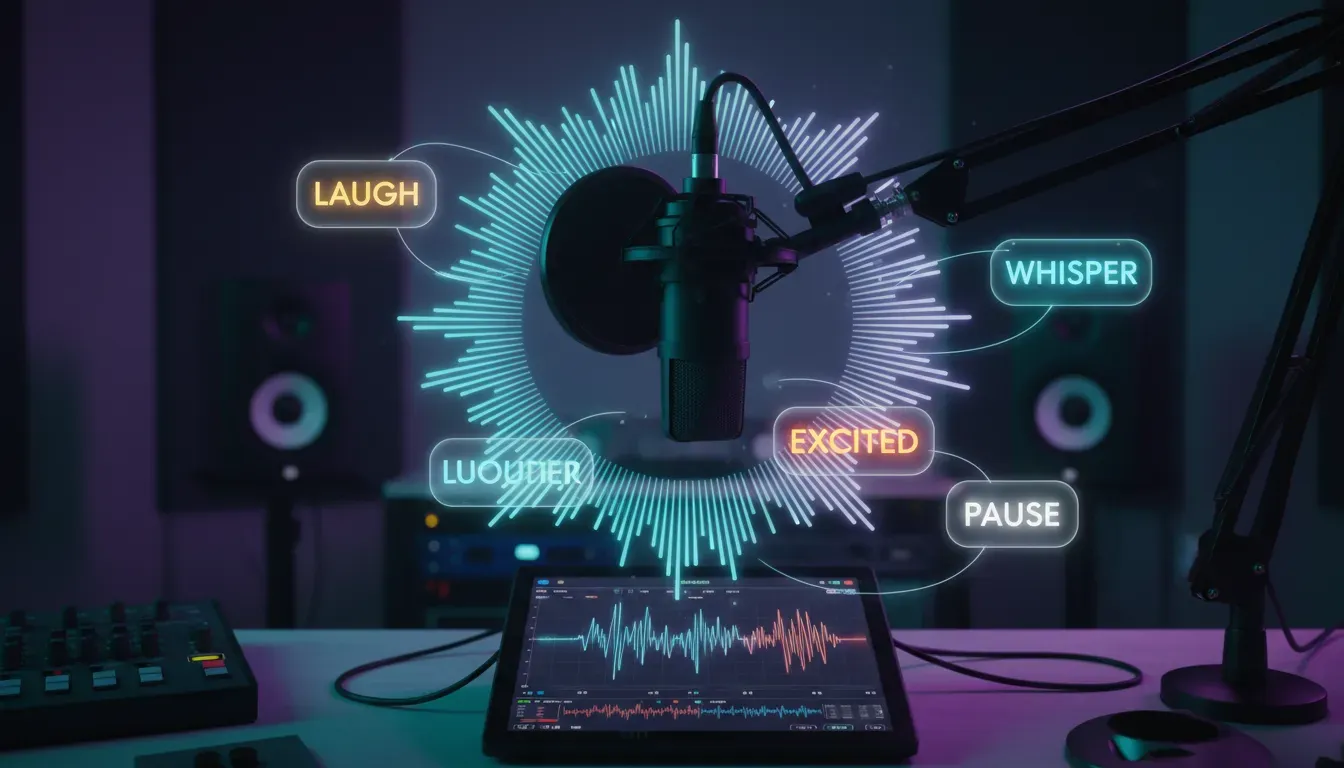
Customize your voice parameters to match your project's tone and style. Choose from available voice presets—professional, casual, energetic, calm, authoritative, or friendly. Adjust the speaking rate (speed) between 0.5x to 2x normal pace; slower speeds work better for educational content while faster rates suit energetic commercials. Fine-tune pitch to make voices sound younger or more mature. Set emotional tone where supported—happy, sad, angry, excited, or neutral. For multilingual projects, select the target language and regional accent. Some models like Chatterbox Turbo TTS allow inline emotion controls, letting you specify laughter, sighs, or whispers at specific points in your script.
Tip: Test the same script with 3-4 different voice presets and speeds using your free credits—subtle variations in delivery can dramatically change how your message resonates with audiences.
4
Configure Advanced Options
Explore advanced features available in premium models to enhance your voice over quality. Enable voice cloning if you want to replicate a specific person's voice using a 5-30 second audio sample (available in Qwen 3 TTS Clone Voice and Kling Video Create Voice models). Activate speaker diarization for multi-speaker scenarios, assigning different voices to different characters or dialogue sections. Set audio format preferences—WAV for highest quality editing, MP3 for smaller file sizes, or FLAC for lossless compression. Adjust sample rate (typically 22kHz to 48kHz) based on your output medium; 44.1kHz works for most web content while 48kHz suits professional video production. Enable background noise reduction and audio normalization for consistent volume levels.
Tip: For voice cloning projects, record your sample audio in a quiet environment with consistent tone and pace—the AI performs better with clean, clear source material free from background noise or music.
5
Generate and Preview
Click the generate button and wait for your AI voice over to process, typically taking 15-60 seconds depending on script length and model complexity. Once generated, use the built-in audio player to preview your voice over with headphones for accurate quality assessment. Listen for pronunciation errors, unnatural pauses, or awkward phrasing. Check that emotional tone matches your intent and that pacing feels natural. If the result isn't perfect, make script adjustments—rephrase awkward sentences, add punctuation for better pacing, or try phonetic spellings for mispronounced words. Most models allow unlimited regenerations, so experiment freely. Compare outputs from multiple models side-by-side to identify which voice best suits your project before committing to final production.
Tip: Create a reference checklist of 5-6 challenging words or phrases from your script and test how each model pronounces them during preview—this quickly reveals which AI handles your specific content best.
6
Download and Use
Once satisfied with your voice over, download the audio file in your preferred format. JAI Portal provides high-quality exports without watermarks—you own full commercial rights to all generated content. Choose WAV format for further editing in audio software like Audacity or Adobe Audition, MP3 for direct upload to video editing tools or podcast platforms, or FLAC for archival quality. The downloaded file includes metadata tags for easy organization. Integrate your voice over into video projects, podcast episodes, e-learning modules, or marketing materials. For ongoing projects, save your successful prompts and settings as templates to maintain consistent voice characteristics across multiple productions. Share directly to cloud storage or collaborative platforms for team review.
Tip: Download both WAV and MP3 versions—keep the WAV as your master file for future editing and use the compressed MP3 for quick sharing and platform uploads to save bandwidth and storage space.
What is Generate Voice Overs with AI?
AI voice over generation uses advanced neural text-to-speech (TTS) technology to convert written text into natural-sounding human speech. Modern AI models analyze linguistic patterns, emotional context, and pronunciation rules to produce voice overs that rival professional studio recordings. These systems employ deep learning architectures trained on thousands of hours of human speech, enabling them to replicate natural intonation, breathing patterns, and emotional nuances. The technology supports multiple languages, accents, voice styles, and even allows voice cloning from short audio samples, making professional voice production accessible to everyone.
Who Is This For?
AI voice over generation is perfect for content creators producing YouTube videos, podcasts, and social media content who need consistent, professional narration. Educators and e-learning developers can create engaging course materials with clear, articulate voice overs in multiple languages. Marketing teams benefit from rapid ad production and explainer videos without hiring voice actors. Game developers, audiobook producers, and app creators use AI voices for character dialogue and narration. Even small businesses can create professional phone systems and promotional videos without expensive studio time.
Why JAI Portal?
JAI Portal gives you access to 41+ premium voice generation models in one platform, letting you compare quality, speed, and style side-by-side before committing credits. Pay only for what you use with transparent per-generation pricing—no monthly subscriptions or hidden fees. Start with 10 free credits to test multiple models and find your perfect voice match.
Deep Dive
In-Depth Guide
🎯Choosing the Right Voice Model for Your Project
Selecting the optimal AI voice model requires understanding the nuanced differences between available options and matching them to your specific use case. ElevenLabs models (TTS Turbo v2.5 at 5 credits and TTS Eleven-v3 at 10 credits) lead in emotional expressiveness and natural prosody, making them ideal for storytelling, audiobooks, and content requiring genuine human-like delivery. Their voice library includes diverse accents and character voices perfect for creative projects. Google Gemini models (Flash at 4 credits, Pro at 8 credits) excel in multilingual applications with native-quality pronunciation across 24 languages, featuring 30+ voice options and superior handling of technical terminology—excellent for international business content and educational materials. MiniMax Speech models (2.6 and 2.8 versions in both Turbo at 6 credits and HD at 10-15 credits) offer exceptional control over pacing with custom pause insertion using <#x#> syntax, supporting 38-40 languages with high-fidelity output perfect for professional presentations and corporate training. For budget-conscious projects, Chatterbox Turbo TTS at 4 credits provides inline emotion controls allowing you to specify laughs, sighs, and breathing patterns directly in your script—revolutionary for podcast-style content. Voice cloning specialists like Qwen 3 TTS Clone Voice (0.6B and 1.7B models at 0.1 credits) enable zero-shot voice replication from brief audio samples, ideal for maintaining brand consistency or creating personalized messages. Consider generation speed versus quality trade-offs: turbo models process faster for iterative testing while HD versions deliver broadcast-quality results for final production. Match your budget allocation to project scope—use lower-credit models for draft iterations and reserve premium models for final deliverables.
⚙️Optimizing Script and Settings for Maximum Quality
Achieving professional-grade AI voice overs requires meticulous script preparation and strategic parameter configuration. Begin by writing conversationally—AI voices perform best with natural language patterns rather than formal written prose. Read your script aloud before generation to identify awkward phrasing, tongue-twisters, or unnatural rhythm that might confuse the AI. Structure sentences with varied length to create dynamic pacing; mix short punchy statements with longer descriptive passages. Strategic punctuation dramatically impacts delivery quality: use commas for brief natural pauses (0.3-0.5 seconds), periods for sentence breaks (0.8-1.2 seconds), semicolons for mid-length pauses, and ellipses for dramatic suspense. Advanced users should leverage SSML markup supported by models like Google Gemini and ElevenLabs—tags like <prosody rate='slow' pitch='+2st'> allow surgical control over specific phrases. For technical content with acronyms, industry jargon, or brand names, create a pronunciation guide using phonetic spellings or SSML <phoneme> tags to ensure accuracy. Optimal speaking rate varies by content type: educational material works best at 0.85-0.95x normal speed for clarity, while energetic marketing content shines at 1.1-1.3x speed. Pitch adjustments of ±2-4 semitones can age voices up or down or create distinct character voices for multi-speaker scenarios. When using emotion controls, apply them sparingly—over-emoting sounds theatrical rather than authentic. Test audio at your target playback environment; voice overs that sound perfect on studio monitors might lack clarity on smartphone speakers or earbuds. Always generate at the highest available sample rate (48kHz) even if your final output is lower quality—downsampling preserves more detail than upsampling from lower rates. For long-form content exceeding 500 words, break scripts into logical segments and generate separately to maintain consistent quality and allow easier editing of individual sections.
🎭Voice Cloning and Custom Voice Creation Workflows
Voice cloning technology has revolutionized personalized audio production, enabling creators to replicate specific voices with remarkable accuracy from minimal source material. The process begins with capturing a clean reference recording: use a quality microphone in a quiet environment, maintain consistent distance and volume, and record 10-30 seconds of natural speech covering varied phonemes and intonation patterns. Avoid background music, echo, or noise that might confuse the cloning algorithm. Models like Qwen 3 TTS Clone Voice (0.6B at 0.1 credits and 1.7B at 0.1 credits) offer zero-shot cloning capabilities, meaning they can replicate a voice from a single sample without additional training—revolutionary for rapid prototyping. For higher fidelity, Kling Video Create Voice (1 credit) accepts 5-30 second audio or video clips and creates custom voice profiles usable across multiple generations. The Qwen 3 TTS Voice Design model (1.7B at 9 credits) takes a different approach, allowing you to design synthetic voices from scratch by specifying characteristics like age, gender, accent, and tone, then use those designs with the Clone Voice models. Professional workflow: first create 3-4 voice candidates using Voice Design, test them with representative script samples, select the winner, then use Clone Voice for all production generations to maintain consistency. Voice cloning applications extend beyond simple replication—content creators use it to maintain consistent narration across video series even when recording conditions vary, while businesses create branded voice identities for customer service applications. Ethical considerations are paramount: always obtain explicit permission before cloning someone's voice, clearly disclose AI-generated content to audiences, and avoid impersonation or deceptive practices. For commercial projects, document voice usage rights and maintain source recording permissions. Technical tip: clone voices perform best when generation scripts match the speaking style, pace, and emotional range of the original reference recording—dramatic source audio works poorly for calm narration and vice versa.
⚖️AI Voice Generation vs Traditional Voice Over Production
The voice over industry has transformed dramatically with AI technology, creating new paradigms for content production economics and workflows. Traditional voice over production involves hiring professional voice actors ($100-$500 per project), booking studio time ($50-$150 per hour), working with audio engineers, and managing revision cycles that can extend timelines by days or weeks. A typical 2-minute commercial voice over might cost $300-$800 and require 3-5 business days from booking to final delivery. In contrast, AI voice generation on JAI Portal costs 4-15 credits per generation (roughly equivalent to $0.40-$1.50 in traditional terms), completes in under 2 minutes, and allows unlimited revisions without additional cost. For content creators producing daily videos or podcasts, this represents 95%+ cost savings and 99% time reduction compared to traditional methods. Quality comparison has evolved significantly—2026 AI models like ElevenLabs Eleven-v3 and Maya1 TTS produce emotionally nuanced performances indistinguishable from human voice actors in blind tests for most content types. However, traditional voice actors still excel in highly dramatic performances requiring subtle emotional layering, improvisation, or unique character interpretations that AI struggles to replicate. The optimal approach for many creators is hybrid: use AI for routine narration, tutorials, and high-volume content production, while reserving human talent for flagship projects, brand campaigns, or content requiring distinctive personality. JAI Portal's pay-per-use model eliminates the risk—test AI voices for your specific content without subscription commitments, and scale usage based on results. Workflow efficiency gains extend beyond cost: AI enables rapid A/B testing of different voice styles, instant localization into multiple languages, and on-demand generation that matches agile content production schedules. For businesses, AI voice consistency ensures brand uniformity across hundreds of videos without the scheduling challenges and natural variation inherent in human recording sessions.
Top Voice Generation Models Compared
Feature
Google Gemini Flash
ElevenLabs Turbo
MiniMax HD
Chatterbox Turbo
Speed
⚡ Very Fast (20-30s)
⚡ Fast (30-45s)
🐢 Moderate (45-90s)
⚡ Very Fast (15-30s)
Quality
⭐⭐⭐⭐ Excellent
⭐⭐⭐⭐⭐ Outstanding
⭐⭐⭐⭐⭐ Outstanding
⭐⭐⭐⭐ Excellent
Credits
4 cr
5 cr
10 cr
4 cr
Languages
24 languages
29 languages
38 languages
English + 15 others
Emotion Control
✅ Basic tone control
✅✅ Advanced emotions
✅ Moderate control
✅✅✅ Inline markup
Voice Options
30+ voices
50+ voices
40+ voices
25+ voices
Best For
Versatile all-purpose
Storytelling & audiobooks
Professional production
Conversational podcasts
Use Cases
Who Uses This?
📱
YouTube Videos & Social Media Content
Content creators use AI voice overs to produce consistent, professional narration for explainer videos, tutorials, product reviews, and social media clips without expensive recording equipment. Generate multiple voice variations to A/B test audience engagement, create character voices for animated content, or maintain consistent narration quality across daily uploads. The speed of AI generation matches the rapid pace of social media content production, enabling same-day turnaround from concept to published video.
🎓
E-Learning & Corporate Training
Educational institutions and corporate training departments leverage AI voices to create engaging course materials, instructional videos, and interactive learning modules at scale. Generate narration in multiple languages to reach global audiences, update training content instantly without re-recording entire modules, and maintain consistent voice quality across hundreds of lessons. The cost savings enable smaller organizations to produce professional-quality educational content previously accessible only to large institutions with dedicated production budgets.
🎙️
Podcasts & Audiobooks
Podcasters and authors use AI voice generation for intro/outro segments, ad reads, audiobook narration, and multi-character dialogue. Voice cloning technology allows hosts to pre-generate consistent intros even when recording conditions vary, while emotion controls enable dramatic storytelling with appropriate tonal shifts. Independent authors can now produce professional audiobook versions of their work without the $2,000-$5,000 cost of hiring professional narrators, democratizing access to the growing audiobook market.
📢
Marketing & Advertising
Marketing teams generate voice overs for commercials, explainer videos, product demos, and promotional content with rapid iteration cycles that match agile campaign development. Test multiple voice styles and emotional tones to optimize message delivery, localize campaigns into dozens of languages simultaneously, and produce personalized video messages at scale for account-based marketing. The pay-per-use model allows small businesses to access broadcast-quality voice production without agency retainers or minimum commitments.
Avoid These
Common Mistakes
✕Using written prose instead of conversational language
→ Write scripts as if speaking naturally to a friend. Read aloud before generating and rephrase anything that sounds stiff or overly formal. AI voices perform best with contractions, casual phrasing, and natural speech patterns rather than academic or literary writing styles.
✕Ignoring punctuation and pacing markers
→ Strategic punctuation controls AI delivery rhythm. Add commas for natural breathing points, use periods for clear sentence breaks, and employ ellipses for dramatic pauses. Break long run-on sentences into shorter segments to prevent monotonous delivery and improve listener comprehension.
✕Generating entire long scripts in one pass
→ Break scripts longer than 500 words into logical segments and generate separately. This maintains consistent quality, allows easier editing of individual sections, and prevents fatigue in AI voice characteristics. You can seamlessly stitch segments together in audio editing software.
✕Not testing pronunciation of technical terms
→ Preview how AI handles industry jargon, brand names, and acronyms before full generation. Create a pronunciation test script with challenging terms, then use phonetic spellings or SSML tags to correct mispronunciations. Save successful phonetic versions as reference for future projects.
Expert Advice
Pro Tips
Layer Multiple Voice Generations
For complex projects, generate different script sections with varying voice settings to create dynamic audio. Use an energetic voice at 1.2x speed for intros, standard pacing for main content, and slower contemplative delivery for conclusions. This variation maintains listener engagement better than monotonous single-voice narration throughout.
Create a Voice Style Guide
Document successful voice settings, model choices, and script formatting conventions for your brand or content series. Include specific parameter values, pronunciation guides for recurring terms, and examples of effective emotional markup. This ensures consistency across multiple projects and team members, building recognizable audio branding.
Use Background Audio Strategically
Pair AI voice overs with subtle background music or ambient sound to mask minor AI artifacts and enhance production value. Music adds emotional context and professional polish while drawing attention away from occasional unnatural inflections. Keep background audio 15-20dB below voice levels for optimal clarity.
Test on Target Playback Devices
Preview generated voice overs on the actual devices your audience uses—smartphone speakers, earbuds, car audio systems, or laptop speakers. Voice overs that sound perfect on studio monitors might lack clarity or presence on consumer devices. Adjust EQ and compression in post-production to optimize for your target listening environment.
Leverage Voice Cloning for Consistency
Create a custom voice clone from your best recording session, then use it for all future productions to maintain perfect consistency regardless of recording conditions. This is invaluable for series content, branded materials, or situations where you need professional narration but lack access to quality recording equipment every time.
Batch Generate Variations for A/B Testing
Generate the same script with 3-4 different voice models, speeds, and emotional tones using your free credits. Test these variations with sample audiences to identify which voice characteristics drive the best engagement, retention, or conversion metrics before committing to full production with premium models.
Questions
Frequently Asked
Generating AI voice overs is straightforward: select a text-to-speech model from JAI Portal's Audio/TTS category, paste or type your script into the text input field, customize voice settings like speed, pitch, and emotional tone, then click generate. The AI processes your text in 15-60 seconds and produces downloadable audio files in formats like MP3 or WAV. You can preview results, make adjustments, and regenerate until satisfied. Start with 10 free credits to test different models and find the voice that best matches your project needs.
The best AI voice over tool depends on your specific needs. Google Gemini 2.5 Flash (4 credits) offers the best all-around value with 24-language support and fast generation. ElevenLabs TTS Turbo v2.5 (5 credits) delivers the most natural emotional expressiveness for storytelling and creative content. MiniMax Speech 2.8 HD (10 credits) provides the highest audio quality for professional productions. Chatterbox Turbo TTS (4 credits) gives maximum control with inline emotion markup for conversational content. JAI Portal lets you compare all these models side-by-side to find your perfect match.
Yes, JAI Portal provides 10 free starter credits when you sign up—no credit card required. These credits let you test multiple voice generation models to find the right fit for your project before purchasing additional credits. Unlike subscription services that charge monthly fees regardless of usage, JAI Portal operates on pay-as-you-go pricing. You only pay for what you actually generate, with no hidden fees or recurring charges. This makes professional voice over generation accessible for everyone from hobbyists to professional content creators.
AI voice over generation is remarkably fast compared to traditional methods. Most models process scripts in 15-60 seconds depending on text length and model complexity. Fast models like Google Gemini Flash and Chatterbox Turbo complete generations in 20-30 seconds, while premium quality models like MiniMax HD might take 45-90 seconds for longer scripts. This represents a 99% time reduction compared to traditional voice over production, which requires booking voice actors, scheduling studio time, recording sessions, and post-production—often taking 3-5 business days from start to final delivery.
JAI Portal's AI voice models export in multiple professional audio formats including WAV (uncompressed, highest quality for editing), MP3 (compressed, ideal for web and streaming), and FLAC (lossless compression for archival). Sample rates range from 22kHz to 48kHz depending on the model, with HD models offering broadcast-quality 44.1kHz or 48kHz output suitable for professional video production, radio, and streaming platforms. All exports are high-fidelity with no watermarks, and you retain full commercial rights to use the generated audio in any project.
No special equipment or software is required to generate AI voice overs with JAI Portal. The entire process runs in your web browser—just visit jaiportal.com, select a voice model, and start creating. You don't need microphones, recording equipment, audio interfaces, or professional studio space. For basic use, any computer or tablet with internet access works perfectly. If you want to edit the generated audio further, you can import the downloaded files into free software like Audacity or professional tools like Adobe Audition, but editing is optional for most use cases.
Yes, you own full commercial rights to all voice overs generated on JAI Portal. Use your AI-generated audio in YouTube videos, podcasts, commercial advertisements, e-learning courses, audiobooks, video games, apps, or any other commercial project without additional licensing fees or royalty payments. There are no watermarks on paid generations, and no attribution is required (though always appreciated). This commercial-use freedom makes AI voice generation ideal for businesses, content creators, and entrepreneurs who need professional audio without ongoing licensing complications or usage restrictions.
JAI Portal's voice generation models collectively support 40+ languages with native-quality pronunciation and accent accuracy. Google Gemini models cover 24 major languages including English, Spanish, French, German, Italian, Portuguese, Japanese, Korean, Chinese, Hindi, Arabic, and more. MiniMax Speech supports 38-40 languages with regional accent variations. ElevenLabs offers 29 languages with diverse voice options. Language support varies by model, so check individual model specifications for your target language. Many models also support multiple regional accents within languages, such as US, UK, Australian, and Indian English variants.
Is AI Voice Over Generation Worth It in 2026?
AI voice over generation has reached a maturity level in 2026 where it's not just worth it—it's become essential for modern content production. The technology has evolved beyond robotic text-to-speech into genuinely expressive, emotionally nuanced audio that rivals professional human voice actors in blind listening tests. For content creators, educators, marketers, and businesses, the economics are compelling: 95%+ cost savings compared to traditional voice over production, 99% faster turnaround times, and unlimited revision capabilities without additional fees. JAI Portal's pay-per-use model eliminates financial risk by letting you test multiple premium models with free starter credits before committing to larger projects. The quality-to-cost ratio is exceptional—professional broadcast-grade voice overs for 4-15 credits that would traditionally cost hundreds of dollars and days of production time. While human voice actors still excel in highly nuanced dramatic performances and unique character work, AI has democratized access to professional voice production for everyone. The technology continues improving monthly, with newer models adding more languages, better emotional control, and increasingly natural prosody. For anyone producing regular content—whether daily YouTube videos, weekly podcasts, e-learning courses, or marketing materials—AI voice generation isn't just worth exploring, it's become a competitive necessity in 2026's fast-paced content landscape.
Key Takeaways
2026 AI voice models produce emotionally expressive, natural-sounding audio indistinguishable from human voice actors for most content types
Pay-per-use pricing delivers 95%+ cost savings versus traditional voice over production with no subscriptions or hidden fees
Generation speed of 15-60 seconds enables same-day content production and rapid iteration impossible with traditional methods
JAI Portal's 41+ model comparison lets you test different voices side-by-side to find perfect matches for your specific content needs
Full commercial rights and no watermarks make AI-generated voice overs suitable for professional productions, advertising, and monetized content
 Best Choice
4 cr
Best Choice
4 cr
 Fastest
5 cr
Fastest
5 cr
 Best Value
10 cr
Best Value
10 cr
 Most Creative
4 cr
Most Creative
4 cr