Use code JAI15 for 15% OFF 12:00:00
Updated March 2026 – 10+ Models Tested

10 Best CapCut Alternatives in 2026 – Expert Tested & Ranked

10+ AI video editing models tested. Better pricing than CapCut — no subscription, no watermark. Pay only for what you use.

12
Alternatives
★ 4.9
Top Rated
10
Free Credits
$0
Subscription
Why Switch
Why Look for CapCut Alternatives?
🎬
Advanced AI Features
Access cutting-edge AI video editing capabilities like prompt-based editing, style transfer, and automated effects that go beyond traditional editing tools.
💰
Flexible Pricing
Pay only for what you use with credit-based pricing. No monthly subscriptions, no hidden fees, and complete control over your spending.
🚀
Professional Quality
Generate cinema-quality videos with advanced AI models that offer superior resolution, motion control, and creative possibilities for professional projects.
Faster Workflows
Automate tedious editing tasks like subtitle generation, object removal, and style transformations to complete projects in minutes instead of hours.
🎨
Creative Freedom
Transform videos with text prompts, apply artistic styles, extend footage, and manipulate scenes with AI-powered tools that expand creative possibilities.

Ranked
Top CapCut Alternatives
Compared by quality, features, pricing, and ease of use
1
Runway Gen-4 Aleph On JAI
Best Overall AI Video Editor
★★★★ 4.9/5
Pay-as-you-go · From 18 credits per generation

Runway Gen-4 Aleph: advanced AI video editing for object manipulation, scene generation, and creative transformations with professional quality output.

Pros
  • Advanced object manipulation and scene generation
  • Professional-grade video quality output
  • Intuitive text-based editing interface
Cons
  • Higher credit cost for complex edits
  • Processing time varies with complexity
Quality 5/5
Speed 4/5
Value 3/5
Best for: Professional video editors and content creators needing advanced AI-powered editing capabilities
Try Runway Gen-4 Aleph →
2
Luma Ray 2 Modify On JAI
Best for Style Transformation
★★★★ 4.8/5
Pay-as-you-go · From 35 credits per generation

Transform Live-Action Videos Into Animations Or New Styles With Luma Ray 2 Modify—Advanced AI Video Editing For Professional Results.

Pros
  • Exceptional live-action to animation conversion
  • Advanced style transfer capabilities
  • High-quality professional output
Cons
  • Premium pricing for advanced features
  • Requires clear source footage
Quality 5/5
Speed 4/5
Value 2/5
Best for: Creators transforming live-action videos into animations or applying dramatic style changes
Try Luma Ray 2 Modify →
3
Kling O1 Edit Video On JAI
Best for Natural Language Editing
★★★★ 4.8/5
Pay-as-you-go · From 17 credits per generation

Edit videos with AI-powered natural language instructions. Transform subjects, settings, and style with simple text prompts for intuitive editing.

Pros
  • Intuitive natural language interface
  • Powerful subject and setting transformations
  • Fast processing with quality results
Cons
  • Complex prompts may require refinement
  • Best results with clear instructions
Quality 5/5
Speed 5/5
Value 4/5
Best for: Video editors who prefer text-based instructions for quick transformations and style changes
Try Kling O1 Edit Video →
4
Lucy Edit Pro On JAI
Best for Creative Effects
★★★★ 4.7/5
Pay-as-you-go · From 30 credits per generation

Transform Videos With Lucy Edit Pro Using Text Prompts For Creative Style Changes And Visual Effects With Professional Quality.

Pros
  • Extensive creative style options
  • Professional visual effects library
  • Text prompt-based workflow
Cons
  • Higher cost for premium features
  • Learning curve for advanced effects
Quality 5/5
Speed 4/5
Value 3/5
Best for: Creative professionals seeking advanced visual effects and artistic style transformations
Try Lucy Edit Pro →
5
Wan VACE Video Edit On JAI
Best Budget-Friendly Option
★★★★ 4.7/5
Pay-as-you-go · From 5 credits per generation

Edit videos effortlessly with Wan VACE Video Edit—AI-powered video editing using natural language prompts for fast, creative transformations.

Pros
  • Extremely affordable pricing
  • Natural language editing interface
  • Fast processing speeds
Cons
  • Fewer advanced features than premium options
  • Best for simpler transformations
Quality 4/5
Speed 5/5
Value 5/5
Best for: Budget-conscious creators and beginners needing affordable AI video editing
Try Wan VACE Video Edit Free →
6
LTX-2 19B Video to Video On JAI
Best for Camera Control
★★★★ 4.7/5
Pay-as-you-go · From 5 credits per generation

Transform Videos With Advanced AI Using LTX-2 19B: Camera Control, Audio Synthesis, Multi-Scale Generation For Professional Results.

Pros
  • Advanced camera control features
  • Audio synthesis capabilities
  • Multi-scale generation options
Cons
  • Requires understanding of camera controls
  • Complex features may need practice
Quality 5/5
Speed 4/5
Value 5/5
Best for: Filmmakers and video professionals needing precise camera control and cinematic effects
Try LTX-2 19B Video to Video Free →
7
Editto Video Editor On JAI
Best for Quick Transformations
★★★★ 4.6/5
Pay-as-you-go · From 4 credits per generation

Editto Video Editor: Transform Videos With AI Text Prompts. Change Style, Aesthetics, And Content In Seconds With Intuitive Controls.

Pros
  • Very affordable pricing
  • Fast transformation speeds
  • Simple text prompt interface
Cons
  • Limited advanced features
  • Best for simpler edits
Quality 4/5
Speed 5/5
Value 5/5
Best for: Content creators needing fast, affordable video transformations with minimal complexity
Try Editto Video Editor Free →
8
LightX Recamera On JAI
Best for Cinematic Control
★★★★ 4.6/5
Pay-as-you-go · From 10 credits per generation

Transform video footage with LightX Recamera's advanced camera control, trajectory editing, and cinematic effects for professional results.

Pros
  • Advanced camera trajectory editing
  • Professional cinematic effects
  • Precise control over camera movements
Cons
  • Steeper learning curve
  • Best suited for experienced editors
Quality 5/5
Speed 4/5
Value 4/5
Best for: Professional videographers needing advanced camera control and cinematic editing features
Try LightX Recamera Free →
9
Auto Subtitle Generator On JAI
Best for Subtitles
★★★★ 4.6/5
Pay-as-you-go · From 1 credit per generation

Automatically add professional subtitles to videos in 13+ languages with customizable fonts, colors, and styles for accessibility and engagement.

Pros
  • Extremely affordable at 1 credit
  • Supports 13+ languages
  • Customizable subtitle styling
Cons
  • Limited to subtitle generation only
  • May require manual timing adjustments
Quality 4/5
Speed 5/5
Value 5/5
Best for: Content creators needing fast, affordable subtitle generation for social media and accessibility
Try Auto Subtitle Generator Free →
10
Bria Video Eraser Prompt On JAI
Best for Object Removal
★★★★ 4.5/5
Pay-as-you-go · From 2 credits per generation
Bria Video Eraser Prompt

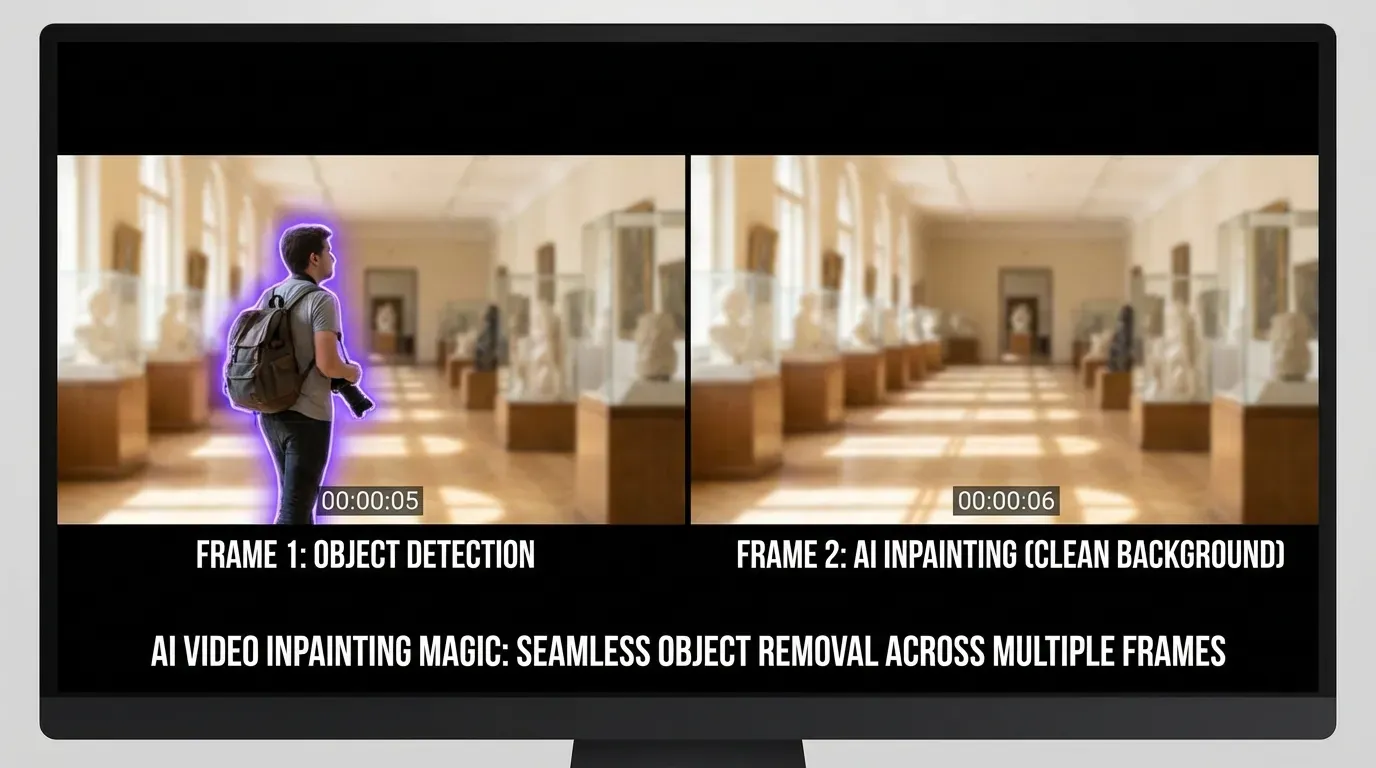
Remove Unwanted Objects, People, Logos, Or Text From Videos Using AI-Powered Prompts. Flawless Results With Natural Background Reconstruction.

Pros
  • Affordable object removal
  • AI-powered prompt-based interface
  • Natural background reconstruction
Cons
  • Complex removals may need multiple attempts
  • Best with clear, well-defined objects
Quality 4/5
Speed 4/5
Value 5/5
Best for: Video editors needing to remove watermarks, logos, or unwanted objects from footage
Try Bria Video Eraser Prompt Free →
11
Wan 2.2 Video-to-Video On JAI
Best for Visual Diversity
★★★★ 4.5/5
Pay-as-you-go · From 8 credits per generation

Transform videos with Wan 2.2 Video-to-Video AI—generate high-quality, visually diverse videos from existing footage with advanced effects.

Pros
  • High visual diversity output
  • Quality transformations
  • Affordable mid-range pricing
Cons
  • Results may vary with source quality
  • Processing time for complex edits
Quality 4/5
Speed 4/5
Value 4/5
Best for: Creators seeking diverse visual variations and creative transformations of existing videos
Try Wan 2.2 Video-to-Video Free →
12
Lucy Restyle On JAI
Best for Long Videos
★★★★ 4.5/5
Pay-as-you-go · From 1 credit per generation

Transform videos up to 10 minutes with Lucy Restyle AI—apply artistic, psychedelic, or custom visual styles to extended footage affordably.

Pros
  • Incredibly affordable at 1 credit
  • Supports videos up to 10 minutes
  • Wide range of artistic styles
Cons
  • Limited to style transformations
  • Best for artistic rather than precise edits
Quality 4/5
Speed 4/5
Value 5/5
Best for: Content creators working with longer videos who need affordable artistic style transformations
Try Lucy Restyle Free →

Side by Side
Feature Comparison
CapCut vs top alternatives
Feature CapCut Runway Gen-4 Aleph Kling O1 Edit Wan VACE Auto Subtitle
Pricing Model Free + Subscription Pay-as-you-go Pay-as-you-go Pay-as-you-go Pay-as-you-go
AI-Powered Editing Limited Advanced Advanced ✓ Yes Specialized
Text Prompt Interface ✗ No ✓ Yes ✓ Yes ✓ Yes ✗ No
Object Manipulation Basic Advanced Advanced Basic N/A
Style Transfer Limited Excellent Excellent Good N/A
Cost Per Edit Subscription 18 credits 17 credits 5 credits 1 credit
Professional Quality Good Excellent Excellent Good Good
Learning Curve Easy Moderate Easy Easy Very Easy

Try on JAI
CapCut Alternatives on JAI Portal
All available with 10 free credits · No subscription required
View All 33+ Models

Questions
Frequently Asked
While CapCut offers a free tier, JAI Portal provides a more flexible approach with 10 free starter credits to test professional AI video editing tools. Models like Auto Subtitle Generator (1 credit), Lucy Restyle (1 credit), and Bria Video Eraser Prompt (2 credits) offer affordable options for specific tasks. For comprehensive editing, Wan VACE Video Edit at 5 credits provides excellent value with natural language editing capabilities.
Runway Gen-4 Aleph is the top choice for professional video editing with advanced object manipulation, scene generation, and creative transformations at 18 credits per generation. For live-action to animation conversion and dramatic style changes, Luma Ray 2 Modify offers exceptional quality at 35 credits. Both provide cinema-quality output suitable for professional projects.
Yes! All video editing tools on JAI Portal use pay-as-you-go pricing with credits—no monthly subscriptions required. You only pay for what you use, starting with 10 free credits for new users. This gives you complete control over costs compared to CapCut's subscription model.
Auto Subtitle Generator and Lucy Restyle are the most affordable at just 1 credit per generation. For comprehensive video editing, Editto Video Editor (4 credits) and Wan VACE Video Edit (5 credits) offer excellent value with AI-powered transformations using text prompts. These options are significantly more cost-effective than subscription-based alternatives.
Kling O1 Edit Video excels at natural language editing, allowing you to transform subjects, settings, and styles with simple text prompts at 17 credits. Lucy Edit Pro (30 credits) and Editto Video Editor (4 credits) also offer robust text prompt-based workflows. These tools make video editing intuitive without complex interfaces.
Yes! All content generated on JAI Portal can be used commercially—you own your outputs. Whether you're using Runway Gen-4 Aleph for professional projects, Wan VACE for client work, or Auto Subtitle Generator for social media content, you have full commercial rights to your creations without additional licensing fees.
Try the Best CapCut Alternatives Free
Get 10 free credits to test Runway Gen-4, Kling O1, and 33+ other AI video editing models. No subscription required.
Start Free Trial
🎉 10 Free Credits · No Credit Card Required

Related Content
How-To Guides
Remove Objects from Photos with AI Face Swap in Photos with AI Generate Voice Overs with AI
Free Tools
Free AI Face Swap Tool Free AI Music Generator – Original Tracks, Zero Royalties 🎵 Free image to image AI edit
Alternatives
The Best AI Editing Alternatives Pika Labs Alternatives Midjourney Alternatives
Best Of
Best AI Music Generators 2026 Best Text to Image AI Tools Best AI Avatar Generators 2026
Explore Related